What Is Alexa Smart Home? The Complete Guide to Amazon's Ecosystem
If you have ever asked a voice assistant to turn off the lights, play your favorite playlist, or check the weather forecast, there is a strong chance you were talking to Alexa. Amazon's voice-powered assistant has become one of the most recognizable names in home automation, and the Alexa smart home ecosystem sits at the center of millions of connected households worldwide. But what exactly is Alexa smart home, and how does it transform a collection of gadgets into a unified, intelligent living environment?
This comprehensive guide breaks down everything you need to know about the Alexa smart home platform. From understanding its core architecture and discovering the best compatible devices to mastering advanced automations and navigating privacy considerations, you will walk away with a clear picture of how Amazon's ecosystem works and whether it is the right foundation for your connected home.
Platform Overview: Understanding the Alexa Smart Home Ecosystem
At its core, Alexa is Amazon's cloud-based voice service and artificial intelligence platform. When people refer to the "Alexa smart home," they are talking about the entire ecosystem of hardware, software, skills, and third-party integrations that allow Alexa to control and coordinate devices throughout your living space. Unlike a simple remote control or a standalone app, the Alexa ecosystem acts as a central nervous system for your home, connecting lights, thermostats, cameras, locks, speakers, appliances, and sensors into a single, voice-controlled and automation-driven network.
How Alexa Works Under the Hood
When you speak a command, an Alexa-enabled device captures your voice and sends the audio to Amazon's cloud servers. There, advanced natural language processing (NLP) and automatic speech recognition (ASR) algorithms convert your words into text, interpret your intent, and determine which action to take. The result is sent back to your device in a matter of seconds — sometimes milliseconds — triggering everything from playing music to adjusting your thermostat to locking your front door.
This cloud-first architecture means that Alexa is constantly improving. Amazon regularly updates its machine learning models, adds new capabilities, and expands compatibility with third-party devices. It also means that a reliable internet connection is essential for most Alexa functions, though Amazon has been investing in local processing capabilities through devices like the Echo (4th Gen) and Echo Show 15, which include built-in Zigbee hubs and edge computing features.
The Hardware Foundation: Echo Devices and Beyond
The Amazon Echo family serves as the primary hardware interface for the Alexa smart home ecosystem. The lineup has grown significantly since the original Echo launched, and today it includes:
- Echo Dot — A compact, affordable smart speaker ideal for bedrooms, kitchens, and small rooms. Despite its size, it delivers surprisingly good sound quality and serves as a capable voice control point.
- Echo (Standard) — The mid-range option with improved audio, a built-in temperature sensor, and an integrated Zigbee smart home hub that allows direct connection to compatible devices without needing a separate bridge.
- Echo Studio — Amazon's premium speaker with spatial audio processing, Dolby Atmos support, and room-adapting sound technology. It doubles as a high-fidelity music speaker and a powerful smart home controller.
- Echo Show — Smart displays that add a visual element to Alexa. Available in multiple screen sizes, they support video calls, recipe displays, security camera feeds, and visual smart home dashboards.
- Echo Pop — An ultra-compact, budget-friendly option designed for small spaces and casual use.
Beyond speakers and displays, the Alexa ecosystem also includes the Ring family of video doorbells and security cameras, Blink indoor and outdoor cameras, the Eero mesh Wi-Fi system, the Amazon Smart Plug, and the Fire TV line of streaming devices. Each of these products deepens Alexa's reach into different areas of your home, creating a web of interconnected touchpoints that all respond to voice commands, routines, and automations.
Alexa Skills: The App Store of the Smart Home
One of the most powerful aspects of the Alexa ecosystem is its Skills framework. Think of Skills as apps for your voice assistant. There are tens of thousands of Skills available, ranging from smart home device integrations to productivity tools, games, news briefings, meditation guides, and more. When you connect a new smart home device to Alexa, you are typically enabling a Skill that bridges the communication between Amazon's cloud and the device manufacturer's servers.
Popular smart home Skills include Philips Hue for lighting, ecobee and Nest for climate control, August and Schlage for smart locks, iRobot for robot vacuums, and many more. The breadth of the Skills library is one of the key reasons Alexa maintains such a dominant position in the smart home market — its compatibility list is enormous and growing.
Matter Support and the Future of Compatibility
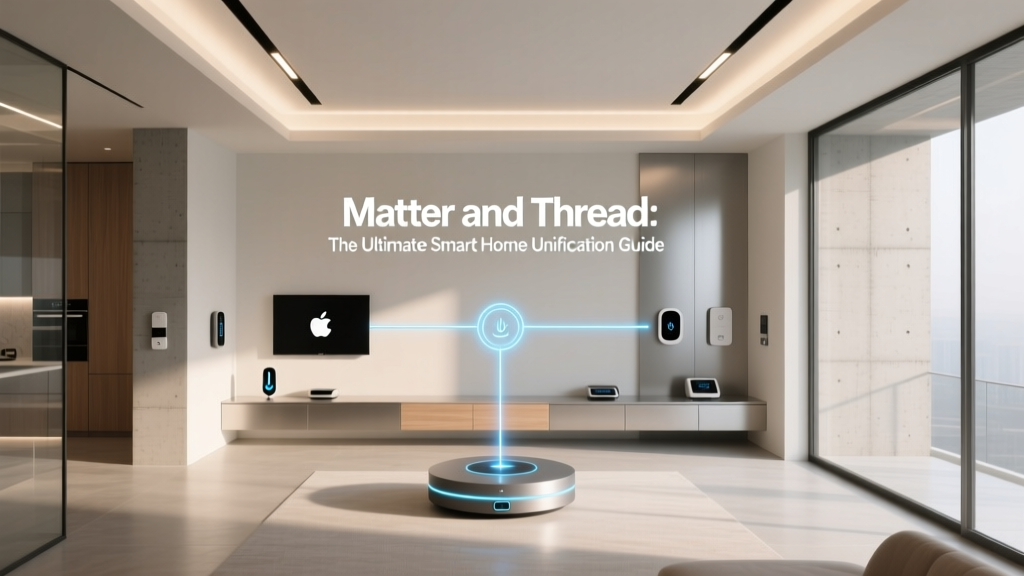
Amazon has been an active participant in the development of Matter, the industry-wide smart home connectivity standard designed to make devices work seamlessly across different ecosystems. Select Echo devices now function as Matter controllers, meaning you can pair Matter-compatible devices directly through Alexa without juggling multiple apps or bridges. This commitment to open standards signals that Amazon is positioning Alexa as a universal hub rather than a walled garden, which is excellent news for consumers who want flexibility in their device choices.
For a deeper dive into how different platforms compare, check out our complete smart home ecosystem comparison guide to see how Alexa stacks up against Google Home, Apple HomeKit, and Samsung SmartThings.
Best Devices for Your Alexa Smart Home Setup
Building a robust Alexa smart home starts with choosing the right devices. The ecosystem supports thousands of products across dozens of categories, which can be overwhelming for newcomers. Below, we break down the most impactful device categories and highlight what to look for when shopping for Alexa-compatible gear.
Smart Lighting
Smart lighting is often the entry point for most Alexa smart home setups, and for good reason — it is affordable, easy to install, and delivers immediate, noticeable convenience. The most popular Alexa-compatible lighting options include:
- Philips Hue — The gold standard in smart lighting. Hue bulbs, light strips, and fixtures connect via a dedicated bridge (or directly via Bluetooth for basic setups) and offer millions of color options, scheduling, and scene creation. The Hue Skill for Alexa is one of the most polished in the ecosystem.
- TP-Link Kasa & Tapo — Budget-friendly smart bulbs and switches that connect directly to Wi-Fi without requiring a hub. They respond quickly to Alexa voice commands and support grouping and scheduling.
- WiZ — An affordable alternative to Hue that uses Wi-Fi connectivity and offers a wide color range with solid Alexa integration.
- Sengled — Known for bulbs with built-in features like motion sensors and Bluetooth speakers, Sengled products pair easily with Echo devices that have integrated Zigbee hubs.
When choosing smart lights, consider whether you want bulb-based solutions (which are easy to swap in but require the physical switch to stay on) or switch-based solutions (which replace your wall switch and work with any bulb). For a full breakdown, read our guide on the best smart lights for Alexa.
Smart Thermostats and Climate Control
Climate control is one of the most practical and energy-saving applications of the Alexa smart home. Voice-controlling your thermostat means you can adjust the temperature from bed, set schedules that align with your routine, and create automations that respond to occupancy or outdoor weather conditions.
- ecobee SmartThermostat — Widely regarded as the best Alexa-compatible thermostat, ecobee units feature built-in Alexa microphones (on select models), room sensors for multi-zone comfort, and deep integration with Alexa routines.
- Google Nest Thermostat — While Nest is a Google product, the Nest Thermostat supports Alexa control through the Nest Skill. You can adjust temperatures, switch modes, and check the current climate with voice commands.
- Honeywell Home T9 & T10 — Reliable, feature-rich thermostats with room sensor support and excellent Alexa compatibility.
- Amazon Smart Thermostat — Amazon's own thermostat, developed in partnership with Honeywell, offers a budget-friendly option with native Alexa integration and C-Wire compatibility.
Pairing a smart thermostat with Alexa-enabled temperature sensors (available on newer Echo devices) allows you to create automations like "if the bedroom temperature exceeds 75°F, turn on the smart plug connected to the fan." Explore our best smart thermostats roundup for detailed reviews and comparisons.
Smart Locks and Home Security
Security is a cornerstone of the Alexa smart home experience. Amazon's ownership of Ring and Blink gives it a significant advantage in this category, but the ecosystem supports a wide range of third-party security devices as well.
- Ring Video Doorbell — When someone presses your Ring doorbell or triggers its motion sensor, your Echo Show or Fire TV can display the live camera feed. You can also answer the door with two-way audio through any Echo device.
- Ring Alarm System — A comprehensive security system with contact sensors, motion detectors, keypads, and professional monitoring options, all controllable through Alexa.
- Blink Cameras — Affordable, battery-powered cameras that integrate natively with Alexa for live view on Echo Show displays and motion-triggered announcements.
- August & Schlage Smart Locks — Lock and unlock your doors with voice commands (with a PIN code for security), check lock status, and create automations that lock doors when you leave home.
- Yale Assure Lock — A premium smart lock with Alexa support, available in both keypad and touchscreen variants.
For an in-depth look at securing your home with voice control, visit our best smart locks and best smart doorbells reviews.
Smart Plugs, Switches, and Appliances
Smart plugs are among the simplest and most versatile devices in the Alexa ecosystem. They allow you to add voice control and scheduling to virtually any device with a physical on/off switch — lamps, fans, coffee makers, holiday lights, and more.
- Amazon Smart Plug — The first-party option offers seamless setup and reliable performance, though it is limited to 15A devices and does not include energy monitoring.
- TP-Link Kasa Smart Plugs — Available in single, multi-outlet, and outdoor variants, Kasa plugs include energy monitoring and scheduling features.
- Eve Energy — A premium smart plug with Matter and Thread support, energy tracking, and compatibility with both Alexa and Apple HomeKit.
Beyond plugs, smart switches replace your existing wall switches to provide permanent smart control over hardwired lights and fans. Brands like Lutron Caséta, Leviton Decora Smart, and GE Cync offer reliable Alexa-compatible options.
Smart Speakers, Soundbars, and Entertainment
Entertainment is where Alexa truly shines as a daily companion. Multi-room audio, voice-controlled streaming, and smart TV integration make the ecosystem a powerful entertainment hub.
- Sonos Speakers — The Sonos Skill for Alexa allows you to control playback, adjust volume, and group speakers for multi-room audio using voice commands.
- Fire TV Stick & Fire TV Cube — These streaming devices bring Alexa directly to your television. Search for content, control playback, switch inputs, and even display security camera feeds on your TV screen.
- Bose Smart Speakers & Soundbars — Bose products with built-in Alexa support deliver premium audio quality alongside full voice assistant functionality.
Discover more entertainment options in our best smart speakers guide.
Sensors, Robot Vacuums, and Specialty Devices
The Alexa ecosystem extends far beyond the basics. Motion sensors, door/window sensors, water leak detectors, robot vacuums, smart blinds, irrigation controllers, and even smart kitchen appliances can all connect to Alexa.
- iRobot Roomba — Start, stop, and schedule cleaning sessions with voice commands.
- Aqara Sensors — Affordable Zigbee sensors for motion, temperature, humidity, and door/window contact that integrate with Alexa through the Aqara hub.
- SwitchBot — A unique ecosystem of retrofit devices including button pressers, curtain motors, blind tilt controllers, and universal IR remotes that bring Alexa control to otherwise "dumb" devices.
- Rachio Smart Sprinkler Controller — Control your irrigation system with voice commands and weather-aware scheduling.
Setup Tips and Best Practices for Your Alexa Smart Home
Getting started with Alexa is straightforward, but building a well-organized, reliable, and scalable smart home requires thoughtful planning. These setup tips and best practices will help you avoid common pitfalls and get the most out of your ecosystem.
Start with a Strong Network Foundation
Every Alexa-compatible device relies on your home network, so investing in a robust Wi-Fi setup is non-negotiable. As you add more devices, a standard single-router setup may struggle to handle the traffic. Consider these networking tips:
- Upgrade to a mesh Wi-Fi system — Products like Eero (which is part of the Amazon family) provide blanket coverage and can handle dozens of connected devices without dead zones.
- Use the 2.4 GHz band for smart home devices — Most smart home gadgets, including smart plugs, bulbs, and sensors, operate on the 2.4 GHz Wi-Fi band. Reserve the 5 GHz band for bandwidth-heavy devices like streaming boxes and laptops.
- Create a separate IoT network or VLAN — For advanced users, isolating smart home devices on a dedicated network segment improves security and reduces congestion on your primary network.
Organize Devices into Rooms and Groups
The Alexa app allows you to assign devices to specific rooms (e.g., "Living Room," "Kitchen," "Master Bedroom") and create groups (e.g., "Downstairs Lights," "All Lights"). This organization is critical for natural voice commands. When you say "Alexa, turn off the lights" in the living room, Alexa uses the room context of the Echo device you spoke to and only affects lights assigned to that room.
Groups allow you to control multiple devices simultaneously across rooms. A "Goodnight" group might include every light in the house, the thermostat, smart locks, and the garage door — all triggered by a single command.
Name Your Devices Clearly and Consistently
Alexa relies on device names to execute voice commands. Use clear, unique, and intuitive names. Avoid similar-sounding names that could confuse the voice recognition system. For example:
- Use "Bedroom Lamp" instead of "Lamp 1"
- Use "Kitchen Overhead" instead of "Light 3"
- Avoid special characters or numbers in names when possible
If you have multiple identical devices, adding a descriptive location prefix helps Alexa differentiate them. This simple step dramatically reduces the frustration of misdirected commands.
Leverage the Zigbee Hub in Select Echo Devices
If you own an Echo device with a built-in Zigbee hub (such as the Echo (4th Gen) or Echo Show 10), take advantage of it by choosing Zigbee-compatible devices. Zigbee devices connect directly to the Echo hub without needing a separate bridge, which reduces Wi-Fi congestion and often results in faster, more reliable communication. Philips Hue, Aqara, Sengled, and many sensor manufacturers offer Zigbee products that pair seamlessly with Echo's integrated hub.
Enable Two-Factor Authentication and Secure Your Account
Your Amazon account controls your entire smart home. Protect it with two-factor authentication (2FA), use a strong unique password, and periodically review which Skills and third-party services have access to your account. In the Alexa app, navigate to Settings > Account Settings to manage your security preferences.
Update Device Firmware Regularly
Manufacturers frequently release firmware updates that improve performance, add features, and patch security vulnerabilities. While many devices update automatically, it is worth periodically checking the companion apps for your smart home devices to ensure everything is running the latest software.
Automations and Routines: Making Your Alexa Smart Home Truly Intelligent
Voice commands are convenient, but the real magic of the Alexa smart home ecosystem lies in its automation capabilities. Through Alexa Routines, you can create multi-step workflows that trigger automatically based on time, sensor input, device state changes, location, or even specific voice phrases. Routines transform your home from a collection of individually controlled devices into a responsive, intelligent environment.
Understanding Alexa Routines
A Routine in Alexa consists of two parts: a trigger (the "when" condition) and one or more actions (the "then" results). Triggers can include:
- Schedule — Trigger at a specific time of day, on specific days of the week, or at sunrise/sunset.
- Device state — Trigger when a sensor detects motion, a door opens, a camera detects a person, or a device changes state.
- Location — Trigger when you arrive at or leave a geofenced area around your home.
- Voice command — Trigger when you say a custom phrase like "Alexa, movie time."
- Sound detection — Trigger when Alexa hears a baby crying, a dog barking, glass breaking, or a smoke alarm.
- Alarm interaction — Trigger when you dismiss or snooze a morning alarm.
Actions can include controlling devices, sending announcements to Echo devices, playing music, reading a news briefing, sending a notification to your phone, waiting for a specified duration before executing the next action, and much more.
Essential Routines Every Alexa Smart Home Should Have
Good Morning Routine: Triggered when you dismiss your morning alarm or at a set time on weekdays. Actions might include turning on bedroom lights to 30% brightness, starting the coffee maker via a smart plug, reading today's weather and calendar events, and gradually increasing light brightness over 15 minutes.
Good Night Routine: Triggered by the voice phrase "Alexa, goodnight." Actions include turning off all lights, locking all smart locks, setting the thermostat to sleep temperature, arming the security system, and playing white noise or sleep sounds on the bedroom Echo.
Away Mode Routine: Triggered when the last person leaves the home geofence. Actions include turning off all lights and smart plugs, adjusting the thermostat to an energy-saving mode, enabling security cameras, and locking doors.
Arriving Home Routine: Triggered when the first person enters the geofence. Actions include turning on entryway and living room lights, adjusting the thermostat to a comfortable temperature, and disarming the security system.
Movie Night Routine: Triggered by the phrase "Alexa, movie time." Actions include dimming living room lights to 10%, closing smart blinds, turning on the TV via a smart IR remote or Fire TV, and launching your preferred streaming app.
Laundry Timer Routine: Triggered when a smart plug monitoring your washing machine detects that power draw has dropped below a threshold (indicating the cycle is complete). Alexa announces through all Echo devices that the laundry is ready.
Advanced Automation with Alexa Hunches
Amazon's Hunches feature adds a layer of proactive intelligence to the Alexa smart home. Using patterns and context, Alexa can suggest or automatically take actions when it senses something is off. For example, if it is bedtime and Alexa notices that your garage door is still open, it can send you a notification or automatically close it. If a light is left on in an empty room, Alexa can suggest turning it off. Hunches can be enabled and customized in the Alexa app under Settings > Alexa Hunches.
Guard and Guard Plus for Security Automation
Alexa Guard (and the subscription-based Guard Plus) transforms your Echo devices into a passive security system. When you enable Guard and say "Alexa, I'm leaving," your Echo devices begin listening for sounds like glass breaking, smoke alarms, or carbon monoxide detectors and send you alerts. Guard Plus adds features like deterrent sounds (playing dog barking or other sounds to simulate occupancy), person detection alerts, and integration with emergency helplines.
Connecting Automations Across Platforms
While Alexa Routines are powerful, some advanced users prefer to layer in additional automation platforms like Home Assistant, SharpTools, or IFTTT (If This Then That) for more complex logic. These tools can bridge gaps between ecosystems and enable conditional logic, variables, and webhooks that go beyond what Alexa Routines natively support. However, for the vast majority of users, Alexa Routines provide more than enough flexibility to create a responsive, automated home.
For more ideas on creating the perfect automated home, explore our smart home automation ideas guide for inspiration across every room.
Privacy, Security, and Data Considerations
Smart home convenience comes with inherent privacy tradeoffs, and the Alexa ecosystem is no exception. Because Alexa is a cloud-based service that processes voice data on Amazon's servers, it is important to understand what data is collected, how it is used, and what controls are available to you.
How Alexa Handles Your Voice Data
Alexa-enabled devices are always listening for the wake word (typically "Alexa," though you can change it on select devices). However, they are not continuously recording or streaming audio. The device processes a few seconds of audio locally to detect the wake word. Only after the wake word is detected does the device begin streaming audio to Amazon's cloud for processing.
Amazon stores voice recordings associated with your account to improve speech recognition accuracy and develop new features. However, you have full control over this data:
- Review and delete voice history — In the Alexa app, navigate to Settings > Alexa Privacy > Review Voice History to listen to, review, and delete individual recordings or entire date ranges.
- Auto-delete recordings — You can configure Alexa to automatically delete voice recordings after 3 months or 12 months.
- Opt out of human review — Amazon uses a small percentage of anonymized voice recordings to train its AI models. You can opt out of this practice in your privacy settings.
- Mute the microphone — Every Echo device has a physical microphone-off button that electronically disconnects the microphones, providing a hardware-level privacy guarantee.
Smart Home Device Data and Third-Party Skills
When you enable a third-party Skill, you are granting that Skill's developer access to certain information about your interactions and device states. It is important to review the permissions requested by each Skill and periodically audit your enabled Skills to remove any you no longer use. In the Alexa app, go to Skills & Games > Your Skills to manage your active integrations.
Device manufacturers also collect their own data through their companion apps and cloud services. For example, a smart camera manufacturer may store video recordings on their servers. Review each manufacturer's privacy policy and take advantage of local storage options where available.
Network Security Best Practices
Protecting your Alexa smart home extends beyond Amazon's privacy settings. Follow these network security practices:
- Use strong, unique passwords for your Amazon account, Wi-Fi network, and every smart home device account.
- Enable two-factor authentication on your Amazon account and any smart home service that supports it.
- Keep your router firmware updated and use WPA3 encryption if available.
- Disable remote access features on devices you do not need to control from outside your home.
- Consider a firewall or DNS filtering service to block known malicious domains and monitor outbound traffic from your IoT devices.
Amazon's Privacy Commitments and Transparency
Amazon has made significant efforts to improve transparency around Alexa data practices. The company publishes regular transparency reports, provides detailed privacy FAQs, and has introduced features like the Alexa Privacy Hub in the app that consolidates all privacy controls in one location. Amazon also states that it does not sell personal data to third parties for advertising purposes and that Alexa does not use the content of your requests for targeted advertising.
While no connected device is entirely risk-free, understanding and actively managing your privacy settings allows you to enjoy the benefits of the Alexa smart home while minimizing exposure. For a broader look at privacy across platforms, read our smart home privacy guide.
Alexa vs. Google Home vs. Apple HomeKit: Ecosystem Comparison
Choosing a smart home ecosystem is one of the most important decisions you will make as a connected home enthusiast. While Alexa dominates in market share and device compatibility, Google Home and Apple HomeKit each offer distinct advantages. Here is how the three major platforms compare across key dimensions.
Device Compatibility and Ecosystem Size
Alexa leads the pack in sheer numbers. With support for over 100,000 smart home products from thousands of brands, it is the most broadly compatible platform available. If a smart home device exists, there is a very good chance it works with Alexa. Google Home is a close second with extensive compatibility, while Apple HomeKit has historically been more selective, requiring manufacturers to meet specific certification requirements. However, the introduction of Matter is narrowing this gap, as all three platforms now support the standard to varying degrees.
Voice Assistant Intelligence
Google Assistant is generally regarded as the most capable voice assistant for general knowledge queries, natural language understanding, and conversational context. Alexa has made significant strides in this area with its advanced language models and is particularly strong in smart home command execution and routine creation. Siri, while improving, tends to be the most limited of the three in terms of third-party integrations and complex query handling, though it excels at Apple ecosystem integration and on-device processing for privacy.
Hardware Options
Amazon offers the widest range of first-party Alexa hardware, from budget-friendly Echo Dots to premium Echo Studios, smart displays, and even wall-mounted options like the Echo Show 15. Google's Nest lineup includes the Nest Mini, Nest Audio, Nest Hub, and Nest Hub Max. Apple's HomePod and HomePod mini are excellent speakers but come at a premium and are limited in number. Amazon's diverse hardware lineup gives consumers more flexibility in choosing the right form factor for each room.
Privacy Approach
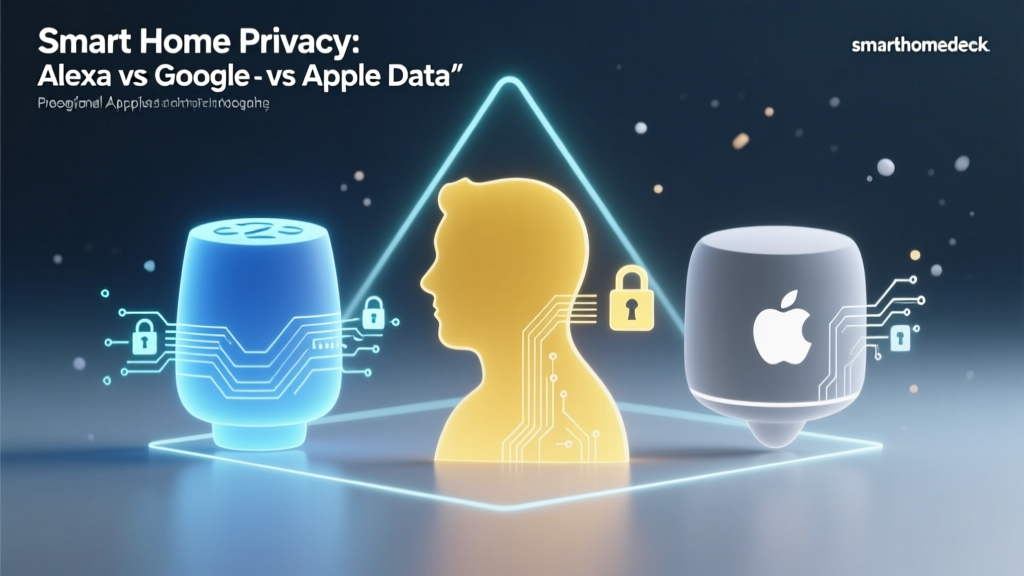
Apple has positioned HomeKit as the privacy-first smart home platform. Siri requests are processed on-device whenever possible, Apple does not build advertising profiles from HomeKit data, and HomeKit Secure Video encrypts camera footage end-to-end. Alexa and Google Home both rely more heavily on cloud processing and have faced scrutiny over data practices, though both companies have significantly improved their privacy controls and transparency in recent years.
Automation Capabilities
Alexa Routines offer a user-friendly but somewhat limited automation engine compared to what advanced users might want. Google Home's automations (formerly called "Routines" in the Google Home app) have improved with the new Google Home app redesign but still lack some of the conditional logic power users desire. Apple HomeKit's automation engine, especially when paired with the Home app and a HomePod or Apple TV as a hub, supports robust automations including conditional triggers, but the interface can be less intuitive. For truly advanced automation across any platform, enthusiasts often turn to Home Assistant as a supplemental layer.
Price and Accessibility
Alexa is generally the most affordable ecosystem to enter. Echo Dots frequently go on sale at steep discounts, Amazon Smart Plugs are competitively priced, and the breadth of compatible budget devices means you can build a comprehensive system without a massive investment. Google Nest products are similarly priced, while Apple HomeKit tends to require more expensive hardware — both the HomePods and many HomeKit-certified accessories carry a premium.
Which Ecosystem Is Right for You?
Choose Alexa if you want the widest device compatibility, affordable hardware, robust routines, and a mature ecosystem with the largest selection of Skills and integrations.
Choose Google Home if you prioritize natural language understanding, already use Google services extensively (Gmail, Calendar, Maps), and want a strong voice assistant that doubles as a knowledgeable conversational partner.
Choose Apple HomeKit if you are deeply invested in the Apple ecosystem, privacy is your top concern, and you are willing to pay a premium for a more curated, tightly integrated experience.
For a detailed side-by-side analysis, visit our Alexa vs. Google Home comparison and our Alexa vs. Apple HomeKit comparison.
Frequently Asked Questions
Do I need an Amazon Prime subscription to use Alexa smart home features?
No, you do not need an Amazon Prime subscription to use Alexa or control smart home devices. An Amazon account is required, but it is free to create. Prime membership unlocks additional benefits like ad-free music streaming through Amazon Music (which integrates with Alexa), but core smart home functionality — including voice control, routines, device management, and Skills — works without any subscription. Some premium features, such as Alexa Guard Plus and certain advanced Skills, may require separate subscriptions.
Can Alexa work without an internet connection?
Alexa's core functionality depends on an internet connection because voice processing happens in Amazon's cloud. Without internet, you will not be able to use voice commands, stream music, or access most Skills. However, some limited local functionality exists. Echo devices with built-in Zigbee hubs can continue to execute certain local automations between Zigbee devices even if the internet goes down. Additionally, physical controls on smart devices (wall switches, buttons) continue to work regardless of connectivity. For reliable operation, ensure your home network has a stable internet connection and consider a UPS (uninterruptible power supply) for your router and modem.
How many devices can Alexa support in a single smart home?
Amazon does not publish an official hard limit on the number of devices you can connect to a single Alexa account, and many power users operate homes with 100 or more connected devices without issues. The practical limit is more often determined by your Wi-Fi network's capacity than by Alexa itself. A quality mesh Wi-Fi system can comfortably handle 50 to 100+ IoT devices. If you use Zigbee devices connected to an Echo hub, those devices communicate on a separate mesh network that does not consume Wi-Fi bandwidth, effectively increasing your total device capacity. To keep things manageable, organize devices into rooms and groups, and periodically remove devices you no longer use.
Is Alexa smart home compatible with devices from different brands?
Yes — cross-brand compatibility is one of Alexa's greatest strengths. You can mix and match devices from Philips Hue, TP-Link, ecobee, Ring, August, iRobot, and hundreds of other brands within the same Alexa ecosystem. The Alexa app and voice commands work uniformly across all compatible devices regardless of manufacturer. This is in contrast to some ecosystems that work best (or only) with first-party hardware. The emerging Matter standard is further improving cross-brand interoperability, and Alexa's support for Matter means future devices will be even easier to integrate regardless of the brand.
How do I get started with Alexa smart home on a budget?
Starting with Alexa on a budget is remarkably easy. Here is a recommended entry-level setup:
- Echo Dot — Often available at a significant discount, especially during sales events. This gives you a voice control hub for any room.
- Amazon Smart Plug (2-pack) — Affordable plugs that let you add voice control to lamps, fans, and other devices you already own.
- A pack of smart bulbs — Wi-Fi-based smart bulbs from brands like TP-Link or WiZ are inexpensive and do not require a hub.
This starter kit costs very little and gives you a taste of voice-controlled lighting, appliance control, and access to the full Alexa ecosystem. From there, you can gradually expand with thermostats, cameras, locks, and more as your budget and needs grow. Check out our budget smart home setup guide for more cost-effective recommendations.
The Alexa smart home ecosystem is a powerful, flexible, and continuously evolving platform that can scale from a single smart plug to a fully automated, whole-home intelligence system. Whether you are just dipping your toes into home automation or building a comprehensive connected home from the ground up, Alexa provides the tools, compatibility, and ease of use to make it happen. Start small, experiment with routines, prioritize security, and let your smart home grow organically with your needs.