The Renter's Dilemma: Smart Tech Without the Security Deposit Risk
Living in an apartment or rental property often feels like a barrier to entering the smart home ecosystem. Landlords strictly prohibit drilling holes, hardwiring new switches, or replacing existing deadbolts. However, the modern smart home market has evolved significantly, offering a plethora of non-destructive, wireless, and easily reversible devices. Whether you are in a compact studio or a multi-bedroom rental, you can build a robust automation network without sacrificing your security deposit.
This comprehensive guide covers the best renter-friendly smart home devices, network configurations for congested apartment buildings, and the exact installation workflows required to automate your space safely and reversibly.
The Golden Rules of Renter-Friendly Installations
Before purchasing any device, run it through the renter's checklist. If a device requires cutting drywall, splicing high-voltage wires, or permanently altering fixtures, leave it on the shelf.
- Zero-Destructive Mounting: Rely on 3M Command Strips, magnetic mounts, and tension rods. Always check the weight ratings on adhesive strips; for heavier devices, use multiple strips and allow the adhesive to cure for 24 hours before applying weight.
- Battery or Plug-In Power: Avoid devices that require a junction box. Opt for battery-powered sensors or plug-in cameras.
- The "Ziploc Bag" Rule: Whenever you remove an existing fixture (like a thermostat or light fixture), place the original hardware and screws in a labeled Ziploc bag and store it in the freezer or a dedicated moving box. You will need it when your lease ends.
Essential Renter-Friendly Smart Devices
Smart Locks: August Wi-Fi Smart Lock
Most landlords will not let you replace the entire lock cylinder, as it compromises their master key systems. The August Wi-Fi Smart Lock (retailing around $230) solves this by replacing only the interior thumb turn. It mounts directly over your existing deadbolt using the included mounting plate and screws.
Installation Time: 15 minutes. Reversibility: 100%. Simply unscrew the August unit and reattach the original thumb turn.
Note: The August lock requires a standard single-cylinder deadbolt. It is not compatible with mortise locks or certain proprietary apartment deadbolts. Always test your manual key from the outside before closing the door during setup.
Lighting: Smart Bulbs vs. Smart Switches
For homeowners, smart switches (like Lutron Caseta) are the gold standard. For renters, they are a nightmare, often requiring a neutral wire in the gang box and messing with the apartment's electrical panel. Instead, opt for smart bulbs.
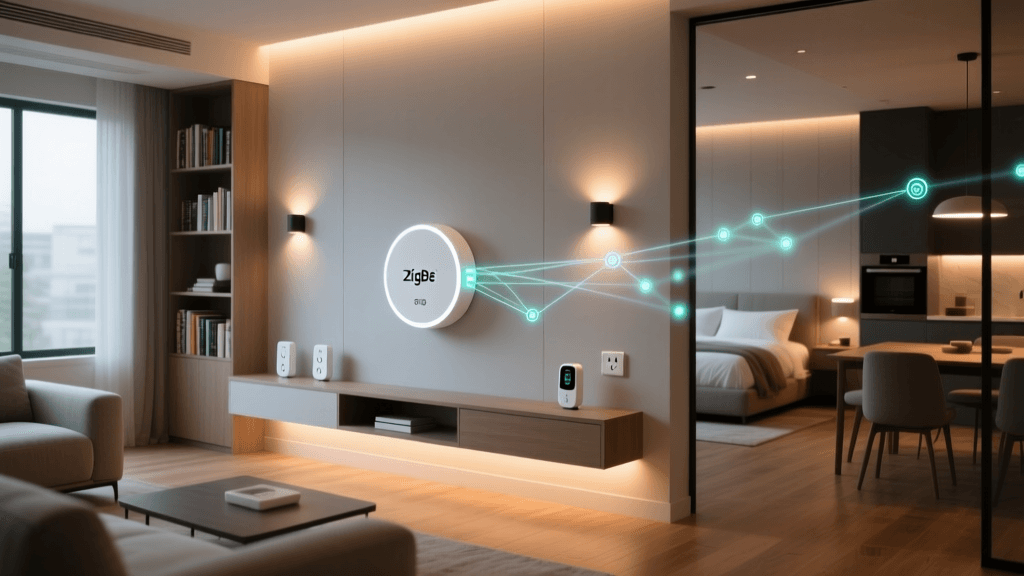
The Philips Hue White and Color Ambiance line remains the premium choice, utilizing a low-power Zigbee hub that won't clog your apartment's Wi-Fi network. For a budget-friendly, hub-free alternative, WiZ smart bulbs connect directly to your 2.4GHz Wi-Fi and cost roughly $12 to $15 per bulb.
Security: Wyze Cam v3 and Tension Rod Hacks
Drilling holes for a Ring Floodlight Cam is out of the question. Instead, use the Wyze Cam v3 ($50). Its magnetic base allows you to stick it to a refrigerator, a metal door frame, or a filing cabinet for an instant indoor security or pet-monitoring camera.
For window or balcony monitoring without exterior drilling, use a tension rod (commonly used for shower curtains). Wedge the rod vertically inside a window frame or balcony alcove, and use a standard camera clamp to mount your Wyze or Ring Indoor Cam to the rod. It holds firmly, leaves zero marks, and takes two minutes to dismantle.
Thermostats: The Ecobee Smart Thermostat Premium
Many renters assume they cannot upgrade their climate control. However, if your apartment uses a forced-air HVAC system with a standard 24V low-voltage thermostat, you can swap it out. According to the U.S. Department of Energy, smart thermostats can significantly reduce heating and cooling costs by learning your schedule and adjusting temperatures automatically.
The Ecobee Smart Thermostat Premium ($250) includes a Power Extender Kit (PEK), which is a lifesaver for older apartments that lack a dedicated "C-wire" (common wire). Turn off the breaker, label your wires with the included stickers, mount the new backplate using the existing holes, and plug in the Ecobee. Save the landlord's old beige thermostat in a bag to reinstall on move-out day.
Window Treatments: SwitchBot Curtain and Tension Rod Blinds
Motorized blinds are a luxury usually reserved for homeowners willing to drill into window casings and route power cables. Renters can achieve the same automated morning wake-up routines using the SwitchBot Curtain (starting around $90). This device clamps directly onto your existing curtain rod and uses a small motor to push or pull the fabric along the track.
If your apartment features standard 2-inch horizontal blinds, you can use a tension rod smart blind motor. These battery-powered motors clip onto the wand of your existing blinds and use a gyroscope to twist the wand, opening and closing the slats based on a schedule or sunlight sensor. No tools, no drilling, and completely invisible from the outside.
Smart Plugs and Appliance Automation
You cannot replace the built-in exhaust fan or the cheap over-the-range microwave in your rental kitchen, but you can automate the devices that plug into standard 120V outlets. Smart plugs are the ultimate renter-friendly tool, costing as little as $8 to $15 each.
Use a Kasa Smart Plug Mini to automate your coffee maker (provided it has a mechanical on/off switch), your floor lamps, or a window AC unit. For window AC units, ensure you purchase a smart plug rated for 15 amps and high-wattage appliances, such as the Eve Energy plug, which also provides real-time energy monitoring. This is particularly useful in rentals where utilities are included or sub-metered, allowing you to track your exact HVAC consumption.
Network Setup in Congested Apartment Buildings
Apartment buildings are notorious for Wi-Fi congestion. Dozens of neighboring routers broadcasting on the 2.4GHz band can cause your smart plugs and bulbs to drop offline constantly.
Isolate Your IoT Devices
Do not connect 50 smart bulbs to the same primary Wi-Fi network you use for your laptop and streaming TV. If your router supports it, create a dedicated "IoT Guest Network" restricted to the 2.4GHz band. Alternatively, invest in a dedicated smart home hub.
With the rollout of the Matter standard by the Connectivity Standards Alliance, devices using Thread and Zigbee protocols are becoming more interoperable. A hub like the Home Assistant Yellow or Hubitat Elevation keeps local traffic off your Wi-Fi, ensuring your lights turn on instantly even if your apartment's internet connection drops.
Cost Comparison: Renter vs. Homeowner Setup
One of the greatest advantages of a renter-friendly setup is the lower barrier to entry. Because you are avoiding hardwired installations, structural modifications, and high-voltage electrical work, the initial hardware costs are often substantially lower.
| Device Category | Renter-Friendly Option | Homeowner Option | Install Time | Reversibility |
|---|---|---|---|---|
| Smart Locks | August Wi-Fi Smart Lock ($230) | Schlage Encode Deadbolt ($350) | 15 mins | 100% |
| Lighting | Philips Hue Smart Bulbs ($150/kit) | Lutron Caseta Smart Switches ($400/kit) | 5 mins | 100% |
| Security | Wyze Cam v3 Magnetic ($50) | Ring Wired Floodlight Cam ($250) | 2 mins | 100% |
| Climate | Ecobee Premium w/ PEK ($250) | Nest Learning Thermostat ($250) | 30 mins | 100% |
| Sensors | Aqara Door/Window Adhesive ($40/pair) | Hardwired Alarm System ($120+) | 2 mins | 100% |
Bar chart comparing the average total costs of setting up a renter-friendly smart home versus a traditional homeowner hardwired setup across five major categories.
Voice Assistants and Shared Walls
Using voice assistants like Amazon Alexa or Google Home in an apartment requires etiquette and technical adjustments. Shouting commands through thin drywall will quickly earn you noise complaints.
- Lower the Wake Word Volume: In the Alexa or Google Home app, adjust the device's response volume so it doesn't startle you or your neighbors at 2 AM.
- Rely on Routines and Geofencing: Instead of using voice commands to turn off the lights, set up a "Leaving Home" routine triggered by your phone's GPS geofence, or use a SwitchBot Smart Switch Bot to physically press your apartment's intercom or light switches without making a sound.
- Use Headphones for Media: If you use your smart speaker to listen to podcasts or music, consider routing the audio to Bluetooth headphones during evening hours to maintain good relations with adjacent units.
Troubleshooting Common Renter Setup Issues
Adhesive Sensors Falling Off Textured Walls
Many apartments feature "orange peel" or knockdown textured drywall, which drastically reduces the surface area contact for adhesive tape. If your Aqara or Eve door sensors keep falling off, do not use nails. Instead, apply a small dab of hot glue or museum putty to the back of the sensor's adhesive pad. Press it firmly against the wall or door frame for 60 seconds. This creates a strong, semi-permanent bond that can be rolled off and peeled away cleanly when your lease ends, leaving zero damage to the paint.
Deadbolt Misalignment and Smart Locks
Rental doors often sag over time, causing the deadbolt to rub against the strike plate. While a manual key can force it, a smart lock's small motor will stall, drain its batteries, and fail to lock. Before installing an August or Yale smart lock, check the bolt's alignment. If it drags, place a piece of tape over the strike plate hole and close the door to see where the bolt hits. You can usually fix minor sagging by tightening the hinge screws or applying a dry graphite lubricant to the bolt mechanism, ensuring your smart lock operates smoothly without requiring structural door repairs.
Moving Out: The Reversal and Security Protocol
When your lease is up, the uninstallation process is just as critical as the installation. Leaving a smart lock or camera connected to your network is a massive security risk for the next tenant.
The Cybersecurity and Infrastructure Security Agency (CISA) strongly recommends performing a full factory reset on all IoT devices before selling, donating, or leaving them behind. A factory reset wipes your Wi-Fi credentials, automation routines, and personal data from the device's local memory.
Step-by-Step Move-Out Checklist:
- Factory Reset: Hold the reset buttons on your August Lock, Wyze Cams, and Ecobee thermostat until they flash or reboot to their default welcome screens.
- Remove from Cloud Accounts: Open your Apple Home, Google Home, or SmartThings app and formally "Remove" or "Unpair" the devices. This severs the link between the hardware and your cloud profile.
- Adhesive Removal: If you used 3M Command Strips for sensors, do not pull them straight off the wall, as this can peel apartment paint. Use a hairdryer on low heat to warm the adhesive for 30 seconds, then stretch the strip slowly downward parallel to the wall until it releases cleanly.
- Reinstall Original Hardware: Retrieve the Ziploc bags from your freezer. Reattach the original deadbolt thumb turn, the beige thermostat, and standard light switches.
Conclusion
Renting does not mean you have to live in the analog age. By strategically selecting battery-powered, adhesive-mounted, and plug-in devices, you can create a highly automated, secure, and energy-efficient living space. The renter-friendly smart home is entirely modular; it grows with you, adapts to your layout, and packs neatly into a moving box when it is time to sign your next lease.