Welcome to the Smart Home Installation Complete Guide
Upgrading your home with smart lighting is one of the most impactful entry points into whole-home automation. While smart bulbs often get the spotlight for their ease of use, smart light switches are the unsung heroes of a mature, reliable smart home ecosystem. As part of our Smart Home Installation Complete Guide, this article will walk you through the intricacies of hardwired smart switch installation, from understanding residential electrical wiring to configuring wireless protocols.
Unlike plug-and-play smart bulbs, installing a smart switch requires interacting directly with your home's electrical system. This demands a foundational understanding of wiring, safety protocols, and circuit behavior. Whether you are retrofitting a century-old home or upgrading a modern build, this comprehensive guide will equip you with the knowledge to safely and effectively install smart switches, ensuring seamless integration with your preferred voice assistant or smart home hub.
Why Choose Smart Switches Over Smart Bulbs?
Before picking up a screwdriver, it is crucial to understand why hardwired smart switches are generally preferred over smart bulbs for primary home lighting. While smart bulbs are excellent for accent lighting, color-changing ambiance, and lamps, they fall short in several key areas when used as the primary lighting control method in a room.
| Feature | Smart Bulbs | Smart Switches |
|---|---|---|
| Wall Control | Requires separate wireless accessory | Native physical toggle |
| Cost per Room | High ($40 - $100+ per fixture) | Low ($30 - $60 per switch) |
| Bulb Compatibility | Restricted to specific smart bulb | Works with any standard LED/incandescent |
| Power Outage Behavior | Often turn on when power restores | Remain off until manually toggled |
| Network Congestion | High (each bulb is a node) | Low (one node controls multiple bulbs) |
According to the U.S. Department of Energy, optimizing lighting controls is a primary method for reducing residential energy consumption. Smart switches allow you to keep your existing, highly efficient LED fixtures while adding automation, scheduling, and remote control capabilities without the premium cost of replacing every single bulb in a multi-light chandelier or recessed lighting setup.
Understanding Your Wall Box Wiring
The most common point of failure and frustration in DIY smart home installation is misidentifying the wires inside your wall box. In a standard North American residential electrical system (120V, 60Hz), a typical single-pole switch box will contain three or four distinct types of wires. Understanding these is non-negotiable for a safe installation.
1. The Line (Hot) Wire
The line wire brings power from your electrical panel to the switch box. It is typically coated in black insulation. This wire is always 'live' when the circuit breaker is on, and it provides the electrical potential needed to power both the switch itself and the light fixture.
2. The Load Wire
The load wire carries the power from the switch to the light fixture. It is also usually black, or sometimes red if it is part of a 3-way switch configuration. Identifying the difference between the line and load wire is critical; while some smart switches are 'line/load agnostic' and will work either way, many require strict adherence to prevent damaging the internal relay or causing a short circuit.
3. The Neutral Wire (The Smart Switch Prerequisite)
The neutral wire completes the electrical circuit, returning current back to the panel. In standard switch boxes, neutral wires (white insulation) are often bundled together in the back of the box and bypass the traditional mechanical switch entirely. However, smart switches require a neutral wire. Because the switch contains a microcontroller and a wireless radio (Wi-Fi, Zigbee, or Z-Wave), it needs a constant trickle of power to stay connected to your network, even when the light is turned off. Without a neutral wire, the switch cannot complete its own low-voltage circuit.
4. The Ground Wire
The ground wire (bare copper or green insulation) is a critical safety feature designed to route stray electricity safely into the earth in the event of a fault. The National Fire Protection Association (NFPA 70), also known as the National Electrical Code (NEC), strictly mandates proper grounding for all modern electrical devices, including smart switches.
Essential Tools for the Job
Do not attempt electrical work without the proper tools. Relying on guesswork can lead to severe injury or property damage. Assemble the following before beginning your installation:
- Non-Contact Voltage Tester (NCVT): The most important safety tool. It detects the presence of AC voltage without requiring you to touch bare wire.
- Digital Multimeter: Essential for distinguishing between the line and load wires if they are both black.
- Wire Strippers/Cutters: For preparing solid copper wires and removing old insulation.
- Lineman's Pliers: For twisting wires together and creating secure connections.
- Insulated Screwdrivers: Philips and flathead, rated for electrical work.
- Wire Nuts and Electrical Tape: For securing pigtails and wrapping connections.
Step-by-Step Installation Guide
With your tools ready and your wiring understood, follow these steps to install a standard single-pole smart switch.
Step 1: Cut the Power and Verify
Locate your home's main electrical panel and turn off the breaker corresponding to the room you are working in. Use your Non-Contact Voltage Tester to verify that power is completely off. Test the tester on a known live outlet first to ensure the battery is working, then test the wires in the switch box. Never skip this step.
Step 2: Remove the Old Switch
Unscrew the faceplate and remove the mounting screws holding the old mechanical switch to the box. Gently pull the switch out, exposing the wiring. Take a high-resolution photograph of the existing wiring configuration. This is your fallback plan if you get confused later.
Step 3: Identify and Prep the Wires
Disconnect the old switch. Identify your Line, Load, Neutral, and Ground wires. If your neutral wires are tucked deep in the back of the box, carefully pull them forward and add a 'pigtail' (a short piece of white wire) using a wire nut so you can easily connect it to your new smart switch. Strip about 1/2 inch of insulation from the ends of the wires if they are frayed or damaged.
Step 4: Connect the Smart Switch
Follow the manufacturer's specific wiring diagram. Generally, you will connect:
- Ground to Ground (Bare/Green)
- Neutral to Neutral (White)
- Line to Line (Black - Hot from panel)
- Load to Load (Black/Red - To fixture)
Use wire nuts to secure connections and give each wire a gentle tug to ensure it is firmly seated. Wrap electrical tape around the wire nuts and the exposed terminal screws on the sides of the switch for added safety.
Step 5: Mount and Restore Power
Carefully fold the wires back into the box, ensuring the bulky smart switch sits flush against the wall. Screw it into the mounting bracket, attach the faceplate, and restore power at the breaker.
Choosing the Right Wireless Protocol
Smart switches communicate using various wireless protocols. Your choice will dictate whether you need a dedicated hub, how many devices can crowd your network, and how your home will scale in the future. The Connectivity Standards Alliance (CSA) is currently pushing the Matter standard to unify these ecosystems, but legacy protocols still dominate the market.
- Wi-Fi: Connects directly to your router. Cheap and requires no hub, but can congest your network if you install more than 15-20 switches.
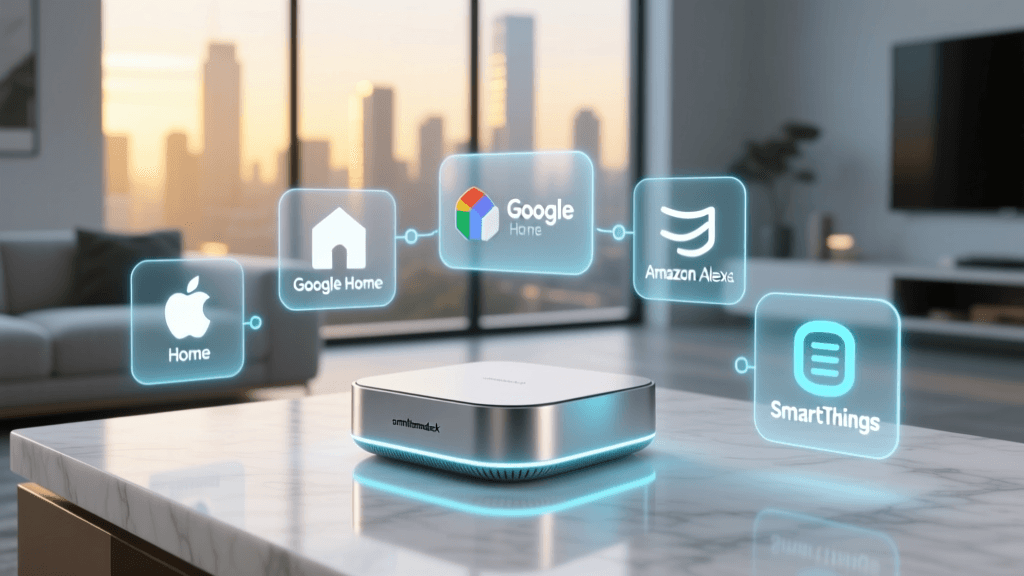
- Zigbee / Z-Wave: Requires a dedicated smart home hub (like SmartThings or Hubitat). They create a low-power mesh network, keeping your Wi-Fi free for streaming and browsing. Ideal for whole-home setups.
- Matter over Thread: The newest standard. Offers local control, low latency, and cross-platform compatibility (Apple, Google, Amazon). Requires a Thread border router.
Navigating 3-Way and Multi-Way Switches
A 3-way switch setup allows you to control a single light from two different locations (e.g., the top and bottom of a staircase). Wiring a smart switch into a 3-way circuit is significantly more complex. You cannot simply replace one mechanical switch with a smart switch and leave the other as-is; the secondary switch will cut power to the smart switch's radio, rendering it 'dumb' and offline.
The Solution: Most manufacturers require you to install their proprietary 'companion' or 'add-on' switch at the secondary location. These companion switches do not use a load wire; instead, they communicate via a low-voltage traveler wire or wirelessly with the primary smart switch. Alternatively, many DIYers opt to install a single smart switch at the primary location and cap off the secondary switch, replacing it with a wireless, battery-operated smart remote mounted to the wall.
Troubleshooting Common Installation Issues
Even with careful planning, you may encounter issues after restoring power. Here is how to troubleshoot the most common smart switch installation problems:
The Switch Won't Power On
If the LED indicator on the switch is completely dark, you likely have a loose neutral wire connection. The switch cannot boot its internal computer without a complete neutral circuit. Turn the breaker back off and double-check your white wire pigtails.
The Light Flickers or Glows When Off
This is common with low-wattage LED bulbs. Smart switches often leak a tiny amount of current through the load wire to power their internal status LEDs. With high-wattage incandescent bulbs, this is unnoticeable. With sensitive LEDs, it causes a 'ghost glow' or strobing effect. Fix: Install a bypass capacitor (often included with the switch) across the first light fixture in the circuit to absorb the leaked current.
Wi-Fi Dropouts and Latency
If your Wi-Fi smart switch frequently shows as 'offline' in your app, your 2.4GHz network may be congested or the signal may not penetrate the wall box. Metal junction boxes can act as Faraday cages, blocking RF signals. Fix: Ensure your router is centrally located, use Wi-Fi extenders, or consider migrating your whole-home lighting to a Zigbee or Z-Wave mesh network to bypass Wi-Fi limitations entirely.
Conclusion
Installing smart switches is a foundational DIY project that bridges the gap between traditional home infrastructure and modern automation. By respecting electrical safety codes, properly identifying line, load, and neutral wires, and selecting the right wireless protocol for your ecosystem, you can create a lighting environment that is both highly functional and incredibly reliable. Always prioritize safety over speed, and consult a licensed electrician if your home's wiring deviates from standard configurations or if you feel unsure at any point during the installation process.