The Smart Home Security Dilemma: DIY vs. Professional Installation
Upgrading your home with a smart security camera system is one of the most impactful improvements you can make for both peace of mind and property value. According to the FBI's home security resources, visible security measures are a proven deterrent to property crime. However, once you have selected your hardware—whether it is a sleek Ring Video Doorbell, a suite of Arlo Pro wireless cameras, or a hardwired Ubiquiti UniFi Protect system—you are immediately faced with a critical decision: should you install it yourself, or hire a professional?
The choice between DIY and professional installation is rarely just about the upfront labor fee. It involves a complex matrix of hidden costs, network infrastructure requirements, wiring challenges, and long-term maintenance. In this comprehensive guide, we will break down the true costs of both approaches, helping you decide which route makes the most sense for your specific smart home setup.
Calculating the True Cost of DIY Installation
Many homeowners are drawn to DIY installation under the assumption that it is virtually free, save for the cost of the cameras themselves. While it is true that you eliminate direct labor fees, the 'free' label is a misconception. DIY installation carries several hidden costs that can quickly inflate your budget.
Hardware and Hidden Accessory Costs
Beyond the cameras, a successful DIY installation often requires specialized tools and accessories. If you are mounting cameras on brick, stucco, or concrete, you will need a hammer drill and specialized masonry bits. For hardwired setups, you will need fish tape, flexible drill bits, RJ45 crimpers, and a cable tester. Furthermore, exterior installations require high-quality, weather-resistant silicone caulk and specialized mounting boxes to protect connections from moisture. According to the Consumer Reports' home security camera buying guide, ensuring weatherproof seals is critical to preventing hardware failure in the first year.
Network Upgrades and The Mesh Tax
One of the most common hidden costs in DIY smart security is the 'Mesh Tax'. Modern exterior walls, especially those with foil-backed insulation or brick facades, severely degrade 5GHz Wi-Fi signals. Many DIYers purchase Wi-Fi cameras only to discover they cannot maintain a stable connection at the perimeter of their property. This forces an unplanned upgrade to a mesh Wi-Fi system (such as an Eero or Netgear Orbi), adding $150 to $300 to the project cost.
The Value of Your Time and Labor
Time is money. A professional installer can typically mount and configure a four-camera system in a single afternoon. A DIYer, especially one unfamiliar with attic crawling, drilling through top plates, or configuring Network Video Recorders (NVRs), might spend an entire weekend on the same task. If you value your weekend time at $50 per hour, a 12-hour DIY installation carries an implicit labor cost of $600.
What Professional Installation Actually Costs
Hiring a professional shifts the burden of planning, wiring, and configuration to an expert. But what exactly are you paying for, and how is it priced?
Labor Rates and Per-Camera Fees
Professional smart home installers typically charge either an hourly rate or a flat per-camera fee. Based on national averages from Fixr's security camera installation cost guide, you can expect to pay between $100 and $250 per camera for labor, depending on the complexity of the wiring. For a standard four-camera system, labor costs generally range from $400 to $1,000. Hardwired Power over Ethernet (PoE) systems sit at the higher end of this spectrum due to the physical labor of running Cat6 cables through walls and attics.
The Warranty and Expertise Premium
When you hire a certified professional, you are not just paying for physical labor; you are purchasing expertise and warranty protection. Professionals know how to avoid drilling into electrical wires or plumbing. They understand how to terminate Ethernet cables to prevent signal degradation and know the optimal angles to avoid infrared glare from nearby foliage. Many professional installations come with a 1-year workmanship warranty, meaning if a camera leaks or a mount fails due to improper sealing, the repair is covered.
Cost Comparison: DIY vs. Professional
To provide a clear picture, the table below compares the estimated costs for a standard 4-camera smart security setup, including a video doorbell and three perimeter cameras.
| Cost Factor | DIY Installation (Wi-Fi/Battery) | DIY Installation (Hardwired PoE) | Professional Installation (PoE) |
|---|---|---|---|
| Hardware (Cameras & Hub) | $600 - $900 | $700 - $1,200 | $700 - $1,200 |
| Tools & Accessories | $50 - $150 | $150 - $300 | $0 (Included in labor) |
| Network Upgrades (Mesh) | $150 - $300 | $0 | $0 |
| Labor / Time Value | $300 - $600 (Your time) | $600 - $1,200 (Your time) | $600 - $1,000 (Pro fee) |
| Total Estimated Cost | $1,100 - $1,950 | $1,450 - $2,700 | $1,300 - $2,200 |
Wiring and Infrastructure: The Hidden Hurdle
The single biggest differentiator between DIY and professional installation is the physical infrastructure of your home. The type of cameras you choose will dictate the installation difficulty.
Wi-Fi and Battery-Powered Cameras
Battery-powered cameras (like the Arlo Pro or Ring Stick Up Cam) are the undisputed champions of DIY. They require no wiring, meaning you can mount them with a few screws and a standard drill. However, they come with ongoing maintenance costs: you must remember to take them down and charge them every few months, and they often require premium cloud subscriptions to unlock advanced features like continuous video recording or smart AI detection zones.
Power over Ethernet (PoE) and Hardwired Systems
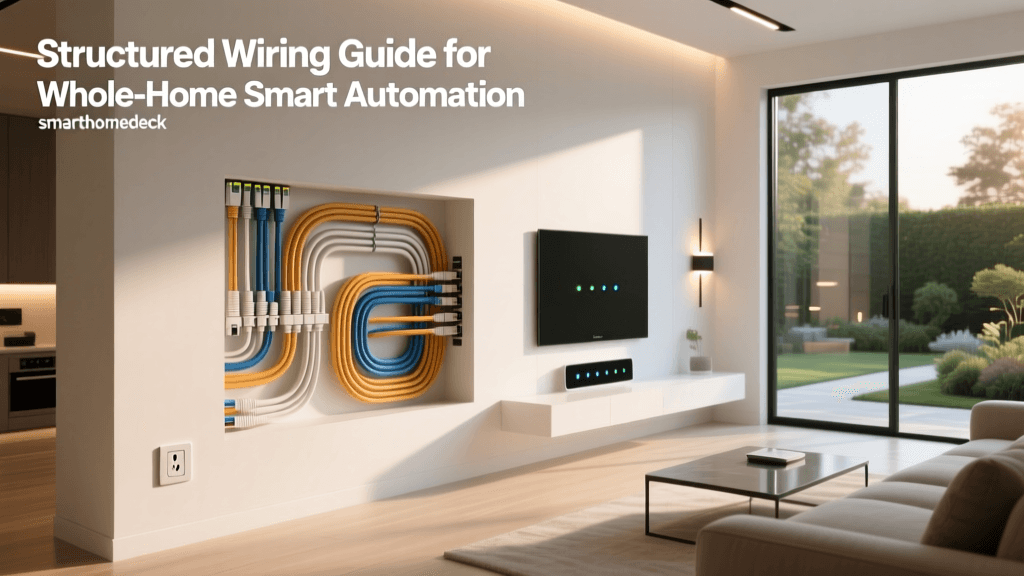
PoE systems, such as those from Reolink or Ubiquiti, deliver both power and data over a single Cat5e or Cat6 Ethernet cable. This provides a vastly superior, reliable connection and enables 24/7 local recording without monthly fees. However, installing PoE is a major physical undertaking. It requires accessing the attic or crawlspace, drilling through exterior top plates, fishing cables down inside insulated walls, and terminating RJ45 connectors. For most homeowners, the physical toll and risk of damaging drywall make PoE a job best left to professionals.
Network Setup and Smart Home Integration
Installation does not end when the cameras are mounted. The software configuration and network integration are where many DIY projects stall. A professional installer will not only mount the cameras but also optimize your network. They will assign static IP addresses to your cameras, set up VLANs (Virtual Local Area Networks) to isolate your IoT devices from your personal computers for enhanced cybersecurity, and configure port forwarding if you are using a local NVR.
Furthermore, integrating your new cameras into a broader smart home ecosystem—such as Apple HomeKit Secure Video, Samsung SmartThings, or Home Assistant—requires specific software configurations. Professionals can set up automation workflows, such as configuring your Philips Hue exterior lights to flash red when a camera detects a person after midnight, ensuring your entire smart home ecosystem works in harmony.
Legal, HOA, and Privacy Considerations
An often-overlooked aspect of smart security installation is navigating local laws and Homeowner Association (HOA) rules. Many HOAs have strict guidelines regarding the placement, color, and size of exterior cameras. A professional smart home integrator is usually familiar with local HOA requirements and can help you select low-profile, paintable camera housings that comply with community standards.
Additionally, privacy laws regarding audio recording vary significantly by jurisdiction. Some regions require two-party consent for audio recording, meaning your video doorbell could inadvertently be violating wiretapping laws if it records conversations on the public sidewalk. Professionals can configure privacy zones and disable audio recording features to ensure your system is fully compliant with local regulations.
When to DIY and When to Call a Pro
The DIY Sweet Spot
DIY installation is highly recommended if you are renting, living in a single-story home with easy attic access, or primarily using battery-operated and Wi-Fi cameras. If your setup consists of a video doorbell replacing an existing wired chime, and two battery-powered floodlight cameras, the tools required are minimal, and the risk of property damage is low. The satisfaction of setting up your own system and the immediate cost savings on labor make DIY the obvious choice for these lighter setups.
When Professional Installation is Mandatory
You should strongly consider hiring a professional if you are installing a multi-camera PoE system in a multi-story home, especially if your walls are finished with drywall and lack easy attic access. Professionals possess specialized tools, such as flexible drill bits and wall-fishing kits, that allow them to run cables with minimal drywall repair. Additionally, if your home has historic architecture, stone facades, or complex roofing, the risk of water intrusion from improperly sealed drill holes is too high to risk without professional expertise.
Conclusion
The decision between professional and DIY smart security camera installation ultimately comes down to your budget, your home's physical layout, and your comfort level with networking and construction. While DIY offers upfront labor savings, the hidden costs of tools, network upgrades, and your own time can quickly narrow the gap. By carefully evaluating your specific needs and understanding the true costs involved, you can build a smart security system that protects your home efficiently and reliably for years to come.