The Great Debate: Hiring a Pro vs. Doing It Yourself
Transitioning to a smart home is one of the most exciting upgrades a homeowner can undertake, offering unparalleled convenience, enhanced security, and improved energy efficiency. However, once the sleek packaging is torn open and the devices are laid out on the kitchen counter, a critical question arises: should you install these devices yourself, or hire a professional? The decision ultimately hinges on a complex matrix of hardware costs, labor rates, technical hurdles, and the value of your own time.
At SmartHomeDeck, we constantly evaluate the real-world costs of smart home deployments. While the DIY route is often championed for its apparent cost savings, hidden expenses like specialized tools, drywall repair, and network upgrades can quickly erode the budget. Conversely, professional installation guarantees code compliance and seamless integration but comes with premium labor rates. In this comprehensive guide, we break down the true costs of professional versus DIY installation for the three most common smart home entry points: thermostats, smart locks, and hardwired lighting.
Breaking Down Smart Thermostat Installation Costs
Smart thermostats are the undisputed gateway drug to home automation. According to the U.S. Department of Energy, properly programmed smart thermostats can save homeowners up to 10% a year on heating and cooling costs by automatically adjusting temperatures based on occupancy and routines. But getting the device on the wall and communicating with your HVAC system is where the cost variables begin.
DIY Smart Thermostat Installation
For the average DIYer, installing a smart thermostat like the Ecobee SmartThermostat Premium ($249) or the Google Nest Learning Thermostat ($229) is a straightforward weekend project. The physical installation involves turning off the breaker, removing the old faceplate, photographing the existing wire configuration, and mapping the wires to the new baseplate. Total DIY time: 30 to 60 minutes.
The C-Wire Hurdle: The most common technical roadblock is the absence of a Common Wire (C-Wire), which provides continuous 24V power to the smart display and Wi-Fi radio. If your home was built before 2010, you likely lack a C-Wire.
- DIY Solution 1: Use a Power Extender Kit (PEK) or Nest Power Connector. Cost: $15 to $30. Requires wiring at the HVAC control board (moderate difficulty).
- DIY Solution 2: Run a new 18/5 thermostat wire from the furnace to the wall plate. Cost: $20 for wire and fish tape. Time: 2 to 4 hours of crawling in attics or basements.
Total DIY Cost: $229 - $279 (Hardware + Adapters)
Professional Smart Thermostat Installation
Hiring an HVAC technician or a specialized smart home installer removes the anxiety of shorting out your furnace control board. Professional labor rates for HVAC technicians typically range from $85 to $150 per hour. If a new C-Wire needs to be fished through finished walls, expect the labor to push toward the higher end of that spectrum.
Total Professional Cost: $379 - $550 (Hardware + 1.5 to 2 hours of Labor)
Smart Lock Installation: Wiring, Mortise, and Deadbolts
Smart locks bridge the gap between physical security and digital convenience. However, doors are notoriously unforgiving. Wood swells, hinges sag, and strike plates shift, all of which can cause a smart lock's motor to jam and drain batteries prematurely.
DIY Smart Lock Costs and Challenges
The difficulty of DIY smart lock installation depends entirely on the type of lock you choose and your door's existing prep.
- Retrofit Locks (e.g., August Wi-Fi Smart Lock, $229): These replace only the interior thumb-turn, leaving your exterior deadbolt intact. Installation takes 10 minutes and requires only a Phillips-head screwdriver. Door Prep Required: Standard single-cylinder deadbolt.
- Full Deadbolt Replacements (e.g., Schlage Encode Plus, $299): These require removing the entire existing deadbolt assembly. You must ensure your door's backset (the distance from the edge of the door to the center of the bore hole) matches the lock (usually 2-3/8" or 2-3/4"). If the latch doesn't align perfectly with the strike plate, the motor will bind, leading to connectivity errors and battery drain. Time: 45 to 90 minutes.
Total DIY Cost: $229 - $299 (Hardware only, assuming standard door prep)
Professional Locksmith and Installer Rates
If you have a mortise lock (common in older homes and high-end apartments), a multi-point locking system, or a metal/fiberglass door that requires drilling new bore holes, DIY is highly discouraged. A professional locksmith or smart home integrator will charge a service call fee plus hourly labor.
Total Professional Cost: $450 - $650 (Hardware + Locksmith Labor + Potential Door Modification)
Hardwired Smart Lighting and Switches
While smart bulbs like Philips Hue are easy to screw in, they require the physical wall switch to remain 'on' at all times to maintain network connectivity. For whole-home automation, hardwired smart switches are the professional standard.
The Neutral Wire Dilemma
Most modern smart switches (like the Leviton Decora Smart Wi-Fi or Kasa Smart Light Switch) require a neutral wire to complete the circuit and keep the internal Wi-Fi radio powered when the lights are off. In homes built before the 1980s, switch boxes often lack a neutral wire bundle.
If you open your switch box and do not see a bundle of white wires capped together in the back, you have two choices:
- Hire an Electrician: To rewire the switch loop and pull a neutral wire from the ceiling fixture or adjacent outlet. Cost: $150 - $300 per switch location.
- Buy No-Neutral Switches: Systems like Lutron Caseta do not require a neutral wire. However, the hardware is more expensive ($100+ per switch) and requires a proprietary smart bridge ($50).
According to the National Fire Protection Association (NFPA), electrical failures or malfunctions are a leading cause of home fires. Improperly wiring a smart switch, overloading a multi-gang box, or failing to secure wire nuts can create serious arc-fault hazards. If you are uncomfortable using a non-contact voltage tester or a multimeter, professional installation is not just a luxury; it is a safety necessity.
Cost Comparison Data Table
| Device Category | DIY Hardware Cost | Pro Installation Labor | Primary Technical Hurdle |
|---|---|---|---|
| Smart Thermostat | $130 - $250 | $150 - $250 | Missing C-Wire / HVAC compatibility |
| Smart Deadbolt | $180 - $300 | $120 - $200 | Door backset alignment / Mortise prep |
| Hardwired Smart Switch | $40 - $100 per switch | $85 - $150 per hour | Missing neutral wire / Multi-gang boxes |
| Smart Blinds (Hardwired) | $300 - $600 per window | $200 - $400 per window | High-voltage wiring / Window frame mounting |
Visualizing the Cost Gap: Pro vs. DIY
The chart below illustrates the average total out-of-pocket costs for a standard installation of three core smart home devices, comparing the DIY approach (hardware + minor adapters) against hiring a licensed professional (hardware + labor + minimum service fees).
Hidden Costs and Time Investments
When calculating your budget, DIYers often forget to factor in the ancillary costs required to make the smart home ecosystem actually function reliably.
1. Network Infrastructure Upgrades
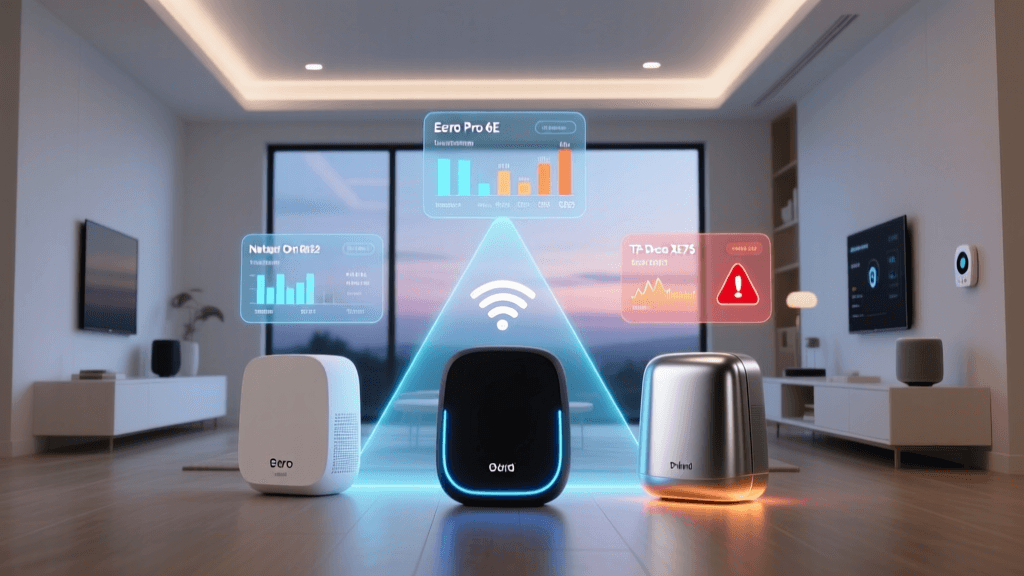
Smart devices rely heavily on your home's Wi-Fi network. A standard ISP-provided router will struggle to maintain stable connections for 40+ IoT devices, especially if your smart lock is on a detached garage or your outdoor cameras are at the edge of your property.
- DIY Hidden Cost: Purchasing a Mesh Wi-Fi system like the Eero 6+ ($199 for a 2-pack) or Netgear Orbi ($300+).
- Pro Hidden Cost: A professional integrator will likely hardwire Cat6 ethernet to ceiling-mounted Wireless Access Points (WAPs) using a PoE (Power over Ethernet) switch. Labor and materials for a custom network rack can easily add $1,500 to $3,000 to your initial project cost.
2. Drywall Repair and Aesthetics
Fishing wires through finished walls is an art form. If you are running a new C-Wire or installing a hardwired Ring Video Doorbell and your fish tape snags on insulation or fire blocks, you may have to cut open drywall. Patching, mudding, sanding, and repainting textured walls requires time, materials, and a level of craftsmanship that many DIYers lack, potentially leading to a $200+ handyman bill just to fix the cosmetic damage.
3. The Value of Your Time
If you bill your own time at a professional rate, a 5-hour Saturday spent troubleshooting a Z-Wave mesh network, crawling in a dusty attic to find a furnace control board, and resetting tripped breakers might actually cost you more in 'lost time' than simply writing a check to a licensed electrician.
When to Absolutely Hire a Professional
While swapping a light switch or installing a battery-powered camera is well within the capabilities of most homeowners, certain scenarios demand professional intervention:
- High-Voltage Upgrades: Installing a Level 2 EV charger (240V) or upgrading your electrical panel to support heavy smart-appliance loads.
- Whole-Home Audio/Video: Running in-wall HDMI, optical audio, and high-voltage speaker wire requires knowledge of building codes, fire-stopping, and signal interference.
- Multi-Story Wire Fishing: Running low-voltage wire from a basement server rack to a second-floor office through fire-blocked studs.
- Historic Homes: Homes with lath-and-plaster walls or knob-and-tube wiring require specialized contractors who understand how to preserve structural integrity while modernizing electrical systems.
Conclusion: Calculating Your True ROI
The choice between professional and DIY smart home installation is rarely black and white. According to ENERGY STAR, the energy savings generated by certified smart thermostats can help recoup the hardware costs within the first year, making the DIY route highly attractive for budget-conscious homeowners willing to learn basic HVAC wiring.
However, for hardwired lighting, complex security systems, and whole-home network infrastructure, the premium paid for professional installation buys you more than just labor. It buys code compliance, aesthetic perfection, warranty protection, and the peace of mind that your home's electrical system is safe. By understanding the hidden costs, technical hurdles, and time investments outlined in this guide, you can confidently decide which devices to tackle yourself and which to hand over to the pros.