Why Structured Wiring Is the Foundation of Reliable Whole-Home Automation
While wireless smart devices dominate marketing, CEDIA’s 2026 Smart Home Installation Report found that 78% of high-performance residential automation systems deployed in new construction or major renovations rely on structured cabling—not Wi-Fi alone. Why? Because whole-home automation—encompassing synchronized lighting, distributed audio, security integration, motorized shades, and multi-room HVAC control—demands deterministic latency, interference-free bandwidth, and long-term scalability. Wireless protocols like Zigbee, Z-Wave, and Matter-over-Thread are invaluable for plug-and-play flexibility—but they cannot replace wired infrastructure where reliability, speed, and security are non-negotiable.
Core Wiring Standards & Specifications
Structured wiring for automation isn’t just about running cables—it’s about adhering to industry-backed standards that ensure interoperability, future readiness, and compliance with electrical and fire codes. The two foundational standards are:
- TIA/EIA-568-C.2 (now superseded by ANSI/TIA-568.2-D): Governs commercial and residential structured cabling, including performance requirements for twisted-pair copper media.
- NEC Article 800 & 725: Defines safety classifications for communications circuits (e.g., Cat 6A) and Class 2/3 power-limited circuits used for PoE lighting controllers, IP cameras, and gateways.
For whole-home automation, we recommend Cat 6A (Augmented Category 6) as the minimum standard for all data runs—including backbone links between panels, AV distribution hubs, and primary automation controllers. Cat 6A supports up to 10 Gbps at 100 meters and offers superior alien crosstalk (ANEXT) resistance versus Cat 6—critical when multiple high-bandwidth devices (e.g., 4K video intercoms, IP-based access control, and Matter-compliant bridges) share bundled conduits.
Conduit Sizing & Routing Best Practices
Conduit isn’t optional—it’s essential for protection, future upgrades, and code compliance. Per the 2026 National Electrical Code (NEC), low-voltage communications cables must be installed in raceways (conduit) if exposed in plenums, risers, or within 7 feet of finished floor in commercial spaces—and while not always mandated in residential settings, it’s strongly advised for durability and serviceability.
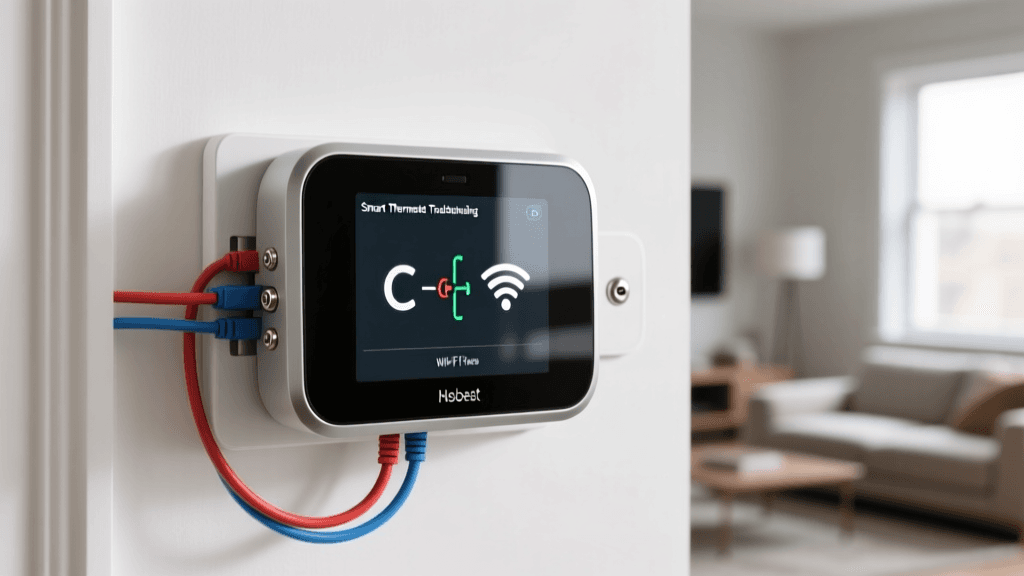
Use 1¼-inch PVC Schedule 40 or EMT (electrical metallic tubing) for main trunk lines serving 8–12 drops. For branch runs to individual rooms or device locations, ¾-inch EMT is optimal—providing room for up to four Cat 6A cables plus a 24 AWG 2-conductor thermostat wire (for HVAC integration) without exceeding the 40% fill ratio required by NEC Chapter 9, Table 1.
Wiring Topology: Star vs. Daisy Chain vs. Hybrid
A common misconception is that daisy-chaining network switches or automation controllers saves labor and cost. In practice, daisy chaining introduces single points of failure, latency stacking, and bandwidth bottlenecks—especially under sustained load from real-time video analytics or synchronized audio streaming.
The star topology remains the gold standard for whole-home automation:
- All endpoints (lighting controllers, keypad stations, IP cameras, touchpanels) connect directly back to a central distribution panel—typically located in a utility closet or dedicated telecom room.
- This enables centralized monitoring, PoE management, VLAN segmentation, and deterministic Quality of Service (QoS) policies.
- Supports redundancy: Dual uplinks to separate core switches (e.g., Ubiquiti UniFi Dream Machine Pro + secondary EdgeRouter X) prevent total system outage during firmware updates or hardware failure.
Central Panel Layout Essentials
Your central automation panel should include:
- A 1U or 2U rack enclosure (e.g., Middle Atlantic MRK-12 or Chief RPA-12) with integrated grounding bus bar.
- A managed Layer 3 switch supporting IGMP snooping, QoS, and VLANs (e.g., Ubiquiti UniFi Switch 24 PoE, $399; or Cisco SG350-26P, $549).
- An automation hub with native Matter support and local execution (e.g., Hubitat Elevation HUB001, $149; or Home Assistant Yellow, $199).
- A PoE injector or midspan for legacy devices lacking built-in PoE (e.g., EnGenius ECB1200 PoE+ Injector, $69).
- Dedicated 24V DC power supplies for keypads and motorized shade controllers (e.g., Altronix AL600UL, $129).
Device-Specific Wiring Requirements
Not all smart devices are created equal—or equally wire-friendly. Below is a comparison of common whole-home automation endpoints, their wiring needs, and compatibility considerations:
| Device Type | Minimum Cable Requirement | Power Delivery Method | Key Compatibility Notes | Estimated Installed Cost (Labor + Materials) |
|---|---|---|---|---|
| Lutron Caseta Pro Smart Dimmer (PD-6WCL-PRO) | 3-conductor 14/3 NM-B (hot/neutral/load) + optional Cat 6A for RA2 Select integration | Line voltage (120V AC) | Requires Lutron Smart Bridge PRO (not standard bridge); integrates with Control4 and Crestron via IP | $185–$260 per gang |
| RTI XP-01 4-Button Keypad | Cat 6A (data) + 24V DC pair (18/2) | 24V DC (PoE-compatible with RTI XP-POE module) | Requires RTI Processor (XP-8 or KP-8); supports custom graphics and bi-directional feedback | $420–$590 per unit (incl. processor license) |
| Savant SVS-1000 IP Video Intercom | Cat 6A (PoE++) + coaxial RG-6 for analog doorbell fallback | IEEE 802.3bt Type 4 PoE++ (90W) | Requires Savant Pro Server or CloudLink; supports Matter over Thread gateway mode (beta as of Q2 2026) | $780–$1,150 per entry point |
| Legrand Adorne with Netatmo Smart Switch (WNAL10 | 3-conductor 14/3 + neutral required | Line voltage (120V AC); no neutral = incompatible | Works natively with Apple HomeKit and Matter 1.2; limited third-party API access | $125–$175 per gang |
Cost Analysis: Professional Installation vs. DIY Wiring
Many homeowners assume DIY cabling saves money—until they encounter issues like intermittent PoE dropouts, failed UL listing inspections, or inability to upgrade to 2.5GbE backbone links five years later. A 2026 Construction Dive analysis reported average licensed low-voltage contractor rates of $75–$125/hour, with full structured cabling for a 3,500 sq ft home costing $3,200–$5,800 depending on wall access, attic/basement conditions, and number of drops.
In contrast, a competent DIYer can source materials for ~$1,100 (Cat 6A bulk cable, EMT, connectors, patch panels, labels), but must factor in:
- Time investment: 80–120 hours for layout, pulling, termination, testing
- Testing equipment: Fluke DSX-5000 ($3,295) or less robust (but adequate) Ideal LANTEK III ($1,899)
- Risk of rework: Improper bend radius (< 4× cable diameter), untwisted pairs >½ inch at terminations, or unshielded cables near HVAC ducts cause permanent signal degradation
Average Installed Cost Comparison: Whole-Home Automation Wiring (3,500 sq ft home)
Termination & Testing: Don’t Skip the Validation Step
Terminating 24–48 drops correctly is only half the battle. Every run must be certified—not just “pingable.” Use a cable certifier (not a simple continuity tester) to validate:
- Insertion loss (≤ 13.1 dB @ 500 MHz for Cat 6A)
- NEXT (Near-End Crosstalk) and ANEXT (Alien NEXT)
- Return loss and propagation delay skew
Fluke’s LinkWare Live cloud platform allows contractors to generate PDF reports compliant with TIA-568.2-D Annex G—required for warranty validation on most premium cable brands (e.g., Belden 1304A, Siemon LZ8, CommScope GigaSPEED).
Labeling Protocol That Saves Hours Later
Adopt a consistent, machine-readable labeling standard from Day One:
- Source-to-Destination Format: e.g.,
SW1-05-PORT12 → LR-KEYPAD-01means “Switch 1, Port 12 → Living Room Keypad, Unit 1” - Use thermal-printed labels (e.g., Brady BMP21-PLUS) with UV-resistant laminate
- Photograph every patch panel and conduit entry point with geotagged metadata—store in shared cloud folder with naming convention
[ProjectName]_Panel_[Location]_YYYYMMDD.jpg
Future-Proofing: What’s Next Beyond Cat 6A?
Cat 6A remains viable through at least 2030 for residential automation—but forward-looking installers are already planning for next-gen infrastructure:
- Single-Pair Ethernet (SPE): IEEE 802.3cg (10BASE-T1S) enables 10 Mbps over a single twisted pair up to 1,000 meters—ideal for sensor networks (temperature, occupancy, CO₂) with ultra-low power draw. Products like Analog Devices ADIN1300 are enabling SPE adoption in building management systems.
- Fiber-to-the-Device (FTTD): Corning’s EDGE™ Connect solution brings OM5 multimode fiber to individual rooms—supporting 100Gbps+ for AI-driven AV processing and real-time spatial audio rendering.
- Matter-over-Thread Border Routers with Wired Backhaul: As Matter 1.3 matures, expect Thread border routers (e.g., Nanoleaf Thread Border Router, $99) to increasingly require Gigabit Ethernet uplinks—not Wi-Fi—to guarantee sub-100ms device commissioning and secure OTA updates.
Final Checklist Before Drywall
Before walls close, verify the following:
- ✅ All cables labeled at both ends with identical identifiers
- ✅ Minimum 12 inches of slack coiled behind each outlet box (NEC 300.14)
- ✅ Conduit bends ≤ 360° total between pull points (NEC 300.18)
- ✅ All Cat 6A runs tested to Class EA (ISO/IEC 11801-1:2017) standards
- ✅ Dedicated 20A circuit feeding central panel (NEC 645.10)
- ✅ Grounding wire bonded to panel ground bar and main service ground (NEC 250.96)
Whole-home automation wiring isn’t overhead—it’s insurance. It transforms your smart home from a collection of reactive gadgets into a responsive, resilient, and truly intelligent environment. Invest in structure first, and everything else—from voice control to predictive climate tuning—will follow with confidence.