The Modern Household Dilemma: Mixed Smart Home Ecosystems
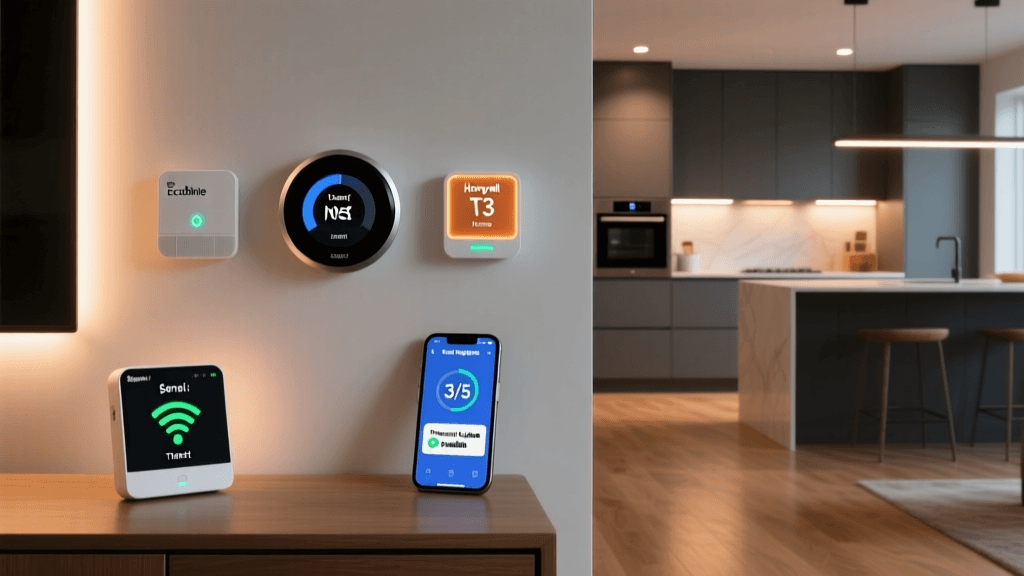
In the modern smart home, the most significant barrier to seamless automation is rarely a lack of capable hardware. Instead, it is the fragmented landscape of software ecosystems. Consider the classic mixed-device household: one partner relies exclusively on an iPhone and expects Siri to control the lights, while the other uses an Android device and prefers Google Assistant or Amazon Alexa. Historically, this meant purchasing redundant hardware, relying on fragile third-party cloud IFTTT applets, or forcing one family member to use an unfamiliar app.
Setting up a unified smart home that caters to multiple ecosystems simultaneously requires a strategic approach to hub configuration, network topology, and protocol selection. With the advent of the Matter standard and the maturation of local automation engines like Home Assistant, DIY installers and homeowners can now build a robust, multi-ecosystem bridge that satisfies every user in the house without compromising on privacy or local control.
Enter Matter: The Universal Language of Smart Homes
The Connectivity Standards Alliance (CSA) developed the Matter protocol to solve the exact fragmentation issue described above. Matter is an open-source, royalty-free connectivity protocol that operates over Wi-Fi, Ethernet, and Thread. It allows a single smart device—such as a smart lock or a lighting fixture—to be commissioned into multiple ecosystems simultaneously through a feature known as Multi-Admin.
With Matter, a single Eve Energy smart plug can be controlled natively via Apple HomeKit on an iPhone, while simultaneously appearing in the Google Home app on an Android tablet, all while maintaining local network communication.
However, simply buying a Matter-compatible device is not enough. You must have a compatible Matter Controller and a Thread Border Router for low-power devices. This is where choosing the right central hub becomes critical for your multi-ecosystem setup.
Hardware Hub Comparison for Multi-Ecosystem Control
To bridge ecosystems effectively, you need hardware that supports local processing, Thread networking, and Matter commissioning. Below is a comparison of the leading hub configurations for a unified home.
| Hub Device | Matter Controller | Thread Border Router | Local Control | Estimated Cost |
|---|---|---|---|---|
| Home Assistant Green | Yes (via Matter Server Add-on) | Requires Connect ZBT-1 USB Dongle | 100% Local | $99 + $30 Dongle |
| Apple TV 4K (3rd Gen) | Yes | Yes | HomeKit Only | $129 |
| Amazon Echo (4th Gen) | Yes | Yes | Alexa Only | $99 |
| Google Nest Hub Pro | Yes | Yes | Google Only | $229 |
| Aeotec Smart Home Hub | Yes (Z-Wave + Matter) | No (Requires external Thread) | Local / Cloud | $149 |
For a true multi-ecosystem integration, Home Assistant Green paired with a Thread/Zigbee USB dongle is the superior choice. It acts as the central brain, ingesting Matter devices and subsequently exposing them to Apple, Google, and Amazon via secure cloud bridges or local network discovery.
Step-by-Step: Building the Ultimate Bridge with Home Assistant
Setting up Home Assistant (HA) as your multi-ecosystem bridge requires a methodical approach. Follow these configuration steps to establish your unified foundation.
1. Initialize the Hub and Network
Connect your Home Assistant Green to your primary router via Ethernet. Power it on and access the onboarding portal via homeassistant.local:8123. Create your primary administrator account and set your precise home location, as this dictates weather integrations and sun-based automations.
2. Install the Matter Server and Thread Integrations
Navigate to Settings > Add-ons > Add-on Store. Search for and install the Matter Server add-on. This containerized environment handles the complex cryptographic handshakes required for Matter commissioning. Next, plug your Connect ZBT-1 (or Sonoff Zigbee 3.0 USB Dongle Plus flashed with Thread firmware) into the Green hub. Install the Open Thread Border Router add-on to enable low-power mesh networking for sensors and smart locks.
3. Commissioning Your First Multi-Admin Device
When pairing a new Matter device (e.g., a Philips Hue Bridge with Matter firmware or an Aqara U100 Smart Lock):
- Open the companion app for the device to generate the Matter QR code.
- In Home Assistant, go to Settings > Devices & Services > Add Integration > Matter.
- Scan the QR code. Home Assistant will pull the device onto your local network.
- Crucial Step: Do not delete the device from its native app. Matter's Multi-Admin feature allows the device to remain paired to its native cloud (like the Aqara app) while simultaneously being controlled locally by Home Assistant.
Exposing Local Devices to Cloud Voice Assistants
Once Home Assistant has aggregated your devices, you must expose them to the respective voice assistants used by your household members. The most secure and reliable method to achieve this without opening dangerous ports on your router is via Home Assistant Cloud (Nabu Casa).
Bridging to Google Home and Amazon Alexa
By subscribing to Nabu Casa, you establish a secure, encrypted reverse tunnel from your local hub to the cloud.
- Navigate to Settings > Home Assistant Cloud and log in.
- Enable the Google Assistant and Amazon Alexa toggles.
- On the user's Android or Echo device, open the Google Home or Alexa app, select 'Add Device', and search for the Home Assistant skill/action.
- Authenticate with your Nabu Casa credentials. All exposed entities (lights, locks, thermostats) will instantly populate in their respective apps, complete with state synchronization.
Bridging to Apple HomeKit (Siri)
For the Apple users in the home, you do not need the cloud. Home Assistant can emulate a HomeKit accessory locally.
- Go to Settings > Devices & Services > Add Integration > HomeKit Bridge.
- Select the specific entities you want to expose to Siri. (Avoid exposing cameras or complex sensors here to prevent HomeKit from lagging; stick to lights, switches, and locks).
- Home Assistant will generate a HomeKit QR code. Scan this with the iPhone's native Camera app or the Apple Home app to add the entire HA instance as a single 'Bridge' accessory.
Visualizing the Ecosystem Shift
The transition to a Matter-based, multi-admin setup drastically alters the compatibility landscape of smart home categories. The chart below illustrates the estimated percentage of devices within major categories that support native multi-ecosystem control before and after the widespread adoption of Matter and Thread.
As visualized, categories like lighting and sensors have seen near-universal multi-ecosystem support thanks to Thread and Matter, while cameras remain largely fragmented due to high-bandwidth video streaming requirements that the current Matter protocol does not yet handle natively.
Network Topology and Thread Mesh Configuration
A multi-ecosystem bridge is only as reliable as the network it operates on. When configuring your home network for this setup, adhere to the following best practices:
- Dedicated IoT VLAN: Isolate your smart home devices on a separate Virtual Local Area Network (VLAN). This prevents a compromised smart bulb from accessing your personal computers or NAS drives. Ensure your Home Assistant hub has routing access to this VLAN.
- Wi-Fi 6 and 2.4GHz Optimization: Most Matter-over-Wi-Fi devices operate strictly on the 2.4GHz band. Disable 'Smart Connect' (band steering) on your router if devices fail to commission, as IoT chips often cannot parse combined SSIDs. Create a dedicated 2.4GHz IoT SSID.
- Thread Mesh Density: Thread devices (like window sensors and smart blinds) rely on mains-powered devices to act as routers. Ensure you have at least three mains-powered Thread devices (e.g., smart plugs or hardwired light switches) distributed across your home to create a resilient mesh that reaches your Home Assistant Border Router.
Troubleshooting Common Integration Hiccups
Even with a perfect configuration, multi-ecosystem setups can encounter friction. Here is how to resolve the most common issues:
Issue: Device Shows 'No Response' in Apple Home but Works in HA
Solution: This usually indicates a breakdown in the local HomeKit Bridge mDNS (multicast DNS) broadcast. Restart the HomeKit Bridge integration within Home Assistant. If the issue persists, ensure your router's IGMP Snooping is configured correctly, or disable it temporarily, as some consumer routers mishandle the multicast packets required for Apple HomeKit discovery.
Issue: Matter Commissioning Fails at 90%
Solution: Matter relies heavily on IPv6 for device discovery and commissioning. If your router has IPv6 disabled, or if your ISP provides a faulty IPv6 prefix delegation, the handshake will fail. Enable IPv6 on your router's LAN settings, or utilize the manual IP commissioning fallback available in the Home Assistant Matter add-on settings.
Issue: Voice Assistant Latency
Solution: If Alexa or Google Assistant takes more than two seconds to execute a command, verify that your Nabu Casa connection status is 'Connected' and that your hub's CPU temperature is within normal limits. Thermal throttling on the hub can delay the processing of webhook payloads sent from the cloud.
Final Thoughts on Unified Automation
Creating a multi-ecosystem smart home is no longer a compromise. By leveraging the Matter protocol and utilizing Home Assistant as the central, agnostic brain, you can provide native, low-latency control to Siri, Google Assistant, and Alexa simultaneously. This setup not only future-proofs your hardware investments but also ensures that every member of the household can interact with their environment using the tools they already know and love. The initial configuration requires a weekend of dedicated network setup and integration mapping, but the resulting harmony of a truly unified smart home is well worth the effort.