The Multi-Ecosystem Dilemma in Modern Smart Homes
The modern smart home is rarely a monolith. A typical household might feature an Apple TV in the living room, a Google Nest thermostat in the hallway, Amazon Echo dots in the bedrooms, and a Ring security system at the front door. While each of these devices excels within its native walled garden, attempting to create cohesive, cross-platform automation workflows often leads to frustration. Voice assistants fail to see certain devices, routines break across platforms, and family members with different smartphone preferences are locked out of essential controls.
Solving this fragmentation requires a strategic approach to installation and setup configuration. Rather than relying on fragile third-party cloud routines or hoping that native app integrations will suffice, DIY installers and advanced homeowners are turning to local hub architectures. By leveraging open-source hubs, Matter bridging, and advanced network configurations, you can unify Apple HomeKit, Google Home, and Amazon Alexa into a single, responsive, and privacy-focused multi-ecosystem smart home.
The Architecture of a Unified Smart Home
To successfully bridge multiple ecosystems, we must separate the control layer from the presentation layer. The control layer handles the actual logic, device polling, and automation execution. The presentation layer is what the user interacts with—namely, the Apple Home app, Google Home app, or the Alexa app.
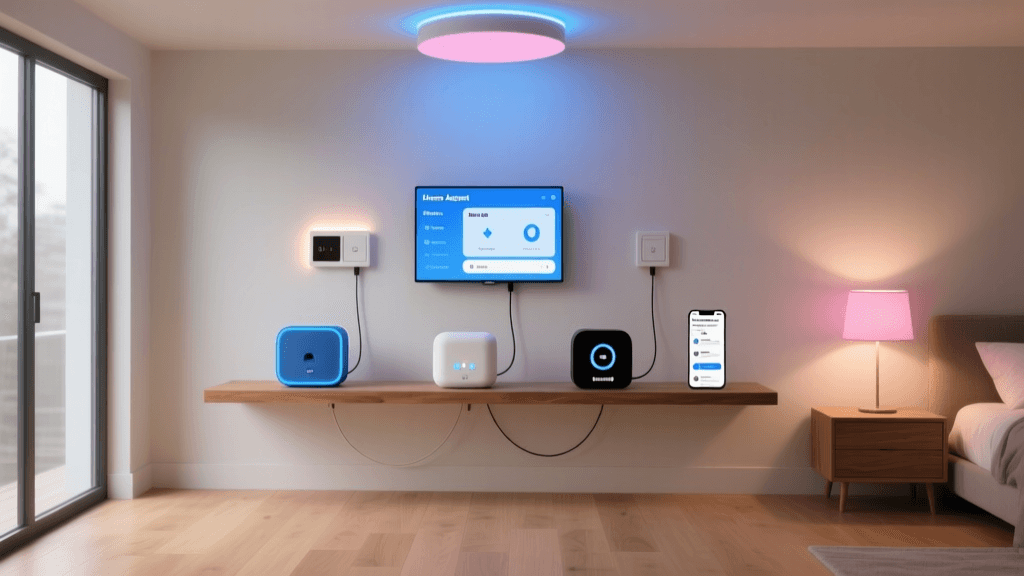
In a multi-ecosystem setup, Home Assistant serves as the central control layer. It communicates directly with your Zigbee, Z-Wave, Wi-Fi, and Thread devices. Once the devices are integrated locally, Home Assistant acts as a bridge, exposing these entities to Apple, Google, and Amazon simultaneously. This means a single Zigbee light bulb can be controlled via Siri, Google Assistant, and Alexa at the exact same time, without relying on cloud-to-cloud latency.
Hardware Selection: The Central Brain
For a robust multi-ecosystem bridge, you need dedicated hardware that remains online 24/7. While you can install Home Assistant on a Raspberry Pi 4 or an old Intel NUC, the recommended path for stability and ease of setup is the Home Assistant Green (priced around $99) or the Home Assistant Yellow (which includes built-in Zigbee/Thread radios).
Essential Hardware Add-ons
- Zigbee/Thread Coordinator: The Home Assistant Connect ZBT-1 (formerly SkyConnect) or the Sonoff Zigbee 3.0 USB Dongle Plus (P-Model). Cost: $25 - $35.
- Ethernet Connection: Never rely on Wi-Fi for your central hub. Hardwire the hub to your primary switch or router to ensure consistent mDNS broadcasting.
- Thread Border Routers: Devices like the Apple TV 4K (3rd Gen) or Nest Hub Pro act as border routers, translating Thread mesh network traffic to your local IP network.
Network Configuration: VLANs and mDNS
The most common point of failure in multi-ecosystem setups is network misconfiguration. Apple HomeKit and Google Chromecast rely heavily on mDNS (Multicast DNS) to discover local bridges. If your smart devices are isolated on a separate IoT VLAN (which is highly recommended for security), mDNS packets will not cross the subnet boundary by default.
Configuring mDNS Repeaters
If you use a UniFi Dream Router or pfSense firewall, you must enable an mDNS repeater or Avahi daemon. This service listens for mDNS broadcasts on your IoT VLAN (e.g., VLAN 20) and mirrors them to your primary trusted VLAN (e.g., VLAN 10) where your smartphones and Apple TVs reside.
Pro Tip: Ensure that IGMP Snooping is properly configured on your managed switches. If IGMP snooping is enabled without a querier, multicast traffic (including HomeKit discovery and Sonos audio) will be silently dropped, resulting in the dreaded 'No Response' error in the Apple Home app.
Bridging Apple HomeKit Locally
Apple's ecosystem is notoriously strict regarding local network requirements. To expose your unified device list to Apple Home, you will use the HomeKit Bridge integration. According to the official Home Assistant HomeKit documentation, this integration emulates a HomeKit accessory, allowing you to push entities from your hub directly to iOS devices.
Step-by-Step HomeKit Bridge Setup
- Navigate to Settings > Devices & Services > Add Integration and search for 'HomeKit Bridge'.
- Select the domains you wish to expose (e.g., Lights, Switches, Climate, Locks). Do not expose sensors unless necessary, as Apple Home has a strict limit of 150 accessories per bridge.
- If you have more than 150 entities, create multiple HomeKit Bridge instances in 'Accessory Mode' rather than 'Bridge Mode' to prevent memory overflows on older Apple TVs.
- Scan the generated QR code using the Apple Home app on your iOS device. The hub will pair locally over your LAN.
Integrating Google Home and Amazon Alexa
Unlike Apple's local-first HomeKit protocol, Google Home and Amazon Alexa traditionally rely on cloud-based OAuth connections to poll device states. To bridge your local hub to these ecosystems securely, you have two primary options:
Option 1: Nabu Casa (Recommended)
Nabu Casa is the official cloud service for Home Assistant, costing $6.50 per month. It provides a secure, encrypted remote tunnel without requiring you to open ports on your router or manage dynamic DNS. By linking your Nabu Casa account to the Google Home Developer Console and the Amazon Alexa Developer Console, your devices are instantly exposed to both voice assistants with minimal latency.
Option 2: Manual Reverse Proxy (Free but Complex)
For advanced users, setting up DuckDNS combined with Let's Encrypt SSL certificates and an NGINX reverse proxy allows you to expose your hub to the internet for free. However, this requires strict firewall rules, port forwarding (port 443), and ongoing certificate renewal management. For a stable multi-ecosystem home, the Nabu Casa subscription is highly recommended to support the project and ensure uptime.
The Role of Matter and Multi-Admin
The introduction of the Matter standard has fundamentally shifted how we approach multi-ecosystem integration. Matter operates over IP (Wi-Fi or Ethernet) and Thread (a low-power mesh network), utilizing a unified application layer. The Connectivity Standards Alliance (CSA) designed Matter specifically to eliminate the need for proprietary cloud bridges.
Understanding Multi-Admin
The killer feature of Matter is Multi-Admin. When you pair a Matter-compatible device (like an Eve Energy smart plug or a Nanoleaf light bulb) to your network, you can simultaneously authorize multiple ecosystems to control it. You can pair the device to Home Assistant, and then securely share the cryptographic keys to your Apple TV and your Google Nest Hub.
This means the device reports its state locally to all three platforms without relying on cloud-to-cloud syncing. For Thread-based Matter devices, ensure you have a robust Thread mesh network with multiple border routers to prevent single points of failure when the primary hub goes offline for updates.
Integration Method Comparison
Choosing the right bridging method depends on your technical expertise, budget, and privacy requirements. Below is a comparison of the primary methods used to unify smart home ecosystems.
| Integration Method | Protocol | Latency | Privacy | Setup Complexity |
|---|---|---|---|---|
| HomeKit Bridge (Local) | mDNS / IP | Very Low (<50ms) | Excellent (Local) | Moderate |
| Nabu Casa (Google/Alexa) | WSS (Cloud Tunnel) | Low (100-200ms) | High (Encrypted) | Low |
| Matter Multi-Admin | IP / Thread | Very Low (<50ms) | Excellent (Local) | High (Evolving) |
| Cloud-to-Cloud (IFTTT) | HTTPS API | High (1-3s) | Poor (3rd Party) | Low |
Cost and Latency Analysis
When planning your setup-config, it is vital to weigh the upfront hardware costs against ongoing subscription fees. The chart below illustrates the financial and performance differences between relying on native proprietary hubs, a centralized local hub, and third-party cloud bridges.
Troubleshooting Ecosystem Collisions
Even with a meticulously planned installation, multi-ecosystem homes can experience collisions. Here is how to troubleshoot the most common issues:
1. 'No Response' in Apple HomeKit
This almost always indicates a network routing or mDNS issue. Verify that your Home Assistant hub has a static IP address reserved in your DHCP server. Next, check your firewall rules to ensure UDP port 5353 (mDNS) and TCP port 51827 (HomeKit accessory port) are not being blocked between your IoT VLAN and your primary VLAN.
2. Alexa State Sync Delays
While HomeKit polls locally, Alexa relies on state-change webhooks sent via the cloud. If your Nabu Casa connection drops, or if your ISP is experiencing DNS resolution issues, Alexa will show devices as 'Offline' or fail to report state changes. Ensure your hub's DNS is set to a reliable provider like Cloudflare (1.1.1.1) or Google (8.8.8.8) rather than your ISP's default DNS.
3. Matter Pairing Failures
Matter relies heavily on IPv6 and Thread network credentials. If a Matter device fails to pair with Home Assistant, ensure that your router's IPv6 prefix delegation is functioning correctly. Furthermore, if using a Thread Border Router, ensure that the operational dataset (the network credentials for the Thread mesh) is synchronized across all border routers in your home.
Conclusion: Achieving True Smart Home Harmony
Integrating Apple, Google, and Amazon into a single smart home ecosystem is no longer a compromise; it is a highly achievable reality for DIY installers. By utilizing Home Assistant as your central logic engine, leveraging local HomeKit bridges, securing cloud tunnels for Alexa and Google, and embracing the Multi-Admin capabilities of Matter, you can build a resilient, future-proof home.
The initial setup configuration requires a solid understanding of networking, VLANs, and protocol bridging. However, the payoff—a unified home where every family member can use their preferred voice assistant and smartphone app without sacrificing privacy or speed—is well worth the effort. As the Matter standard continues to mature, the lines between these walled gardens will blur even further, making the multi-ecosystem approach the definitive standard for modern smart home installations.