The Evolution of Smart Home Logic
When transitioning from a beginner smart home setup to an advanced, fully integrated ecosystem, the way you configure automation workflows becomes the defining factor between a 'smart' home and a truly 'intelligent' one. Early smart home configurations often relied on simple, single-trigger automations—such as turning on a light when a motion sensor is tripped. While functional, these basic workflows frequently lead to user frustration, characterized by lights turning off while you are reading quietly on the couch, or HVAC systems running in empty rooms.
Advanced smart home automation workflow configuration requires a shift from simple 'if-this-then-that' logic to complex, multi-trigger, multi-condition state machines. By leveraging local processing hubs, millimeter-wave (mmWave) presence sensors, and sophisticated logic gates, DIY installers can create seamless multi-room transitions that anticipate occupant needs without requiring manual overrides. According to the U.S. Department of Energy, optimizing lighting and HVAC through advanced occupancy sensing and automated workflows can significantly reduce residential energy waste, lowering utility bills while enhancing comfort.
This guide will walk you through the architecture, hardware selection, and software configuration required to build robust, multi-room automation workflows, focusing on local processing environments like Home Assistant and Hubitat.
Selecting the Right Hub for Complex Workflows
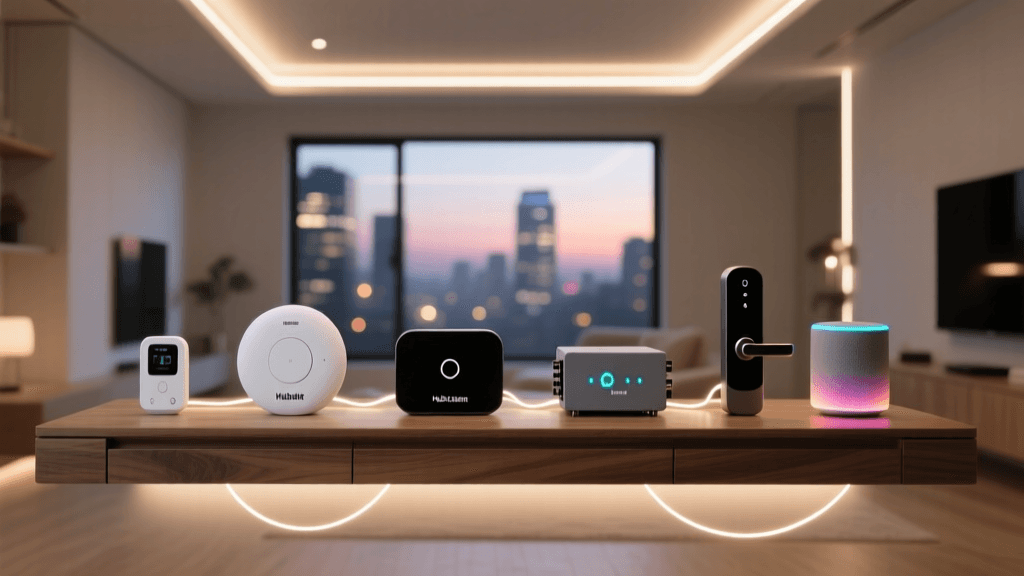
The foundation of any advanced automation workflow is the hub or controller. Cloud-dependent hubs often introduce latency and fail when internet connectivity drops, making local processing a mandatory requirement for complex, multi-room logic. When designing workflows that require chaining multiple conditions, calculating time delays, and tracking the state of dozens of entities simultaneously, the choice of platform dictates your ceiling for complexity.
| Hub Platform | Local Processing | Logic Complexity | Best For |
|---|---|---|---|
| Home Assistant | 100% Local | Extremely High (YAML/Visual) | Power users, custom integrations, complex logic |
| Hubitat Elevation | 100% Local | High (Rule Machine) | Reliability-focused DIYers, Zigbee/Z-Wave heavy homes |
| SmartThings | Cloud/Hybrid | Moderate (App-based) | Beginners, ecosystem lock-in, basic routines |
| Apple HomeKit | Local (via HomePod) | Low to Moderate | Apple ecosystem users, privacy-first basic setups |
For the purposes of advanced workflow configuration, Home Assistant remains the undisputed leader. Its open-source nature allows for deep integration with virtually any protocol, and its YAML-based automation engine provides granular control over triggers, conditions, and actions that proprietary apps simply cannot match. For those building complex logic, the Home Assistant automation trigger documentation provides extensive guidance on chaining state changes, time-based events, and numeric thresholds to create bulletproof routines.
Architecting a Multi-Room Presence Workflow
A common pain point in smart homes is the 'hallway-to-kitchen' transition. If you walk from the hallway into the kitchen, a basic PIR (Passive Infrared) motion sensor might turn on the kitchen lights, but the hallway lights may turn off prematurely if the hallway sensor's timeout expires, even if you are still visible in the doorway. To solve this, we must design a workflow that tracks presence rather than just motion.
Sensor Selection: PIR vs. mmWave
Traditional PIR sensors detect changes in infrared radiation, meaning they require physical movement to keep a light on. If you sit still at a dining table, the lights will eventually shut off. Millimeter-wave (mmWave) sensors, such as the Aqara FP2 or the Hi-Link HLK-LD2410, emit high-frequency radio waves and measure the reflection to detect micro-movements, including human breathing and heartbeats. Integrating mmWave sensors into your workflow is critical for multi-room occupancy tracking.
When configuring an Aqara FP2 for a multi-room setup, you can utilize its built-in zone mapping to divide a single open-concept living space into distinct logical areas (e.g., 'Sofa Zone', 'Dining Zone', 'Kitchen Zone'). This allows your automation hub to track exactly which zone is occupied, enabling highly targeted lighting and climate workflows.
Defining the Triggers and Conditions
To create a seamless transition, your workflow must evaluate the state of adjacent rooms before executing an action. Consider a scenario where the living room lights should dim when someone enters the adjacent media room. The logic must check three variables: the time of day, the occupancy state of the media room, and the current activity state of the living room.
Below is an example of how this logic is structured in Home Assistant using YAML. Notice the use of multiple conditions to prevent the automation from firing during daylight hours or when the living room is already unoccupied.
alias: Living Room Dim on Media Room Entry
description: Dims living room lights when media room is occupied after sunset
trigger:
  - platform: state
    entity_id: binary_sensor.media_room_mmwave_presence
    to: 'on'
condition:
  - condition: sun
    after: sunset
    before: sunrise
  - condition: state
    entity_id: light.living_room_main
    state: 'on'
  - condition: numeric_state
    entity_id: sensor.living_room_lux
    below: 50
action:
  - service: light.turn_on
    target:
      entity_id: light.living_room_main
    data:
      brightness_pct: 20
      transition: 3
This configuration ensures that the workflow only executes when it makes logical sense, preventing the jarring experience of lights dimming in an empty room or during the middle of the day.
Visualizing Workflow Efficiency and Energy Savings
Upgrading from basic timer-based automations to multi-sensor fusion workflows yields measurable improvements in energy efficiency. By ensuring that HVAC dampers and lighting circuits are only active in zones with confirmed human presence, homeowners can drastically reduce phantom energy drain.
Energy Efficiency by Automation Workflow Type
As illustrated in the chart above, basic timers offer minimal waste reduction, as they operate blindly based on arbitrary durations. PIR motion sensors improve this by reacting to actual movement, but they still fail in static occupancy scenarios, leading to unnecessary HVAC cycling when users manually override the system. Multi-sensor fusion—which combines mmWave presence, door contact sensors, and ambient lux data—achieves up to an 85% reduction in energy waste by creating a perfect digital twin of the home's physical occupancy state.
Troubleshooting Mesh Latency and State Conflicts
When configuring complex workflows across multiple rooms, you are heavily reliant on the underlying wireless mesh network, typically Zigbee or Thread. Latency in mesh networks can cause 'race conditions,' where an automation fires before a sensor's state has fully propagated to the hub, resulting in missed triggers or conflicting actions.
"A well-configured smart home should anticipate your needs without requiring manual overrides or constant app interaction. If you find yourself frequently correcting your automations, the underlying logic or mesh health requires immediate troubleshooting."
To ensure your multi-room workflows execute flawlessly, follow these critical troubleshooting steps:
- Optimize Zigbee Channels: Ensure your Zigbee network is operating on channel 11, 15, 20, or 25 to avoid interference with 2.4GHz Wi-Fi networks. Overlapping channels will cause packet loss, leading to delayed sensor updates.
- Deploy Mains-Powered Routers: Battery-operated sensors are 'end devices' that must route their signals through mains-powered devices (like smart plugs or hardwired switches). Place Zigbee routers strategically between distant rooms to maintain a high Link Quality Indicator (LQI).
- Implement Debounce Delays: In your automation logic, add a 'for' parameter to your triggers. For example, requiring a door sensor to remain 'open' for 2 seconds before firing prevents the automation from triggering during a momentary draft or sensor glitch.
- Use Helper Entities for State Tracking: Create boolean input_helpers (virtual switches) in your hub to track the 'mode' of a room. Instead of checking five different sensor states in every automation, update a single 'Room Mode' helper, and have your lighting and climate workflows trigger based on that single helper's state.
Integrating Climate Control into Lighting Workflows
Lighting and climate control are often treated as separate domains, but advanced workflow configuration demands they operate in tandem. When a multi-room presence workflow detects that a family has moved from the living room to the bedrooms for the night, it should not only turn off the living room lights but also adjust the smart thermostats or HVAC dampers.
By integrating smart TRVs (Thermostatic Radiator Valves) or Ecobee smart sensors into your presence logic, you can create a 'follow-me' climate workflow. When the mmWave sensor in the home office detects presence, the workflow commands the HVAC system to prioritize the office zone's temperature setpoint, while allowing the rest of the house to drift to an eco-friendly baseline. This requires configuring your hub to calculate a weighted average of occupied rooms, a feature natively supported by advanced platforms like Home Assistant via custom integrations or complex template sensors.
Future-Proofing Your Workflows with Matter
As the smart home industry matures, the Connectivity Standards Alliance (CSA) has introduced the Matter protocol to unify device communication. Matter operates over Thread (a low-power, self-healing mesh network similar to Zigbee) and Wi-Fi, emphasizing local control and interoperability. For DIY installers, Matter represents a significant leap forward in workflow reliability.
Because Matter devices communicate locally via IP, the latency issues that plague traditional cloud-dependent or poorly routed Zigbee meshes are vastly reduced. When configuring your hub for future expansions, prioritize Matter-over-Thread border routers (such as the Apple TV 4K or HomePod Mini) to ensure your multi-room automations benefit from sub-100-millisecond response times. As more multi-sensor devices receive Matter certifications, the complexity of tracking room-to-room transitions will shift from the hub's processing logic to the sensor's edge-computing capabilities, further streamlining your automation configurations.
Best Practices for Scalable Automation Architecture
As your smart home grows beyond a dozen devices and into a whole-home automation system, maintaining your workflows becomes a software engineering challenge. Adopt strict naming conventions for your entities and automations. Prefix your automations with their domain and room (e.g., light_kitchen_presence_dim or hvac_bedroom_night_eco). Group related automations into packages or folders within your hub's file structure.
Furthermore, document your logic. Use the description fields in your automation editor to explain why a workflow exists, not just what it does. Six months from now, when a sensor fails or you decide to renovate a room, having clearly documented, modular workflows will save you hours of reverse-engineering. By treating your smart home configuration as a scalable software project, you ensure that your multi-room automations remain robust, efficient, and effortlessly adaptable to your evolving lifestyle.