The Anatomy of a Smart Routine: Beyond Simple Scenes
When transitioning from basic smart device control to whole-home automation, understanding the distinction between a 'scene' and a 'routine' is critical. A scene is a static snapshot of device states—for example, a 'Movie Night' scene that dims your Philips Hue lights to 20%, closes your Lutron Serena shades, and turns on your home theater receiver. A routine (or automation), however, is the dynamic engine that triggers that scene based on specific conditions, schedules, or location data.
For DIY installers and homeowners, mastering routine creation is the key to unlocking the true potential of a smart home. According to the U.S. Department of Energy, properly scheduled and automated climate control alone can save homeowners up to 10% a year on heating and cooling costs. By layering time-based schedules with geofencing and sensor data, you create a responsive environment that anticipates your needs while minimizing energy waste.
Choosing the Right Hub Ecosystem for Advanced Automation
Not all smart home hubs handle complex logic equally. When designing multi-condition routines, the underlying ecosystem dictates your flexibility. Below is a comparison of the top three hub environments for advanced scheduling and geofencing.
| Hub Ecosystem | Geofencing Reliability | Local Execution | Best For |
|---|---|---|---|
| Apple HomeKit | High (Native iOS integration) | Yes (via Apple TV/HomePod) | Privacy-focused users, seamless iOS integration |
| Samsung SmartThings | Medium (App-dependent) | Partial (Cloud fallback) | Broad device compatibility, budget-friendly setups |
| Home Assistant | Very High (Customizable zones) | Yes (100% Local) | Power users, complex logic, total data privacy |
For users leveraging Apple HomeKit Automations, the geofencing relies on the native location services of the user's iPhone, providing exceptional accuracy and battery efficiency. Conversely, Home Assistant allows you to draw custom polygonal zones on a map, enabling hyper-specific triggers (e.g., turning on the driveway lights only when you enter the north gate, but not the south alley).
Step-by-Step Guide: Creating Time-Based Schedules
Time-based schedules are the foundational layer of smart home automation. They operate on a fixed cron-like schedule, independent of human presence. The most effective use of time-based scheduling is in circadian lighting and HVAC management.
1. Circadian Lighting Schedules
Human biology is regulated by light temperature. You can automate your smart bulbs (such as the Philips Hue White and Color Ambiance or WiZ tunable whites) to mimic the sun's natural progression.
- 6:00 AM - 8:00 AM: Fade in from 0% to 100% brightness, color temperature at 5000K (cool daylight) to promote wakefulness.
- 12:00 PM - 4:00 PM: Maintain 100% brightness at 4000K (neutral white) for focus.
- 6:00 PM - 9:00 PM: Dim to 60% brightness, shift to 2700K (warm white) to encourage melatonin production.
- 10:00 PM: Drop to 10% brightness at 2000K (amber) or turn off completely.
2. HVAC Setback Schedules
The EPA's ENERGY STAR program emphasizes the importance of temperature setbacks during sleeping or away hours. Configure your Ecobee SmartThermostat or Nest Learning Thermostat to drop the heating setpoint by 7-10 degrees Fahrenheit during the 8 hours you are typically asleep or at work. This automated schedule ensures you never pay to heat or cool an empty house or a sleeping household.
Mastering Geofencing: Location-Based Automation
Geofencing uses your smartphone's GPS, Wi-Fi, and cellular triangulation to create a virtual perimeter around your home. When your device crosses this boundary, it triggers an 'Arrival' or 'Departure' routine.
Setting the Optimal Boundary Radius
A common mistake DIY installers make is setting the geofence radius too tight (e.g., 50 meters). GPS drift, especially in urban canyons or areas with heavy tree cover, can cause your phone to momentarily 'leave' the zone while you are sitting on your couch, inadvertently triggering your 'Away' security routine and locking you out of your smart locks.
Pro Tip: Set your primary home geofence radius to 150 meters (approx. 500 feet). To prevent the 'ping-pong' effect where the system rapidly toggles between Home and Away, implement a time-delay condition: the system must register your phone outside the 150m zone for at least 5 consecutive minutes before executing the 'Away' routine.
Combining Geofencing with Presence Sensors
Smartphone GPS is not infallible. For households with multiple occupants, relying solely on phone geofencing can lead to the house shutting down when one person leaves, even if others are home. To solve this, use a logical 'OR' condition combined with physical presence sensors. Pair your geofencing with a SmartThings Multipurpose Sensor on the front door or an indoor mmWave radar sensor (like the Aqara FP2) to confirm actual occupancy before triggering climate setbacks.
Visualizing the Impact: Energy Savings by Automation Type
Implementing these routines yields measurable reductions in utility costs. The chart below illustrates the estimated annual energy savings percentages based on the automation category, highlighting why HVAC and lighting routines should be your first configuration priority.
Advanced Multi-Condition Routines: The 'Goodnight' Workflow
The most robust smart home setups utilize multi-condition logic trees. Let's break down the anatomy of a flawless 'Goodnight' routine, which secures the home and prepares it for sleep without relying on a single, easily misclicked button.
Trigger Logic
Do not rely solely on a 10:30 PM time trigger. What if you are hosting guests or staying up late? Instead, use a compound trigger:
- Condition A: Time is after 10:00 PM.
- Condition B: Living Room motion sensor (e.g., Aeotec TriSensor) detects zero motion for 30 minutes.
- Condition C: Both primary occupants' phones are connected to the home Wi-Fi network.
Action Execution Sequence
Once the conditions are met, the hub fires the following actions with built-in delays to prevent network congestion (Z-Wave and Zigbee meshes can bottleneck if 30 devices are commanded simultaneously):
- Instant: Lock all exterior doors (Yale Assure Lock 2, Schlage Encode).
- Delay 2 seconds: Arm the security system to 'Stay' mode (SimpliSafe, Ring Alarm).
- Delay 5 seconds: Turn off all main floor lighting and set hallway smart switches (Leviton Decora) to 5% motion-activated nightlight mode.
- Delay 10 seconds: Adjust Ecobee thermostat to sleep setpoint (68°F).
- Delay 15 seconds: Close smart blinds and activate white noise machine smart plug.
Hardware Prerequisites: Wiring and Network Stability
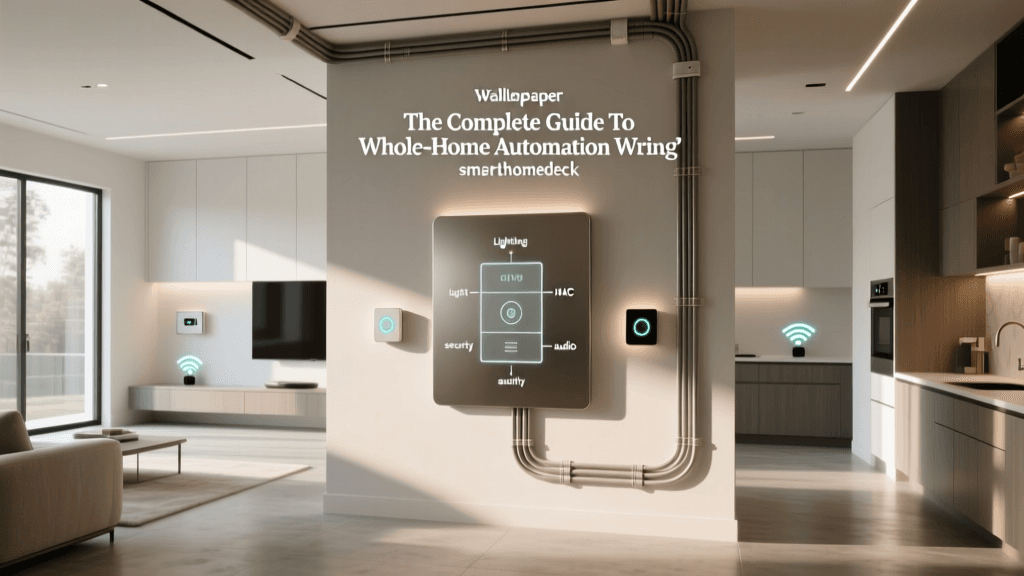
A routine is only as reliable as the hardware executing it. When installing smart switches to be used in automated schedules, ensuring a neutral wire is present in the wall box is paramount. Switches like the Lutron Caseta (which do not require a neutral) are excellent for older homes, but Wi-Fi-based switches (like Kasa or Treatlife) that lack a neutral wire often 'leak' current through the bulb to stay powered, which can cause LED flickering and drop them off the network, breaking your routines.
Furthermore, for local execution of routines, your hub must support the local protocols of your devices. If you are using Thread or Matter-over-Thread devices (like the Eve Energy smart plug or Nanoleaf Essentials bulbs), ensure you have a Thread Border Router (such as an Apple TV 4K or Nest Hub Pro) to maintain a robust mesh network that doesn't rely on cloud servers to process your morning coffee schedule.
Troubleshooting Common Routine Failures
Even the best-designed automations can fail. Here is how to troubleshoot the most common setup and configuration issues:
- Geofence Not Triggering: Check your smartphone's OS-level location permissions. Both iOS and Android have aggressive battery-saving features that may restrict background location updates for your smart home app. Set location access to 'Always Allow' and ensure 'Precise Location' is toggled on.
- Delayed Lighting Schedules: If your circadian lighting routine takes 30 seconds to execute, your Zigbee mesh is likely congested. Add more mains-powered Zigbee devices (like smart plugs or hardwired switches) to act as repeaters and strengthen the mesh routing.
- Cloud vs. Local Execution Drops: If your routines fail during an internet outage, audit your device list. Any device relying on a cloud-to-cloud integration (e.g., a Wi-Fi-only TP-Link bulb connected via a cloud API) will break local hub routines. Migrate critical automation devices to local protocols like Zigbee, Z-Wave, or Matter.
Conclusion
Configuring scenes, routines, and schedules transforms a collection of disparate gadgets into a cohesive, intelligent living space. By carefully selecting your hub ecosystem, optimizing geofence boundaries, and leveraging multi-condition logic, you can create a home that automatically adapts to your lifestyle. Prioritize local execution, respect the physical wiring requirements of your smart switches, and continually refine your time-based schedules to maximize both comfort and energy efficiency.