The Fragmented Smart Home Dilemma
Modern smart homes are rarely monolithic. A typical DIY installer might start with an Amazon Echo for voice control, add a Google Nest Thermostat for climate management, and later install Apple HomeKit-compatible Lutron Caseta switches for lighting. The result is a fragmented ecosystem where devices cannot communicate, automations are siloed, and family members are forced to juggle multiple apps. Multi-ecosystem integration setup is the ultimate endgame for smart home enthusiasts seeking a unified, reliable, and localized control environment.
Bridging the gap between Apple, Google, and Amazon requires a central orchestrator that can ingest proprietary protocols and expose them universally. While the recent introduction of the Matter standard has begun to ease these tensions, legacy devices and proprietary features still require a robust middleware solution. In this comprehensive guide, we will walk through the exact hardware, network configurations, and software integrations needed to unify your smart home ecosystems using Home Assistant as the central nervous system.
Why Home Assistant is the Ultimate Bridge
Home Assistant (HA) is an open-source home automation platform that prioritizes local control and privacy. Unlike proprietary hubs that lock you into a single cloud service, HA can integrate with over 2,500 different devices and services. By running HA on your local network, you can expose non-HomeKit devices to Apple Home, feed local Zigbee sensor data to Google Home, and trigger complex Amazon Alexa routines based on multi-variable conditions.
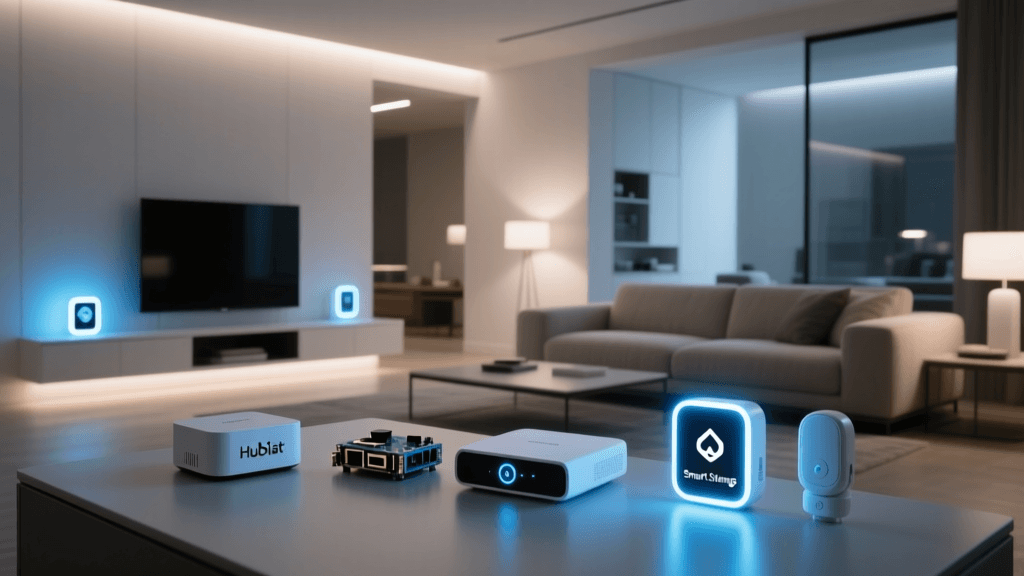
For a stable multi-ecosystem setup, hardware selection is critical. While you can run HA on a Raspberry Pi 4 or 5, the constant read/write cycles of the logging database can corrupt SD cards over time. For a production-grade whole-home setup, dedicated hardware is highly recommended.
Recommended Hardware Configurations
- Home Assistant Green ($99): The official plug-and-play hub. Ideal for beginners and intermediate users. It includes an integrated Zigbee radio and requires zero Linux command-line knowledge.
- ODROID N2+ with eMMC (~$120): A powerhouse for advanced users. The eMMC storage ensures database reliability, and the Amlogic S922X processor handles dozens of integrations without latency.
- Intel NUC / Mini PC (~$150-$250): Best for power users running Proxmox, Frigate NVR for security cameras, and Plex alongside Home Assistant.
Step-by-Step Multi-Ecosystem Integration
Once your Home Assistant server is provisioned and connected to your network via Ethernet, the next step is bridging the big three ecosystems. We will use a combination of local API polling and cloud-assisted webhooks to ensure state changes sync in under 200 milliseconds.
1. Integrating Amazon Alexa (Smart Home Skill)
To expose your local HA devices to Amazon Alexa, you have two primary routes: the manual AWS Lambda setup or the Nabu Casa cloud subscription. For DIYers on a budget, the manual route via the Home Assistant Alexa Smart Home Skill Documentation is free but requires an Amazon Developer account and an AWS account.
By configuring the alexa integration in your configuration.yaml, you can filter exactly which entities are exposed to Alexa. This prevents your smart home from being cluttered with hidden helper entities or raw sensor data that Alexa cannot interpret.
alexa:
  smart_home:
    locale: en-US
    endpoint: https://api.amazonalexa.com/v3/events
    client_id: YOUR_AMAZON_CLIENT_ID
    client_secret: YOUR_AMAZON_CLIENT_SECRET
    filter:
      include_domains:
        - light
        - switch
        - climate
      exclude_entities:
        - switch.server_rack_fan
2. Bridging Google Home (Nabu Casa vs. Manual)
Google Assistant integration has historically been more complex than Alexa due to Google's strict OAuth2 and project verification requirements. While you can set up a Google Cloud Platform project and use the HomeGraph API manually, the manual route frequently breaks when Google updates its security policies, requiring you to re-verify your project every few weeks.
For a seamless multi-ecosystem setup, subscribing to Nabu Casa (the official cloud partner for Home Assistant) is the most reliable method. It securely tunnels your local HA instance to Google Home, allowing for instant device discovery and state synchronization without opening ports on your router or dealing with dynamic DNS.
3. Exposing Devices to Apple HomeKit (The HomeKit Bridge)
Apple HomeKit is notorious for its strict certification requirements, leaving many budget-friendly Wi-Fi and Zigbee devices unsupported. Home Assistant solves this via the HomeKit Bridge integration, which essentially tricks your Apple TV or HomePod into thinking your local HA server is a certified HomeKit accessory.
According to the official Home Assistant HomeKit Bridge Documentation, the integration uses the Bonjour/mDNS protocol to broadcast devices to the Apple ecosystem. Because Apple limits the number of accessories per bridge to 150, it is best practice to split your integrations into multiple bridges (e.g., one for lighting, one for sensors, one for climate) to ensure rapid response times and prevent network timeouts.
homekit:
  - name: HA Lighting Bridge
    port: 21063
    filter:
      include_domains:
        - light
  - name: HA Sensor Bridge
    port: 21064
    filter:
      include_domains:
        - binary_sensor
        - sensor
The Role of Matter in Multi-Ecosystem Setups
You cannot discuss modern smart home integration without addressing Matter. Developed by the Connectivity Standards Alliance (CSA), Matter is an application-layer protocol designed to run over IP networks, unifying devices across Apple, Google, Amazon, and Samsung ecosystems simultaneously.
However, Matter is not a magic bullet for legacy devices. A multi-ecosystem setup in the current landscape requires a hybrid approach: using Matter for new, compatible hardware (like Nanoleaf bulbs or Eve Energy plugs) and relying on Home Assistant to bridge the thousands of legacy Zigbee, Z-Wave, and Wi-Fi devices already installed in your home.
To support Matter over Thread, you must ensure your network has adequate Thread Border Routers. Devices like the Apple TV 4K (3rd Gen), Google Nest Hub (2nd Gen), and Amazon Echo (4th Gen) all contain Thread radios. Positioning these hubs strategically around your home ensures the low-power mesh network reaches all IoT sensors.
Network Configuration for Stability
The most common point of failure in multi-ecosystem setups is network misconfiguration. When bridging HomeKit, Google, and Alexa, your network switch and router must be optimized for multicast traffic and device isolation.
VLANs and IGMP Snooping
IoT devices should never reside on the same VLAN as your personal computers or NAS drives. Create a dedicated IoT_VLAN (e.g., VLAN 20) and assign all smart home hubs and devices to it. However, because Home Assistant needs to discover devices across VLANs, you must enable an mDNS reflector (like Avahi or the UniFi mDNS Repeater) on your router to allow the HomeKit Bridge broadcast to cross from the IoT VLAN to your primary Apple devices on the main VLAN.
Furthermore, enable IGMP Snooping on your managed switches. Without IGMP Snooping, multicast traffic (which HomeKit relies on heavily for status updates) will flood every port on your network, leading to severe Wi-Fi congestion and dropped smart home commands.
Hardware and Cost Breakdown
Choosing the right central hub dictates the ceiling of your integration capabilities. Below is a comparison of popular hubs used for multi-ecosystem management.
| Hub Platform | Avg. Cost | Ecosystem Support | Local Execution | Multi-User Support |
|---|---|---|---|---|
| Home Assistant Green | $99 | Universal (via Bridges) | Yes (100%) | Unlimited |
| Homey Pro (2023) | $399 | High (Native + Bridges) | Yes | Limited |
| Apple TV 4K (128GB) | $149 | HomeKit + Matter | Partial | Apple Family |
| Samsung Station Hub | $99 | SmartThings + Matter | Partial | Samsung Accts |
Visualizing Ecosystem Device Distribution
When planning a multi-ecosystem integration, it helps to understand where devices typically fall within the big three platforms. Based on aggregate smart home setup data, lighting and security tend to be the most fragmented categories, requiring the most bridging.
Troubleshooting Common Integration Errors
Even with perfect YAML configurations, multi-ecosystem setups can encounter synchronization errors. Here is how to troubleshoot the most frequent issues:
- HomeKit Devices Show 'No Response': This is almost always an mDNS or network isolation issue. Ensure your router is not blocking multicast traffic between your Apple devices and the Home Assistant server. Restarting the HomeKit Bridge integration in HA usually forces a new Bonjour broadcast.
- Alexa State Sync Delays: If Alexa reports a light is off when it is actually on, your webhook endpoint may be timing out. Ensure your HA server has a stable uptime and that your ISP is not dropping inbound webhook packets. Using Nabu Casa eliminates inbound port forwarding issues entirely.
- Google Home Duplicate Devices: This occurs when a device is exposed via both a native Google integration (like Hue Sync) and the Home Assistant bridge. Use the
entity_configfilter in HA to hide devices that Google can already control natively to prevent voice command confusion.
Conclusion
Unifying Apple HomeKit, Google Home, and Amazon Alexa is no longer a pipe dream reserved for software engineers. By leveraging Home Assistant as a central translation layer, optimizing your network for multicast traffic, and selectively adopting Matter-compatible hardware, you can build a resilient, multi-ecosystem smart home. This setup ensures that no matter which voice assistant a guest or family member prefers, the underlying automation workflows remain seamless, localized, and entirely under your control.