The Challenge of Fragmented Smart Home Networks
When you first dip your toes into the smart home ecosystem, the experience is often magical. However, as your collection of smart bulbs, sensors, and switches grows, you inevitably hit a wall: the dreaded hub fragmentation. You end up with a Philips Hue bridge for your lights, a SmartThings hub for your sensors, an Apple TV for your HomeKit devices, and a Wi-Fi router struggling to handle dozens of smart plugs. This fragmented approach leads to network congestion, cloud dependency, delayed automations, and a cluttered physical setup.
The ultimate goal of any advanced DIY smart home installer is to unify these disparate devices into a single, local, and lightning-fast network. This is where the concept of the Hub Bridge and the Border Router becomes essential. By leveraging universal coordinators and modern bridging protocols like Matter, you can tear down the walled gardens of legacy ecosystems and build a robust, unified mesh network that operates entirely on your local LAN.
Understanding the Protocol Landscape
Before configuring your bridge, it is vital to understand the underlying radio protocols your devices use to communicate. Unlike Wi-Fi, which is designed for high-bandwidth data transfer, smart home protocols prioritize low power consumption and high device density.
- Zigbee 3.0: Operates on the 2.4 GHz spectrum and uses a mesh topology. It requires a central coordinator (the hub) to manage the network but relies on mains-powered devices to route signals across your home.
- Z-Wave Plus v2: Operates on sub-GHz frequencies (typically 908.42 MHz in the US), allowing it to penetrate walls much more effectively than 2.4 GHz signals. It also uses a mesh topology but requires protocol-specific coordinators.
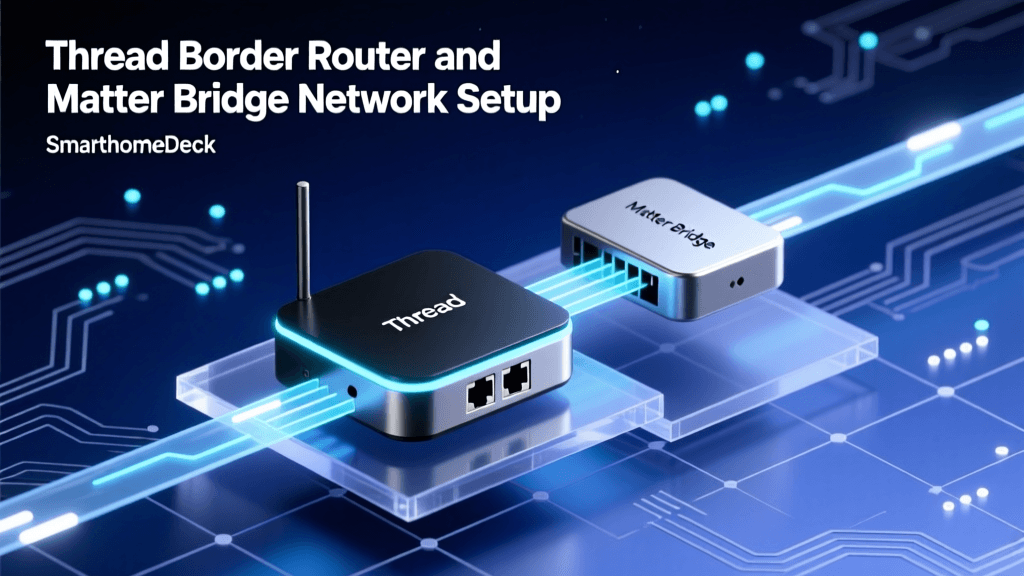
- Thread 1.2: An IPv6-based, low-power mesh networking protocol that operates on 2.4 GHz. According to the Thread Group, Thread does not require a central hub; instead, it uses 'Border Routers' to bridge the Thread mesh network to your home's Wi-Fi and Ethernet networks.
- Matter: It is crucial to understand that Matter is not a radio protocol. As defined by the Connectivity Standards Alliance (CSA), Matter is an application layer that runs on top of Thread, Wi-Fi, or Ethernet. It acts as the ultimate bridge, allowing devices from different ecosystems to communicate locally without cloud translation.
Essential Hardware for a Unified Network
To build a unified hub bridge setup, you must move away from proprietary, cloud-dependent hubs and invest in universal USB coordinators or dedicated local servers. Below is a comparison of the most popular multi-protocol and Zigbee coordinators on the market for DIY installers.
| Coordinator / Hub | Supported Protocols | Chipset | Price Range | Best Use Case |
|---|---|---|---|---|
| Sonoff Zigbee 3.0 Dongle Plus (P) | Zigbee 3.0 | TI CC2652P | $25 - $35 | High-power Zigbee mesh, budget-friendly |
| Home Assistant SkyConnect | Zigbee, Thread, Matter | Silicon Labs EFR32MG21 | $35 - $40 | Multi-protocol bridging, Thread Border Router |
| Aeotec Z-Stick 7 | Z-Wave Plus v2 | Silicon Labs ZGM130S | $55 - $65 | Dedicated Z-Wave mesh coordination |
| Apple TV 4K (3rd Gen) | Thread, Matter, HomeKit | Custom Apple Silicon | $129 - $149 | Native Thread Border Router, Matter Controller |
Visualizing Protocol Latency and Performance
When designing your hub bridge topology, local latency is a critical factor for automation workflows. Cloud-dependent hubs introduce 200ms to 500ms of latency, whereas local bridges keep automations instantaneous. The chart below illustrates the average local command latency across different protocol hubs when properly configured on a local network.
Protocol Latency Comparison
As the data visualizes, Thread and Z-Wave offer exceptional local responsiveness, making them ideal for motion-triggered lighting and security automations where split-second timing is required.
Step-by-Step Hub Bridge Configuration
For this guide, we will focus on setting up a unified local bridge using Home Assistant as the central brain, utilizing Zigbee2MQTT for Zigbee devices, and the Matter Server to expose your unified network to Apple Home and Google Home.
Step 1: Prepping the Coordinator and Avoiding Interference
The most common mistake DIY installers make is plugging a USB Zigbee or Thread coordinator directly into the back of their server or Raspberry Pi. USB 3.0 ports generate massive amounts of radio frequency interference (RFI) that will completely cripple 2.4 GHz protocols like Zigbee and Thread. You must use a 1-meter to 2-meter USB 2.0 extension cable to move the coordinator away from the server's motherboard and SSDs. Place the coordinator in an open, elevated position to maximize the mesh signal.
Step 2: Flashing and Configuring Zigbee2MQTT
While the native Home Assistant ZHA Documentation provides an excellent native integration, many advanced users prefer Zigbee2MQTT for its broader device support and decoupling of the MQTT broker from the core home automation software.
- Insert your Sonoff or SkyConnect coordinator via the extension cable.
- Install the Zigbee2MQTT add-on from the Home Assistant add-on store.
- Configure your
configuration.yamlfile within Zigbee2MQTT to point to the correct serial port (e.g.,/dev/serial/by-id/usb-ITead_Sonoff_Zigbee_3.0_USB_Dongle_Plus). - Set your Zigbee channel carefully to avoid Wi-Fi overlap (more on this below).
- Start the add-on and begin pairing your devices by holding the reset button on your sensors and bulbs until they flash.
Step 3: Setting Up the Matter Bridge
To bridge your newly unified local Zigbee and Z-Wave devices into Apple HomeKit or Google Home without relying on proprietary cloud hubs, you will use Matter.
- Install the Matter Server add-on in Home Assistant.
- Navigate to your Home Assistant settings and enable the experimental Matter integration.
- Generate a Matter pairing code. Open the Apple Home app or Google Home app on your smartphone, select 'Add Accessory', and scan the QR code or enter the PIN.
- Home Assistant will now act as a Matter Bridge, exposing your Zigbee sensors, Z-Wave locks, and local IP cameras to your preferred voice assistant ecosystem seamlessly.
Network Topology and Interference Management
Because Zigbee, Thread, and Wi-Fi all share the crowded 2.4 GHz spectrum, poor channel planning will result in dropped packets, unresponsive devices, and mesh network collapses. You must manually separate your Wi-Fi channels from your Zigbee/Thread channels.
The Golden Rule of 2.4 GHz Channel Planning: Wi-Fi channels 1, 6, and 11 are the only non-overlapping channels. Zigbee channels 11, 15, 20, and 25 are spaced to avoid these Wi-Fi lanes. If your Wi-Fi router is set to channel 1 or 6, configure your Zigbee coordinator to channel 15 or 20. Never use Zigbee channel 25 if you have Bluetooth devices nearby, as it overlaps with the Bluetooth spectrum.
Furthermore, ensure that your Zigbee and Thread networks are utilizing mains-powered devices as 'routers'. A smart bulb or a smart plug acts as a repeater, extending the mesh network to battery-powered door sensors and temperature monitors located in far corners of your home. If a battery-powered device is dropping off the network, check its LQI (Link Quality Indicator) in your hub software; an LQI below 50 usually indicates the need for an intermediate router plug.
Bridging Legacy Ecosystems (Hue and SmartThings)
You do not necessarily need to throw away your existing proprietary hubs. The Philips Hue Bridge and the SmartThings Station can be integrated into your local unified network using local APIs and bridge integrations.
- Philips Hue Bridge: Instead of relying on the Hue cloud, use the HomeKit Controller integration or the local Hue API integration in Home Assistant. This pulls the state of your Hue lights into your local server instantly. You can then expose these lights back out via your Matter Bridge to Apple Home, effectively using the Hue Bridge as a simple Zigbee-to-IP translator.
- SmartThings: While SmartThings is heavily cloud-dependent, you can use the official local LAN integration or community-built MQTT bridges to pull device states into your local hub. However, for long-term stability, migrating Z-Wave and Zigbee devices off the SmartThings hub and directly onto your universal USB coordinator is highly recommended.
Troubleshooting Common Bridge Failures
Even with the best hardware, unified smart home networks can experience hiccups. Here is how to troubleshoot the most common hub bridge failures:
1. The 'Device Unavailable' Ghost
If a device frequently shows as 'unavailable' but comes back online after a few minutes, you are likely experiencing mesh routing timeouts. This happens when a battery-powered device tries to send a signal through a router (like a smart bulb) that was recently turned off at the wall switch. Solution: Ensure that smart bulbs are always powered on and controlled via smart switches or software, keeping the mesh routing paths intact.
2. Network PAN ID Conflicts
If you have multiple Zigbee coordinators in your home (e.g., a Hue Bridge and a Sonoff Dongle), they might be broadcasting on the same PAN ID (Personal Area Network ID). This causes devices to jump between networks unpredictably. Solution: Access your coordinator's configuration file and manually assign a unique PAN ID and Extended PAN ID to your universal hub, ensuring it differs from your legacy hubs.
3. Thread Border Router Fragmentation
Thread networks can become fragmented if you have multiple Border Routers (e.g., an Apple TV, a Nest Hub, and a Home Assistant SkyConnect) that are not properly configured to share credentials. Solution: Whenever possible, consolidate your Thread credentials within the Apple Home app or Google Home app, ensuring all Border Routers are on the same Thread network partition. Apple's ecosystem is particularly good at automatically merging Thread partitions if your iOS devices are on the same iCloud account.
Conclusion: The Future-Proof Local Smart Home
Transitioning from a fragmented, cloud-dependent smart home to a unified, local hub bridge setup is one of the most rewarding projects a DIY installer can undertake. By investing in a universal coordinator, managing your 2.4 GHz spectrum responsibly, and leveraging Matter as the ultimate translation layer, you achieve a level of reliability and privacy that off-the-shelf consumer hubs simply cannot match. Whether you are running complex automations based on local Z-Wave motion sensors or controlling Thread-based lighting via Apple HomeKit, a properly configured bridge ensures your smart home remains fast, secure, and entirely under your control.