The Hidden Strain of Smart Homes on Mesh Networks
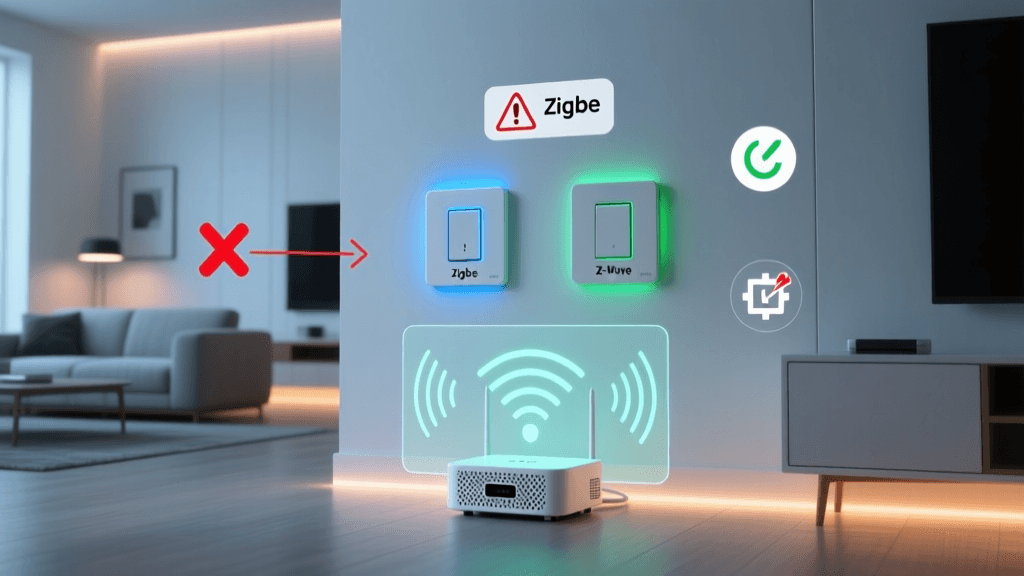
Mesh WiFi networks have revolutionized home connectivity, effectively eliminating the dead zones that plagued traditional single-router setups. For smartphones, laptops, and streaming devices, a well-configured mesh system like an Eero, Netgear Orbi, or TP-Link Deco provides seamless roaming and high bandwidth. However, when you introduce a dense smart home ecosystem into the mix, the narrative often changes. Homeowners frequently report frustrating connectivity issues: smart plugs dropping offline, security cameras failing to record motion events, and smart lighting systems experiencing delayed responses.
The core issue lies in the fundamental difference between human-centric devices and IoT (Internet of Things) devices. While your laptop demands high bandwidth but represents a single connection, a modern smart home might feature 50 to 150 low-bandwidth IoT devices. These devices predominantly rely on the crowded 2.4GHz spectrum, possess weak internal antennas, and often lack the advanced roaming protocols found in modern smartphones. Troubleshooting these mesh network dropouts requires a shift in perspective—from optimizing for raw speed to optimizing for capacity, stability, and signal penetration.
Understanding Mesh Architecture and the Backhaul Bottleneck
Before diving into troubleshooting, it is crucial to understand how mesh networks handle data. A mesh system consists of a primary router and one or more satellite nodes. The connection between these nodes is called the backhaul. In a wireless mesh setup, the nodes use the same radio bands to talk to each other as they do to talk to your smart home devices.
According to the Wi-Fi CERTIFIED EasyMesh standards, modern mesh systems attempt to dynamically route traffic to optimize performance. However, every wireless hop cuts the available bandwidth and increases latency. If your smart home hub is connected to a satellite node that is two wireless hops away from the main router, the cumulative latency and packet loss can cause time-sensitive automations to fail or devices to time out and drop from the network entirely.
Top 4 Causes of IoT Device Dropouts on Mesh Networks
1. Band Steering and Smart Connect Confusion
Most consumer mesh systems utilize a feature called 'Smart Connect' or 'Band Steering,' which combines the 2.4GHz, 5GHz, and 6GHz bands under a single SSID (network name). The router then attempts to automatically assign devices to the optimal band. While this works well for modern smartphones, it is a nightmare for budget IoT devices. Many smart plugs, bulbs, and sensors only support 2.4GHz and use outdated WiFi chips that become confused by the presence of 5GHz beacon frames. When the mesh router attempts to steer them or when the device fails to parse the combined SSID, the device will either fail to connect during setup or drop intermittently.
2. DHCP Pool Exhaustion
Every device on your network requires an IP address, assigned by the router's DHCP (Dynamic Host Configuration Protocol) server. Many default consumer mesh routers are configured with a small DHCP pool, often capped at 32 or 64 simultaneous leases. In a smart home with 80 devices, the router simply runs out of IP addresses. When a smart bulb restarts after a brief power flicker, it requests a new IP lease; if the pool is full, the bulb remains offline until another device's lease expires.
3. Node Placement and the 'Sticky Client' Problem
Mesh systems rely on the client device to decide when to switch from one node to another. IoT devices are notorious for being 'sticky clients.' A smart thermostat might hold onto a weak signal from a distant primary router (e.g., -85 dBm) rather than connecting to the satellite node sitting just ten feet away. Conversely, placing nodes too close together can cause devices to rapidly bounce between nodes, a phenomenon known as 'flapping,' which overwhelms the router's association table and causes localized network crashes.
4. Multicast Storms and Airtime Saturation
Smart home protocols like mDNS (Multicast DNS) and UPnP rely on broadcast packets to discover devices on the network. In a high-density IoT environment, these broadcast packets can consume a massive amount of 'airtime' on the 2.4GHz band. Because the 2.4GHz band only has three non-overlapping channels, excessive broadcast traffic creates a noisy environment where actual data packets collide and are dropped, leading to the perception of a 'weak signal' when the reality is severe network congestion.
Step-by-Step Troubleshooting Workflow
If your smart home devices are consistently dropping off your mesh network, follow this systematic troubleshooting workflow to isolate and resolve the issue.
- Step 1: Audit Your Device Count and DHCP Pool. Log into your mesh system's admin panel or app. Check the total number of connected devices. If you are near the limit, expand the DHCP pool. For example, change the subnet mask from 255.255.255.0 to 255.255.254.0, which increases your available IP addresses from 254 to 510.
- Step 2: Measure True Signal Strength (RSSI). Do not rely on the 'signal bars' displayed in your smart home app. Use a WiFi analyzer tool on your smartphone to measure the Received Signal Strength Indicator (RSSI) in dBm at the exact location of the dropping device. Aim for -65 dBm or better for security cameras, and -75 dBm or better for smart plugs and switches.
- Step 3: Disable Band Steering for IoT (If Possible). If your mesh system supports it, create a dedicated 'IoT SSID' that broadcasts exclusively on the 2.4GHz band using WPA2 security. Many older IoT devices do not support WPA3, and forcing a mixed WPA2/WPA3 security mode can cause legacy devices to drop.
- Step 4: Optimize Node Placement. Follow the 'One Wall' rule. A satellite node should never be placed more than one drywall barrier away from the primary router or its upstream node. Avoid placing nodes in corners, near large metal appliances, or inside media cabinets, as these act as Faraday cages that degrade the backhaul connection.
Pro Tip for Installers: When mapping your mesh network, remember that 5GHz signals degrade significantly faster through physical barriers than 2.4GHz signals. A node that shows a 'good' connection via a 5GHz wireless backhaul might still be choking the 2.4GHz airtime for your IoT devices due to internal radio interference.
Comparing Top Mesh Systems for High-Density IoT
Not all mesh systems are created equal when it comes to handling dozens of smart home endpoints. The table below compares three popular mesh systems based on their suitability for high-density IoT environments.
| Mesh System | Max Recommended IoT Capacity | Backhaul Architecture | IoT Network Segregation | Estimated Cost (3-Pack) |
|---|---|---|---|---|
| Eero Pro 6E | 75+ Devices | Tri-Band Wireless / Ethernet | Guest Network / Thread Border Router | $599 - $699 |
| Netgear Orbi RBKE963 | 100+ Devices | Quad-Band (Dedicated 5GHz Backhaul) | Advanced VLAN / IoT SSID Support | $1,499 - $1,699 |
| TP-Link Deco XE75 | 80+ Devices | Tri-Band (6GHz Backhaul) | IoT Network (2.4GHz Only Option) | $449 - $499 |
Visualizing Signal Degradation Across Mesh Hops
Understanding how bandwidth degrades over wireless hops is critical when deciding where to place your smart home hubs (like a SmartThings Station or Philips Hue Bridge). The chart below illustrates the typical throughput loss on a standard dual-band mesh system as data travels from the base router through multiple wireless satellite nodes.
As visualized, by the time data reaches a device on the third wireless hop, bandwidth is severely restricted, and latency spikes. While a smart plug only needs a few kilobits per second, the increased latency and packet loss at the third hop often cause the device's internal watchdog timer to trigger a reboot, resulting in the dreaded 'offline' status in your smart home app.
Advanced Fixes: Network Segregation and Wired Backhaul
If basic troubleshooting does not stabilize your smart home, it is time to implement advanced networking techniques.
Leveraging Wi-Fi 6 OFDMA for IoT
If you are still using a Wi-Fi 5 (802.11ac) mesh system, upgrading to Wi-Fi 6 (802.11ax) can drastically improve IoT stability. As detailed by the Wi-Fi Alliance, Wi-Fi 6 introduces OFDMA (Orthogonal Frequency-Division Multiple Access). OFDMA allows a single WiFi transmission to deliver data to multiple low-bandwidth IoT devices simultaneously, rather than making them wait in a queue. This drastically reduces latency and airtime saturation in homes with dozens of smart switches and sensors.
Implementing a Wired Backhaul via MoCA
The ultimate fix for mesh connectivity issues is eliminating the wireless backhaul entirely by connecting your mesh nodes via Ethernet. However, running Cat6 cable through finished walls is often impractical for DIY installers. The best alternative is MoCA (Multimedia over Coax Alliance). By utilizing the existing coaxial TV cables in your walls, MoCA adapters (like those from Screenbeam or Hitron) can create a near-gigabit, hardwired backhaul between your mesh nodes. This frees up 100% of the mesh system's wireless radios to dedicate solely to communicating with your smart home devices, virtually eliminating backhaul-induced dropouts.
VLANs and Guest Networks
For security and performance, IoT devices should be isolated from your primary network. Many mesh systems offer a 'Guest Network' feature. By connecting all your smart bulbs, plugs, and appliances to the Guest Network, you achieve two things: First, you isolate potentially vulnerable IoT firmware from your personal computers and NAS drives. Second, many routers apply 'Client Isolation' or restrict multicast traffic on Guest Networks, which prevents broadcast storms from crashing your primary network. Note that if you use local smart home hubs (like Home Assistant or Hubitat), you will need to configure firewall rules to allow the hub to communicate with the IoT VLAN, as the hub requires local access to control the devices.
Final Thoughts on Whole-Home Connectivity
Troubleshooting smart home mesh WiFi issues is rarely about buying a more expensive router; it is about understanding the unique demands of IoT architecture. By expanding your DHCP pool, segregating legacy 2.4GHz devices, optimizing node placement based on RSSI measurements rather than guesswork, and exploring wired backhaul alternatives like MoCA, you can transform an unreliable smart home into a rock-solid automation ecosystem. Remember that in the world of smart home connectivity, stability and low latency will always trump raw gigabit speed.