The Shift from Manual to Automated Living
For decades, interacting with our homes required manual effort. We flipped switches, twisted dials, and pulled blinds. Today, the paradigm has fundamentally shifted. Smart home automation transforms daily life by converting repetitive, manual tasks into seamless, invisible routines. Instead of reacting to your environment, your environment now anticipates your needs. This transition is not merely about convenience; it is about reclaiming time, optimizing energy consumption, and creating a living space that adapts to your biological rhythms and daily schedule.
At its core, home automation relies on a simple logic structure: triggers and actions. A trigger is an event (like the sun setting, a door unlocking, or a specific time of day), and an action is the response (dimming lights, adjusting the thermostat, or starting the coffee maker). When these are chained together into 'routines' or 'scenes,' the home begins to operate as a cohesive ecosystem rather than a collection of disjointed gadgets. Understanding how to architect these routines is the first step toward mastering smart home basics.
Core Components of a Daily Automation Setup
Before building complex routines, you must establish a reliable foundation. A robust smart home relies on a central hub or controller, a stable network, and compatible devices. While Wi-Fi is ubiquitous, relying solely on it for dozens of devices can congest your router and cause latency. This is where low-power mesh protocols like Zigbee, Z-Wave, and the newer Thread standard come into play.
Choosing the right ecosystem—whether Apple HomeKit, Google Home, Amazon Alexa, or an advanced local platform like Home Assistant—dictates how your routines will function. Cloud-based routines are easy to set up but suffer from internet outages, whereas local processing ensures your morning lights turn on even if your ISP goes down.
| Device Category | Top Recommendation | Connectivity Protocol | Average Cost Range |
|---|---|---|---|
| Smart Hub / Bridge | Aeotec Smart Home Hub / HomePod mini | Z-Wave / Thread | $80 - $130 |
| Smart Thermostat | Ecobee SmartThermostat Premium | Wi-Fi / HomeKit | $200 - $250 |
| Smart Lighting | Philips Hue White and Color Ambiance | Zigbee (via Hue Bridge) | $50 - $200 (per kit) |
| Smart Blinds | SwitchBot Curtain Rod (with Hub 2) | BLE / Thread / Matter | $80 - $120 |
| Presence Sensor | Aqara Presence Sensor FP2 | Wi-Fi / HomeKit | $60 - $70 |
Engineering the Perfect Morning Routine
The way you start your morning sets the tone for the entire day. A well-crafted morning routine leverages circadian lighting, temperature control, and automated appliances to wake you up naturally and efficiently. Here is how to design a morning sequence that replaces the jarring sound of a traditional alarm clock.
Step 1: Circadian Lighting and Window Treatments
Human biology is governed by the circadian rhythm, which responds strongly to light. Instead of waking up to a loud noise, use smart lights to simulate a sunrise. In your automation app, set a trigger for 30 minutes before your desired wake-up time. Program your Philips Hue bulbs to start at 1% brightness with a deep amber hue, gradually increasing to 80% brightness with a cool, daylight-white temperature (around 4000K) by the time you need to get out of bed. Simultaneously, trigger your SwitchBot Curtain motors to slowly open, allowing natural sunlight to reinforce the wake-up signal.
Step 2: Climate Pre-Conditioning
Waking up to a freezing or stifling room is a common discomfort. Using a smart thermostat like the Ecobee SmartThermostat Premium, you can create a 'Wake Up' climate preset. Set the automation to adjust the HVAC system 45 minutes before your alarm. If it is winter, the heat kicks on to warm the floors and air; if it is summer, the AC begins cooling the bedroom to an optimal 68°F (20°C). According to the U.S. Department of Energy, properly scheduling your thermostat around your daily routines can save you up to 10% a year on heating and cooling costs, proving that comfort and efficiency can coexist.
Step 3: Appliance Activation
While you are brushing your teeth, your kitchen should be preparing for you. By plugging a standard coffee maker into a Meross Smart Plug (rated for 15A to handle the heating element), you can trigger the plug to turn on the moment your bedroom motion sensor detects you stepping out of bed. This ensures a fresh pot is brewing exactly when you walk into the kitchen.
Crafting an Energy-Saving Evening Routine
As the day winds down, the focus of your automation shifts from energizing you to securing the home and promoting rest. Evening routines are highly dependent on environmental triggers rather than fixed times, ensuring they adapt to the changing seasons.
Sunset Triggers and Security Arming
Instead of setting your exterior lights to turn on at a fixed time like 6:00 PM (which is too early in summer and too late in winter), use a 'Sunset' trigger. Most smart home platforms pull local astronomical data to trigger exterior lighting exactly when the sun dips below the horizon. Pair this with a security check: if it is past 10:00 PM and your front door smart lock (such as the Schlage Encode) is unlocked, the system can send a push notification to your phone or automatically lock the door and arm your security cameras.
The 'Goodnight' Voice Command
While automated triggers are powerful, a manual voice command or a physical smart button on your nightstand is the perfect way to initiate a 'Goodnight' scene. When triggered, this routine should:
- Secure the perimeter: Lock all exterior doors and arm motion sensors.
- Adjust climate: Lower the thermostat to 65°F (18°C), the scientifically recommended temperature for optimal sleep.
- Eliminate light pollution: Turn off all main lights, ensure smart blinds are fully closed, and dim hallway LED strips to 5% brightness with a red hue (which does not disrupt melatonin production) to serve as a nightlight.
- Cut phantom power: Turn off smart plugs connected to televisions, gaming consoles, and desktop computers to eliminate vampire energy draw.
Advanced Triggers: Geofencing and Contextual Logic
Time-based routines are useful, but they are rigid. What happens if you work late or leave for a weekend trip? This is where geofencing and contextual sensor logic elevate your smart home from a programmable timer to a truly intelligent environment.
Geofencing for Dynamic Arrivals
Geofencing uses the GPS location of your smartphone to create a virtual perimeter around your home. When your phone crosses this boundary (e.g., a 1-mile radius), it triggers an 'Arriving Home' routine. The garage door opens, the entryway lights illuminate, and the HVAC system recovers from 'Eco' mode to your preferred comfort temperature. Conversely, when the last person's phone leaves the geofence, the 'Away' routine triggers, ensuring you never waste energy heating an empty house or leave the smart oven on.
Millimeter Wave Presence Sensors
Traditional PIR (Passive Infrared) motion sensors are flawed; they cannot detect a person sitting still on the couch reading a book, often resulting in the lights turning off while you are still in the room. The introduction of millimeter wave (mmWave) presence sensors, like the Aqara FP2, solves this. These sensors detect micro-movements, including the rise and fall of your chest as you breathe. By integrating presence sensors into your automation logic, you can create a 'Reading Mode' that keeps the lights on and adjusts the color temperature to a warm 2700K as long as you are physically present in the room, completely eliminating the need to wave your arms to reset a motion timer.
Navigating Ecosystem Fragmentation and the Matter Standard
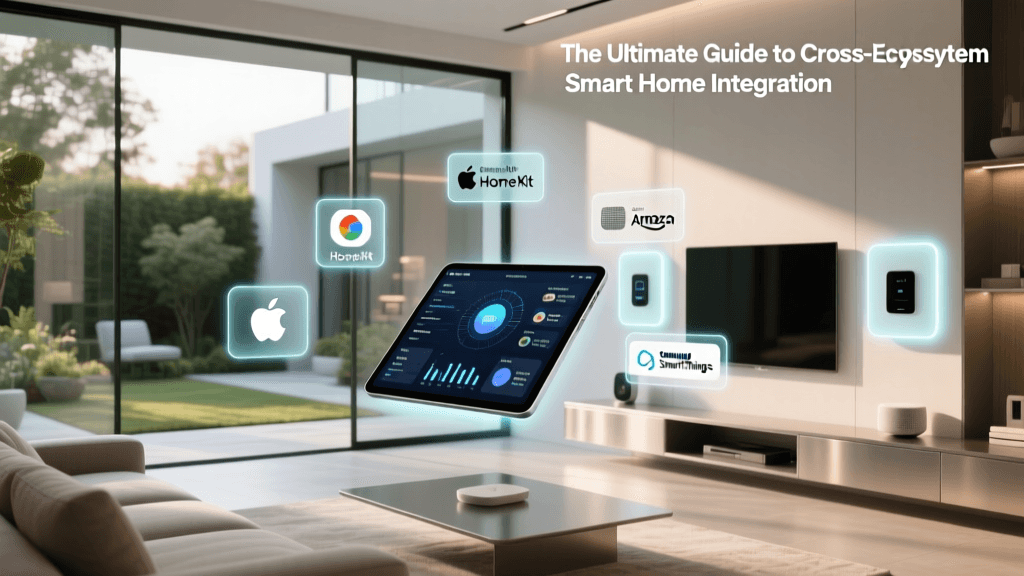
One of the greatest hurdles in smart home education is understanding ecosystem compatibility. Historically, buying a smart lock that worked with Apple HomeKit meant it might not work with a Google Nest Hub. This fragmentation forced consumers to either commit to a single brand or use clunky third-party bridging software like IFTTT (If This Then That).
However, the industry is currently undergoing a massive unification thanks to the Matter protocol. Developed by the Connectivity Standards Alliance (CSA), Matter is an open-source, royalty-free connectivity standard that allows devices to communicate locally across different ecosystems. When purchasing new devices for your daily routines, looking for the Matter logo ensures that the device will work natively with Apple, Google, Amazon, and Samsung platforms simultaneously. Furthermore, Matter relies on Thread and Wi-Fi, emphasizing local network processing. This means your 'Goodnight' routine will execute instantly, even if your home's internet connection is completely severed.
Overcoming Common Automation Hurdles
As you build more complex routines, you will inevitably encounter friction. Here is how to troubleshoot the most common issues:
- Latency and Cloud Delays: If your lights take three seconds to turn on after a motion trigger, the command is likely traveling to a cloud server and back. Migrate to a local hub (like Home Assistant or Hubitat) or prioritize Thread/Zigbee devices to achieve sub-second latency.
- Conflicting Routines: A common mistake is creating overlapping logic. For example, a 'Motion On' routine and a 'Sunset On' routine might fight over the same living room bulbs. Use boolean logic and conditions (e.g., 'Turn on lights IF motion is detected AND lux level is below 50 AND time is between Sunset and 11:00 PM') to prevent conflicts.
- Device Offline States: Smart bulbs lose their automation state if someone physically flips the wall switch. Replace standard wall switches with smart switches (like Lutron Caseta) or use switch-guards to ensure the circuit remains live, allowing the automation software to maintain control.
The Future of Predictive Daily Routines
We are currently transitioning from 'reactive' automation (if X happens, do Y) to 'predictive' automation driven by machine learning. In the near future, your home will not just follow a rigid schedule; it will learn your habits. If the AI notices that you consistently turn on the kitchen lights and start the coffee maker at 6:15 AM on weekdays, but sleep until 8:30 AM on weekends, it will automatically adjust the routines without requiring manual reprogramming. Furthermore, integration with wearable health devices could allow your home to detect when you are entering a deep sleep cycle, prompting the HVAC to lower the temperature and the white noise machine to activate, creating a truly symbiotic relationship between human biology and architectural technology.
Conclusion
Smart home automation is not about filling your house with expensive gadgets; it is about designing a living space that actively supports your daily life. By carefully selecting compatible hardware, leveraging local processing, and building routines around natural triggers like sunlight, presence, and geolocation, you can create an environment that saves energy, enhances security, and provides unparalleled comfort. Start small with a single morning routine, refine the logic, and gradually expand your ecosystem. The result is a home that works for you, silently and efficiently, every single day.