The Fragmentation Problem in Smart Home Automation
For years, smart home enthusiasts and casual users alike have faced a frustrating reality: the walled garden. Building a cohesive smart home automation system meant pledging allegiance to a specific ecosystem. If you chose Apple HomeKit, you were limited to a premium, highly curated list of compatible devices. If you leaned into Amazon Alexa or Google Home, you gained broader hardware support but often sacrificed local processing speed and stringent privacy controls. The result was a fragmented landscape where a smart bulb from one brand could not easily communicate with a motion sensor from another without relying on clunky, cloud-dependent third-party bridge services like IFTTT or complex local servers like Home Assistant.
This fragmentation stifled true smart home integration. Making devices work together required technical workarounds, and the 'Works with' stickers on packaging were often misleading, denoting cloud-to-cloud integrations that introduced latency and single points of failure. When your internet connection dropped, your automation routines dropped with it. The industry recognized that for smart home technology to reach its true potential, devices needed a universal language—a standardized way to communicate locally, securely, and instantly, regardless of the voice assistant or app you preferred to use for control.
What is Matter? The Universal Language for Devices
Enter Matter. Developed by the Connectivity Standards Alliance (CSA)—an industry working group comprising hundreds of tech giants including Apple, Google, Amazon, and Samsung—Matter is not a new wireless radio protocol like Wi-Fi or Bluetooth. Instead, it is an open-source application layer protocol that runs on top of existing networking technologies, primarily Wi-Fi, Ethernet, and Thread.
Think of Matter as the universal translator for your smart home. It standardizes how devices announce themselves on your network, how they are securely paired, and how they execute commands. Because Matter is built on Internet Protocol (IP), your smart home devices communicate using the same fundamental networking language as your laptop or smartphone. This enables local network control, meaning your automation routines execute in milliseconds without your data ever needing to travel to an external cloud server. The CSA's rigorous certification process ensures that any device bearing the Matter logo will seamlessly integrate into any major smart home platform right out of the box.
How Multi-Admin Changes the Automation Game
One of the most revolutionary features of the Matter protocol for home automation is 'Multi-Admin.' In the pre-Matter era, pairing a smart lock to Apple HomeKit meant it was exclusively bound to the Apple ecosystem. If a family member used an Android device with Google Home, they were locked out of controlling that device natively.
Multi-Admin allows a single Matter device to be paired to multiple smart home ecosystems simultaneously. According to Apple's official Matter support documentation, you can pair a Matter-compatible smart plug to Apple HomeKit for your personal iPhone, while simultaneously granting admin rights to your partner's Google Home setup. Both ecosystems maintain independent local control and can trigger automations based on the device's state without conflicting with one another. This eliminates the need to buy duplicate devices for mixed-platform households and ensures that automations trigger reliably, regardless of who is home or which app is open.
Thread vs. Wi-Fi: The Networking Backbone of Matter
While Matter dictates the language devices speak, it relies on underlying network protocols to transmit the data. Matter primarily utilizes three transport layers: Wi-Fi, Ethernet, and Thread. Understanding the difference is critical when designing a robust automation network.
Wi-Fi and Ethernet are familiar to most users. They offer high bandwidth, making them ideal for data-heavy devices like smart displays, security cameras, and smart appliances. However, Wi-Fi is power-hungry and relies on a traditional 'star' topology, where every device must connect directly to the main router. If a device is too far from the router, it drops offline.
Thread, on the other hand, is a low-power, mesh-networking protocol operating on the 2.4 GHz IEEE 802.15.4 spectrum. Thread devices (like battery-powered door sensors and smart switches) connect to each other, creating a self-healing web of connectivity. To connect a Thread mesh to your home's IP network (and thus to the internet and your smartphone), you need a 'Thread Border Router.' This device bridges the Thread mesh to your Wi-Fi or Ethernet network.
| Protocol | Bandwidth | Power Consumption | Topology | Best Use Case |
|---|---|---|---|---|
| Thread | Low (250 kbps) | Ultra-Low (Battery) | Self-Healing Mesh | Sensors, Locks, Switches, Blinds |
| Wi-Fi | High (Mbps/Gbps) | High (Mains Power) | Star (Hub-dependent) | Cameras, Displays, Smart Plugs |
| Ethernet | Very High | Wired Power | Direct Connection | Smart Hubs, Bridges, Thermostats |
Essential Hardware: Hubs and Border Routers
To build a Matter automation network, you need a controller (the brain that runs your automations) and, if you use Thread devices, a Border Router. Fortunately, many modern smart home hubs serve as both. Here are the top recommendations for building a unified Matter home, complete with current cost ranges:
- Apple TV 4K (3rd Generation, Wi-Fi + Ethernet): Priced around $149, this is the gold standard for Apple HomeKit users. Crucially, you must select the model with the Ethernet port, as it contains the Thread border router radio. It offers blazing-fast local automation processing and rock-solid reliability.
- Amazon Echo (4th Generation): Costing approximately $99, the spherical Echo contains both a Zigbee radio and a Thread border router. It serves as an excellent, budget-friendly hub for Alexa-based Matter automations and can bridge older Zigbee sensors into your modern setup.
- Google Nest Hub (2nd Gen) & Nest Hub Max: Priced between $99 and $229, Google's smart displays feature built-in Thread border routers. They act as the central controller for Google Home automations, processing routines locally for faster execution.
- Samsung SmartThings Station: At roughly $69, this compact hub is a powerhouse for the SmartThings ecosystem. It supports Matter over Thread and Wi-Fi, and includes a built-in NFC pad for triggering automations by tapping your smartphone.
Matter Certification Distribution by Device Category
As manufacturers rush to adopt the standard, certain device categories have seen faster Matter integration than others. Lighting and sensors lead the pack due to the high demand for low-latency, local mesh networking via Thread.
Building Your First Cross-Ecosystem Automation Routine
Let us put this knowledge into practice by building a 'Goodnight' automation routine that spans multiple brands and protocols, demonstrating the true power of Matter integration. For this scenario, we will use an Aqara Door and Window Sensor P2 (Matter over Thread, ~$45), Eve MotionBlinds (Matter over Thread, ~$200 per window), and an Ecobee Smart Thermostat Premium (Matter over Wi-Fi, ~$249).
Step 1: Provisioning the Devices
Ensure your Thread Border Router (e.g., Apple TV 4K) is online. Open your preferred smart home app. Scan the Matter QR code located on the Aqara sensor and the Eve blinds. The app will use Bluetooth Low Energy (BLE) to securely transfer your Wi-Fi or Thread network credentials to the device. Within seconds, the devices appear in your app, fully provisioned and ready for local control.
Step 2: Enabling Multi-Admin
If your partner uses a different ecosystem, open the device settings in your primary app, select 'Turn on Multi-Admin,' and scan the generated QR code with their device. Now, both platforms can trigger routines based on these sensors.
Step 3: Creating the Automation Logic
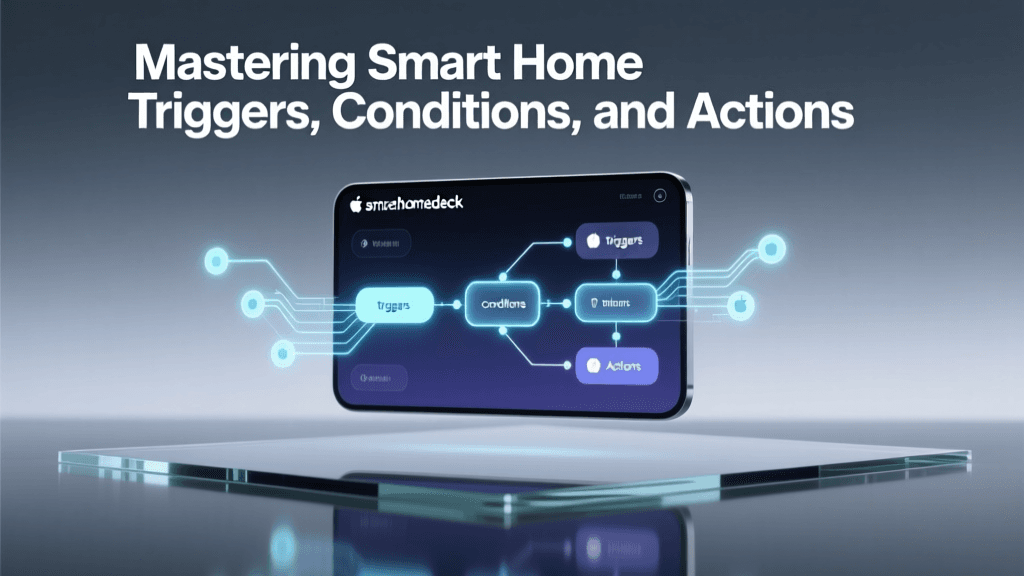
Navigate to the Automations tab in your app. Set the trigger: When the Aqara Door Sensor detects 'Closed' between 10:00 PM and 6:00 AM.
Set the actions:
1. Set Eve MotionBlinds to 'Closed' (0% open).
2. Set Ecobee Thermostat to 'Sleep' preset (65°F / 18°C).
3. Turn off all Matter-compatible smart lights in the living room.
Because all these devices speak Matter and are connected to the same local network hub, this routine executes instantly. There is no cloud latency, and the routine will still trigger perfectly even if your home's broadband internet connection goes down.
Troubleshooting Matter Integration Issues
While Matter is designed to be plug-and-play, networking quirks can occasionally disrupt integration. The most common hurdle for advanced users is network segmentation. Matter relies heavily on mDNS (Multicast DNS) and DNS-SD (DNS-Based Service Discovery) to allow devices and controllers to find each other on the local network. If your smart home hub is on a separate VLAN (Virtual Local Network) from your IoT devices, or if your router's IGMP snooping is misconfigured, the devices will fail to pair or report as 'No Response.'
Another frequent issue occurs during the initial Wi-Fi provisioning phase. Many modern mesh routers use 'band steering,' combining 2.4 GHz and 5 GHz networks under a single SSID. Because most smart home IoT chips only support 2.4 GHz, band steering can sometimes drop the connection during the Matter handshake. If pairing fails repeatedly, temporarily create a dedicated 2.4 GHz-only guest network, pair your devices, and then move them back to your main network once they have saved the credentials.
Finally, always ensure your hub's firmware and your smartphone's operating system are up to date. As noted in Google's integration guides, early versions of Matter software had multi-admin bugs that have since been patched in recent Android and Google Home app updates. Keeping your controller firmware current is the best defense against orphaned devices and failed automation triggers.
Conclusion
The era of choosing between ecosystems is over. Matter has fundamentally restructured the smart home landscape, shifting the focus from proprietary lock-in to open, interoperable automation. By understanding the underlying networking protocols like Thread, investing in the right border routers, and leveraging Multi-Admin capabilities, you can build a deeply integrated, lightning-fast smart home that works together seamlessly, regardless of the brand on the box.