Introduction: Beyond the Magic of Smart Homes
When most consumers purchase their first smart bulb or plug, the experience feels like magic. You tap a button on your phone, and a light turns on. You speak a command, and your favorite playlist begins. However, as you expand from a single device to a fully integrated home with dozens of sensors, locks, and appliances, that "magic" quickly gives way to the complex reality of network engineering. A true smart home is not just a collection of gadgets; it is a sophisticated Internet of Things (IoT) ecosystem that relies on a delicate balance of hardware controllers, wireless communication protocols, and software platforms.
Understanding the underlying anatomy of a smart home is the difference between a frustrating, fragmented experience and a seamless, automated living environment. According to the National Institute of Standards and Technology (NIST), the rapid proliferation of IoT devices introduces unique challenges in interoperability, latency, and security. To build a resilient smart home, you must understand the three foundational pillars: the brains (hubs and controllers), the nervous system (wireless protocols), and the overarching ecosystem (software platforms). This deep explainer will demystify these components, providing you with the technical knowledge and actionable advice needed to architect a robust smart home network.
The Brain: Smart Hubs vs. Hubless Architectures
In the early days of smart home technology, almost every device required its own proprietary hub—a small box that plugged into your router and acted as a translator between the device and the cloud. Today, the architecture has evolved, but the need for centralized processing remains critical for advanced automation.
Cloud-Dependent vs. Local Processing
A "hubless" architecture relies on your Wi-Fi router and the manufacturer's cloud servers. While this is inexpensive and easy to set up, it introduces significant latency and a single point of failure: if your internet connection drops, your smart home stops working. Furthermore, cloud-dependent automations (like turning on a light when a motion sensor trips) must travel from the sensor to the cloud, be processed, and travel back to the bulb, often resulting in a noticeable 1-to-2-second delay.
Local hubs process these commands entirely within your home network. Devices communicate directly with the hub, resulting in sub-100-millisecond response times and total reliability during internet outages. For a serious smart home setup, investing in a local controller is non-negotiable.
Top Hub Recommendations
- Aeotec Smart Home Hub Gen7 ($130): An excellent entry-point for local Z-Wave and Zigbee control, compatible with SmartThings and Home Assistant.
- Home Assistant Green ($99): A plug-and-play local server designed for the open-source Home Assistant platform. It offers unparalleled privacy and supports virtually every protocol via USB dongles.
- Apple TV 4K (128GB) ($149): For Apple users, this acts as a powerful HomeKit and Matter hub, utilizing Thread and local processing for lightning-fast automations.
The Nervous System: Wireless Protocols Decoded
If the hub is the brain, wireless protocols are the nervous system carrying signals throughout your home. Relying solely on Wi-Fi for every smart device is a common beginner mistake that will quickly congest your router and drain the batteries of wireless sensors. Here is a breakdown of the primary protocols used in modern smart homes.
1. Wi-Fi (802.11)
Wi-Fi offers massive bandwidth, making it ideal for high-data devices like security cameras (e.g., Ring or Nest cams) and smart displays. However, it is highly power-hungry, making it unsuitable for battery-operated sensors. Furthermore, most consumer routers struggle to maintain stable connections when more than 30 to 40 IoT devices are connected simultaneously.
2. Zigbee 3.0
Operating on the 2.4 GHz frequency, Zigbee is a low-power, mesh-networking protocol. In a mesh network, every plugged-in device (like a smart plug or hardwired light switch) acts as a repeater, extending the range of the network. It is the backbone of popular lighting systems like Philips Hue and IKEA Dirigera.
3. Z-Wave Plus V2
Unlike Zigbee, Z-Wave operates on a sub-GHz frequency (908.42 MHz in North America). This lower frequency allows it to penetrate solid walls and floors much more effectively than 2.4 GHz signals. Z-Wave is the gold standard for critical security devices, such as smart locks (e.g., Schlage Encode Plus) and garage door controllers, due to its strict certification requirements and lack of interference from Wi-Fi networks.
4. Thread and the Matter Standard
Thread is an IP-based, low-power mesh protocol that operates on 2.4 GHz. It is the underlying transport layer for Matter, the new universal smart home standard. According to the Connectivity Standards Alliance (CSA), Matter is designed to break down ecosystem walls, allowing a device to be controlled simultaneously by Apple, Amazon, Google, and Samsung platforms. Thread ensures that Matter devices communicate locally, securely, and without relying on a single proprietary hub.
Protocol Comparison Matrix
| Protocol | Frequency | Max Speed | Mesh Support | Best Use Case |
|---|---|---|---|---|
| Wi-Fi 6 | 2.4 / 5 / 6 GHz | Up to 9.6 Gbps | No (usually) | Cameras, Displays, High-Bandwidth |
| Zigbee 3.0 | 2.4 GHz | 250 Kbps | Yes | Bulbs, Plugs, Battery Sensors |
| Z-Wave Plus V2 | 908.42 MHz (US) | 100 Kbps | Yes | Locks, Switches, Garage Doors |
| Thread (Matter) | 2.4 GHz | 250 Kbps | Yes | Next-Gen Sensors, Thermostats |
Comparison of Smart Home Wireless Protocols
The Ecosystem Layer: Where Software Meets Hardware
While protocols handle the raw data, the ecosystem is the user interface and logic engine that dictates how devices interact. Choosing your primary ecosystem is one of the most important decisions you will make, as it dictates device compatibility and automation capabilities.
Apple HomeKit
Apple's ecosystem is renowned for its strict security requirements, local processing, and seamless integration with iOS. HomeKit Secure Video processes camera feeds locally on your Home Hub before encrypting them to iCloud. However, the hardware selection is historically smaller and more expensive than competitors, though the advent of Matter is rapidly expanding its catalog.
Amazon Alexa
Alexa boasts the largest native device compatibility list and aggressive hardware pricing (e.g., the Echo Dot). Recent updates have introduced "Alexa Routines" that process locally on newer Echo devices, improving speed. However, Alexa's interface can feel cluttered, and its reliance on cloud processing for complex logic remains a drawback for power users.
Google Home
Google leverages its AI superiority to offer excellent voice recognition and predictive automations. The newly redesigned Google Home app provides a much cleaner interface. Google is also a massive driver behind the Matter standard, ensuring its Nest Hubs act as excellent Thread border routers.
Home Assistant (The Enthusiast Choice)
For those willing to climb a slight learning curve, Home Assistant is the ultimate, platform-agnostic ecosystem. It runs locally, prioritizes privacy, and can bridge devices from completely different ecosystems (e.g., making a Ring doorbell trigger a Hue light). It requires dedicated hardware, like the aforementioned Home Assistant Green, but offers limitless customization.
Actionable Blueprint: Building a Hybrid Network
To build a resilient, future-proof smart home, you should utilize a hybrid network approach, assigning devices to the protocol that best suits their physical and data requirements. Here is a practical, step-by-step blueprint for a mid-sized home (approx. 2,000 sq ft).
Step 1: Establish the Foundation (Cost: ~$150)
Purchase a dedicated local hub. If you are an Apple user, ensure you have an Apple TV 4K or HomePod Mini to act as a Thread Border Router and HomeKit Hub. If you prefer an agnostic approach, buy the Aeotec Smart Home Hub Gen7 or a Home Assistant Green paired with a Sonoff Zigbee 3.0 USB Dongle Plus ($30).
Step 2: Deploy a Mesh Backbone (Cost: ~$200)
Hardwired devices create the mesh network that carries signals for battery-powered devices. Install Zigbee or Z-Wave smart switches in high-traffic areas. The Lutron Caseta system (Pro Hub + Switches, ~$100 per room) is the gold standard for lighting reliability, utilizing its own proprietary Clear Connect RF protocol that never interferes with Wi-Fi.
Step 3: Add Environmental and Security Sensors (Cost: ~$150)
Utilize Thread or Zigbee for battery-operated sensors to ensure multi-year battery life. The Aqara Door and Window Sensor P2 ($30) uses Matter over Thread, communicating directly to your Apple TV or Google Nest Hub without needing an Aqara-specific bridge. Pair these with Ecowitt Wi-Fi temperature and humidity sensors for localized climate control.
Step 4: High-Bandwidth Devices (Cost: Varies)
Reserve your Wi-Fi network strictly for high-bandwidth devices. Use Wi-Fi 6 for smart thermostats like the Ecobee Smart Thermostat Enhanced ($150) and security cameras. Ensure your router supports IoT VLANs (Virtual Local Area Networks) to isolate these devices from your personal computers and phones.
Security and Privacy: Protecting Your Digital Perimeter
As your smart home grows, so does your attack surface. A compromised smart plug can serve as a backdoor into your home network, potentially exposing your personal data or allowing bad actors to manipulate physical locks. The Cybersecurity and Infrastructure Security Agency (CISA) strongly recommends segmenting IoT devices and maintaining rigorous update schedules to mitigate these risks.
Network Segmentation
Never connect smart home devices to the same primary Wi-Fi network as your laptops and smartphones. Most modern mesh routers (like Eero, TP-Link Deco, or Asus ZenWiFi) allow you to create a dedicated "IoT Network" or "Guest Network." This isolates your smart bulbs and plugs, preventing them from communicating with your primary devices even if they are compromised.
Local vs. Cloud Control
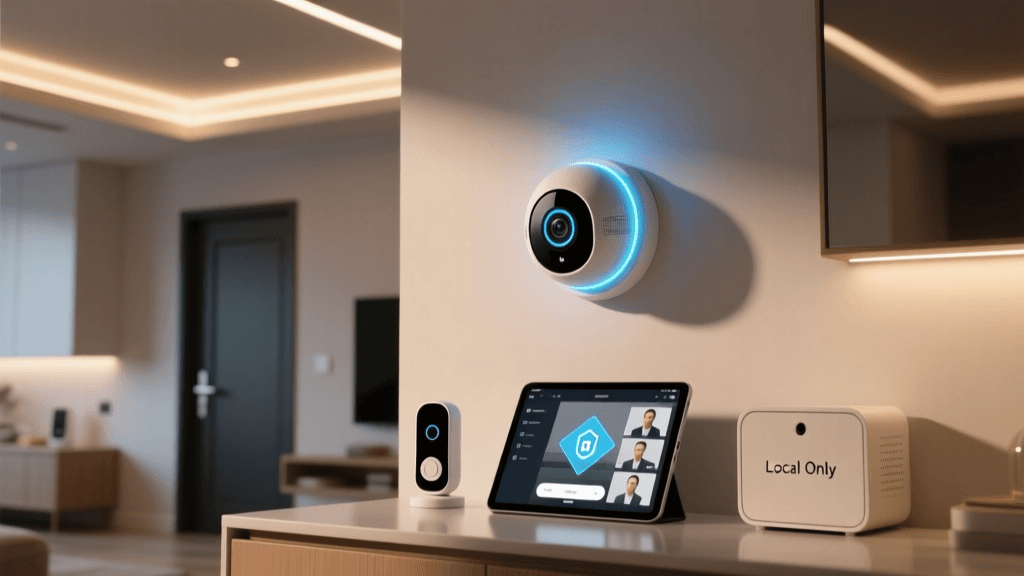
Whenever possible, choose devices that support local control. Not only does this improve speed and reliability, but it also keeps your household data inside your physical home rather than on a third-party server. Matter and Thread are inherently designed with local-first architectures and end-to-end encryption, making them the safest choices for new purchases.
Firmware and Password Hygiene
Enable automatic firmware updates on your hub and router. Furthermore, eliminate shared, default passwords. If a device requires a cloud account (like a Ring camera), ensure the account is protected by a unique, complex password and mandatory Multi-Factor Authentication (MFA).
Conclusion
Building a smart home is an exercise in network architecture just as much as it is an exercise in interior design. By understanding the distinct roles of local hubs, choosing the correct wireless protocol for each specific device, and prioritizing local processing and network security, you can transition from a chaotic collection of gadgets to a truly intelligent, responsive living space. As the Matter standard continues to mature and Thread networks become ubiquitous, the barriers between ecosystems will continue to fall, making the smart home more accessible, reliable, and secure than ever before.