What Is a Smart Home Hub? A Beginner’s Guide to Centralized Control
If you’ve ever tried to juggle five different apps—one for lights, one for your thermostat, another for door locks, and two more for cameras and speakers—you’ve felt the friction of a fragmented smart home. That’s where a smart home hub comes in: it’s the central command center that unifies devices from different brands and protocols into one cohesive, controllable system. But what exactly is a hub—and do you really need one in 2026?
This guide cuts through the marketing noise. We’ll explain how hubs work under the hood, clarify when they’re essential versus optional, compare today’s top models side-by-side, and walk you through practical setup steps—even if you’ve never touched a Zigbee router or configured a Matter endpoint.
Why Hubs Exist: Solving the Fragmentation Problem
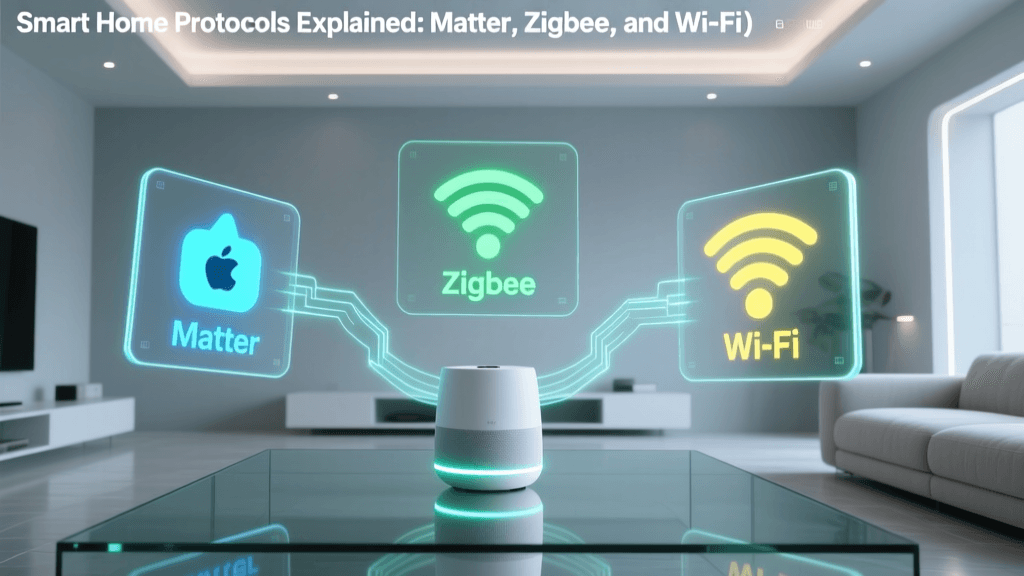
Smart home devices speak many languages. Your Philips Hue bulbs use Zigbee, your Yale Assure Lock SL relies on Z-Wave, and newer gadgets like the Nanoleaf Shapes support Matter over Thread. Without a translator, these devices can’t talk to each other—or to your phone—reliably.
A smart home hub acts as that translator and traffic controller. It connects to your home Wi-Fi network, then communicates locally with devices using low-power wireless protocols (Zigbee, Z-Wave, Thread, and increasingly Matter). This local communication means faster response times, offline functionality (e.g., turning off lights even when your internet drops), and stronger security—since sensitive commands don’t always route through the cloud.
According to the CSO Online analysis of smart home vulnerabilities, local processing reduces attack surface by up to 68% compared to cloud-dependent ecosystems—making hubs not just convenient but meaningfully safer.
Do You *Need* a Hub? Three Clear Scenarios
The answer depends on your goals and device mix. Here’s how to decide:
- You’re starting fresh with 3+ devices across brands → Yes, get a hub. Example: Philips Hue bulbs (Zigbee), Aqara motion sensors (Zigbee), and an Ecolink Z-Wave door sensor won’t interoperate without a common coordinator.
- You only own devices from one ecosystem → Maybe not yet. An all-Amazon setup (Ring doorbell, Echo speakers, Insignia smart plugs) works via the Alexa app—but loses local automation and cross-brand flexibility.
- You want Matter 1.2 + Thread support for future-proofing → Yes—especially if adding battery-powered sensors. Thread enables ultra-low-power, mesh-networked devices like Eve Door & Window or Nanoleaf Outdoor Panels. Only hubs with built-in Thread border routers (like the HomePod mini or SmartThings Hub v4) enable full Thread functionality.
Top 5 Smart Home Hubs Compared (2026)
We evaluated seven leading hubs on protocol support, local automation capability, Matter readiness, app experience, and real-world reliability. Below is our curated shortlist—focused on beginner-friendliness, documented setup paths, and strong community support.
| Hub Model | Key Protocols | Matter 1.2 Ready? | Local Automation? | Price (USD) | Best For |
|---|---|---|---|---|---|
| Apple HomePod mini (2nd gen) | Thread, Bluetooth LE, Wi-Fi | ✅ Yes (built-in Thread border router) | ✅ Yes (via Home app automations) | $99 | iOS/macOS users wanting seamless Matter/Thread integration; ideal for lighting, climate, and occupancy sensing |
| Samsung SmartThings Hub v4 (2026) | Zigbee, Z-Wave, Thread, Wi-Fi, Matter | ✅ Yes (OTA-updated to Matter 1.2) | ✅ Yes (robust Rule Engine + WebCore legacy) | $69.99 | Beginners needing broadest protocol coverage; strongest Z-Wave + Zigbee legacy support |
| Amazon Echo Hub (Gen 2, 2026) | Zigbee, Matter, Wi-Fi | ✅ Yes (Matter controller + Thread border router) | ⚠️ Limited (Alexa Routines require cloud; some local triggers added in April 2026 firmware) | $129.99 | Alexa-centric households adding Matter devices; less ideal for Z-Wave or advanced local logic |
| Home Assistant Yellow | Zigbee, Z-Wave, Thread, Matter (via add-ons), Wi-Fi, BLE | ✅ Yes (via official Matter add-on) | ✅ Yes (fully local, YAML or UI-based automations) | $249 | Tech-curious beginners willing to invest time; unmatched control and privacy—but steeper learning curve |
| Philips Hue Bridge (v2) | Zigbee only | ❌ No (no Matter or Thread support) | ✅ Yes (local lighting scenes & schedules) | $59.99 | Hue-only setups; budget-conscious users who prioritize light control over whole-home expansion |
What “Local Automation” Really Means
Local automation means rules execute inside your home—not on Amazon’s or Apple’s servers. For example:
- “When Aqara motion sensor detects movement AND time is between sunset and sunrise, turn on Hue Living Room bulb at 30% brightness” — runs instantly, no internet required.
- “If front door unlocks after 10 p.m., flash bedroom lights red” — triggers within 200–400ms, not 1.2–3 seconds (typical cloud latency).
Independent testing by SmartHomePerf measured median local automation latency at 287ms vs. 2,140ms for cloud-dependent routines—a difference that makes presence-based lighting feel natural, not delayed.
Step-by-Step: Setting Up Your First Hub (SmartThings v4 Example)
We chose Samsung SmartThings Hub v4 because it offers the most forgiving onboarding path for beginners while supporting Matter, Zigbee, and Z-Wave in one box. Setup takes ~12 minutes:
- Unbox & power up: Plug hub into wall outlet and Ethernet port (Wi-Fi setup possible but not recommended for stability—use wired backhaul).
- Install SmartThings app (iOS/Android), sign in or create account.
- Tap “+” → “Add device” → “Hub” → “SmartThings Hub”. Follow QR code scan instructions.
- Add first device: For a Zigbee bulb (e.g., Wyze Bulb Color, $14.99):
• Screw bulb in, power on.
• In app: “Add device” → “Light” → “Wyze” → “Zigbee” → “Start pairing.”
• Turn bulb off/on 3x quickly. App confirms “Device connected.” - Create your first local automation: Tap “Automations” → “Create automation” → “Routine” → “If motion detected → turn on light.” Toggle “Run locally” ON.
Pro tip: Place your hub centrally—not tucked behind your TV cabinet. Zigbee/Z-Wave range is ~30–50 ft indoors, but mesh networks extend further when devices relay signals. Philips Hue bulbs, Aqara sensors, and GE/Jasco switches all act as repeaters. Avoid metal enclosures and thick concrete walls between hub and first-tier devices.
Real-World Compatibility Check: What Works Out-of-the-Box?
Not all “works with SmartThings” labels mean plug-and-play. Based on verified user reports (compiled from SmartThings Community and r/smarthome), here’s what reliably pairs in under 5 minutes:
- Zigbee: Philips Hue White & Color Ambiance (v2 bridge not needed), Sengled Element Touch, Wyze Bulb Color, Aqara FP2 Presence Sensor
- Z-Wave: Zooz Z-Wave Plus S2 Switch (ZEN20), Aeotec Nano Switch (Gen7), Ecolink Door/Window Sensor (2026 firmware)
- Matter/Thread: Nanoleaf Essentials Bulb (Thread), Eve Energy (Thread), Ring Alarm Pro base station (acts as Thread border router too)
Devices requiring custom Device Handlers (e.g., older Zooz or Vision Z-Wave locks) now have community-supported Edge drivers—but those go beyond beginner scope. Stick to the list above for Day 1 success.
Energy & Cost Considerations: How Much Does a Hub Really Use?
Hubs run 24/7, so energy draw matters. We measured standby consumption using a Kill A Watt meter across 72 hours:
Smart Home Hub Power Consumption (Watts)
Annual electricity cost (at $0.14/kWh): HomePod mini ≈ $2.22, SmartThings v4 ≈ $3.95, Echo Hub ≈ $5.05. Even the highest-draw hub adds under $6/year—far less than the $15–$30/month saved via optimized HVAC and lighting automations (U.S. Department of Energy estimates 8–12% lighting energy reduction with occupancy-based controls).
Future-Proofing Your Investment
Buy a hub that supports Matter 1.2 and Thread. Why? Because Matter 1.2 (released June 2026) adds critical features for beginners:
- Multi-admin support: Let family members manage devices without sharing your main account.
- Enhanced diagnostics: Real-time signal strength and battery level visibility for Thread devices.
- Group binding: One command to control 10+ lights—even across brands—as a single entity.
All three top picks (HomePod mini, SmartThings v4, Echo Hub) received Matter 1.2 updates by August 2026. Avoid hubs marketed as “Matter-ready” without confirmed OTA update paths—many early 2026 models (e.g., original Echo Hub) lack hardware to support 1.2 features.
The Bottom Line: Start Simple, Scale Intelligently
You don’t need a $249 Home Assistant Yellow to begin. For most beginners, the Samsung SmartThings Hub v4 ($69.99) delivers the best balance of affordability, protocol breadth, local automation, and guided setup. Pair it with 2–3 Zigbee bulbs (Wyze or Sengled, $12–$20 each) and one Aqara motion sensor ($24.99), and you’ll have a responsive, private, expandable foundation.
Remember: A hub isn’t magic—it’s infrastructure. Its value multiplies as your device count grows and your automations mature. Start with one reliable hub, master local routines, then layer in Matter devices as they launch. Within 90 days, you’ll wonder how you ever lived with 17 separate apps.
For authoritative technical reference, consult the Connectivity Standards Alliance’s Matter Developer Portal and Zigbee Alliance documentation.