The Rising Need for Smart Energy Management
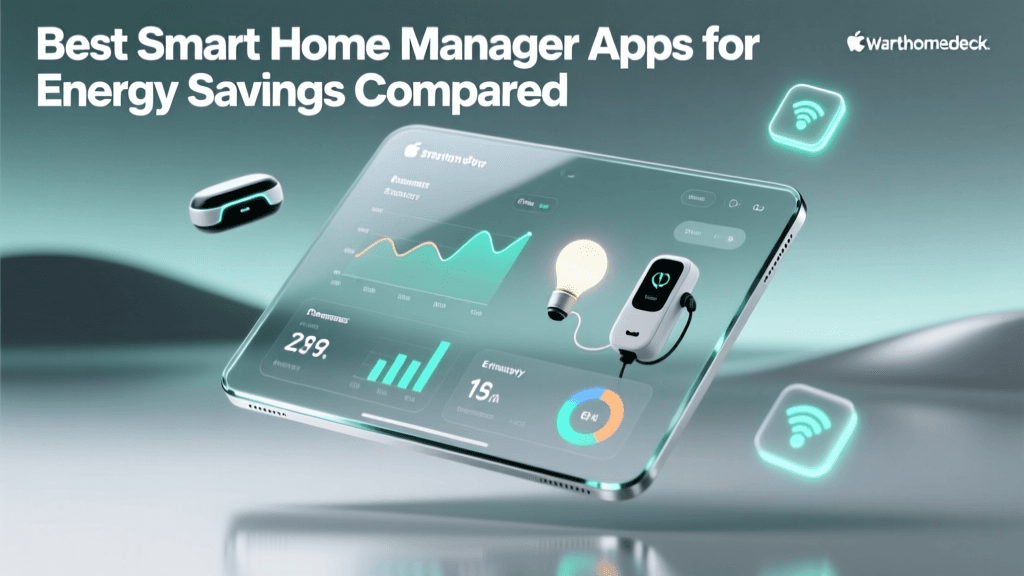
As global energy prices fluctuate and environmental concerns take center stage, homeowners are increasingly looking for ways to optimize their household power consumption. The modern smart home is no longer just about convenience or turning on lights with your voice; it is fundamentally about efficiency, sustainability, and cost reduction. Enter the smart home energy manager app. These sophisticated software platforms act as the central nervous system for your home's power grid, translating raw electrical data into actionable insights.
Whether you are trying to identify energy-hungry appliances, reduce phantom loads, or automate your HVAC system based on time-of-use utility rates, the right energy management app can pay for itself in a matter of months. According to the U.S. Department of Energy, integrating smart home technology like automated thermostats and intelligent monitoring can save homeowners up to 10% a year on heating and cooling costs alone. When you expand that to whole-home monitoring, the savings potential grows exponentially.
In this comprehensive guide, we compare the best smart home energy manager apps available today. We will break down their features, hardware requirements, compatibility with modern IoT protocols like Matter and Zigbee, and overall cost-effectiveness to help you choose the perfect solution for your home.
How Smart Home Energy Apps Actually Work
Before diving into specific apps, it is crucial to understand the underlying technology that makes smart energy tracking possible. Most advanced energy manager apps rely on a combination of hardware sensors and cloud-based machine learning algorithms.
Current Transformers (CT Clamps)
At the heart of most circuit-level monitoring systems are CT clamps. These non-intrusive sensors clip directly onto the main power lines inside your electrical breaker panel. They measure the magnetic field generated by the electrical current, allowing the system to calculate real-time power usage (in watts or kilowatts) without ever cutting a wire. The data is then sent via Wi-Fi or Ethernet to the manager app.
AI and Device Signature Recognition
Advanced apps use artificial intelligence to analyze the unique electrical 'signatures' of different appliances. For example, a microwave has a very different power draw pattern compared to a refrigerator compressor or an electric vehicle charger. Over time, the app's machine learning model learns to identify individual devices, providing granular insights without requiring a smart plug on every single outlet.
IoT Protocols and Ecosystem Integration
Energy apps do not exist in a vacuum. The best platforms integrate seamlessly with broader smart home ecosystems using protocols like Wi-Fi, Zigbee, Z-Wave, and the newer Matter standard. This allows your energy app to trigger automations—for instance, turning off smart plugs when the app detects that solar panel production has dropped to zero.
Best Smart Home Energy Manager Apps Compared
Below, we evaluate the top contenders in the smart home energy management space, ranging from dedicated hardware-software bundles to open-source DIY dashboards.
1. Sense Energy Monitor App
The Sense app is widely considered the gold standard for AI-driven, whole-home energy monitoring. Paired with the Sense hardware monitor (installed in your electrical panel), the app provides a real-time, colorful 'bubble' interface that shows exactly what is drawing power at any given second.
- Hardware Cost: ~$299 for the standard Sense monitor; ~$349 for Sense with Solar.
- App Cost: Free (no subscription fees).
- Key Features: AI device detection, solar production tracking, custom alerts (e.g., 'The oven has been left on'), and deep historical data analysis.
- Pros: Beautiful, intuitive user interface; excellent customer support; proactive alerts prevent wasted energy and potential fire hazards.
- Cons: The AI can sometimes struggle to identify low-wattage devices or variable-speed motors; requires a 2.4GHz Wi-Fi connection near the breaker panel.
2. Emporia Energy App
If you want granular, circuit-level data without relying entirely on AI guesswork, the Emporia Vue system and its companion app are unbeatable for the price. The Emporia Vue 2 features multiple CT clamps that can be attached to individual breaker circuits, giving you exact readings for your kitchen outlets, HVAC system, and water heater separately.
- Hardware Cost: ~$100 to $150 depending on the number of circuit sensors included.
- App Cost: Free (cloud data storage is free for the first year, then a nominal fee applies for long-term historical cloud storage, though local data remains accessible).
- Key Features: 1-second interval data sampling, individual circuit tracking, integration with Emporia smart plugs and EV chargers, and time-of-use (TOU) rate calculations.
- Pros: Incredible hardware value; provides empirical data rather than AI estimations; highly accurate for solar net-metering.
- Cons: The app interface is highly data-dense and can be overwhelming for beginners; installation requires working near live main bus bars (professional electrician recommended).
3. Samsung SmartThings (AI Energy Mode)
For users who already own smart appliances, TVs, and thermostats, Samsung SmartThings offers a powerful software-first approach to energy management. With the recent rollout of SmartThings Energy and AI Energy Mode, the app analyzes the usage patterns of connected devices and automatically optimizes their settings to reduce power draw.
- Hardware Cost: Free app (requires existing smart devices or a SmartThings Station/Hub).
- App Cost: Free.
- Key Features: AI Energy Mode (reduces power to appliances in standby), ecosystem-wide automation, monthly energy reports, and integration with third-party Matter devices.
- Pros: No specialized electrical panel hardware required; excellent for managing 'vampire loads' on entertainment centers and smart TVs; seamless automation routines.
- Cons: Cannot monitor 'dumb' appliances or provide whole-home circuit-level data; relies heavily on the user owning compatible smart devices.
4. Home Assistant Energy Dashboard
Home Assistant is the ultimate open-source smart home platform, and its built-in Energy Dashboard is a masterpiece for privacy-conscious tinkerers. By pairing Home Assistant with local hardware like the Shelly EM or IoTaWatt, you can build a fully customized energy monitoring app that keeps 100% of your data on your local network.
- Hardware Cost: ~$50-$100 for a Raspberry Pi or dedicated Home Assistant Green box, plus ~$100 for CT clamp hardware.
- App Cost: Free (Open Source).
- Key Features: Unmatched customization, local processing (no cloud dependency), integration with thousands of IoT devices, and advanced tariff/grid tracking.
- Pros: Complete data privacy; no subscription fees; ability to create highly complex automations based on real-time grid pricing or solar battery levels.
- Cons: Steep learning curve; requires technical knowledge to configure YAML files or manage local servers; not a 'plug-and-play' solution for the average consumer.
Feature Comparison Table
| Platform / App | Hardware Cost | App / Subscription | Data Granularity | Best Suited For |
|---|---|---|---|---|
| Sense | ~$299 | Free | Whole-Home + AI Device Detection | Users wanting an easy, AI-driven overview |
| Emporia Vue | ~$150 | Free (Cloud fees later) | Individual Circuit Level | Data nerds and solar panel owners |
| SmartThings | Varies (Smart Devices) | Free | Device Level (Smart Devices Only) | Existing Samsung/SmartThings ecosystem users |
| Home Assistant | ~$150+ | Free | Custom / Circuit Level | Privacy advocates and advanced DIYers |
Visualizing Energy Savings Potential
Not all monitoring methods yield the same financial results. While simply checking a basic utility app might make you more conscious of your usage, automated and granular systems drive actual behavioral and mechanical changes. The chart below illustrates the estimated annual energy savings based on different monitoring and automation methodologies.
As demonstrated, moving from passive observation (utility apps) to active, circuit-level automation yields compounding returns on your energy investment.
Actionable Strategies to Lower Your Utility Bills
Installing an energy manager app is only the first step. To truly maximize your ROI, you must leverage the data to create automated efficiencies. Here are actionable strategies you can implement today:
1. Eradicate Vampire Loads with Geofencing
The EPA ENERGY STAR Home Upgrade initiative highlights that a significant portion of home energy use comes from devices drawing power while turned off. Use your smart home manager app to group entertainment center smart plugs into a single 'Phantom Load' entity. Set a geofencing automation so that when the last person leaves the house, the app cuts power to these outlets entirely, saving up to 10% on baseline electrical draw.
2. Optimize for Time-of-Use (TOU) Rates
Many utility companies charge significantly higher rates during peak evening hours (e.g., 4 PM to 9 PM). Advanced apps like Emporia and Home Assistant allow you to input your specific TOU tariff schedule. You can then configure automations to delay high-draw appliances—such as scheduling the EV charger or pool pump to run only during off-peak hours when electricity is cheapest or when your solar panels are actively generating power.
3. Implement HVAC Setback Automations
Heating and cooling represent the largest slice of the residential energy pie. Instead of relying solely on a smart thermostat's built-in motion sensors (which can be fooled by an empty room while you are reading quietly), integrate your energy app with door/window sensors and occupancy tracking. If a window is left open for more than 3 minutes, the app can automatically shut off the HVAC zone and send a push notification to your phone.
Privacy and Data Security Considerations
When you install an energy manager app, you are essentially giving a company a detailed map of your daily life. The app knows when you wake up (coffee machine), when you leave for work (HVAC setback and garage door), and when you watch TV.
If data privacy is a primary concern, cloud-dependent apps like Sense and Emporia require careful consideration. While both companies employ robust encryption and state that they do not sell personally identifiable information to third parties, the data still resides on external servers. For users who demand absolute privacy, local-first ecosystems like Home Assistant paired with local hardware (like the Shelly Pro series) are the only way to ensure your household's electrical footprint never leaves your local network.
Conclusion
The transition to a smart, energy-efficient home is one of the most financially rewarding upgrades a homeowner can make. By selecting the right smart home energy manager app, you transition from being a passive consumer of electricity to an active manager of your home's micro-grid.
If you want a beautiful, AI-driven experience and don't mind a higher upfront hardware cost, Sense is a fantastic choice. If you prefer hard data at the circuit level and want to monitor solar production accurately on a budget, Emporia is unmatched. For those already deeply embedded in the Samsung ecosystem, SmartThings offers brilliant software-side optimizations. Finally, for the tech-savvy privacy advocate, Home Assistant remains the undisputed king of custom energy dashboards. Evaluate your technical comfort level, your budget, and your privacy needs to choose the platform that will help you slash your utility bills for years to come.