The Hidden Cost of Vampire Power and Inefficient HVAC
As utility rates continue to climb across the globe, homeowners are increasingly turning to smart home technology not just for convenience, but for tangible financial savings. The modern smart home ecosystem offers unprecedented visibility into how, when, and where electricity is consumed. However, to truly reduce your monthly utility bills, you must move beyond simple voice-controlled lighting and dive into the granular data provided by energy monitoring devices.
According to the U.S. Energy Information Administration (EIA), space heating and air conditioning account for nearly half of the average home's electricity consumption. Yet, a significant and often overlooked portion of your bill comes from "standby" or "vampire" power. The Lawrence Berkeley National Laboratory's Standby Power database indicates that idle electronics and appliances in standby mode can account for up to 10% of a home's total residential electricity use. This means that devices like televisions, gaming consoles, microwaves, and desktop computers are silently draining power and inflating your bill even when they are turned off.
By strategically deploying smart plugs with energy monitoring capabilities and installing whole-home energy trackers, you can identify these hidden costs, automate power-down sequences, and optimize your high-draw appliances to take advantage of off-peak utility rates.
Smart Plugs: The First Line of Defense for Individual Appliances
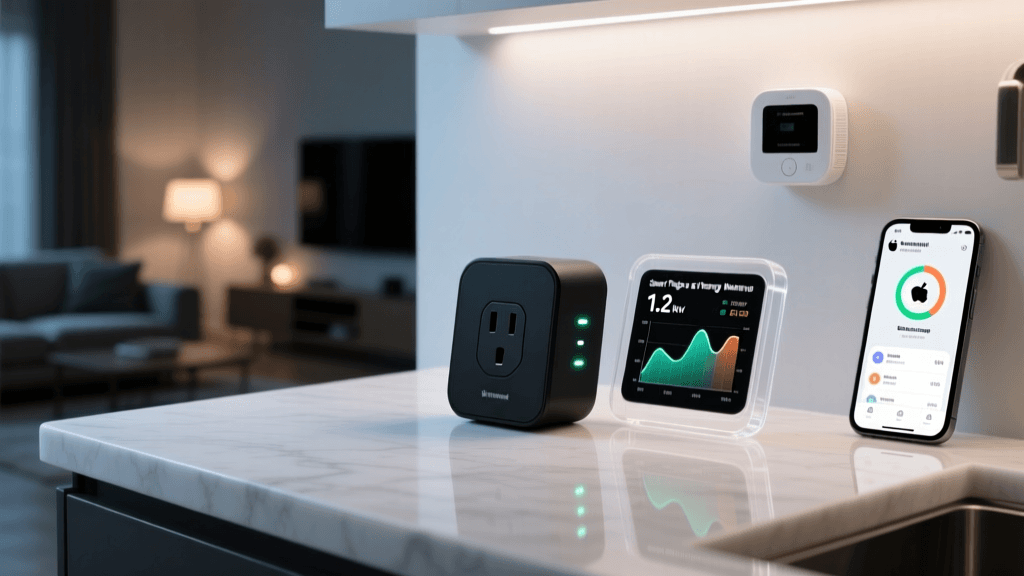
Smart plugs are the most accessible and cost-effective entry point into home energy monitoring. These devices sit between your wall outlet and your appliance, measuring the real-time wattage and cumulative kilowatt-hours (kWh) consumed by the connected device. They are particularly useful for tracking "dumb" appliances that lack native Wi-Fi connectivity, such as window air conditioners, dehumidifiers, space heaters, and older refrigerators.
Top Energy-Monitoring Smart Plugs
- Kasa Smart Plug Mini (EP25): Priced between $15 and $20, the EP25 is a fan favorite for its reliability and robust energy tracking features within the Kasa app. It supports up to 15 amps (1.8 kilowatts), making it suitable for most medium-draw appliances. It integrates seamlessly with Alexa, Google Assistant, and Samsung SmartThings, though it lacks native Apple HomeKit support.
- Eve Energy (Matter/Thread): Retailing for $40 to $50, the Eve Energy plug is a premium option designed for the Apple ecosystem and the new Matter standard. It utilizes Thread networking, which is significantly more reliable and lower-latency than Wi-Fi. It provides highly detailed voltage, amperage, and wattage readings, and projects future energy costs based on your local utility rates.
- Wyze Plug Outdoor: At around $15, this IP64-rated outdoor plug features two independently controllable outlets with energy monitoring. It is ideal for tracking outdoor lighting, pool pumps, or holiday decorations, allowing you to set strict schedules to prevent accidental daytime operation.
Calculating ROI with Smart Plugs
To understand the return on investment, consider a standard window air conditioning unit. If a 1,000-watt AC unit runs for 10 hours a day, it consumes 10 kWh daily. If your utility charges $0.15 per kWh, that single unit costs $1.50 per day, or $45 per month. By using a Kasa EP25 to automate the AC to only run when the room is occupied (via integration with a smart motion sensor) or to turn off during peak afternoon rate hours, you can easily reduce that consumption by 30%, saving $13.50 a month. The smart plug pays for itself in less than six weeks.
Whole-Home Energy Monitors: Tracking the Breaker Box
While smart plugs are excellent for individual appliances, they cannot monitor hardwired systems like central HVAC, electric water heaters, or EV chargers. For a comprehensive view of your home's energy footprint, a whole-home energy monitor is required. These devices typically install directly into your electrical panel using Current Transformer (CT) clamps that read the magnetic field around your main power lines and individual circuit breakers.
Leading Whole-Home Monitors
- Sense Energy Monitor: Priced around $300, Sense connects to your 240V main lines and uses proprietary machine learning algorithms to "listen" to the electrical signatures of your devices. Over time, it attempts to identify individual appliances (like your refrigerator compressor or microwave) without needing individual circuit clamps. While its device detection can sometimes be hit-or-miss with modern variable-speed inverters, its real-time dashboard and solar integration features are top-tier.
- Emporia Vue 2: Costing approximately $150 to $200, the Emporia Vue 2 is the gold standard for granular, circuit-level data. Unlike Sense, the Vue 2 allows you to attach up to 16 individual CT clamps to specific breakers in your panel. This means you can see exactly how much power your electric water heater, oven, and EV charger are pulling at any given second. The trade-off is installation complexity; fitting 16 clamps into a crowded breaker box often requires a licensed electrician and a secondary sub-panel.
- Span Smart Panel: For those undergoing major renovations or building a new home, the Span Smart Panel (starting around $3,000+ before installation) replaces your traditional breaker box entirely. It offers circuit-level control and monitoring, allowing you to shut off non-essential circuits automatically during a power outage when running on battery backup.
Comparison Table: Smart Plugs vs. Whole-Home Monitors
| Feature | Smart Plugs (e.g., Kasa, Eve) | Whole-Home Monitors (e.g., Sense, Emporia) |
|---|---|---|
| Installation | Plug-and-play (DIY) | Electrical panel wiring (Pro recommended) |
| Cost Range | $15 - $50 per unit | $150 - $400+ (hardware only) |
| Monitoring Scope | Single appliance / outlet | Entire home & individual hardwired circuits |
| Network Protocol | Wi-Fi, Thread, Zigbee | Wi-Fi (Local network connection required) |
| Best Use Case | Window ACs, dehumidifiers, entertainment centers | Central HVAC, EV chargers, solar tracking |
Visualizing Your Energy Savings Potential
The following chart illustrates the estimated monthly energy cost breakdown of a standard 2,500-square-foot home compared to a fully optimized smart home utilizing automated scheduling, vampire load elimination, and Time-of-Use (TOU) rate shifting.
Bar chart comparing estimated monthly energy costs between a standard home and a smart optimized home across various categories.
Actionable Strategies to Reduce Your Utility Bill
Purchasing the hardware is only the first step. To actually see a reduction in your utility bill, you must implement strategic automations based on the data you collect. Here are three highly effective strategies:
1. The 7-Day Vampire Audit
Before setting any schedules, use your energy monitoring apps to establish a baseline. For seven days, monitor your home's "base load"—the amount of power your home draws at 3:00 AM when everyone is asleep and major appliances are off. If your base load is consistently above 300-400 watts, you have a vampire power problem. Use smart plugs to group entertainment centers, home office setups, and kitchen appliances into "Power Down" routines that trigger automatically when the last person leaves the house or when the security system is armed for the night.
2. Time-of-Use (TOU) Rate Optimization
Many utility companies now offer Time-of-Use (TOU) pricing, where electricity is significantly more expensive during peak afternoon hours (e.g., 4:00 PM to 9:00 PM) and much cheaper late at night.
If you have an Emporia Vue 2 monitoring your EV charger or electric water heater, you can integrate this data with Home Assistant or IFTTT to ensure these high-draw devices only activate when utility rates drop below a specific cent-per-kWh threshold.Transitioning to Time-of-Use (TOU) rates combined with smart home automation can shift heavy energy loads to off-peak hours, potentially saving households up to 15% on their annual electricity bills.
— SmartHomeDeck Energy Analysis
3. HVAC and Dehumidifier Modulation
Dehumidifiers and portable AC units are notorious energy hogs. By pairing a smart plug with a standalone smart temperature and humidity sensor (like the Eve Room or Govee Bluetooth sensors), you can create a hysteresis loop. Instead of letting a dehumidifier run continuously on its internal dial, use the smart plug to turn it on only when room humidity exceeds 55%, and turn it off when it drops to 45%. This prevents the compressor from short-cycling and drastically reduces wasted electricity.
Understanding Protocols: Wi-Fi vs. Zigbee vs. Matter for Energy Data
When scaling your energy monitoring setup, the wireless protocol your devices use becomes critical. Most budget smart plugs rely on 2.4GHz Wi-Fi. While convenient, having 30 Wi-Fi plugs polling your router for energy data can cause network congestion and dropouts.
For a robust, home-wide energy tracking network, prioritize devices using Zigbee, Z-Wave, or the newer Matter over Thread protocols. These mesh networks operate independently of your main Wi-Fi router, ensuring that your energy data streams reliably to your hub (such as a Hubitat, Samsung SmartThings Station, or Apple HomePod) without bogging down your family's internet bandwidth. Furthermore, local-processing hubs allow you to view your energy dashboards and trigger automations even if your home's cloud internet connection goes down.
For advanced users, integrating local energy monitors like the Emporia Vue or Shelly EM devices into Home Assistant via MQTT or local APIs provides the ultimate privacy and control. You can build custom dashboards that overlay your solar panel production, battery storage levels, and real-time grid consumption, ensuring you never export cheap power to the grid when you could be storing it for peak-hour use.
Conclusion
Reducing your utility bills with smart home technology is not about buying a single magic device; it is about gaining visibility and taking automated action. By starting with affordable energy-monitoring smart plugs to eliminate vampire loads and optimize portable appliances, and eventually graduating to a whole-home monitor like the Emporia Vue 2 to track hardwired systems, you can transform your home from a passive energy consumer into an intelligent, cost-saving machine. For more insights on optimizing your home's efficiency, refer to the U.S. Department of Energy's Energy Saver guide on smart thermostats and HVAC management. Start your energy audit today, and let your smart home pay for itself.