Smart Home Automation Basics: The Complete Beginner's Guide
Imagine arriving home after a long day. Before you even reach the front door, the porch light flicks on, the thermostat adjusts to your preferred temperature, and soft music begins playing in the living room. You haven't touched a single switch — your home simply knew. This isn't science fiction. This is the everyday reality of smart home automation, and it's more accessible than you might think.
Smart home automation has evolved from a luxury reserved for tech enthusiasts into a practical, affordable way to enhance comfort, security, and energy efficiency in any household. Whether you're curious about turning on lights with your voice, want to monitor your front door from anywhere in the world, or simply hope to shave a few dollars off your monthly energy bill, understanding the fundamentals of smart home automation is the essential first step.
In this comprehensive guide, we'll walk you through everything you need to know — from the core components that make automation possible to choosing the right ecosystem, setting up your first devices, and avoiding the most common pitfalls beginners face. By the end, you'll have a clear roadmap to transform your house into an intelligent, responsive home.
For a broader look at how smart technology is reshaping the way we live, check out our overview on what a smart home actually is before diving into the details below.
What Is Smart Home Automation?
At its core, smart home automation refers to the use of interconnected devices, sensors, and software to control and automate household functions — such as lighting, climate control, security, entertainment, and appliance management — with minimal human intervention. Instead of manually flipping switches or adjusting dials, automation allows these tasks to happen based on schedules, sensor inputs, voice commands, or even learned behaviors over time.
The Three Pillars of Smart Home Automation
Every smart home system, regardless of brand or complexity, rests on three foundational pillars:
- Sensors: These are the "eyes and ears" of your smart home. Motion detectors, temperature sensors, door/window contact sensors, light sensors, and humidity monitors gather real-time data about your environment. Without sensors, your home can't respond intelligently to changing conditions.
- Controllers: Controllers are the "brain" — the central hub or platform that processes information from sensors and issues commands to your devices. This might be a dedicated hub like Samsung SmartThings, a smart speaker like Amazon Echo, or a software platform like Apple HomeKit or Google Home.
- Actuators (Smart Devices): These are the "hands" — the physical devices that carry out actions. Smart bulbs, smart plugs, motorized blinds, smart locks, and smart thermostats all fall into this category. They receive signals from the controller and execute the desired action.
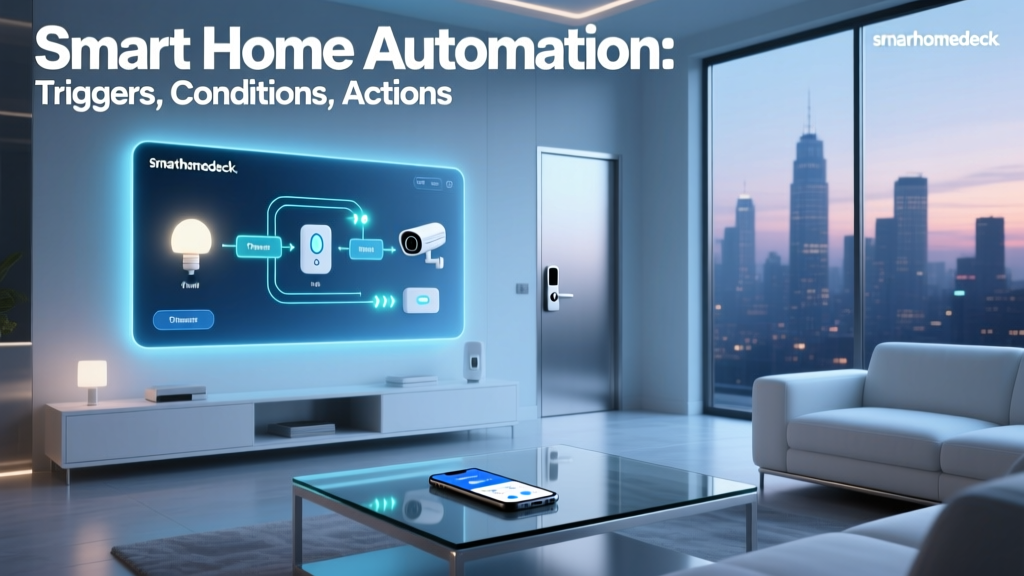
When these three pillars work in harmony, the result is a seamless experience where your home anticipates and responds to your needs. For example, a motion sensor (sensor) detects you walking into a dark room, sends that data to your hub (controller), which then signals a smart bulb (actuator) to turn on — all in a fraction of a second.
Automation vs. Remote Control
It's important to distinguish between remote control and true automation. Using a smartphone app to turn on a light while you're on vacation is remote control — you're still making the decision and initiating the action. Automation, on the other hand, means the system acts independently based on pre-defined rules or conditions. For instance, lights that automatically turn on at sunset every evening, or a thermostat that lowers the temperature when no one has been home for 30 minutes — that's automation.
The most powerful smart home setups combine both: you can manually override any device when needed, while automation handles routine tasks in the background without requiring your attention.
Key Smart Home Protocols & How Devices Communicate
One of the first things that confuses beginners is the alphabet soup of wireless protocols that smart devices use to communicate. Unlike your laptop or phone, which primarily uses Wi-Fi, smart home devices may use a variety of communication standards — each with its own strengths and trade-offs. Understanding these protocols is crucial for building a reliable, responsive system.
Wi-Fi
Wi-Fi is the most universally recognized protocol and is used by many popular smart home devices, including cameras, smart speakers, and thermostats. Its primary advantage is that you likely already have a Wi-Fi router at home, so there's no need for additional hubs. However, Wi-Fi devices consume more power than alternatives, making them less ideal for battery-operated sensors. They also add congestion to your home network if you have dozens of devices connected simultaneously.
Zigbee & Z-Wave
Zigbee and Z-Wave are low-power, mesh networking protocols specifically designed for smart home applications. They operate on different frequencies than Wi-Fi (Zigbee uses 2.4 GHz; Z-Wave uses sub-GHz frequencies), which means they don't compete with your internet traffic for bandwidth. Both create a mesh network where each powered device acts as a signal repeater, extending the network's range throughout your home.
Z-Wave devices must be certified by the Z-Wave Alliance, ensuring strong interoperability between brands. Zigbee is an open standard, which means a wider variety of devices but occasionally more compatibility quirks. Both require a compatible hub or bridge to connect to your home network.
Bluetooth & Thread
Bluetooth Low Energy (BLE) is commonly used for devices that communicate directly with your phone, such as smart locks and some light bulbs. Its range is limited, making it best for personal-area devices rather than whole-home automation.
Thread is a newer mesh networking protocol built on the same radio technology as Zigbee (IEEE 802.15.4) but with IP-based networking, making it more compatible with modern internet standards. Thread is a key component of the Matter standard (more on that below) and is backed by major tech companies including Apple, Google, Amazon, and Samsung.
Matter: The Unifying Standard
Matter is an industry-wide interoperability standard developed by the Connectivity Standards Alliance (CSA). It doesn't replace protocols like Wi-Fi, Thread, or Ethernet — instead, it sits above them as a common application layer. A Matter-certified device is guaranteed to work across all major platforms: Apple HomeKit, Google Home, Amazon Alexa, and Samsung SmartThings. If you're starting a smart home today, prioritizing Matter-compatible devices is one of the smartest decisions you can make for long-term flexibility.
The chart above illustrates how the major protocols compare across key factors. No single protocol is perfect for every use case, which is why most mature smart homes use a combination — Wi-Fi for high-bandwidth devices like cameras, Zigbee or Z-Wave for sensors and switches, and Thread for newer Matter-compatible devices.
Essential Smart Home Devices for Beginners
Walking into the smart home market for the first time can feel overwhelming. There are thousands of devices across dozens of categories. To help you prioritize, here are the most impactful device categories for beginners, organized by the value they deliver.
Smart Lighting
Smart lighting is widely considered the best entry point into home automation. Smart bulbs (like those from Philips Hue, LIFX, or Nanoleaf) screw into your existing fixtures and give you control over brightness, color, and scheduling. Alternatively, smart switches replace your wall switches and work with any bulb, which is more cost-effective for rooms with multiple lights.
Practical automation examples include:
- Lights that gradually brighten in the morning to simulate a natural sunrise
- Automatic shutoff when a room has been unoccupied for a set period
- Pathway lighting that activates when motion is detected at night
- Scene-based lighting that adjusts for movie watching, reading, or dinner parties with a single voice command
For a deeper dive into choosing the right bulbs and switches, explore our guide to smart lighting solutions.
Smart Thermostats
A smart thermostat is one of the few smart home devices that can pay for itself through energy savings. Devices like the Ecobee or Google Nest Learning Thermostat learn your schedule and preferences, automatically adjusting heating and cooling to minimize waste. According to the U.S. Department of Energy, heating and cooling account for nearly half of the average home's energy consumption, making this one of the highest-impact upgrades you can make.
Key features to look for include:
- Geofencing: Uses your phone's location to detect when you're approaching home or leaving, adjusting the temperature accordingly
- Room sensors: Measure temperature in multiple rooms to ensure even comfort throughout the house
- Energy reports: Provide insights into your usage patterns and suggest ways to save
- HVAC monitoring: Alert you to potential system issues before they become expensive repairs
Smart Security & Monitoring
Security is the second most popular motivation for adopting smart home technology. A basic smart security setup might include:
- Video doorbells: See and speak with visitors at your door from anywhere, receive alerts when packages are delivered, and record footage for later review
- Smart locks: Lock and unlock doors remotely, grant temporary access codes to guests or service workers, and receive notifications when doors are opened
- Indoor & outdoor cameras: Monitor your property in real time with motion-triggered recording and intelligent alerts that distinguish between people, animals, and vehicles
- Door/window sensors: Get instant alerts when entry points are opened unexpectedly
Learn more about building a comprehensive security setup in our smart home security essentials guide.
Smart Plugs & Switches
Smart plugs are the simplest and most affordable way to make "dumb" devices smart. Plug in a lamp, fan, coffee maker, or holiday lights, and you can control them on a schedule, via voice commands, or through automation routines. They're an excellent way to experiment with automation without a significant investment.
Voice Assistants & Smart Displays
Smart speakers and displays — such as the Amazon Echo, Google Nest Hub, and Apple HomePod — serve as both controllers and interfaces for your smart home. Beyond playing music and answering questions, they provide hands-free voice control for virtually every connected device in your home. Smart displays add a visual layer, showing camera feeds, weather forecasts, recipe instructions, and video calls.
Sensors
Sensors are the unsung heroes of a well-automated home. They're inexpensive, battery-powered, and easy to install, yet they unlock some of the most powerful automations:
- Motion sensors: Trigger lights, cameras, or alarms based on detected movement
- Contact sensors: Detect when doors or windows open and close
- Temperature & humidity sensors: Feed data to your thermostat or trigger fans and dehumidifiers
- Water leak sensors: Alert you to leaks before they cause costly damage
- Occupancy sensors: Determine whether a room is in use, enabling context-aware automations
Choosing Your Smart Home Ecosystem
Perhaps the most consequential decision you'll make early on is choosing a primary smart home ecosystem — the central platform that ties all your devices together. While the Matter standard is improving cross-platform compatibility, your ecosystem choice still determines the user experience, automation capabilities, and device compatibility you'll enjoy day to day.
Amazon Alexa
Amazon's Alexa ecosystem boasts the widest device compatibility of any platform, with tens of thousands of supported products. The Alexa app offers robust routine-building tools, and Echo devices are frequently discounted, making it an affordable entry point. Alexa's strengths include its vast third-party skill library, strong voice recognition, and flexible automation routines. Its weakness is a somewhat cluttered app experience and less seamless integration with non-Amazon services compared to competitors.
Google Home
Google Home (now part of the Google Home app ecosystem) excels in natural language understanding and information retrieval, thanks to Google's search and AI capabilities. If you're already invested in Google services — Gmail, Calendar, YouTube — the integration is seamless. Google's Nest devices are well-designed and reliable. The platform supports robust automations and has been a strong proponent of the Matter standard.
Apple HomeKit
Apple HomeKit prioritizes privacy, security, and a polished user experience. If you're an iPhone user, the Home app provides a clean, intuitive interface with powerful automation capabilities. HomeKit's device selection is more curated (and therefore smaller) than Alexa or Google, but the certification requirements mean higher reliability and stricter privacy standards. The trade-off is often a higher price point for HomeKit-compatible devices.
Samsung SmartThings & Hub-Based Platforms
Samsung SmartThings is a versatile, hub-based platform that supports Zigbee, Z-Wave, Wi-Fi, and now Matter devices. It's an excellent choice for users who want to mix protocols and brands freely. The SmartThings app offers advanced automation features, and the hub acts as a central coordinator for your entire home. Other hub-based platforms like Home Assistant (an open-source option) offer even deeper customization for technically inclined users willing to invest time in setup and configuration.
The chart above provides a relative comparison of device compatibility across the major ecosystems. Remember, Matter adoption is rapidly narrowing these gaps, so the playing field is becoming more level over time.
Can You Mix Ecosystems?
Absolutely. Many experienced smart home enthusiasts use multiple ecosystems simultaneously — for example, using Alexa for voice control in some rooms, HomeKit for others, and SmartThings as the central hub tying everything together. The key is to choose devices that support multiple platforms or, ideally, the Matter standard, so you're not locked into a single vendor.
Setting Up Your First Smart Home: A Step-by-Step Approach
Now that you understand the fundamentals, here's a practical roadmap for building your smart home from scratch. The key principle is to start small, learn as you go, and expand gradually. Trying to automate everything at once is a recipe for frustration and wasted money.
Step 1: Assess Your Needs & Priorities
Before buying any devices, think about the problems you want to solve or the experiences you want to create. Common priorities include:
- Reducing energy bills through smarter climate control
- Improving home security while you're away
- Adding convenience through voice-controlled lighting
- Monitoring elderly family members or pets remotely
- Creating immersive entertainment experiences
Write down your top three priorities. These will guide your device purchases and help you resist the temptation to buy gadgets you don't actually need.
Step 2: Strengthen Your Wi-Fi Network
Your smart home is only as reliable as your network. Before adding dozens of connected devices, ensure your Wi-Fi infrastructure can handle the load. Consider these upgrades:
- Mesh Wi-Fi system: Replaces a single router with multiple access points for consistent coverage throughout your home, eliminating dead zones
- Dual-band or tri-band router: Provides separate frequency bands (2.4 GHz and 5 GHz, or even 6 GHz) to reduce congestion
- Dedicated IoT network: Many modern routers allow you to create a separate network or VLAN for smart home devices, improving both performance and security
Step 3: Choose Your Ecosystem & Hub
Based on your priorities and the devices you already own (especially your smartphone), select a primary ecosystem. If you're an iPhone user who values privacy, Apple HomeKit is a natural fit. If you want maximum device compatibility and don't mind a learning curve, SmartThings or Home Assistant might be ideal. For most beginners, starting with the ecosystem built into their existing smart speaker is the simplest path.
Step 4: Start with a Starter Kit or Core Devices
Your first purchase should address your top priority. Here are recommended starting configurations:
- For lighting: A smart speaker plus a 2-4 pack of smart bulbs or a couple of smart switches
- For security: A video doorbell plus one or two indoor/outdoor cameras
- For energy savings: A smart thermostat plus a few temperature sensors
- For general convenience: A smart speaker, two smart plugs, and a motion sensor
Step 5: Create Your First Automations
Once your devices are connected and working individually, it's time to create automations. Start with simple, high-impact routines:
- "Good Morning" routine: Lights gradually brighten at 6:30 AM, the thermostat warms up, and your coffee maker (connected via smart plug) turns on
- "Leaving Home" routine: When your phone leaves the geofence, all lights turn off, the thermostat switches to eco mode, and security cameras arm
- "Movie Night" routine: A single voice command dims the lights, lowers the blinds, and turns on the TV
- "Goodnight" routine: All doors lock, exterior lights turn on, interior lights turn off, and the thermostat drops to sleeping temperature
Most ecosystems offer pre-built routine templates to help you get started. As you gain confidence, you can create increasingly sophisticated automations with multiple conditions and triggers.
Step 6: Expand & Refine
After living with your initial setup for a few weeks, you'll naturally discover new needs and opportunities. Maybe you want a motion sensor in the hallway for nighttime bathroom trips, or a leak sensor under the kitchen sink. Add devices incrementally, testing each one thoroughly before moving on. Over time, your smart home will evolve into a finely tuned system tailored to your lifestyle.
Security, Privacy & Best Practices
A connected home is a more convenient home, but it also introduces new considerations around security and privacy. Taking a few precautions from the start will protect your network and your personal data.
Secure Your Network
- Use a strong, unique password for your Wi-Fi network
- Enable WPA3 encryption if your router supports it (WPA2 is the minimum acceptable standard)
- Create a separate guest or IoT network for smart devices, isolating them from your personal computers and phones
- Keep your router's firmware updated
Secure Your Devices
- Change default passwords on every device immediately after setup
- Enable two-factor authentication (2FA) on all smart home accounts
- Regularly check for and install firmware updates for your devices
- Disable features you don't use, such as remote access or microphone access on devices that don't need them
Protect Your Privacy
According to research from the Federal Trade Commission (FTC), consumers should carefully review the data collection practices of smart home manufacturers before purchasing. Key privacy best practices include:
- Review each device's privacy policy and data sharing settings
- Disable voice recording storage if you're uncomfortable with your conversations being saved
- Position cameras thoughtfully — avoid pointing them at neighbors' properties or private areas of your home
- Use local-control platforms like Home Assistant if keeping data off the cloud is a top priority
Plan for Reliability
Smart homes depend on electricity and internet connectivity. Plan for outages by:
- Ensuring critical devices (locks, garage doors, lights) can still be operated manually
- Investing in an uninterruptible power supply (UPS) for your router and hub
- Choosing devices with local processing capabilities so basic automations continue working even when your internet is down
Common Beginner Mistakes to Avoid
Learning from others' missteps can save you time, money, and frustration. Here are the most common mistakes new smart home enthusiasts make:
- Buying incompatible devices: Always check whether a device works with your chosen ecosystem before purchasing. Look for "Works with Alexa," "Works with Google Home," or "Works with Apple Home" badges, or better yet, the Matter logo.
- Overlooking Wi-Fi capacity: Adding 30+ devices to a basic ISP-provided router is a recipe for dropped connections and unresponsive devices. Invest in quality networking equipment early.
- Automating too much too soon: Start with one or two automations, live with them, and refine before adding more. Overly complex automations that trigger incorrectly become annoying quickly.
- Ignoring physical controls: Guests, children, and family members who aren't tech-savvy still need to be able to turn on a light or unlock a door. Always maintain physical control options alongside smart ones.
- Neglecting updates: Outdated firmware can introduce security vulnerabilities and compatibility issues. Set aside time monthly to check for and install updates.
Frequently Asked Questions
How much does it cost to start a smart home?
You can begin building a smart home for as little as $50 to $150. A smart speaker ($30-$50), a couple of smart bulbs ($15-$25 each), and a smart plug ($10-$15) give you a functional starting point. A more comprehensive setup including a smart thermostat, video doorbell, and multiple smart lights typically ranges from $300 to $800. The beauty of smart home technology is that you can scale gradually, adding devices over time as your budget allows.
Do smart home devices work without internet?
It depends on the device and how it's configured. Devices that rely on cloud processing (most voice assistants, many cameras) will lose functionality without internet. However, devices using local hubs with Zigbee, Z-Wave, or Thread can often continue to operate basic automations and respond to physical switches even during an internet outage. If reliability during outages is a priority, choose devices with local processing capabilities and invest in a hub that supports offline operation.
Are smart homes safe from hackers?
No connected system is 100% immune to security threats, but you can significantly reduce your risk by following best practices: using strong, unique passwords; enabling two-factor authentication; keeping firmware updated; segmenting your network; and purchasing devices from reputable manufacturers with a track record of security support. The Cybersecurity & Infrastructure Security Agency (CISA) regularly publishes guidance on securing IoT devices in the home. Treating your smart home security with the same seriousness as your computer security goes a long way toward keeping your home safe.
What is the best smart home ecosystem for beginners?
For most beginners, the best ecosystem is the one that aligns with the devices they already own. If you use an iPhone and value simplicity and privacy, Apple HomeKit is an excellent choice. If you prefer Android or want the widest device selection, Google Home or Amazon Alexa are strong options. If you enjoy tinkering and want maximum flexibility, Samsung SmartThings or the open-source Home Assistant platform offer deeper customization. There's no single "best" ecosystem — the right choice depends on your priorities, technical comfort level, and existing device investments.
Can I install smart home devices myself, or do I need a professional?
The vast majority of smart home devices are designed for DIY installation. Smart bulbs screw in like regular bulbs, smart plugs simply plug into outlets, and battery-powered sensors attach with adhesive strips. Smart thermostats and hardwired smart switches require basic electrical knowledge but come with detailed instructions and abundant online tutorials. The main exception is hardwired security systems and some in-wall devices where local electrical codes may require professional installation. If you're ever uncomfortable working with electrical wiring, hiring a licensed electrician for an hour or two is a wise investment.
Final Thoughts
Smart home automation isn't about filling your house with gadgets for the sake of novelty. It's about creating a living space that works for you — saving time, reducing energy waste, enhancing security, and adding convenience to your daily routines. The technology has matured to the point where reliable, affordable solutions exist for virtually every household.
The most successful smart home journeys share a common thread: they start small, grow thoughtfully, and always prioritize solving real problems over accumulating devices. Begin with a single smart speaker and a few bulbs. Create your first automation. Experience the satisfaction of your home responding to your needs without being asked. Then, when you're ready, take the next step.
Your smart home is a project that evolves with you. There's no finish line — just a continuous process of refinement and discovery. And the best time to start is now. Explore our full library of smart home guides to continue your learning journey, or browse our product reviews to find the perfect devices for your first setup.