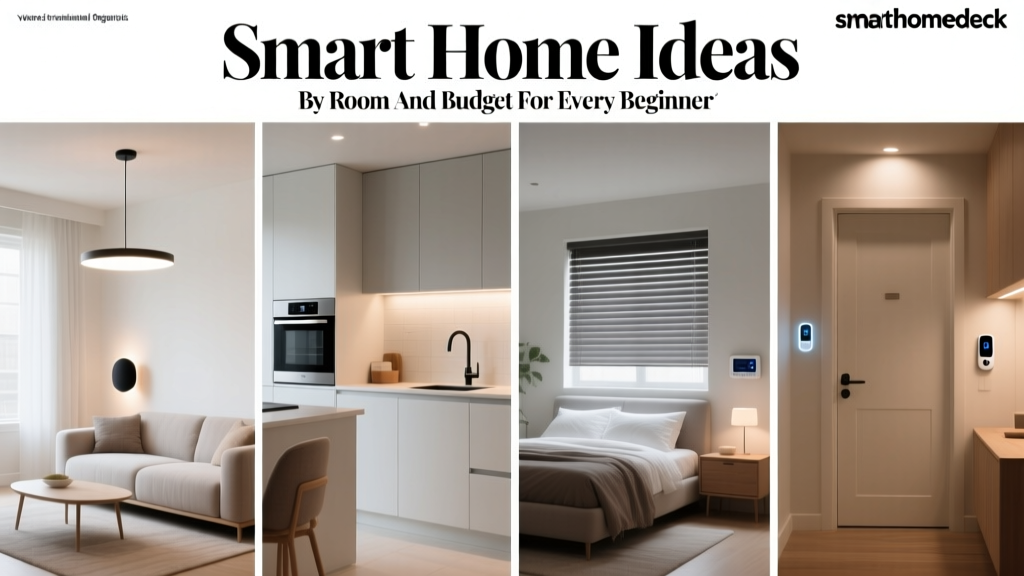
Imagine walking through your front door and the lights automatically adjust to your preferred brightness, your thermostat has already cooled the house to the perfect temperature, and your favorite playlist begins streaming through the living room speakers. This isn’t science fiction—it’s the reality of a well-designed smart home. Whether you’re dipping your toes into home automation for the first time or looking to expand an existing setup, this smart home guide will walk you through every decision you need to make.
Building a smart home can feel overwhelming. There are dozens of platforms, hundreds of devices, and an alphabet soup of protocols and standards to understand. But here’s the good news: you don’t need to be a tech expert to create a home that works smarter, not harder. With the right foundation, even a beginner can set up a system that saves energy, enhances security, and adds genuine convenience to daily life.
In this guide, we’ll break down the core concepts, help you choose the right ecosystem, recommend essential devices, explain how to keep everything secure, and show you how to tie it all together with automation. Let’s get started.
Understanding the Smart Home: What It Is & How It Works
A smart home is a residence equipped with devices that can be controlled remotely or automated to perform tasks with minimal human input. These devices communicate with each other—and with you—through your home network, creating an interconnected system that responds to your habits, schedules, and preferences.
At the heart of every smart home are three core components:
- Devices (the “things”): These are the physical products—smart bulbs, thermostats, locks, cameras, speakers, sensors, and more—that perform specific functions in your home.
- A hub or platform: This is the brain of your system. It could be a dedicated hub, a smart speaker, or a software platform on your phone that coordinates communication between devices.
- A network: Your Wi-Fi router, mesh network, or a dedicated smart home protocol (like Zigbee, Z-Wave, or Thread) provides the communication backbone that lets everything talk to each other.
When these three elements work together, you get a home that can do things like turn off every light when you say “goodnight,” send you an alert when a door opens unexpectedly, or lower the blinds when the afternoon sun gets too intense. The key is understanding how devices communicate so you can choose products that actually work together.
Smart Home Communication Protocols Explained
Not all smart devices speak the same language. Here are the most common protocols you’ll encounter:
- Wi-Fi: The most common and accessible protocol. Wi-Fi devices connect directly to your router and are easy to set up, but they can strain your network if you have dozens of them.
- Zigbee: A low-power mesh networking protocol used by many sensors, bulbs, and switches. It requires a compatible hub but is highly reliable and doesn’t clog your Wi-Fi.
- Z-Wave: Similar to Zigbee but operates on a different frequency, reducing interference. Popular for security devices and locks.
- Thread: A newer mesh protocol designed for low-power devices with improved speed and reliability. It’s a key part of the Matter smart home standard.
- Bluetooth / Bluetooth LE: Often used for close-range control, like smart locks. Limited range but low power consumption.
- Matter: An industry-wide interoperability standard backed by Apple, Google, Amazon, and Samsung. Matter-certified devices are guaranteed to work across multiple platforms, making it one of the most important developments in smart home technology.
Understanding these protocols helps you avoid the frustration of buying a device that doesn’t integrate with your existing setup. When in doubt, look for Matter-compatible products, as they offer the broadest cross-platform support.
Choosing Your Smart Home Ecosystem
The single most important decision you’ll make is which ecosystem to build around. Your ecosystem is the platform that ties your devices together, and it determines which products you can use, how you control them, and how deeply you can automate your home.
There are four major ecosystems to consider:
Amazon Alexa
Alexa has the widest device compatibility of any voice assistant platform. With tens of thousands of “Works with Alexa” products available, you’ll rarely find a device that isn’t supported. Alexa’s routines are straightforward to set up, and the Echo speaker lineup offers options at every price point. The trade-off is that Alexa’s app experience can feel cluttered, and advanced automations sometimes require third-party tools.
Google Home
Google Home (now often referred to through the Google Home app) excels at natural language understanding and integrates seamlessly with Google services like Calendar, Maps, and YouTube. Nest products—thermostats, cameras, doorbells—are first-class citizens in this ecosystem. Google’s automation capabilities have grown significantly, and the platform is a strong choice for households already invested in Google’s suite of products.
Apple HomeKit
Apple’s HomeKit prioritizes privacy and a polished user experience. The Home app on iPhone and iPad is clean and intuitive, and Siri integration works well for voice commands. HomeKit has historically had fewer compatible devices than Alexa or Google, but the adoption of Matter is rapidly expanding the available options. If privacy is your top concern and you’re already in the Apple ecosystem, this is a compelling choice.
Samsung SmartThings
SmartThings is one of the most versatile hubs on the market, supporting Zigbee, Z-Wave, Wi-Fi, and Matter devices. It’s an excellent choice for power users who want granular control over automations and want to mix devices from many different brands. Samsung has also partnered with Amazon and Google, so SmartThings can work alongside those ecosystems rather than replacing them.
No matter which ecosystem you choose, remember that Matter is changing the game. As more manufacturers adopt the standard, the walls between ecosystems are coming down. A Matter-certified smart plug, for example, can be controlled from Apple Home, Google Home, and Alexa simultaneously.
Essential Smart Home Devices for Every Room
Now that you’ve chosen your platform, it’s time to start adding devices. Here’s a room-by-room breakdown of the most impactful smart home products you can install, whether you’re starting small or going all-in.
Living Room
- Smart speaker or display: Your command center for voice control. An Echo, Nest Hub, or HomePod serves as both a speaker and a hub for your ecosystem.
- Smart lighting: Smart bulbs (like Philips Hue or LIFX) let you adjust color, brightness, and schedules. Smart switches (like Lutron Caséta) are better for rooms where you want to keep using traditional bulbs.
- Smart TV or streaming device: Modern smart TVs integrate with voice assistants. If your TV is older, a streaming stick or box can add smart functionality.
- Smart plug: The simplest and most affordable way to make any lamp, fan, or appliance smart. Plug it in, connect it to your app, and you’re done.
Kitchen
- Smart display: Perfect for following recipes, setting timers, and controlling other devices while your hands are busy cooking.
- Smart leak sensor: Place one under the sink to get instant alerts if a pipe starts leaking—potentially saving you thousands in water damage.
- Smart plug for small appliances: Automate your coffee maker or kettle so they turn on with your morning alarm.
Bedroom
- Smart bulbs or light strips: Set warm, dim lighting for winding down and bright, cool light for waking up. Gradual sunrise simulations can replace jarring alarm clocks.
- Smart blinds or curtain motor: Automate your window coverings to open with the sun and close at sunset for privacy and energy savings.
- Smart plug for a fan or white noise machine: Schedule them to turn off after you’ve fallen asleep.
Entryway & Exterior
- Smart lock: Keyless entry, temporary codes for guests, and the ability to lock or unlock your door from anywhere. Look for models from brands like Yale, Schlage, or August. Check out our guide to smart locks for detailed recommendations.
- Video doorbell: See and speak to whoever is at your door, whether you’re on the couch or across the country. Ring, Nest, and Eufy all make excellent options.
- Outdoor security cameras: Motion-activated cameras with night vision and cloud or local storage give you eyes on your property around the clock.
- Smart garage door opener: Never wonder if you left the garage open again. Control and monitor it from your phone.
Whole-Home Essentials
- Smart thermostat: One of the highest-impact devices you can install. A smart thermostat like the Ecobee or Nest Learning Thermostat learns your schedule and adjusts heating and cooling automatically, often saving 10–15% on energy bills according to the U.S. Department of Energy.
- Smoke & CO detectors: Smart detectors like the Nest Protect send alerts to your phone and can tell you exactly which room the danger is in.
- Whole-home leak detection: Systems like Flo by Moen monitor your water supply line and can automatically shut off water if a major leak is detected.
Start with one or two categories and expand gradually. A smart thermostat and a few smart bulbs can transform your daily routine without requiring a massive investment.
Smart Home Security & Privacy: Protecting Your Connected Home
Every device you add to your network is a potential entry point for cyberattacks. That doesn’t mean you should avoid smart devices—it means you should set them up thoughtfully. According to Palo Alto Networks’ IoT security research, the average home has dozens of connected devices, and many lack basic security configurations out of the box.
Here are the essential steps to secure your smart home:
1. Secure Your Wi-Fi Network
Your Wi-Fi network is the gateway to every smart device in your home. Take these steps:
- Use WPA3 encryption (or WPA2 if WPA3 isn’t available) on your router.
- Change the default admin password on your router to something strong and unique.
- Create a separate guest network or IoT-specific network for your smart devices. This isolates them from your personal computers and phones.
- Disable WPS (Wi-Fi Protected Setup), which can be exploited by attackers.
- Keep your router’s firmware up to date.
2. Use Strong, Unique Passwords & Two-Factor Authentication
Every smart home account—whether it’s your Ring account, your Ecobee app, or your SmartThings login—should have a unique, complex password. Use a password manager to keep track of them, and enable two-factor authentication (2FA) wherever it’s offered. This single step dramatically reduces the risk of unauthorized access.
3. Keep Firmware Updated
Manufacturers regularly release firmware updates that patch security vulnerabilities. Enable automatic updates on every device that supports them, and check for manual updates on devices that don’t. Make it a habit to review your devices’ update status periodically.
4. Review App Permissions & Data Sharing
When you install a smart home app, it may request access to your location, contacts, microphone, or camera. Review these permissions critically. Does your smart plug really need access to your contacts? If an app asks for more data than seems necessary, look for an alternative product or deny the unnecessary permissions.
5. Choose Devices with Local Processing When Possible
Some devices process commands locally (on the hub or device itself) rather than sending everything to a cloud server. This is faster, works during internet outages, and keeps your data off remote servers. Platforms like Home Assistant and Hubitat are built around local processing, and even mainstream ecosystems are moving in this direction with Matter and Thread.
6. Disable Features You Don’t Use
If your smart TV has a built-in camera you never use, cover it or disable it in settings. If a device has a microphone but you never use voice commands, mute it. Reducing the attack surface is one of the simplest ways to improve security.
Automating Your Smart Home: From Simple Routines to Advanced Scenes
The real magic of a smart home isn’t controlling devices from your phone—it’s making them act intelligently on their own. Automation is what transforms a collection of gadgets into a cohesive system that anticipates your needs.
Start with Simple Routines
Every major ecosystem lets you create routines (also called scenes or automations). A routine is a set of actions triggered by a specific event. Here are some beginner-friendly examples:
- “Good Morning” routine: At 7:00 AM, bedroom lights gradually brighten, the thermostat adjusts to your daytime temperature, and your smart speaker reads the weather forecast.
- “Leaving Home” routine: When your phone leaves a geofenced area around your house, all lights turn off, the thermostat switches to eco mode, and your security cameras activate.
- “Movie Night” scene: With one voice command, the living room lights dim to 20%, the blinds close, and the TV turns on to your streaming app.
- “Goodnight” routine: All lights turn off, doors lock, the thermostat drops to your sleeping temperature, and exterior cameras switch to high-sensitivity mode.
Level Up with Sensor-Based Automations
Motion sensors, door/window sensors, and environmental sensors unlock more sophisticated automations:
- Turn on hallway lights when motion is detected between 10 PM and 6 AM (at low brightness so you’re not blinded).
- Send a notification and start recording when a door opens while the security system is armed.
- Turn on the bathroom exhaust fan when humidity exceeds a certain threshold.
- Close smart blinds when an outdoor light sensor detects intense afternoon sunlight to reduce cooling costs.
Advanced Automation with Conditions & Logic
As you grow more comfortable, you can add conditions to your automations. For example:
- “Turn on the porch light at sunset, but only if someone is home.”
- “Send me a leak alert, and shut off the water valve, but only between midnight and 6 AM when no one should be using water.”
- “Start the robot vacuum when everyone leaves, but not if it’s already run today.”
Platforms like Home Assistant, Hubitat, and even Apple’s Home app (with the addition of Matter sensors) support increasingly complex logic. If you’re interested in building a more advanced system, explore our comparison of home automation platforms to find the right fit.
Tips for Effective Automation
- Start small: Build one or two routines and live with them before adding more. Over-automating can lead to frustration when things don’t work as expected.
- Test thoroughly: Trigger each automation manually and in real conditions before relying on it.
- Include manual overrides: Make sure every automated device can still be controlled physically. A smart lock should still accept a key; a smart bulb should still respond to its wall switch (or use a smart switch instead).
- Communicate with your household: Make sure everyone in your home understands how the automations work and how to override them if needed.
Frequently Asked Questions
How much does it cost to set up a smart home?
The cost varies widely depending on your goals. A basic setup with a smart speaker, a few smart bulbs, and a smart plug can cost under $150. A mid-range setup adding a smart thermostat, video doorbell, and smart locks might range from $500 to $1,000. A fully automated home with whole-home lighting, security cameras, motorized blinds, and integrated audio can cost several thousand dollars. The best approach is to start small and expand over time, adding devices as you identify needs and as your budget allows.
Do smart homes use a lot of electricity?
Individual smart devices consume very little power—most smart bulbs use less energy than traditional incandescent bulbs, and smart plugs draw only a small amount of standby power. In fact, smart homes often save energy overall. A smart thermostat can reduce heating and cooling costs by 10–15%, and automated lighting ensures lights are never left on in empty rooms. The ENERGY STAR program certifies smart thermostats that have been proven to deliver measurable energy savings.
What happens to my smart home if the internet goes down?
It depends on your setup. Cloud-dependent devices (most Wi-Fi cameras, some smart speakers) may lose functionality during an outage. However, devices that use local hubs—like Zigbee or Z-Wave devices connected to a SmartThings or Hubitat hub—will continue to work for local automations even without internet. If reliability during outages is important to you, prioritize devices with local processing capabilities and invest in a hub that supports offline automations. Physical controls (wall switches, keys for smart locks) should always be available as backups.
Is a smart home worth it for renters?
Absolutely. Many smart home devices are renter-friendly because they don’t require permanent installation. Smart bulbs screw into existing fixtures, smart plugs work with any outlet, and many video doorbells and cameras mount with adhesive strips or simple brackets that leave minimal marks. Smart speakers, robot vacuums, and portable air purifiers are entirely self-contained. When you move, you simply pack up your devices and take them with you. Just check your lease agreement before installing anything that requires wiring, like a hardwired smart thermostat or a wired doorbell camera.
Can I mix devices from different brands in my smart home?
Yes—and it’s getting easier all the time. The Matter standard was specifically designed to enable cross-brand compatibility. Devices that carry the Matter logo will work with Amazon Alexa, Google Home, Apple HomeKit, and Samsung SmartThings regardless of the manufacturer. Even without Matter, most major ecosystems support thousands of third-party devices through their “Works with” programs. The key is to check compatibility before you buy. Look for the platform logos on the product packaging or check the manufacturer’s website for a list of supported platforms. When building your system, try to stay within one or two ecosystems for the smoothest experience, and lean on Matter-certified devices whenever possible.
Building a smart home is a journey, not a destination. Start with the basics, learn how your household actually uses the technology, and expand thoughtfully. The goal isn’t to have the most gadgets—it’s to create a home that makes your life simpler, safer, and more efficient. With the foundation laid out in this guide, you’re well on your way.