Imagine arriving home after a long day. As you pull into the driveway, the exterior lights automatically illuminate your path. The front door unlocks as you approach, and stepping inside, you are greeted by your favorite music playing softly while the thermostat adjusts to your preferred evening temperature. This is not a scene from a science fiction movie; it is the everyday reality of a modern connected home. But what exactly are smart home systems, and how do they transform a standard house into an intelligent living space?
At its core, a smart home system is a network of interconnected devices, appliances, and sensors that communicate with each other and can be controlled remotely or automated to perform specific tasks. These systems leverage the Internet of Things (IoT) to bring unprecedented levels of convenience, security, and energy efficiency to our daily lives. Whether you are looking to save money on your utility bills, keep a closer eye on your property, or simply avoid getting out of bed to turn off the lights, understanding the fundamentals of home automation is the first step toward building your ideal setup.
In this comprehensive guide, we will break down the core components of smart home technology, explore how automation logic works, and provide actionable steps to help you start your connected home journey.
The Core Components of a Smart Home System
Building a connected home is much like building a computer network. It requires a combination of hardware, software, and communication protocols to function seamlessly. To understand how these environments operate, we need to look at the four foundational pillars of any smart home system.
1. The Brain: Hubs and Controllers
Every intelligent ecosystem needs a central command center. Smart home hubs act as the brain of your setup, translating signals between your various devices and your smartphone or voice assistant. While many modern devices connect directly to Wi-Fi, a dedicated hub is often essential for managing devices that use low-power mesh networks. Popular examples include dedicated bridges for specific brands, or universal controllers that manage multiple protocols simultaneously.
2. The Senses: Sensors
Sensors are the eyes and ears of your home. They monitor the environment and trigger actions based on real-time data. Common sensors include:
- Motion Sensors: Detect movement to trigger lighting or security alarms.
- Contact Sensors: Monitor the open or closed status of doors and windows.
- Environmental Sensors: Track temperature, humidity, air quality, and even water leaks to prevent catastrophic damage.
3. The Muscle: Actuators and Smart Devices
Actuators are the devices that physically perform the actions you command. This category includes smart bulbs, motorized blinds, smart locks, and smart plugs. When a sensor detects a condition, or when you issue a voice command, the hub sends a signal to the actuator to execute the task, such as locking a deadbolt or dimming a living room lamp.
4. The Nervous System: Connectivity Protocols
For devices to communicate, they need a shared language. Smart homes rely on several wireless protocols, each with its own pros & cons:
- Wi-Fi: Ideal for high-bandwidth devices like security cameras and smart displays, but can congest your home network if overused.
- Zigbee & Z-Wave: Low-power mesh networks that do not rely on your main Wi-Fi router, offering excellent reliability for sensors and switches.
- Thread: A newer, highly efficient mesh protocol designed specifically for the IoT, offering faster response times and better reliability.
- Bluetooth: Used primarily for proximity-based controls and initial device setup.
How Smart Home Automation Actually Works
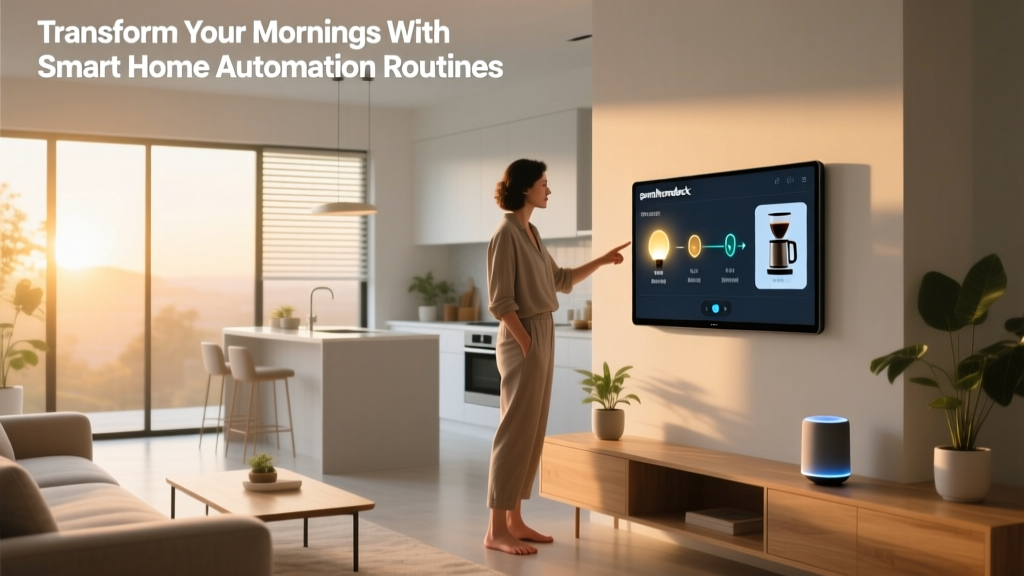
The true magic of a connected home lies not in remote control, but in automation. Automation removes the need for manual intervention by establishing logical rules for your devices. Most automation platforms operate on a simple 'Trigger, Condition, Action' framework.
Triggers
A trigger is the event that initiates an automation sequence. Triggers can be based on:
- Schedules: Time-based triggers, such as turning on the coffee maker at 6:30 AM every weekday.
- Sensor Events: A motion sensor detecting movement in the hallway.
- Geofencing: Using your smartphone's GPS location to trigger actions when you enter or leave a virtual perimeter around your home.
- Device States: A smart lock being turned, or a washer finishing its cycle.
Conditions
Conditions act as filters to ensure an action only happens when specific criteria are met. For example, you might want your porch lights to turn on when motion is detected (the trigger), but only if the sun has already set (the condition). This prevents the lights from turning on unnecessarily during the day, saving energy and extending bulb life.
Actions
The action is the final result executed by your smart devices. This could be sending a push notification to your phone, adjusting a smart thermostat, or initiating a complex 'Goodnight' routine that locks all doors, arms the security system, and turns off every light in the house.
Key Benefits of Upgrading to a Connected Home
Transitioning to a smart home system requires an investment of both time and money, but the long-term benefits far outweigh the initial setup. Here is why millions of homeowners are making the switch.
Unmatched Convenience and Comfort
Automation handles the mundane, repetitive tasks of daily life. Voice assistants allow you to control your environment hands-free, which is incredibly useful when you are cooking, carrying groceries, or simply relaxing on the couch. Routines streamline your mornings and evenings, creating a living space that adapts to your lifestyle rather than the other way around.
Energy Efficiency and Cost Savings
One of the most compelling reasons to upgrade is the potential for significant energy savings. Smart thermostats learn your schedule and adjust heating and cooling when you are away. Smart lighting systems ensure lights are never left on in empty rooms. According to the ENERGY STAR program, certified smart thermostats can save households an average of 8% on heating and cooling bills, with savings increasing based on local climate and utility rates.
Enhanced Security and Peace of Mind
Modern smart home security systems offer far more than traditional alarms. Video doorbells let you see and speak to visitors from anywhere in the world. Smart locks allow you to grant temporary access codes to dog walkers or contractors without hiding a physical key under the mat. Combined with water leak sensors and smoke detectors that send instant alerts to your phone, these systems provide comprehensive protection for your property and loved ones.
Accessibility and Aging in Place
For elderly individuals or those with mobility challenges, smart home technology is life-changing. Voice commands, automated lighting, and motorized blinds reduce the physical strain of managing a household. Caregivers can also use sensor data to monitor the well-being of family members remotely, ensuring they are safe without compromising their independence.
Understanding Smart Home Ecosystems and Matter
When building your system, you will quickly encounter the term 'ecosystem.' An ecosystem is the software platform that ties your devices together. Historically, the market was fragmented into walled gardens, meaning a device built for one ecosystem would not work with another. The major players include:
- Amazon Alexa: Known for its vast compatibility and powerful voice recognition.
- Google Home: Excels in natural language processing and integration with Google services.
- Apple HomeKit: Prioritizes strict security, privacy, and seamless integration for users deeply invested in the Apple ecosystem.
Fortunately, the industry is evolving. The introduction of the Matter standard, developed by the Connectivity Standards Alliance, is revolutionizing the market. Matter is a universal, open-source protocol that allows devices from different brands and ecosystems to communicate locally and securely. If a device features the Matter logo, it is guaranteed to work with Alexa, Google Home, Apple HomeKit, and Samsung SmartThings, effectively ending the era of walled gardens and making it easier than ever to mix and match your favorite brands.
How to Get Started with Your First Smart Home Setup
Feeling overwhelmed by the sheer number of devices on the market? The best approach is to start small and expand gradually. Follow these steps to build a solid foundation.
- Assess Your Needs: Identify the pain points in your home. Do you constantly forget to turn off the lights? Are you worried about package theft? Let your specific needs dictate your first purchases.
- Choose Your Primary Ecosystem: Decide whether you prefer Amazon, Google, or Apple. While Matter is bridging the gap, choosing a primary voice assistant and app interface will make your daily experience much smoother.
- Upgrade Your Network: A smart home is only as reliable as the network it runs on. Consider investing in a mesh Wi-Fi system to ensure strong coverage in every corner of your house, or purchase a dedicated hub for Zigbee and Thread devices to keep IoT traffic off your main Wi-Fi band.
- Start with High-Impact Devices: Begin with a smart speaker or display, a few smart bulbs in common areas, and a smart plug for a stubborn appliance like a coffee maker or fan. Once you are comfortable creating basic routines, you can expand into security cameras, smart locks, and whole-home climate control.
- Prioritize Security: Always use strong, unique passwords for your smart home accounts. Enable two-factor authentication (2FA) wherever possible, and ensure your home Wi-Fi network is secured with WPA3 or WPA2 encryption.
Frequently Asked Questions
As you dive deeper into home automation, you are bound to have questions. Here are answers to the most common queries from beginners.
Are smart home systems secure from hackers?
Like any internet-connected technology, smart devices carry some cybersecurity risks. However, you can drastically reduce these risks by following best practices recommended by organizations like the National Institute of Standards and Technology (NIST). Always keep your device firmware updated, change default passwords immediately, isolate IoT devices on a separate guest Wi-Fi network if your router supports it, and purchase devices from reputable brands that prioritize regular security patches.
Do smart homes use a lot of electricity?
It is a common misconception that smart devices drain massive amounts of power. In reality, individual smart bulbs, sensors, and switches consume very little electricity, often using less than a watt in standby mode. Furthermore, the energy-saving features of smart thermostats and automated lighting schedules typically result in a net reduction in your overall household energy consumption, easily offsetting the minor power draw of the devices themselves.
Can I mix and match different smart home brands?
Yes, especially with the rollout of the Matter protocol. While you may need a specific brand's hub to unlock advanced features for their proprietary devices, the core functionalities (like turning a light on or off, or locking a door) can be unified under a single app like Apple Home, Google Home, or Amazon Alexa. Using a universal hub or a platform like Home Assistant can also bridge the gap between older, non-Matter devices and newer ones.
What happens to my smart home if the internet goes down?
This depends on how your system is architected. Devices that rely entirely on cloud processing will lose remote access and advanced features if your internet connection drops. However, systems utilizing local hubs and local protocols like Zigbee, Z-Wave, Thread, or Matter are designed to continue functioning offline. Your automated routines, physical switches, and local sensor triggers will continue to work perfectly even if your broadband connection is temporarily unavailable.
Is a smart home system worth the investment?
For the vast majority of users, the answer is a resounding yes. The initial cost of entry has dropped significantly, making smart plugs and bulbs highly affordable. Beyond the financial return on investment through energy savings, the daily convenience, enhanced security, and accessibility benefits dramatically improve the overall quality of life. By starting small and scaling up at your own pace, you can build a system that delivers immense value without breaking the bank.