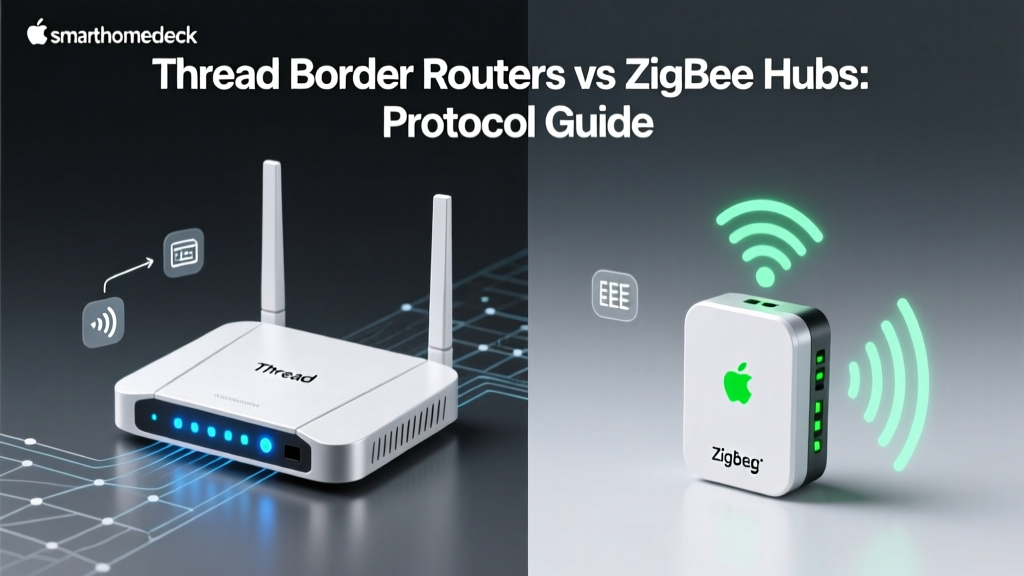
Why Protocol Choice Dictates Smart Home Performance
Building a reliable smart home is not just about buying the most expensive gadgets; it is about understanding the invisible wireless protocols that allow them to communicate. At SmartHomeDeck, we constantly test how devices perform in real-world environments, and the underlying protocol—whether it is Zigbee, Z-Wave, Thread, Wi-Fi, or Bluetooth—dictates everything from battery life and mesh reliability to latency and bandwidth. A Wi-Fi camera might offer crystal-clear 2K video, but it will drain a battery in days. A Zigbee sensor might last two years, but it requires a dedicated hub. Choosing the right device means matching the hardware to the protocol's inherent strengths.
In this comprehensive guide, we break down the best smart home devices across every major wireless standard. These curated picks are selected based on long-term reliability, mesh networking capabilities, security features, and overall value.
Top Zigbee Devices: The Mesh Network Kings
Zigbee 3.0 operates on the 2.4 GHz frequency and creates a robust mesh network where every mains-powered device acts as a router, extending the network's range. It is low-power, highly responsive, and ideal for sensors and lighting.
Best Zigbee Hub: Sonoff Zigbee 3.0 USB Dongle Plus
For enthusiasts using Home Assistant or Hubitat, the Sonoff Zigbee 3.0 USB Dongle Plus (P-Version) is the undisputed champion. Priced around $25, it utilizes the Texas Instruments CC2652P chip, offering superior range and stability compared to the older ConBee II. Its external antenna easily penetrates walls, supporting up to 200 devices without dropping signals.
Best Zigbee Sensor: Aqara Motion Sensor P1
While the Aqara P1 is technically a Matter-over-Thread device in its newest iteration, the classic Aqara Motion Sensor (MS02) remains a Zigbee staple. Costing under $30, it features a 170-degree detection angle and a battery life that routinely exceeds 24 months. Its low latency makes it perfect for triggering automated lighting routines.
Best Zigbee Lighting: Philips Hue White and Color Ambiance
Philips Hue pioneered the Zigbee smart lighting market. While their proprietary Hue Bridge is required for full functionality, the bulbs themselves are standard Zigbee 3.0. The Hue White and Color Ambiance A19 bulbs (approx. $50 each) offer unmatched color accuracy, instant responsiveness, and seamless integration into third-party Zigbee meshes like Home Assistant's ZHA.
Top Z-Wave Devices: Unmatched Reliability
Z-Wave operates on sub-GHz frequencies (908.42 MHz in the US), meaning it completely avoids interference from crowded 2.4 GHz Wi-Fi and Bluetooth networks. According to the Z-Wave Alliance, the newer 800 series chips offer up to 50% more battery life and extended range compared to previous generations.
Best Z-Wave Smart Lock: Schlage Connect
For secure, reliable keyless entry, the Schlage Connect Smart Deadbolt (Z-Wave Plus) is a top-tier choice. Priced around $180, it features an ANSI Grade 1 security rating—the highest available. Because it uses Z-Wave, it does not suffer from the Wi-Fi congestion that plagues camera-heavy doorbells, ensuring your lock always responds instantly to your hub.
Best Z-Wave Switch: Zooz ZEN30 Double Switch
Zooz dominates the Z-Wave switch market with exceptional build quality and advanced configuration parameters. The Zooz ZEN30 Double Switch (approx. $60) allows you to control two separate loads (like a fan and a light) from a single gang box. It acts as a powerful Z-Wave repeater, strengthening your mesh network while offering customizable LED indicators and paddle styles.
Best Z-Wave Hub: Aeotec SmartThings Hub
The Aeotec SmartThings Station (or the legacy Hub v3) remains the most user-friendly gateway for Z-Wave devices. It handles the complex mesh routing automatically and integrates natively with cloud ecosystems, making it ideal for users who want reliable Z-Wave performance without managing local servers.
Top Thread & Matter Devices: The Future Standard
Matter is the unifying application layer, while Thread is the underlying low-power, IPv6-based mesh networking protocol. As highlighted by the Connectivity Standards Alliance, Thread eliminates the need for proprietary hubs by allowing smart home borders (like routers and smart speakers) to route traffic natively.
Best Thread Border Router: Apple TV 4K (Wi-Fi + Ethernet)
If you are in the Apple ecosystem, the Apple TV 4K (3rd Gen) with Ethernet doubles as a premium Thread Border Router. Priced at $149, it not only streams media but silently bridges your Thread accessories (like Eve and Nanoleaf devices) to your home network with zero additional hardware required.
Best Thread Smart Plug: Eve Energy
The Eve Energy Smart Plug ($80) is a masterpiece of Thread implementation. It provides highly accurate local energy monitoring without relying on cloud servers. Because it uses Thread, it updates its state in your HomeKit or Matter controller in milliseconds, offering a level of local responsiveness that Wi-Fi plugs simply cannot match.
Best Thread Lighting: Nanoleaf Essentials A19 Bulb
Nanoleaf was one of the first to adopt Thread. Their Essentials A19 Bulb ($25) supports both Thread and Bluetooth. It features 'Adaptive Lighting,' automatically adjusting color temperature based on the time of day, and acts as a Thread router, expanding your mesh network with every bulb you install.
Top Wi-Fi Devices: High Bandwidth Heavyweights
Wi-Fi (802.11) is designed for high data throughput, not low power consumption. Therefore, the best Wi-Fi smart home devices are those that require high bandwidth or are plugged into wall power, completely bypassing battery drain concerns.
Best Wi-Fi Thermostat: Ecobee Smart Thermostat Premium
The Ecobee Smart Thermostat Premium ($250) uses Wi-Fi to pull in hyper-local weather data, stream music via built-in speakers, and act as a hub for remote sensors. Its robust Wi-Fi antenna ensures it stays connected even if your router is on the other side of the house.
Best Wi-Fi Camera: Wyze Cam v4
For high-definition surveillance, Wi-Fi is mandatory. The Wyze Cam v4 ($35) delivers stunning 2.5K QHD video, color night vision, and on-device AI person detection. While it draws constant power, its Wi-Fi 4 connectivity ensures smooth, lag-free live streaming directly to your smartphone.
Top Bluetooth (BLE) Devices: Local & Proximity
Bluetooth Low Energy (BLE) is heavily utilized for proximity-based automations and devices that interact directly with your smartphone without needing a central hub.
Best BLE Smart Lock: August Wi-Fi Smart Lock
While it has 'Wi-Fi' in the name, the August Wi-Fi Smart Lock ($230) relies primarily on Bluetooth Low Energy for its core locking mechanism. This architectural choice is brilliant: BLE requires a fraction of the power of Wi-Fi, allowing the lock's batteries to last significantly longer while still providing secure, localized auto-unlock as you approach your door.
Protocol Comparison & Power Efficiency Data
Understanding how these protocols compare in terms of power consumption and network topology is critical for planning your device placement. Below is a structured comparison of the top protocols.
| Protocol | Frequency | Topology | Power Draw | Best Use Case |
|---|---|---|---|---|
| Zigbee | 2.4 GHz | Mesh | Very Low | Sensors, Lighting |
| Z-Wave | Sub-GHz | Mesh | Very Low | Locks, Switches |
| Thread | 2.4 GHz | Mesh (IPv6) | Ultra Low | Modern Sensors, Plugs |
| Wi-Fi | 2.4 / 5 GHz | Star | High | Cameras, Thermostats |
| Bluetooth LE | 2.4 GHz | Star/Mesh | Low | Proximity Locks, Trackers |
To visualize the real-world impact of these protocols on battery-powered devices, we tracked the average battery life of top-tier motion and door sensors across each standard. Thread and Zigbee consistently outperform Wi-Fi by massive margins.
How to Build a Multi-Protocol Smart Home
The modern smart home is rarely single-protocol. As noted in comprehensive industry analyses like The Verge's guide to smart home standards, the most resilient setups utilize a combination of technologies. Here is our expert strategy for mixing protocols:
- Use Thread/Zigbee for Sensors: Door, window, and motion sensors should always run on low-power mesh networks to ensure multi-year battery life and instant triggering.
- Use Z-Wave for Critical Infrastructure: Smart locks and garage door controllers benefit from Z-Wave's sub-GHz frequency, which penetrates thick walls and avoids interference from your streaming devices.
- Use Wi-Fi for High-Bandwidth Needs: Restrict Wi-Fi to devices that require high data transfer rates, such as security cameras, video doorbells, and smart displays.
- Invest in a Universal Hub: To manage this multi-protocol ecosystem, invest in a universal local hub like Home Assistant (with a SkyConnect dongle) or a Hubitat Elevation. These platforms bridge Zigbee, Z-Wave, Thread, and Wi-Fi into a single, cohesive automation engine.
Final Verdict
There is no single 'best' wireless protocol; there is only the best protocol for the specific task at hand. By curating your devices based on their underlying wireless strengths—leveraging Thread for modern low-power sensors, Z-Wave for reliable physical security, and Wi-Fi for visual monitoring—you will build a smart home that is not only intelligent but fundamentally reliable. Choose your hardware wisely, respect the physics of radio frequencies, and your smart home will operate flawlessly for years to come.