The Matter Revolution: Beyond the Hype
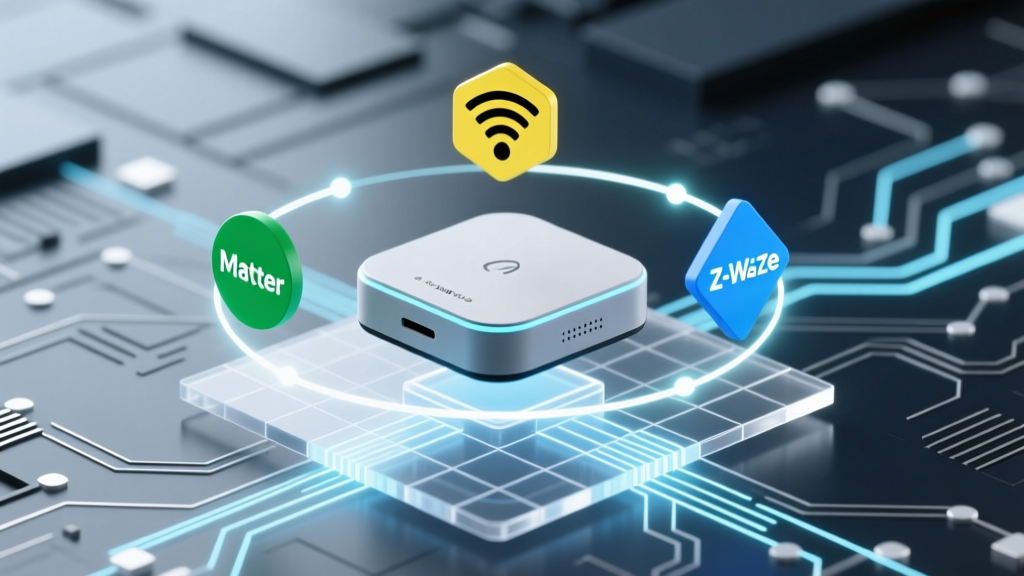
For over a decade, the smart home industry has been plagued by fragmentation. Consumers were forced to choose between walled gardens, juggling multiple apps, and dealing with cloud-dependent devices that became useless the moment a startup went under or a server went offline. Enter Matter, the universal interoperability standard developed by the Connectivity Standards Alliance (CSA). Matter is not a wireless protocol itself; rather, it is an application layer that runs on top of existing networking technologies like Wi-Fi, Thread, and Ethernet, utilizing Bluetooth Low Energy (BLE) for device provisioning.
The promise of Matter is not just about ease of setup; it is about local control, enhanced privacy, and the freedom to choose your preferred voice assistant without sacrificing functionality. Whether you are deeply embedded in the Apple Home ecosystem, a Google Home power user, or an Amazon Alexa loyalist, Matter ensures your devices will respond instantly and reliably. In this comprehensive roundup, we explore the best Matter-compatible smart hubs, lighting solutions, and smart plugs available today, providing you with the technical insights and practical advice needed to build a future-proof smart home.
Technical Basics: How Matter Actually Works
At its core, Matter relies on Internet Protocol (IP). This means every Matter device has its own IP address on your local network, allowing for direct, peer-to-peer communication without routing commands through a distant cloud server. According to the Connectivity Standards Alliance (CSA), this IP-based foundation ensures that Matter devices can communicate seamlessly across different network topologies.
Matter utilizes mDNS (Multicast DNS) and DNS-SD (DNS-Based Service Discovery) to find devices on your network. When you open your smart home app, it broadcasts a query, and Matter devices respond with their capabilities. Furthermore, Matter introduces a robust security framework based on Device Attestation Certificates (DAC). Every certified device contains a unique, hardware-backed cryptographic certificate that proves its authenticity to the controller, preventing spoofing and ensuring end-to-end encryption.
The Transport Layer: Thread vs. Wi-Fi
While Matter dictates the language devices speak, it relies on underlying transport protocols to carry the message. The two primary wireless transports for Matter are Wi-Fi and Thread.
Matter over Wi-Fi
Wi-Fi is ideal for high-bandwidth devices like smart displays, cameras (in upcoming Matter updates), and smart plugs that require constant power. However, Wi-Fi can congest your router if you have dozens of smart bulbs connected directly to it.
Matter over Thread
Thread is the unsung hero of the Matter ecosystem. As detailed by the Thread Group, Thread is a low-power, mesh-networking protocol based on the IEEE 802.15.4 standard. Thread devices talk to each other, creating a self-healing mesh that extends range and reliability without burdening your primary Wi-Fi router. To connect a Thread mesh to your home network, you need a Thread Border Router, which bridges the 802.15.4 mesh to your IP network.
The Foundation: Matter-Compatible Hubs and Border Routers
To use Matter-over-Thread devices, you need a Thread Border Router. Fortunately, most modern smart home hubs double as border routers. Here is how the top contenders compare.
| Device | Primary Ecosystem | Thread Border Router | Wi-Fi Support | Approx. Cost |
|---|---|---|---|---|
| Apple TV 4K (3rd Gen, Ethernet) | Apple Home | Yes | Yes | $149 |
| Amazon Echo Show 8 (3rd Gen) | Amazon Alexa | Yes | Yes | $149 |
| Google Nest Hub (2nd Gen) | Google Home | Yes | No (Thread only) | $99 |
| Samsung SmartThings Station | SmartThings | Yes | No (Thread only) | $69 |
Buying Advice: If you are an Apple user, the Apple TV 4K with Ethernet is the gold standard. The Ethernet port is crucial because it provides a stable backbone for the Thread border router, preventing Wi-Fi interference from bottlenecking your smart home commands. For cross-platform users, the Amazon Echo Show 8 offers excellent multi-admin capabilities, allowing you to easily share device access with family members using different ecosystems.
Illuminating Your Space: Matter-Over-Thread Lighting
Lighting is the most popular entry point into the smart home, and Matter-over-Thread has vastly improved the responsiveness of smart bulbs.
Nanoleaf Essentials A19 Bulb
The Nanoleaf Essentials A19 is a standout Matter-over-Thread bulb. Producing up to 1100 lumens, it supports a wide color temperature range (2700K to 6500K) and full RGB color. Because it uses Thread, it turns on instantly with zero cloud latency. Priced around $29.99, it is an excellent value. Note: You must have a Thread Border Router to use its Thread capabilities; otherwise, it falls back to Bluetooth LE, which has limited range.
Philips Hue (via Hue Bridge)
Philips Hue uses its own proprietary Zigbee mesh, but the Hue Bridge acts as a Matter controller. By enabling Matter in the Hue app, the Bridge exposes all your connected Hue lights and switches to your Matter ecosystem (Apple Home, Google Home, etc.). This is the most reliable way to integrate dozens of lights without clogging your Thread or Wi-Fi networks, though the Hue Bridge itself costs around $60.
Power and Monitoring: Matter Smart Plugs
Smart plugs are perfect for automating 'dumb' appliances like coffee makers, fans, or holiday lighting.
Eve Energy Plug
Eve has been a pioneer in Thread and HomeKit, and the Eve Energy Plug (Matter edition) is a premium choice. It features built-in energy monitoring, allowing you to track voltage, current, and wattage directly in your smart home app. Operating over Thread, it is incredibly reliable and costs approximately $49.95. It is bulkier than some competitors, which may block adjacent outlets.
TP-Link Tapo P125M
For a budget-friendly, Wi-Fi-based Matter plug, the TP-Link Tapo P125M is hard to beat at $19.99. It is compact, supports energy monitoring, and provisions easily via Bluetooth LE into your Matter network. Because it uses Wi-Fi, it doesn't require a Thread Border Router, making it ideal for beginners who only have a standard Wi-Fi router and a Matter controller (like a Nest Mini or standard Echo Dot).
Average Retail Price of Top Matter Devices
Security Architecture: The DAC Ledger
One of the most significant, yet least discussed, features of Matter is its approach to security. As noted in the Wikipedia overview of the Matter standard, Matter utilizes a distributed ledger technology to manage Device Attestation Certificates (DAC). When you scan a Matter QR code, your hub checks the device's cryptographic signature against the CSA's ledger. If the device is a clone or has been tampered with, the network will reject it. This hardware-level security is a massive leap forward from older protocols that relied on easily intercepted cloud tokens or basic WPA2 Wi-Fi passwords.
Multi-Admin Provisioning: The End of Ecosystem Lock-In
Historically, if you wanted to use a smart plug in both Apple Home and Google Home, you had to rely on clumsy cloud-to-cloud integrations that introduced latency and points of failure. Matter introduces Multi-Admin. During setup, you can provision a device to your primary ecosystem (e.g., Apple Home) and simultaneously grant administrative rights to a secondary ecosystem (e.g., Google Home). Both hubs communicate with the device locally and independently. If one hub goes offline, the other continues to function flawlessly.
Practical Setup Advice and Troubleshooting
While Matter is designed to be user-friendly, network topology can still cause provisioning headaches. Follow these actionable tips to ensure a smooth setup:
- Enable IPv6 on Your Router: Thread relies entirely on IPv6. While most modern routers have this enabled by default, some ISP-provided gateways disable it. Log into your router admin panel and ensure IPv6 is active.
- Separate Your 2.4GHz and 5GHz Bands: Matter devices use Bluetooth LE to receive Wi-Fi credentials during setup. Many smart plugs only support 2.4GHz Wi-Fi. If your router uses a single SSID for both bands (band steering), your phone might try to hand off the device to the 5GHz band during provisioning, causing the setup to fail. Temporarily splitting your SSIDs can resolve this.
- Proximity Matters During Setup: Because Bluetooth LE is used for the initial handshake, ensure your phone, the Matter controller (hub), and the new device are all within 10 feet of each other during the first boot.
- Update Firmware First: Before adding a new Matter device, ensure your Thread Border Routers (Apple TV, Echo, Nest Hub) are running the latest firmware. Early Matter 1.0 releases had multi-admin bugs that were largely resolved in Matter 1.1 and 1.2 updates.
Cost Breakdown and ROI
Building a Matter-first home does not require replacing every device you own. A practical starter kit includes one robust hub ($129-$149), a multi-pack of Matter-over-Thread bulbs ($50-$80), and a couple of smart plugs ($40). For roughly $250, you can achieve a highly responsive, locally controlled ecosystem that spans multiple voice assistants. The return on investment comes not just in energy savings (via automated lighting and plug scheduling), but in the longevity of the devices. Because Matter is an open standard backed by Apple, Amazon, Google, and Samsung, these devices are insulated from the risk of proprietary cloud shutdowns.
Future-Proofing Your Smart Home
The current Matter specification (1.2 and 1.3) covers lighting, plugs, blinds, HVAC, and sensors. However, the CSA is actively working on updates to include Matter support for robotic vacuums, EV chargers, and security cameras. By investing in a robust Thread mesh network and a capable Matter controller today, you are laying the groundwork for a truly unified, interoperable smart home that will adapt to whatever hardware the industry releases tomorrow.