The Unique Challenges of Multi-Dwelling Unit (MDU) Networks
Designing a smart network for a single-family home is a relatively straightforward endeavor. However, scaling smart home protocols for Multi-Dwelling Units (MDUs), apartment complexes, and commercial multi-tenant buildings introduces a host of complex RF (Radio Frequency) and networking challenges. In an MDU environment, property managers and system integrators must contend with extreme device density, severe physical obstructions, and the ever-present threat of co-channel interference.
The physical construction of commercial buildings heavily impacts wireless propagation. While standard drywall introduces minimal signal attenuation (typically -2dB to -5dB), commercial MDUs frequently utilize reinforced concrete, cinder block, and steel stud framing. A single reinforced concrete wall can cause signal attenuation ranging from -15dB to over -30dB, effectively acting as a Faraday cage that traps 2.4GHz signals inside individual units or prevents them from reaching centralized corridor gateways.
Furthermore, the 2.4GHz spectrum is notoriously congested. In a 50-unit apartment building, if every tenant brings their own Wi-Fi router and a mix of Zigbee or Bluetooth devices, the noise floor rises dramatically. This results in packet loss, increased latency, and failed mesh routing. Therefore, selecting the right protocol is not just about range; it is about interference resilience, node density limits, and tenant data isolation.
Protocol Contenders for Commercial and MDU Deployments
When outfitting an MDU or commercial space, system integrators generally choose between three dominant wireless standards: Zigbee 3.0, Thread (often associated with the Matter standard), and Wi-Fi 6. Each protocol offers distinct advantages and limitations when pushed beyond the boundaries of a single-family residence.
Zigbee 3.0: The Legacy Workhorse
Zigbee has been the backbone of commercial lighting and sensor networks for over a decade. Operating on the IEEE 802.15.4 standard in the 2.4GHz band, Zigbee 3.0 utilizes a mesh topology where mains-powered devices act as routers to extend the network. In an MDU setting, Zigbee is highly cost-effective for deploying hundreds of low-power sensors, such as door/window contacts, leak detectors, and occupancy sensors.
Pros: Massive ecosystem of inexpensive end-devices (often $10 to $25 per sensor). Mature silicon from vendors like Silicon Labs (EFR32 series) and Texas Instruments.
Cons: Zigbee meshes can suffer from "routing loops" and "black hole" routing in highly dense, multi-floor environments. A single Zigbee coordinator typically struggles to manage more than 200 to 250 nodes before network latency degrades. Furthermore, Zigbee lacks native IP addressing, requiring a dedicated hub to bridge the mesh to the building's local area network (LAN).
Best MDU Products: Sonoff ZBDongle-E (for centralized corridor coordinators), Aeotec Smart Home Hub 7, and Philips Hue infrastructure for localized unit control.
Thread (and Matter): The Modern Mesh Standard
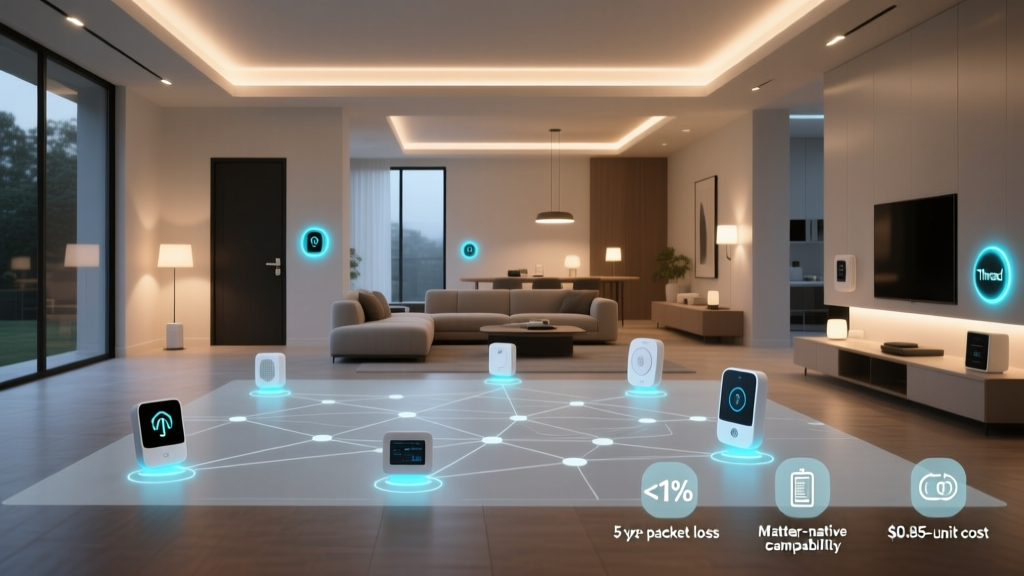
Thread is an IPv6-based, low-power mesh networking protocol built on the same IEEE 802.15.4 radio standard as Zigbee, but with a fundamentally different network layer. Thread uses 6LoWPAN to compress IPv6 headers, allowing every single sensor and smart switch to possess its own routable IP address. According to the Thread Group, this IP-native architecture eliminates the need for centralized translator hubs, allowing Thread Border Routers to seamlessly bridge the mesh to standard Ethernet or Wi-Fi networks.
Pros: Superior self-healing capabilities. Thread networks can support multiple Border Routers simultaneously without creating routing conflicts, making it ideal for MDUs where a property manager might install a Thread Border Router in every apartment unit or every hallway.
Cons: The ecosystem is still maturing compared to Zigbee. End devices are currently more expensive, and configuring enterprise-grade Thread networks requires a deeper understanding of IPv6 subnetting.
Best MDU Products: Apple TV 4K or HomePod Mini (acting as robust Thread Border Routers per unit), Nanoleaf Skylight panels, and Eve Energy smart plugs.
Wi-Fi 6 (802.11ax): The High-Bandwidth Heavyweight
While Wi-Fi is traditionally avoided for battery-powered sensors due to high power consumption, Wi-Fi 6 has revolutionized how MDUs handle high-bandwidth and critical infrastructure devices. The Wi-Fi Alliance highlights that Wi-Fi 6 introduces OFDMA (Orthogonal Frequency-Division Multiple Access) and BSS Coloring. BSS Coloring is a game-changer for MDUs: it tags data frames with a "color" identifier, allowing access points and devices to ignore neighboring networks operating on the same channel, drastically reducing co-channel interference in dense apartment halls.
Pros: Unmatched bandwidth for security cameras, smart thermostats, and HVAC controllers. Native integration with existing enterprise IT infrastructure.
Cons: High power draw makes it unsuitable for coin-cell battery sensors. High deployment cost for enterprise-grade Access Points (APs).
Best MDU Products: Ubiquiti UniFi U6-Pro (for corridor and in-unit ceiling mounting), TP-Link Omada EAP610, and Aruba Instant On AP22.
Head-to-Head Comparison: Zigbee vs. Thread vs. Wi-Fi in MDUs
To help system integrators and property developers make informed decisions, the table below outlines the critical technical specifications of each protocol when deployed in a high-density multi-tenant environment.
| Feature | Zigbee 3.0 | Thread (Matter) | Wi-Fi 6 (802.11ax) |
|---|---|---|---|
| Frequency Band | 2.4 GHz | 2.4 GHz | 2.4 GHz / 5 GHz / 6 GHz |
| Max Practical Nodes per Gateway | ~200 - 250 | ~250 - 300+ | ~60 - 100 per AP |
| Network Layer | Proprietary Mesh | IPv6 (6LoWPAN) | IPv4 / IPv6 |
| Power Consumption | Very Low (uA sleep) | Very Low (uA sleep) | High (mA to A) |
| Interference Resilience | Moderate (Channel Hopping) | High (Mesh Redundancy) | Very High (BSS Coloring) |
| Typical Node Cost | $10 - $25 | $25 - $60 | $50 - $150+ |
| Best MDU Application | Leak sensors, door contacts | Smart locks, lighting, thermostats | IP Cameras, HVAC, AP backhaul |
Visualizing Network Density and Interference Tolerance
The following chart illustrates the practical limitations and resilience scores of each protocol when deployed in a high-density MDU environment. Note that while Wi-Fi supports the highest bandwidth, its node density per Access Point is strictly limited to maintain Quality of Service (QoS), whereas Thread's distributed Border Router architecture allows for massive scalability.
MDU Protocol Density and Resilience Comparison
Strategic Deployment: The Hybrid Architecture
The most successful commercial MDU deployments do not rely on a single protocol. Instead, they utilize a hybrid architecture tailored to the physical layout of the building and the specific requirements of the devices being deployed.
1. The Corridor and Perimeter (Wi-Fi 6 & Ethernet)
Common areas, hallways, and building perimeters require high-bandwidth, high-reliability connections. Enterprise-grade Wi-Fi 6 Access Points (such as the Ubiquiti U6-Pro) should be hardwired via PoE (Power over Ethernet) in the ceilings. These APs handle building-wide security cameras, smart access control panels, and amenity room automation. By utilizing the 5GHz band for cameras and reserving the 2.4GHz band strictly for IoT management, integrators can prevent video streams from choking out smart home commands.
2. In-Unit Lighting and Controls (Thread)
Inside individual apartment units, Thread is rapidly becoming the gold standard for lighting, smart blinds, and thermostats. By installing a dedicated Thread Border Router (like an Apple TV 4K or a dedicated Nanoleaf hub) within each unit, the property manager creates a localized, self-healing mesh. Because Thread is IP-based, these devices can be routed through the building's VLAN infrastructure directly to a centralized property management dashboard without needing proprietary cloud hubs. According to the Connectivity Standards Alliance, the integration of Thread with the Matter standard ensures that tenants can use their preferred consumer ecosystems (Apple Home, Google Home) while the building retains underlying administrative control.
3. Environmental and Security Sensors (Zigbee)
For devices that need to be "set and forget" on a coin-cell battery for 3 to 5 years, Zigbee 3.0 remains highly relevant. Water leak sensors under sinks, smoke alarm listeners, and window tamper sensors generate tiny packets of data infrequently. A centralized Zigbee coordinator located in a building's IT closet, paired with mains-powered Zigbee repeaters hidden in corridor light fixtures, can blanket multiple floors in a low-cost sensor mesh.
Security and Tenant Data Isolation
In a multi-family building, network security is not just about keeping hackers out; it is about ensuring tenant privacy and data isolation. A tenant in Unit 4B must not be able to intercept or control the smart lock of Unit 4A.
- VLAN Segmentation: Wi-Fi networks must utilize WPA3-Enterprise or dynamic VLAN assignment via RADIUS. Each apartment unit should be assigned to its own isolated VLAN, preventing lateral movement across the building's LAN.
- Thread Network Credentials: Thread networks use AES-128 encryption. In an MDU, integrators must ensure that the Thread network credentials (the Master Key) are unique per unit or per floor. If a single master key is used for the entire building, a compromised device in one unit could theoretically decrypt mesh traffic in another.
- MAC Address Randomization: Modern mobile devices use MAC randomization, which can break traditional IoT onboarding portals. MDU networks must be configured to handle DHCP fingerprinting rather than relying on static MAC whitelisting for tenant devices.
Cost Analysis for a 20-Unit MDU Retrofit
To understand the financial implications of protocol selection, consider a retrofit of a 20-unit, three-story apartment building. The goal is to equip each unit with a smart lock, a smart thermostat, two leak sensors, and one smart lighting circuit, alongside hallway security cameras.
Infrastructure Costs:
- 6x Ubiquiti U6-Pro Wi-Fi APs (Hallways & Common Areas): $1,080
- 1x Centralized Zigbee Coordinator (Sonoff Dongle + Raspberry Pi): $80
- 20x Thread Border Routers (In-unit hubs): $1,800
- PoE Switches and Cabling: $1,500
Per-Unit Device Costs (x20):
- Z-Wave/Thread Smart Locks ($250 each): $5,000
- Wi-Fi/Thread Thermostats ($150 each): $3,000
- Zigbee Leak Sensors ($25 each x 2): $1,000
- Thread Smart Switches ($60 each): $1,200
Total Estimated Hardware Cost: ~$14,660 (approx. $733 per unit). While the initial capital expenditure is significant, the ROI is realized through reduced water damage (via instant leak shutoffs), optimized HVAC energy usage in vacant units, and premium rent pricing for smart-enabled apartments.
Conclusion
Scaling smart home protocols for Multi-Dwelling Units and commercial buildings requires a departure from single-home consumer logic. Zigbee 3.0 offers an unbeatable cost-to-performance ratio for low-bandwidth environmental sensors, while Thread provides a robust, IP-native foundation for in-unit automation and lighting. Meanwhile, Wi-Fi 6 remains the undisputed king for high-bandwidth infrastructure and security. By adopting a hybrid approach—leveraging BSS Coloring for dense Wi-Fi corridors, localized Thread meshes for tenant spaces, and targeted Zigbee sensor nets—property developers can build resilient, future-proof smart buildings that enhance tenant satisfaction and operational efficiency.