Introduction to Mesh Network Self-Healing
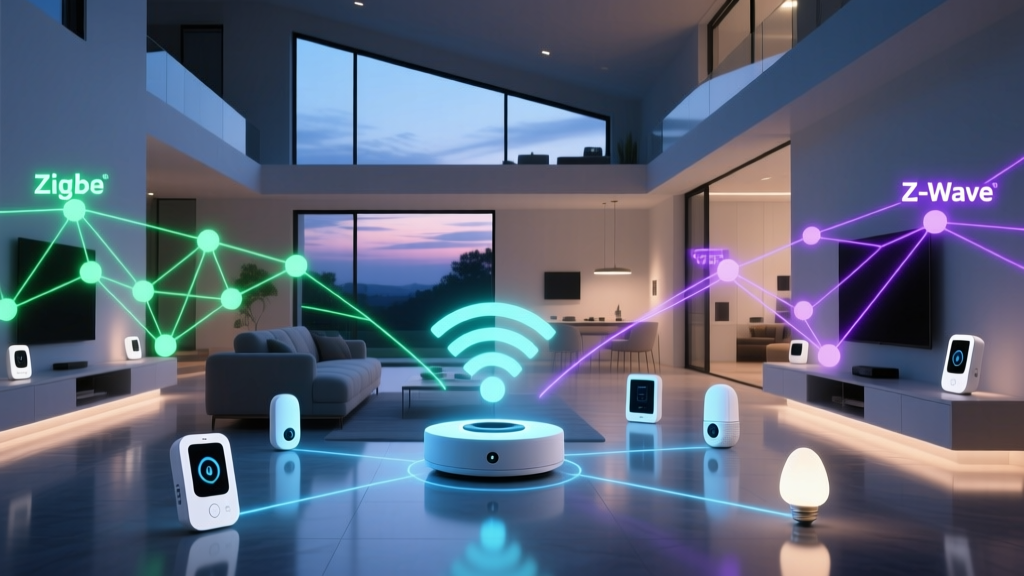
When building a robust smart home, the underlying wireless protocol is just as critical as the devices themselves. Unlike traditional Wi-Fi networks, which rely on a star topology where every device connects directly to a central router, smart home protocols like Thread, Zigbee, and Z-Wave utilize a mesh network topology. In a mesh network, devices (nodes) communicate not only with the central hub but also with each other, passing data across the network like a digital bucket brigade. But what happens when a node in the middle of that chain loses power, is removed, or experiences severe interference? This is where the magic of self-healing comes into play.
Star Topology vs. Mesh Topology
In a standard Wi-Fi setup, if your smartphone moves out of the router's range, it simply drops the connection. To fix this, you must install a Wi-Fi extender or mesh Wi-Fi system, which operates independently of your IoT device protocols. Smart home mesh networks, however, turn every mains-powered device—like a smart plug, light switch, or smart bulb—into a repeater. Battery-powered sensors (like door contacts or motion detectors) act as end-devices, sleeping to conserve power and relying on the nearest repeater to pass their signals to the hub. If a repeater goes offline, the network must dynamically recalculate the path for the end-devices that relied on it.
Self-Forming vs. Self-Healing: What is the Difference?
Many manufacturers use these terms interchangeably in marketing materials, but from a networking engineering perspective, they describe two distinct phases of a mesh network's lifecycle.
- Self-Forming: This occurs during the initial commissioning of the network. When you pair a new device, it scans the radio frequencies, identifies the strongest neighboring nodes, and establishes a routing table. The network forms a map of available paths from the end-device to the coordinator (hub).
- Self-Healing: This is the reactive process that occurs when an established route fails. If a smart plug acting as a repeater is unplugged, the orphaned devices downstream will detect the loss of their parent node. They will then broadcast a routing request to find an alternative path to the coordinator, effectively healing the broken link without human intervention.
The true test of a smart home protocol is not just how fast it connects, but how gracefully it recovers when the physical environment changes or hardware fails.
The Brains Behind the Heal: Routing Algorithms Explained
To understand self-healing, we must look at the specific routing protocols that govern Thread, Zigbee, and Z-Wave. Each handles route discovery and failure recovery differently, which directly impacts the speed and reliability of your smart home automations.
Zigbee and AODV Routing
Zigbee PRO (the foundation of Zigbee 3.0) utilizes a variation of Ad hoc On-Demand Distance Vector (AODV) routing combined with tree routing. When a route breaks, the device attempting to send data will trigger a Route Error (RERR) message. Neighboring routers then initiate a Route Request (RREQ) flood to discover a new path to the destination. While effective in dense networks, this flooding mechanism can cause temporary latency and network congestion during the healing phase, especially if multiple nodes fail simultaneously.
Thread and IPv6 Multicast
Thread is built natively on IPv6 and 6LoWPAN. Instead of relying on a single coordinator, Thread networks utilize multiple Border Routers. Thread uses the Routing Protocol for Low-Power and Lossy Networks (RPL), which builds a Directed Acyclic Graph (DAG). If a router drops, the DAG topology instantly recalculates, and devices seamlessly failover to an alternative Border Router. Because Thread treats every device as an IP-addressable node, self-healing is exceptionally fast and avoids the single-point-of-failure bottleneck inherent in older Zigbee implementations.
Z-Wave and Explorer Frames
Z-Wave employs a Source Routing mechanism. The hub calculates the optimal path and includes the entire route in the message header. If a node in that path fails to acknowledge the signal, the Z-Wave hub uses Explorer Frames—special broadcast packets that map out a new route through the mesh. The Z-Wave 800 series has significantly optimized this process, reducing the time it takes to heal a broken route to mere milliseconds, ensuring your lights still turn on even if a primary repeater goes down.
Protocol Comparison: Thread vs. Zigbee vs. Z-Wave
Choosing the right protocol depends on your home's construction, the number of devices you plan to deploy, and your tolerance for network maintenance. Below is a technical comparison of the three dominant self-healing mesh protocols.
| Protocol | Frequency | Max Nodes | Routing Type | Typical Hub Cost |
|---|---|---|---|---|
| Thread | 2.4 GHz | 65,000+ | RPL (IPv6 Mesh) | $90 - $250 |
| Zigbee 3.0 | 2.4 GHz | 65,000+ | AODV / Tree | $50 - $150 |
| Z-Wave 800 | Sub-GHz | 232 | Source Routing | $100 - $180 |
Thread: The Border Router Advantage
Thread is rapidly becoming the gold standard for new smart home deployments, largely driven by the Matter standard. According to the Connectivity Standards Alliance (CSA), Thread's defining feature is its lack of a single point of failure. In a Thread network, any mains-powered device can act as a router, and you can have multiple Thread Border Routers (devices that bridge the Thread mesh to your Wi-Fi/Ethernet LAN) active simultaneously.
Top Thread Border Routers & Devices
- Apple HomePod (2nd Gen) & HomePod Mini: Both serve as exceptional Thread Border Routers. The 2nd Gen HomePod ($299) includes a dedicated Thread radio and temperature/humidity sensors, making it a premium hub for Apple HomeKit and Matter ecosystems.
- Amazon Echo Show 8 (3rd Gen): Priced around $149, this smart display includes a built-in Thread Border Router and Matter controller, offering a visual interface for your self-healing mesh.
- Nanoleaf Shapes (Hexagons/Triangles): Starting at $199 for a starter kit, these smart light panels are not just decor; they are hardwired Thread routers that blanket your ceilings and walls in a highly resilient mesh signal.
Zigbee 3.0: The 2.4 GHz Workhorse
Zigbee remains the most widely deployed mesh protocol globally, powering everything from Philips Hue bulbs to Amazon Echo's internal smart home hub. Operating on the crowded 2.4 GHz band, Zigbee is susceptible to Wi-Fi interference, which makes its self-healing capabilities vital. When a Wi-Fi router blasts a large download, it can temporarily drown out a Zigbee signal; a robust Zigbee mesh will automatically route around the interference zone.
Top Zigbee Coordinators
- Philips Hue Bridge (V2): At $59, it is the most plug-and-play Zigbee coordinator available. While closed to non-Hue devices by default, its internal mesh management and self-healing algorithms are heavily optimized for lighting latency.
- Home Assistant SkyConnect / Connect ZBT-1: Priced at $30, this USB dongle allows advanced users to run Zigbee2MQTT or ZHA (Zigbee Home Automation), giving you granular control over mesh mapping, LQI (Link Quality Indicator) monitoring, and manual route healing.
- Aqara Smart Hub M2: Costing around $65, this hub supports Zigbee 3.0, Matter, and includes an IR blaster, making it a versatile bridge for mixed-protocol homes.
Z-Wave 800 Series: Sub-GHz Reliability
Z-Wave's primary advantage is its use of the Sub-GHz frequency band (908.42 MHz in the US). Because it avoids the 2.4 GHz spectrum entirely, Z-Wave is virtually immune to Wi-Fi and Bluetooth congestion. Furthermore, Sub-GHz waves penetrate walls, floors, and foliage much better than 2.4 GHz signals. The Z-Wave Alliance highlights that the newer Z-Wave Long Range (LR) specification can reach up to 1 mile in open air, drastically reducing the number of repeaters needed to maintain a self-healing backbone.
Top Z-Wave Hubs & Repeaters
- Aeotec Smart Home Hub 7: Retailing for $130, this hub (compatible with SmartThings and Home Assistant) features a custom-designed antenna array that maximizes Z-Wave mesh coverage and healing speed.
- Hubitat Elevation (Model C-8): At $149, Hubitat is beloved by enthusiasts for its local processing and advanced Z-Wave mesh management tools, allowing you to manually trigger heals and view detailed routing tables.
- Zooz ZEN72 Z-Wave 800 Smart Switch: Costing $45, this in-wall dimmer acts as a powerful S2-secured repeater. Installing these in high-traffic areas creates an impenetrable Z-Wave backbone.
Practical Guide to Building a Resilient Mesh
A self-healing network is only as strong as its physical layout. You cannot rely on software algorithms to overcome terrible hardware placement. To ensure your Thread, Zigbee, or Z-Wave network can heal effectively, follow these actionable deployment rules:
- Build the Backbone First: Always install and pair mains-powered repeaters (smart plugs, in-wall switches, hardwired lights) before pairing battery-powered sensors. The repeaters must form a stable web before the end-devices attempt to latch onto them.
- The Rule of Three: Every battery-powered sensor should have a direct line of sight to at least three different mains-powered repeaters. If one repeater fails or experiences interference, the sensor instantly has two alternative parents to route through, making the self-healing process instantaneous.
- Centralize the Coordinator: Never place your Zigbee or Z-Wave hub in a basement corner or a metal AV rack. Metal acts as a Faraday cage, destroying RF signals. Place the hub in the geographic center of your home, elevated at least 3 feet off the ground.
- Mind the Materials: While Z-Wave Sub-GHz can penetrate brick and plaster, 2.4 GHz (Thread/Zigbee) struggles with radiant floor heating foil, metal lath plaster, and large mirrors. Avoid routing 2.4 GHz signals directly through these materials.
Troubleshooting: When and How to Force a Mesh Heal
Despite the term self-healing, there are scenarios where a network becomes stuck in a sub-optimal routing loop, often referred to as a 'routing black hole.' This usually happens if a hub is moved, or if a large metal appliance (like a new refrigerator) is placed directly over a primary repeater.
Forcing a Heal in Z-Wave
If your Z-Wave devices are experiencing delayed responses or dropping off the network, you may need to force a manual heal. In platforms like Home Assistant (using Z-Wave JS UI), navigate to the Controller settings and select Heal Network. This forces the hub to ping every node and recalculate the most efficient source routes based on the current physical environment. Note: Do not do this daily. Healing a Z-Wave network generates massive RF traffic and can temporarily slow down automations. Only heal after significant physical changes to your home.
Optimizing Zigbee and Thread
Thread networks rarely require manual healing due to the continuous nature of RPL topology updates. However, Zigbee networks can sometimes suffer from 'stale' routing tables if a router is removed without being properly unpaired. To fix this, power cycle the orphaned end-device (remove and reinsert the battery) to force it to broadcast a fresh Route Request and rejoin the mesh via a healthy parent node. Additionally, ensure your Zigbee channel (15, 20, or 25) does not overlap with your primary Wi-Fi channels (1, 6, or 11).
Conclusion
Self-healing mesh networks are the unsung heroes of the modern smart home. While Wi-Fi handles your high-bandwidth needs like streaming and video doorbells, Thread, Zigbee, and Z-Wave provide the low-latency, high-reliability backbone required for sensors, locks, and lighting. By understanding how AODV, RPL, and Source Routing algorithms dynamically recover from node failures, you can design a smart home that doesn't just work when everything is perfect, but continues to function flawlessly when the unexpected occurs. Whether you choose the IPv6 future of Thread, the ubiquitous ecosystem of Zigbee, or the interference-free reliability of Z-Wave, prioritizing mains-powered repeaters and strategic hub placement will guarantee a resilient, self-healing home.