The Foundation: AES-128 and the Reality of Implementation
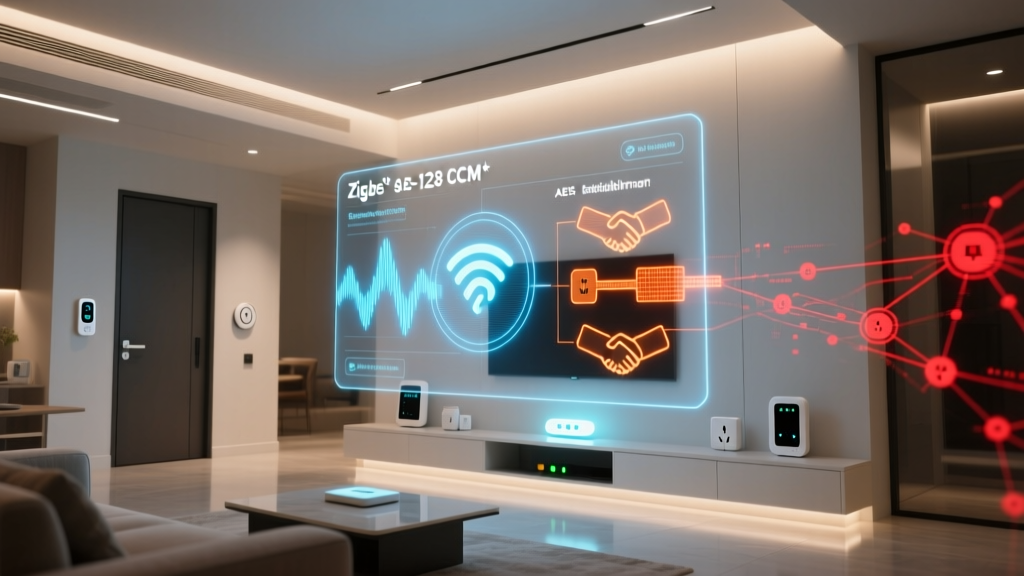
When evaluating the security of smart home mesh networks, consumers and integrators often stop at the headline specification: AES-128 encryption. It is true that Zigbee, Z-Wave, and Thread all rely on the Advanced Encryption Standard with a 128-bit key length to secure over-the-air (OTA) payloads. However, treating AES-128 as a universal guarantee of safety is a critical mistake. The true security posture of a smart home protocol is not defined merely by the encryption algorithm, but by the key management architecture, the commissioning process, and the protocol's resilience against downgrade and replay attacks.
In this comprehensive vulnerability audit, we dissect the security frameworks of Zigbee, Z-Wave, and Thread. We will examine historical exploits, analyze modern mitigation strategies, and provide a practical, step-by-step guide to auditing your own smart home mesh network for latent vulnerabilities.
Zigbee Security Audit: Convenience vs. Vulnerability
Zigbee remains one of the most widely deployed mesh protocols, powering everything from Philips Hue lighting ecosystems to Samsung SmartThings sensors. The Connectivity Standards Alliance (CSA) oversees the Zigbee specification, and with the advent of Zigbee 3.0, significant strides were made to unify and secure the network layer. Yet, legacy vulnerabilities and implementation flaws continue to pose risks.
The Touchlink Master Key Exploit
The most infamous vulnerability in Zigbee's history stems from the ZigBee Light Link (ZLL) profile, specifically the Touchlink commissioning feature. Designed to allow easy pairing of remotes and bulbs without a central hub, Touchlink relied on a hardcoded, universal master key. In 2015, security researchers extracted this master key and published it online. Because the key was identical across all ZLL-certified devices, attackers within physical proximity (using a simple $25 software-defined radio or a flashed Zigbee USB dongle) could intercept the handshake, generate valid network keys, and permanently take over smart bulbs, effectively locking the legitimate owner out of their own hardware.
While Zigbee 3.0 deprecated the universal master key in favor of unique Install Codes, millions of legacy ZLL devices remain in homes today. Furthermore, researchers have occasionally found that some manufacturers improperly implement Zigbee 3.0 Install Codes, falling back to the insecure 'well-known' default link key during the initial network join, leaving the network key exposed to passive sniffing during the pairing window.
Actionable Zigbee Security Advice
- Disable Touchlink: If your hub (e.g., Home Assistant with Zigbee2MQTT, or a ConBee II stick) supports it, explicitly disable Touchlink commissioning to prevent unauthorized ZLL proximity attacks.
- Enforce Install Codes: When adding new Zigbee 3.0 devices, always use the unique QR-code-based Install Code printed on the device label rather than permitting 'permit join' with the default well-known key.
- Isolate Legacy Devices: If you must use older ZLL bulbs, consider placing them on a secondary, isolated Zigbee network (using a dedicated hub) so that a compromised bulb cannot act as a router to expose your primary network's security keys.
Z-Wave Security Audit: The S2 Framework Evolution
Z-Wave operates in the sub-GHz spectrum (e.g., 908.42 MHz in North America), granting it superior wall penetration and range compared to 2.4 GHz protocols. Historically, Z-Wave's security was an optional add-on, leading to fragmented implementations. Today, the Silicon Labs Z-Wave S2 Security framework represents a massive architectural overhaul designed to eliminate the protocol's historical weaknesses.
The S0 Fallback Vulnerability
The original Z-Wave security framework, known as S0, utilized AES-128 but suffered from a cumbersome pairing process and high latency. More importantly, it was vulnerable to downgrade attacks. During the inclusion process, a malicious actor could jam or spoof the S2 capability exchange, forcing a modern Z-Wave device to fall back to the legacy, less secure S0 framework. Once operating in S0, the key exchange could be intercepted or subjected to brute-force attacks.
The S2 framework mitigates this through Elliptic Curve Diffie-Hellman (ECDH) key exchange. S2 ensures that if a device claims to support S2, the controller will refuse to pair it via S0, entirely eliminating the downgrade vector. S2 also introduces three distinct security classes: Unauthenticated, Authenticated, and Access Control, ensuring that high-value targets like smart locks (e.g., the Yale Assure Lock 2) require QR-code or PIN-based out-of-band authentication during pairing.
Actionable Z-Wave Security Advice
- Mandate Z-Wave Plus v2: When purchasing new devices, such as the Aeotec Smart Switch 7 or Inovelli dimmers, ensure they are certified 'Z-Wave Plus v2', which mandates S2 security and SmartStart provisioning.
- Utilize SmartStart: Instead of putting your hub into a vulnerable 'inclusion mode' that accepts any device within range, scan the device's SmartStart QR code into your hub's database. The device will only be provisioned when it is powered on, utilizing secure ECDH authentication.
- Audit Legacy S0 Devices: Use your hub's Z-Wave management tools (like the Z-Wave JS UI in Home Assistant) to audit your network. If any critical devices, especially door locks or garage door controllers, are using S0 or no security, replace them immediately.
Thread Security Audit: IPv6 and DTLS Integration
Thread is the newest entrant to the smart home mesh arena, gaining massive traction due to its role as the foundational transport layer for Matter. Unlike Zigbee and Z-Wave, which were built from the ground up for low-power IoT, Thread is built upon standard IPv6 and 6LoWPAN, bringing enterprise-grade networking concepts to the smart home.
Datagram Transport Layer Security (DTLS)
Thread secures its mesh using DTLS, the UDP-equivalent of TLS. Every node in a Thread network participates in a secure mesh routing fabric. According to the Thread Group Security specifications, the network relies on a Master Key to derive operational keys, but the commissioning process is where Thread truly shines. Thread utilizes Bluetooth Low Energy (BLE) for out-of-band commissioning. A user's smartphone securely transfers the Thread network credentials to the new device via an encrypted BLE session, completely bypassing the vulnerable 'open joining' windows that plague other mesh protocols.
Furthermore, Thread networks utilize a mesh coprocessor architecture. The Thread Border Router (e.g., Apple HomePod mini, Amazon Echo 4th Gen, or dedicated Nanoleaf Border Routers) handles the complex DTLS handshakes and IPv6 routing, ensuring that end-device battery life is not compromised by heavy cryptographic overhead.
Actionable Thread Security Advice
- Verify Border Router Firmware: Because the Border Router acts as the security gateway and credential distributor for the Thread fabric, ensure your Apple, Google, or Amazon Border Routers are running the latest firmware to patch any localized DTLS implementation flaws.
- Leverage Matter's Multi-Admin Feature: Thread's underlying IPv6 architecture allows for secure multi-admin fabric sharing. Use this to securely share device access between different ecosystems (e.g., Apple Home and Home Assistant) without exposing raw network keys.
Protocol Security Comparison Matrix
To understand how these protocols stack up against one another from a vulnerability and architecture standpoint, review the comparison matrix below:
| Feature | Zigbee 3.0 | Z-Wave (S2 Framework) | Thread (Matter Ready) |
|---|---|---|---|
| Base Encryption | AES-128-CCM | AES-128-CCM | AES-128-CCM (MAC) + DTLS |
| Key Exchange | Install Code / CBKE | ECDH (Curve25519) | DTLS via BLE Commissioning |
| Downgrade Resistance | Moderate (Legacy ZLL risks) | High (S2 enforcement) | Very High (No legacy fallback) |
| Primary Attack Vector | Sniffing during 'Permit Join' | Physical proximity jamming | Compromised Border Router |
| Provisioning UX | QR Code / Manual Hex Code | QR Code (SmartStart) / DSK | BLE Out-of-Band / Matter QR |
Visualizing Security Overhead
Security does not come for free. Cryptographic handshakes introduce latency and consume battery power, which is a critical metric for coin-cell-operated sensors. The chart below illustrates the average security provisioning handshake latency across the three protocols when utilizing their most secure, modern pairing methods.
As visualized, Z-Wave's S2 ECDH handshake is the most computationally intensive, resulting in higher latency during the initial pairing phase. However, this is a one-time cost during provisioning; ongoing mesh routing overhead remains minimal across all three protocols.
How to Audit Your Smart Home Mesh Network
Theoretical security is only half the battle; practical implementation dictates your actual risk profile. Follow this step-by-step audit guide to evaluate the vulnerability of your current smart home deployment.
Step 1: Inventory and Firmware Verification
Export your device list from your primary hub (SmartThings, Hubitat, Home Assistant). Cross-reference every device with the manufacturer's support page to ensure it is running the latest firmware. Many early-generation Zigbee and Z-Wave devices received OTA patches years after release to address key-handling bugs. If a device has not received a firmware update since 2018, flag it for replacement.
Step 2: Analyze the Routing Topology
Use your hub's Z-Wave or Zigbee routing map. Identify which devices are acting as repeaters (routers). In a secure mesh, only mains-powered devices should route traffic. If you notice battery-operated sensors attempting to route packets, your mesh is misconfigured, leading to premature battery drain and potential packet-dropping vulnerabilities. Furthermore, ensure that your critical security devices (smart locks) are not routing through third-party, unverified repeater bulbs, which could theoretically log encrypted payloads for offline cryptanalysis.
Step 3: Packet Sniffing and Key Validation
For advanced users, passive network sniffing is the ultimate audit tool. Using a tool like the Sonoff Zigbee 3.0 USB Dongle Plus flashed with packet-sniffer firmware, alongside Wireshark or the Ubiqua Protocol Analyzer, you can capture OTA traffic. While the payloads will be encrypted, you can audit the network's behavior:
- Look for excessive 'Rejoin' requests, which may indicate RF jamming attempts or poor signal integrity causing security state desynchronization.
- Verify that no devices are broadcasting unencrypted 'Match Descriptor' requests that leak detailed manufacturer and model data to the open spectrum.
- Ensure that your hub is not utilizing the default 'well-known' link key (0x5A6967426565416C6C69616E63653039) for ongoing communications, a common misconfiguration in budget Zigbee gateways.
Step 4: Network Isolation and RF Zoning
If your audit reveals legacy devices that cannot be updated or replaced, implement RF zoning. Use a secondary hub to create a physically and logically separate mesh network for these vulnerable devices. Ensure this secondary hub is placed on an isolated VLAN on your home router, preventing any compromised IoT device from pivoting to your primary home network or accessing your NAS and personal computers.
Final Verdict: Securing the Perimeter
The evolution of smart home mesh protocols from simple convenience networks to secure, encrypted fabrics has been dramatic. Z-Wave's S2 framework and Thread's DTLS integration represent the current gold standards in IoT security, effectively neutralizing the downgrade and sniffing attacks that plagued early Zigbee deployments. However, the persistence of legacy hardware means that vulnerability is often dictated by the oldest, least secure device on your mesh.
By mandating modern security frameworks (Zigbee 3.0 Install Codes, Z-Wave S2, Thread BLE commissioning), regularly auditing your routing topology, and isolating legacy hardware, you can transform your smart home from a soft target into a hardened, resilient mesh network. Security is not a product you buy; it is a continuous process of verification, configuration, and vigilance.