The Matter Revolution: Why Migrate Your Legacy Devices?
The smart home industry has historically been fragmented by competing ecosystems, proprietary hubs, and incompatible wireless protocols. The introduction of the Matter standard has fundamentally shifted this landscape, promising a unified, interoperable, and secure application layer for connected devices. However, millions of consumers have already invested heavily in legacy ecosystems built on Zigbee, Z-Wave, and proprietary Wi-Fi implementations. The pressing question for smart home enthusiasts and casual users alike is: do you need to throw away your old devices and start over?
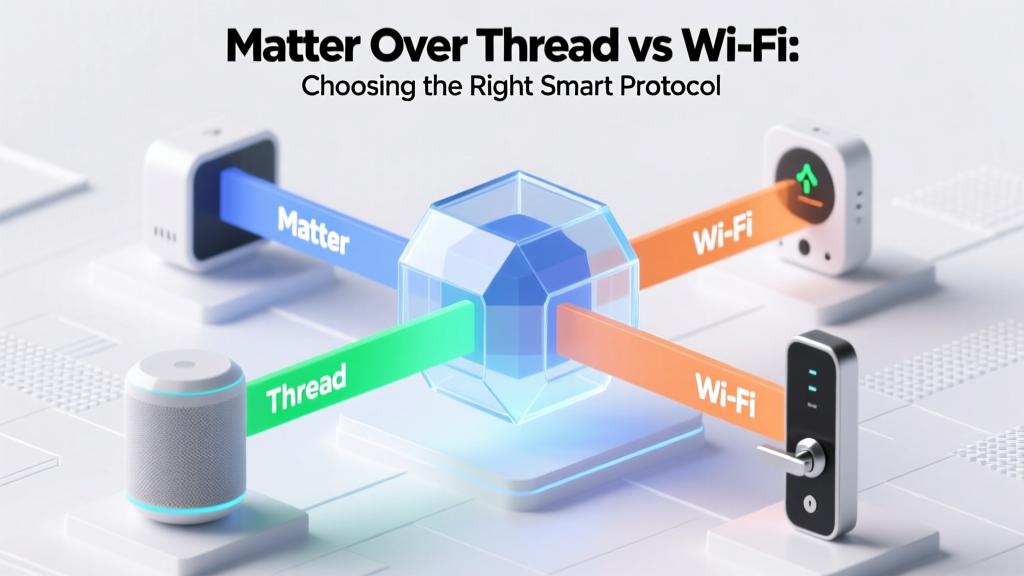
The short answer is no. According to the Connectivity Standards Alliance (CSA), Matter is not a new wireless radio protocol designed to replace Zigbee or Z-Wave; rather, it is an IP-based application layer that runs over Thread, Wi-Fi, and Ethernet. Because of this architecture, legacy devices can be integrated into modern Matter ecosystems through a process known as 'bridging.' By utilizing multi-protocol hubs, firmware updates, and software translators, you can migrate your existing smart home gear into a unified Matter network without replacing every single bulb, sensor, and lock.
As noted in The Verge's comprehensive Matter guide, the true power of Matter lies in its ability to break down walled gardens. Migrating your old devices to Matter means you can control a five-year-old Zigbee motion sensor using Apple HomeKit, Google Home, and SmartThings simultaneously, without relying on cloud-based third-party skills. This guide will walk you through the technical realities, hardware requirements, and step-by-step processes for migrating your legacy devices to the Matter protocol.
Understanding the Core Architecture of Matter Bridging
To successfully migrate old devices, you must understand how a Matter Bridge functions. Matter operates on a unified data model consisting of 'Device Types' and 'Clusters.' For example, a smart bulb is defined by the 'Dimmable Light' device type, which includes clusters for On/Off control, Level Control (dimming), and Color Control.
Legacy protocols like Zigbee and Z-Wave have their own cluster definitions and command structures. A Matter Bridge acts as a real-time translator. On one side, the hub communicates with your legacy devices using their native radio frequencies (e.g., Zigbee 3.0 or Z-Wave Plus). On the other side, the hub translates those native commands into Matter clusters and broadcasts them over your local network via Thread or Wi-Fi. When you tap a switch in Apple Home, the command travels via Matter to the bridge, which instantly translates it into a Zigbee signal to turn on the physical bulb.
This translation process happens locally on the hub's processor, ensuring low latency and maintaining functionality even if your internet connection drops. However, it also means that the bridge must possess the processing power and software support to accurately map legacy features to Matter equivalents. If a legacy device has a highly proprietary feature (like a specific color-loop animation on a smart bulb) that lacks a direct Matter cluster equivalent, that specific feature may be lost in translation, even if basic on/off and dimming controls work perfectly.
Protocol-Specific Migration Paths
Not all legacy protocols are treated equally when it comes to Matter migration. Your strategy will depend entirely on the wireless standard your current devices utilize.
Zigbee: The Easiest Path to Matter
Zigbee 3.0 devices are the most easily migrated to Matter. Because Zigbee is an open standard with well-documented clusters, hub manufacturers have had an easy time writing translation firmware. If you have a home full of Philips Hue, Aqara, or Sengled Zigbee devices, you can migrate them to Matter simply by updating your existing hub's firmware and enabling the Matter Bridge feature in the companion app. The hub will generate a Matter QR code, allowing you to expose all connected Zigbee endpoints to your preferred Matter controller.
Z-Wave: The Software Translation Challenge
The Z-Wave Alliance has explicitly stated that Z-Wave will not natively support Matter at the radio level. Z-Wave remains a separate, highly reliable, low-frequency mesh network. To migrate Z-Wave devices to Matter, you must use a high-end, multi-protocol hub that supports software-based bridging. Hubs like the Homey Pro or Hubitat Elevation can run Z-Wave radios internally while simultaneously acting as a Matter Bridge over Wi-Fi or Thread. This requires robust local processing and frequent software updates from the hub manufacturer to ensure Z-Wave command classes map correctly to Matter clusters.
Wi-Fi: The OTA Firmware Miracle
Legacy Wi-Fi smart plugs, switches, and panels do not require a bridge hub because they already operate on your IP network. Migration for these devices relies entirely on Over-The-Air (OTA) firmware updates provided by the manufacturer. Companies like Eve Systems, Nanoleaf, and TP-Link (Kasa/Tapo) have rolled out firmware updates that convert their older Wi-Fi and Bluetooth devices into native Matter endpoints. If your Wi-Fi device's manufacturer has gone out of business or refuses to issue a Matter firmware update, that specific device cannot be migrated and will remain locked to its original ecosystem.
Top Hubs and Bridges for Matter Migration
Selecting the right bridge is the most critical hardware decision in your migration process. Here are the top performers currently on the market:
- Philips Hue Bridge (V2): The gold standard for Zigbee lighting. A firmware update transformed it into a robust Matter bridge, exposing all connected Hue bulbs, light strips, and switches to Matter controllers. (Cost: ~$60)
- Aqara Hub M2 / M3: Excellent for migrating Aqara's vast lineup of Zigbee sensors, curtain motors, and smart locks. The M3 also acts as a Thread Border Router, making it a dual-threat for modern smart homes. (Cost: ~$90 - $130)
- SwitchBot Hub 2: Essential for migrating SwitchBot's proprietary Bluetooth BLE devices (like the Bot and Curtain Rod) and their Zigbee sensors into the Matter ecosystem. It also includes an IR blaster, allowing you to bridge legacy infrared air conditioners and TVs into Matter as smart switches. (Cost: ~$80)
- Homey Pro (2023): The ultimate enthusiast bridge. It contains radios for Zigbee, Z-Wave, 433MHz, and Thread. It can bridge virtually any legacy device you own into Matter, making it the most powerful, albeit expensive, migration tool available. (Cost: ~$399)
Legacy Device Migration Compatibility Matrix
Use the table below to determine the migration method required for your specific legacy devices.
| Legacy Protocol | Migration Method | Recommended Hardware | Estimated Cost |
|---|---|---|---|
| Zigbee 3.0 | Native Hub Bridging | Philips Hue Bridge, Aqara M2 | $60 - $130 |
| Z-Wave Plus | Multi-Protocol Hub Translation | Homey Pro, Hubitat Elevation | $150 - $399 |
| Wi-Fi (Smart Plugs) | OTA Firmware Update | Existing Device (Eve, Tapo) | $0 (Free) |
| Proprietary BLE | Brand-Specific Cloud/Local Bridge | SwitchBot Hub 2 | $80 |
Cost Analysis: Bridging vs. Replacing Legacy Devices
One of the primary motivations for migrating to Matter via bridges is financial. Replacing a fully furnished smart home with native Matter devices is prohibitively expensive. By investing in a single bridging hub, you can unlock Matter compatibility for dozens of legacy endpoints simultaneously.
The chart below illustrates the estimated cost difference between purchasing a bridge to migrate a standard room's worth of legacy devices versus replacing those same devices with brand-new, native Matter equivalents.
As the data demonstrates, utilizing a $60 Zigbee bridge to migrate ten bulbs saves nearly $200 compared to buying ten native Matter-over-Thread bulbs. For Wi-Fi devices that support free OTA updates, the migration cost is effectively zero, making it the most economical path to a unified smart home.
Step-by-Step Migration Guide
Follow these actionable steps to migrate your legacy devices into a Matter ecosystem (Apple Home, Google Home, SmartThings, or Home Assistant).
- Audit Your Network and Devices: Catalog your existing devices. Identify which protocol they use and check the manufacturer's website to confirm if a Matter bridge or firmware update is available.
- Ensure Thread Border Router Availability: Matter bridges need to communicate with your main smart home controller. While Wi-Fi works, a Thread network is vastly superior for stability. Ensure you have a Thread Border Router (e.g., Apple TV 4K, Nest Hub 2nd Gen, HomePod Mini, or Aqara M3) on your network.
- Update Hub Firmware: Open the native app for your legacy hub (e.g., Philips Hue app). Navigate to settings and ensure the hub is running the latest firmware. Look for a 'Matter' or 'Smart Home' integration toggle and enable it.
- Generate the Matter Pairing Code: The native app will generate a Matter QR code or an 11-digit setup code. This code represents the bridge itself, not the individual legacy devices.
- Scan and Pair: Open your target ecosystem app (e.g., Apple Home). Select 'Add Accessory' and scan the QR code. The ecosystem will recognize the bridge and automatically pull in all connected legacy devices as individual Matter endpoints.
- Assign Rooms and Automations: Once imported, the legacy devices will appear as standard Matter devices. You can now rename them, assign them to rooms, and include them in cross-platform automations.
Advanced Migration: Home Assistant and Open Source
For advanced users and tinkerers, Home Assistant's official Matter integration offers the most granular control over legacy device migration. By utilizing the Home Assistant Connect ZBT-1 (formerly SkyConnect) USB dongle alongside the Zigbee2MQTT or Z-Wave JS UI add-ons, you can build a custom, hyper-local bridge.
Home Assistant's 'Matter Server' add-on allows the platform to act as a Matter Bridge, exposing your heavily customized Zigbee and Z-Wave devices to external ecosystems like Apple HomeKit or Google Home. This is particularly useful for devices that lack commercial Matter support, such as DIY sensors, custom ESPHome builds, or obscure Z-Wave thermostats. Home Assistant maps the custom MQTT payloads to standard Matter clusters, effectively forcing incompatible hardware into the Matter standard through sheer software flexibility.
Security Considerations in Bridged Networks
Migrating to Matter doesn't just improve convenience; it vastly upgrades your smart home's security posture. Matter mandates the use of Device Attestation Certificates (DAC) and AES-128 encryption for all communications. When a legacy Zigbee device is bridged to Matter, the communication between the bridge and your main controller (like your Apple TV) is encrypted using Matter's stringent security protocols.
However, the 'last mile' of the connection—from the bridge to the legacy Zigbee or Z-Wave device—remains bound by the security standards of those older protocols. Zigbee 3.0 and Z-Wave Plus S2 are highly secure, utilizing their own AES-128 encryption layers. To ensure maximum security during migration, always ensure your legacy devices are paired securely to the hub (using installation codes where applicable) and keep your bridge's firmware updated to patch any vulnerabilities in the translation software.
Conclusion
The transition to Matter does not require you to abandon the smart home investments you have made over the past decade. By leveraging intelligent bridges, multi-protocol hubs, and OTA firmware updates, you can seamlessly migrate your legacy Zigbee, Z-Wave, and Wi-Fi devices into the modern, interoperable Matter ecosystem. Whether you opt for the simplicity of a Philips Hue Bridge or the limitless customization of Home Assistant, bridging ensures your smart home remains future-proof, secure, and entirely unified under the Matter standard.