The Shift Toward Community-Driven Smart Homes
For years, the smart home industry was dominated by proprietary "walled gardens." Consumers were forced to purchase specific hubs, rely on cloud-based servers, and lock themselves into single-brand ecosystems. If a manufacturer decided to shut down their cloud servers or discontinue a hub, thousands of perfectly functional Zigbee sensors and smart switches would instantly become e-waste. However, a massive paradigm shift has occurred, driven entirely by the open-source community. Today, the most robust, reliable, and privacy-focused smart home networks are being built using community-maintained protocols and software stacks.
At the forefront of this revolution is the combination of the Zigbee protocol, an open-source bridge called Zigbee2MQTT, and the Home Assistant automation platform. By decoupling the hardware from proprietary software, the open-source community has created a vendor-neutral environment where devices from hundreds of different manufacturers can communicate seamlessly on a single, local mesh network. In this comprehensive guide, we will explore how the open-source community supports Zigbee, the hardware you need to build your own coordinator stack, and how to optimize a community-driven smart home network.
Understanding Zigbee2MQTT and MQTT Architecture
To understand the power of the open-source approach, you must first understand the architecture that makes it possible. Zigbee is a low-power, wireless mesh network standard designed specifically for IoT devices. While the Connectivity Standards Alliance (CSA) maintains the core Zigbee standard, the way hubs interpret Zigbee data is usually locked behind proprietary firmware.
Zigbee2MQTT (often abbreviated as Z2M) is an open-source project that bypasses proprietary hubs entirely. It uses a USB Zigbee coordinator to listen to the Zigbee Personal Area Network (PAN) and translates those raw radio signals into MQTT (Message Queuing Telemetry Transport) messages. MQTT is a lightweight, publish-subscribe network protocol that is the backbone of open-source IoT communication.
When an Aqara motion sensor detects movement, it sends a Zigbee radio packet. The Zigbee2MQTT coordinator receives this packet, translates it into a standardized JSON payload, and publishes it to an MQTT broker (like Eclipse Mosquitto). Home Assistant, which is subscribed to that MQTT topic, instantly receives the data and triggers your automations. Because this entire process happens locally on your network, there is zero cloud latency, zero reliance on external servers, and absolute data privacy.
Essential Hardware: Building Your Coordinator Stack
Unlike proprietary ecosystems that require you to buy a $150 branded hub, building an open-source Zigbee network requires selecting your own coordinator hardware. The community has rigorously tested various chipsets, and the consensus heavily favors specific models based on stability, range, and support for concurrent multiprotocol operations.
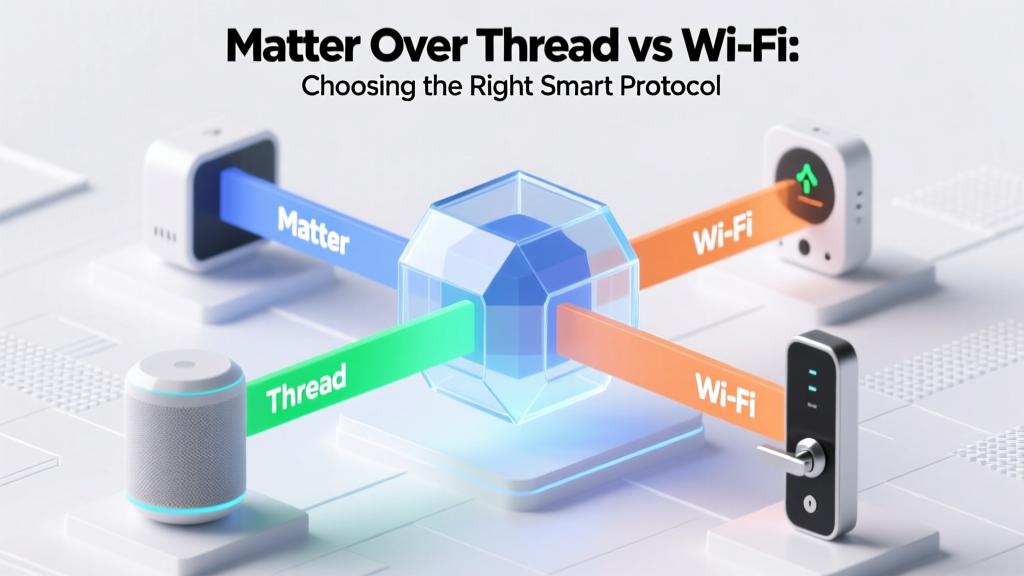
Currently, the community recommends coordinators based on two primary silicon architectures: the Texas Instruments CC2652P and the Silicon Labs EFR32MG21. The TI CC2652P is widely regarded as the most stable chipset for pure Zigbee networks, offering excellent range and reliability. The Silicon Labs EFR32MG21 is favored by advanced users experimenting with Multi-PAN firmware, which allows a single USB dongle to run both Zigbee and Thread networks simultaneously, a crucial stepping stone toward the new Matter standard.
Hardware Cost and Component Breakdown
Building a robust, community-supported Zigbee stack is surprisingly cost-effective. Below is a breakdown of the essential hardware required to run Zigbee2MQTT and Home Assistant.
| Component | Recommended Model | Estimated Cost | Community Notes |
|---|---|---|---|
| Zigbee Coordinator | Sonoff Zigbee 3.0 USB Dongle Plus (P-Version) | $25 - $35 | CC2652P chipset; requires an extension cable to avoid USB 3.0 interference. |
| Server / Compute | Raspberry Pi 4 (4GB) or Intel N100 Mini PC | $50 - $150 | Mini PCs are now preferred over Raspberry Pis due to eMMC/SD card corruption issues. |
| Network Switch | Unmanaged Gigabit Switch (5-Port) | $15 - $20 | Ensures stable local network traffic between the server and your main router. |
| Zigbee Routers | Sonoff S31 Lite Zigbee or IKEA TRÅDFRI Outlet | $15 - $25 each | Mains-powered devices that repeat the Zigbee signal to extend mesh range. |
Note: Always use a USB 2.0 extension cable (at least 3 feet long) for your Zigbee coordinator. The community has extensively documented that USB 3.0 ports generate massive 2.4GHz radio frequency interference, which will severely degrade your Zigbee network's reliability.
Visualizing the Hub Dilemma: Proprietary vs. Open-Source
Why do thousands of users abandon expensive, easy-to-use proprietary hubs in favor of open-source alternatives? The following chart visualizes the core differences across five critical smart home metrics, based on community consensus and technical capabilities.
As the data illustrates, while proprietary hubs win on "Setup Ease" due to their plug-and-play mobile apps, Zigbee2MQTT completely dominates in Device Support, Local Control, Privacy, and Cost Efficiency. The open-source community's ability to reverse-engineer and integrate new devices within days of their release is something proprietary hubs simply cannot match.
The Power of the Open-Source Community: Device Compatibility
The true magic of Zigbee2MQTT lies in its community-driven device support library. The project relies on a massive, continuously updated repository known as zigbee-herdsman-converters. When a new, obscure smart home brand releases a Zigbee sensor on the market, it often uses non-standard Zigbee clusters to transmit data. A proprietary hub will simply reject the device as "unsupported."
In the open-source ecosystem, a user will purchase the device, capture the raw Zigbee data logs, and submit a pull request to the Zigbee2MQTT GitHub repository. Within days, community developers write a custom converter that maps the non-standard data clusters into standardized MQTT topics. As a result, Zigbee2MQTT currently supports over 3,500 unique devices from hundreds of brands, including Aqara, Sonoff, IKEA, Philips Hue, Third Reality, Moes, and Tuya.
Best Devices for an Open-Source Zigbee Network
- Aqara Door & Window Sensors (MCCGQ11LM): Incredibly reliable, low profile, and battery-efficient. Note: Aqara devices are known to be "sticky" and may drop off the network if moved away from their original pairing router.
- Sonoff SNZB-02D Temperature/Humidity Sensor: Features an LCD screen, excellent battery life, and native, flawless integration with Z2M.
- Third Reality Zigbee Motion Sensors: A community favorite for their standard AAA battery design (no proprietary coin cells) and rapid motion detection reporting.
- Philips Hue Smart Bulbs: While expensive, Hue bulbs act as exceptional Zigbee routers, strengthening the mesh network for battery-powered sensors.
Network Optimization: Channels, Routers, and Mesh Health
One of the most valuable aspects of the open-source community is the wealth of shared knowledge regarding network optimization. A common pitfall for beginners is placing their Zigbee coordinator on a channel that overlaps with their home Wi-Fi network, resulting in dropped packets and delayed automations.
Zigbee operates on the 2.4GHz spectrum, just like Wi-Fi and Bluetooth. However, Zigbee channels are much narrower. The community strongly recommends setting your Zigbee network to Channel 15, 20, or 25. Concurrently, you should configure your 2.4GHz Wi-Fi router to use Channel 1 or Channel 6. This physical separation in the radio spectrum eliminates cross-talk interference.
Furthermore, a healthy Zigbee network relies on "routers." Battery-powered sensors (like motion detectors and door contacts) are "end devices"; they sleep to conserve battery and cannot route traffic. Mains-powered devices (like smart plugs, wall switches, and light bulbs) act as routers, catching and repeating signals across your home. The open-source community recommends a ratio of at least one router for every five to seven battery-powered end devices to ensure mesh stability and eliminate routing bottlenecks.
Security, Privacy, and Local Control
Privacy is a primary driver for users migrating to open-source protocols. Proprietary hubs often require an active internet connection to process automations or even toggle a local smart switch. If your internet service provider experiences an outage, your smart home becomes a "dumb" home.
Zigbee2MQTT, when paired with Home Assistant, operates 100% locally. The MQTT broker and the automation engine never phone home to external servers. Additionally, the Zigbee protocol itself utilizes AES-128 symmetric encryption for network layer security, ensuring that commands sent between your coordinator and your smart locks or garage door controllers cannot be easily intercepted or replayed by malicious actors on the local network.
The community also provides tools to manage network security keys. During the initial setup of Zigbee2MQTT, the software generates a unique, randomized network encryption key. Advanced users can manually input a custom 16-byte hex key to ensure absolute control over their network's cryptographic foundation, a level of transparency that closed-source hubs completely obscure.
Step-by-Step: Joining the Open-Source Ecosystem
Getting started with Zigbee2MQTT is more accessible than ever, thanks to community-built add-ons. Here is a high-level overview of the deployment process:
- Install Home Assistant OS: Flash the Home Assistant operating system onto a Mini PC or Raspberry Pi.
- Install the MQTT Broker: Navigate to the Add-on Store and install "Mosquitto broker," which will act as the central message hub.
- Install Zigbee2MQTT: Add the community repository to your Add-on Store and install the Zigbee2MQTT add-on.
- Configure the Coordinator: Plug in your Sonoff or Silicon Labs USB dongle, identify the serial path (e.g.,
/dev/ttyUSB0), and input it into the Z2M configuration YAML file. - Permit Joining: Enable "Permit Join" in the Z2M web interface, press the pairing button on your Zigbee sensors, and watch them populate in your dashboard within seconds.
While the initial setup requires a willingness to read documentation and edit basic configuration files, the long-term payoff is immense. You gain total ownership of your hardware, immunity to cloud server shutdowns, and access to the most comprehensive device compatibility library in the smart home industry.
Conclusion: Is Open-Source Zigbee Right for You?
The open-source community has fundamentally transformed the Zigbee protocol from a fragmented, brand-locked mess into a unified, privacy-respecting powerhouse. Zigbee2MQTT represents the pinnacle of community-driven development, offering unparalleled device support, absolute local control, and deep customization options.
If you are a user who demands reliability, refuses to rely on cloud servers, and wants the freedom to mix and match devices from dozens of different manufacturers, building an open-source Zigbee network is the ultimate solution. While it requires a modest upfront investment in a coordinator and a local server, the elimination of proprietary hub fees, cloud subscriptions, and planned obsolescence makes it the most cost-effective and future-proof smart home strategy available today. Embrace the community, take control of your network, and experience the true potential of local smart home automation.