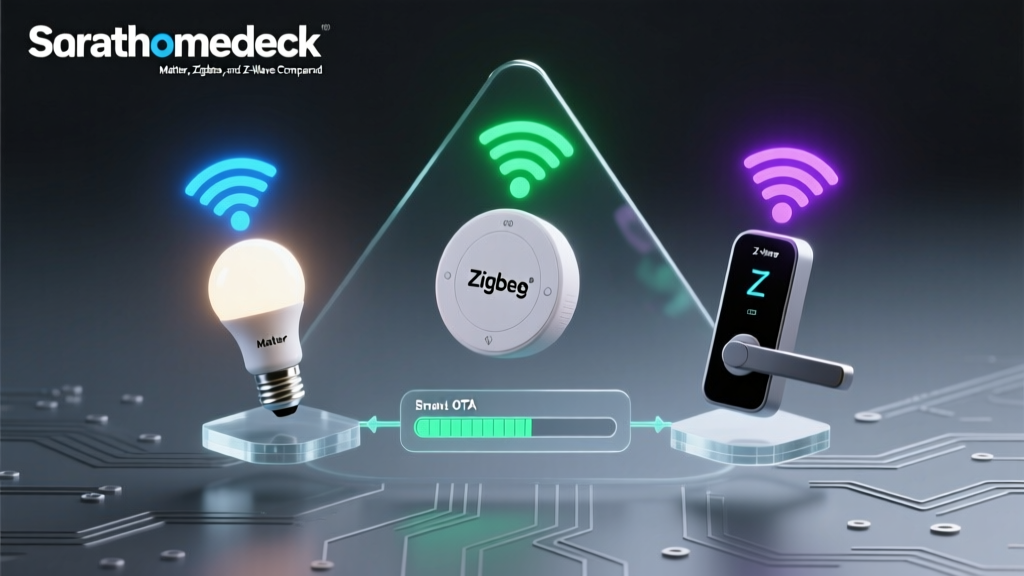
The Open-Source Revolution in Smart Home Protocols
For years, the smart home industry was dominated by proprietary hubs. Consumers were forced to buy specific brand-name bridges, rely on cloud-based servers, and accept limited device compatibility. However, a massive shift has occurred within the protocol community. Today, open-source projects like Zigbee2MQTT and Z-Wave JS UI have completely revolutionized how we interact with wireless mesh protocols. By decoupling the protocol management from proprietary hardware, the open-source community has unlocked local control, enhanced privacy, and unprecedented device compatibility.
In this comprehensive guide, we will explore the technical foundations of community-driven protocol support, compare the two titans of open-source mesh networking, and provide actionable advice on building your own local smart home hub.
Why Community-Driven Protocol Support Matters
When you rely on a proprietary hub (like the Samsung SmartThings V3 or the older Amazon Echo Plus), your smart home is essentially renting its brain from a corporate server. If the company shuts down the cloud service, changes its API, or experiences an outage, your local automations fail. Open-source protocol bridges flip this model entirely.
Proprietary hubs limit your hardware choices and tether your home to the cloud. Open-source protocol bridges return ownership, privacy, and speed to the user by processing data locally.
The community-driven approach offers several distinct advantages:
- True Local Control: Commands are processed on your local network in milliseconds, without ever touching an external server.
- Massive Compatibility: While proprietary hubs only support 'certified' devices that pay licensing fees, open-source projects reverse-engineer and support thousands of generic and regional devices.
- Hardware Agnostic: You can run these protocol bridges on almost any hardware, from a $35 Raspberry Pi to a high-end Intel NUC, using Docker or native installations.
- Future-Proofing: Even if a device manufacturer goes out of business, the community-maintained code ensures your hardware keeps working indefinitely.
Deep Dive: Zigbee2MQTT (Z2M)
Zigbee is an IEEE 802.15.4-based mesh protocol known for low power consumption and high device density. However, native Zigbee hubs are often restrictive. Enter Zigbee2MQTT, an open-source project that bridges Zigbee networks to the MQTT (Message Queuing Telemetry Transport) protocol. MQTT is a lightweight, publish-subscribe messaging protocol that is the gold standard for local smart home communication.
How Zigbee2MQTT Works
Z2M requires a Zigbee coordinator (a USB dongle that acts as the antenna and network gateway) and an MQTT broker (like Eclipse Mosquitto). When a Zigbee motion sensor detects movement, it sends a signal to the coordinator. Z2M translates this proprietary Zigbee cluster data into a standardized JSON payload and publishes it to an MQTT topic. Your smart home hub (like Home Assistant) subscribes to this topic and triggers an automation.
Hardware Recommendations for Z2M
The community has extensively tested various Zigbee coordinator chips. Currently, the Texas Instruments CC2652P and the Silicon Labs EFR32MG21 are the most highly recommended due to their superior range and ability to handle large networks (100+ direct children).
- Sonoff Zigbee 3.0 USB Dongle Plus (CC2652P): The community favorite. Costs around $35, features an external antenna, and easily handles 200+ devices when paired with a USB extension cable to avoid 2.4GHz Wi-Fi interference.
- Home Assistant SkyConnect / Connect ZBT-1: Based on the Silicon Labs EFR32MG21 chip. Excellent for those who want a streamlined, officially supported hardware piece, though Z2M support for Silicon Labs is still maturing compared to TI chips.
Deep Dive: Z-Wave JS UI
Z-Wave is a sub-GHz mesh protocol (operating at 908.42 MHz in the US) renowned for its reliability, lack of Wi-Fi interference, and strict certification processes. Historically, Z-Wave required expensive, proprietary hubs. The Z-Wave JS UI project (formerly Z-Wave JS to MQTT) changed the landscape by providing a fully open-source, cross-platform Z-Wave gateway.
The Power of Z-Wave JS
Z-Wave JS is a complete rewrite of Z-Wave protocol handling in Node.js. It bypasses the legacy OpenZWave library, offering native support for modern Z-Wave Plus v2 features, including Smart Start and S2 Security. Z-Wave JS UI provides a beautiful web interface to manage your network, view node health, update firmware over-the-air (OTA), and export data via MQTT or WebSockets.
Hardware Recommendations for Z-Wave JS
Because Z-Wave operates on sub-GHz frequencies, range is generally superior to Zigbee indoors, penetrating walls and floors more effectively. To build a Z-Wave JS network, you need a dedicated Z-Wave controller stick.
- Zooz ZST10 800-Series Z-Wave Long Range Stick: Priced around $30, this is the current community darling. The 800-series chip offers vastly improved memory, faster processing, and support for Z-Wave Long Range (ZWLR), which promises up to a mile of range in optimal conditions.
- Aeotec Gen5+ Z-Stick: The legacy standard. While older and more expensive ($55+), it is incredibly well-documented and features an internal battery for network mapping away from your host computer.
Comparing the Open-Source Titans
Choosing between Zigbee and Z-Wave—and their respective open-source bridges—depends on your specific needs, budget, and existing hardware. Below is a detailed comparison of how Zigbee2MQTT and Z-Wave JS UI stack up against each other in a community-driven environment.
| Feature | Zigbee2MQTT (Z2M) | Z-Wave JS UI |
|---|---|---|
| Underlying Protocol | Zigbee 3.0 (2.4 GHz) | Z-Wave Plus v2 (Sub-GHz) |
| Device Ecosystem Size | Massive (3000+ supported devices) | Large (Strictly certified devices) |
| Network Topology | Mesh (Routers & End Devices) | Mesh (All mains-powered devices route) |
| Security Framework | Zigbee 3.0 AES-128 Encryption | S2 Security (AES-128, highly robust) |
| Coordinator Cost | $25 - $45 | $30 - $60 |
| Interference Risk | High (Competes with Wi-Fi/Bluetooth) | Very Low (Isolated sub-GHz band) |
| Community Support | Extremely Active (GitHub, Discord) | Highly Active (GitHub, HA Forums) |
Hardware Setup and Cost Breakdown
To run these open-source protocol bridges, you need a host machine. While you can run them on a standard desktop, the community standard is to use a low-power, always-on microcomputer. Below is a visualization of the estimated hardware costs for different open-source smart home hub configurations.
For beginners, a Raspberry Pi 4 or a used Dell Wyse thin client running Debian Linux with Docker is the most cost-effective route. For advanced users managing hundreds of devices and running heavy local AI (like Frigate NVR), an Intel N100 Mini PC is the recommended community standard due to its x86 architecture and superior I/O throughput.
Security, Privacy, and the Community Ethos
One of the most significant contributions of the open-source community to smart home protocols is the democratization of security. In the past, consumers had to trust that manufacturers were properly implementing encryption. With projects like Z-Wave JS UI, the implementation of the S2 Security framework is transparent and verifiable. S2 Security ensures that every Z-Wave command is encrypted, and the 'Smart Start' feature allows you to provision devices securely via QR codes without putting your network into an insecure inclusion mode.
Similarly, the Home Assistant Z-Wave JS Integration Announcement highlighted the massive leap in reliability and security when the community shifted away from closed-source Z-Wave drivers to the open-source Z-Wave JS ecosystem. This transition proved that community-audited code often results in more secure and stable protocol handling than proprietary, closed-off alternatives.
Troubleshooting and Community Resources
Because you are managing the protocol stack yourself, troubleshooting is a necessary skill. Fortunately, the community support for both Z2M and Z-Wave JS is unparalleled.
Zigbee Interference Mitigation
The most common issue reported in the Z2M community is network instability caused by USB 3.0 interference. USB 3.0 ports emit radio frequency noise that directly overlaps with the 2.4 GHz Zigbee spectrum. The universal community fix is to use a 1-to-3-foot USB 2.0 extension cable to move the Zigbee coordinator away from the host machine's motherboard and SSDs. Additionally, ensuring your Wi-Fi router is set to channels 1, 6, or 11, and setting your Zigbee coordinator to channel 15, 20, or 25 will eliminate cross-protocol interference.
Z-Wave Network Healing
In Z-Wave JS UI, users sometimes experience 'dead nodes' after moving devices or adding new ones. The community best practice is to perform a 'Heal Network' operation. This forces the Z-Wave controller to recalculate the optimal routing paths between all mesh nodes. It is highly recommended to run a network heal only when necessary, and always during the night when automated routines are paused, as the process generates significant network traffic.
Conclusion: The Future is Local and Open
The transition toward open-source protocol management is not just a trend for hobbyists; it is the fundamental maturation of the smart home industry. By leveraging Zigbee2MQTT and Z-Wave JS UI, you insulate your home from corporate cloud outages, API paywalls, and planned obsolescence. Whether you choose the high-density, low-cost ecosystem of Zigbee or the rock-solid, interference-free reliability of Z-Wave, the open-source community provides the tools, documentation, and support to build a truly intelligent, private, and future-proof home.