The Magic of Self-Healing Mesh Networks
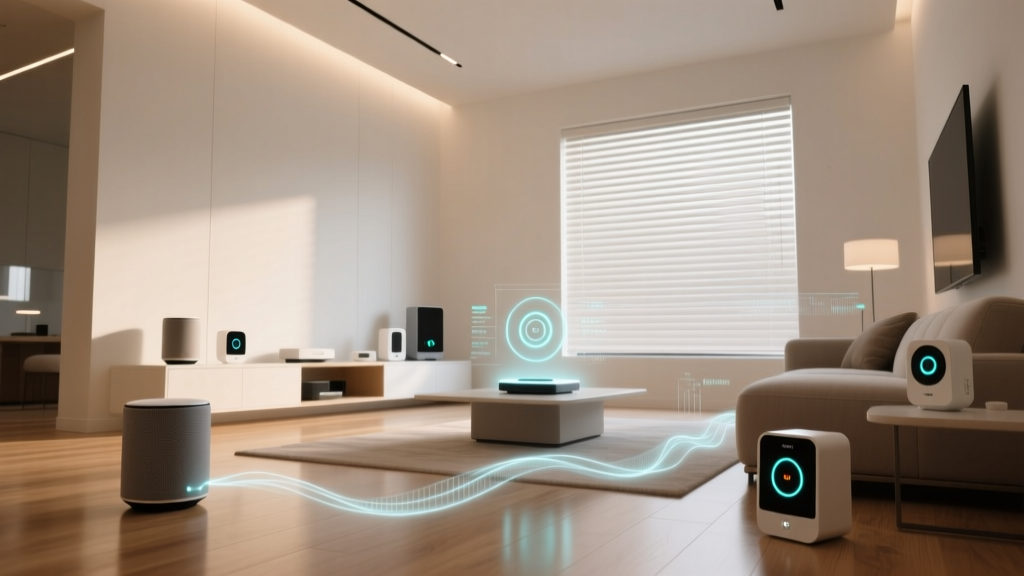
When building a smart home, reliability is just as important as functionality. A smart light that fails to turn on when you flip the switch is a frustrating experience that quickly diminishes the appeal of home automation. This is where the concept of a "self-healing mesh network" becomes the unsung hero of modern smart home protocols like Zigbee, Thread, and Z-Wave. Unlike traditional Wi-Fi networks that rely on a star topology—where every device must maintain a direct, uninterrupted line of sight to a central router—mesh networks allow devices to communicate with one another, passing data along a web of interconnected nodes.
But what exactly does "self-healing" mean in this context? In a self-healing mesh network, if a node (like a smart plug or a hardwired light switch) loses power, fails, or is removed from the network, the protocol's routing algorithm dynamically recalculates the data paths. The network automatically finds an alternative route to ensure your commands still reach their destination without manual intervention. In this comprehensive guide, we will explore the technical mechanics behind mesh network self-healing, compare the heavyweights of the industry (Zigbee and Thread), and provide actionable advice on how to build a bulletproof smart home mesh.
The Anatomy of a Mesh Network
To understand how a network heals itself, you first need to understand the roles that different devices play within the mesh. Protocols like Zigbee and Thread categorize devices into three primary roles:
- Coordinator (or Border Router): The brain of the network. There is only one coordinator per network (e.g., your SmartThings Hub, Home Assistant SkyConnect, or Apple HomePod Mini). It creates the network, manages security keys, and stores the routing table.
- Routers: These are the backbone of the self-healing mesh. Routers are almost always mains-powered devices (like smart wall switches, smart plugs, or permanently wired lighting modules). They receive, store, and forward messages, effectively extending the range of the network and creating multiple pathways for data to travel.
- End Devices: These are typically battery-powered sensors (like motion detectors, door/window sensors, or temperature monitors). To conserve battery life, end devices "sleep" most of the time. They do not route traffic for other devices; instead, they attach to a parent Router or Coordinator and wake up only to send data or check for pending messages.
Pro Tip: A common mistake smart home beginners make is relying on battery-powered devices to extend their network range. Because end devices cannot route traffic, they do not contribute to the mesh's self-healing capabilities. Always intersperse mains-powered smart plugs and switches to strengthen your mesh.
How "Self-Healing" Actually Works Under the Hood
The term "self-healing" is not just marketing jargon; it refers to specific routing protocols designed to handle node failures gracefully. Zigbee and Thread use different underlying routing mechanisms, but both achieve the same resilient result.
Zigbee and AODV Routing
Zigbee 3.0 utilizes a routing protocol known as Ad hoc On-Demand Distance Vector (AODV). When a coordinator needs to send a command to a smart bulb on the other side of the house, it doesn't necessarily know the exact path. It broadcasts a Route Request (RREQ) packet. As this packet hops from router to router, each device records the path it took. When the packet reaches the destination bulb, the bulb sends back a Route Reply (RREP) along the recorded path. The coordinator then saves this route in its memory for future use.
If a router in that saved path suddenly loses power (perhaps someone unplugged a smart plug to vacuum), the next time the coordinator tries to send a command, the adjacent router will realize the path is broken. It generates a Route Error (RERR) message and sends it back to the coordinator. The coordinator immediately flushes the broken route from its table and initiates a new RREQ, effectively "healing" the network by finding a new path around the dead node. According to Silicon Labs Zigbee documentation, this process typically happens in milliseconds, completely unnoticeable to the end user.
Thread and RPL Routing
Thread, the newer IPv6-native protocol championed by the Connectivity Standards Alliance (CSA), uses a more advanced routing protocol called RPL (Routing Protocol for Low-Power and Lossy Networks). Unlike Zigbee's on-demand routing, RPL builds a proactive, hierarchical topology called a Destination Oriented Directed Acyclic Graph (DODAG). Every router in a Thread network continuously evaluates its link quality to neighboring nodes and maintains multiple potential paths to the Border Router at all times.
Because Thread devices are constantly sharing link quality metrics via Mesh Link Establishment (MLE) messages, the network already knows alternative routes before a node even fails. If a Thread router drops offline, the surrounding nodes instantly switch to their pre-calculated secondary routes. This makes Thread's self-healing mechanism slightly faster and more robust in highly congested environments compared to Zigbee's reactive AODV approach.
Protocol Comparison: Zigbee vs. Thread vs. Z-Wave
While all three major smart home protocols support self-healing mesh topologies, their technical limitations and practical implementations vary significantly. Below is a structured comparison of their mesh characteristics.
| Feature | Zigbee 3.0 | Thread (Matter) | Z-Wave (800 Series) |
|---|---|---|---|
| Routing Protocol | AODV (Reactive) | RPL (Proactive) | Source Routing / Explorer Frames |
| Max Theoretical Nodes | 65,000+ | 65,000+ (IPv6) | 4,000 |
| Practical Router Limit | ~200 Routers | ~250 Routers | 232 Nodes (Total) |
| Frequency Band | 2.4 GHz | 2.4 GHz | Sub-GHz (800-900 MHz) |
| Single Point of Failure? | Yes (Coordinator) | No (Distributed Border Routers) | Yes (Primary Controller) |
| Typical Indoor Range | 10 - 20 meters | 10 - 20 meters | 30 - 50 meters |
As illustrated in the data above, Thread holds a distinct architectural advantage: it lacks a single point of failure. In a Zigbee network, if the central Coordinator hub dies, the entire network halts. In a Thread network, you can have multiple Border Routers (e.g., an Apple HomePod Mini and a Nest Hub Gen 2) operating simultaneously. If one Border Router loses its Wi-Fi connection or power, the Thread mesh automatically promotes another Border Router to handle the traffic, representing the ultimate form of network-level self-healing.
Comparison of theoretical versus practical node limits across major smart home mesh protocols.
Building a Bulletproof Smart Home Mesh: Hardware & Costs
Understanding the theory is only half the battle. To achieve a truly self-healing network in a real-world home filled with drywall, metal studs, and Wi-Fi interference, you must strategically deploy hardware. Here are our top recommendations for building a resilient mesh, complete with current market pricing.
1. The Coordinators and Border Routers
- Home Assistant SkyConnect (approx. $30): An exceptional, multi-protocol USB dongle based on the Silicon Labs EFR32MG21 chip. It supports both Zigbee 3.0 and Thread/Matter, making it an ideal starting point for a self-healing mesh managed via Home Assistant or Zigbee2MQTT.
- Apple HomePod Mini (approx. $99): If you are leaning into the Apple HomeKit and Matter ecosystem, the HomePod Mini acts as a premium Thread Border Router. Deploying two or more of these in different wings of your house ensures Thread's multi-Border Router redundancy.
- Sonoff Zigbee 3.0 USB Dongle Plus (P-Version) (approx. $25): A budget-friendly but highly reliable coordinator for dedicated Zigbee networks, featuring an external antenna to boost initial signal penetration.
2. Strategic Router Placement (The Backbone)
To enable self-healing, you need overlapping coverage. Place mains-powered routers no more than 25 to 30 feet apart, accounting for walls.
- Innr Smart Plug SP 234 (approx. $15 per plug): One of the most reliable Zigbee 3.0 routing plugs on the market. They are compact, do not block adjacent outlets, and feature excellent antenna tuning for maintaining stable mesh links.
- Aqara Smart Wall Switch H2 (approx. $45 - $60): Replacing dumb wall switches with Aqara's Zigbee routing switches not only gives you smart lighting control but embeds your mesh backbone directly into your home's electrical wiring, ensuring optimal signal distribution at chest height.
- Eve Energy (Thread/Matter) (approx. $40): For Thread networks, Eve's smart plugs act as robust Thread routers. Because Thread uses standard IPv6, these plugs integrate seamlessly with Apple, Google, and Amazon ecosystems without requiring proprietary hubs.
Common Mesh Killers and How to Fix Them
Even the best self-healing algorithms cannot overcome severe environmental interference or poor network management. If your mesh is constantly "healing" (which introduces latency and dropped commands), investigate these common culprits:
Wi-Fi Channel Overlap
Both Zigbee and Thread operate on the crowded 2.4 GHz band, sharing airspace with Wi-Fi, Bluetooth, and microwaves. A standard Wi-Fi channel (e.g., Channel 6) spans 22 MHz, which can completely obliterate multiple Zigbee channels. The Fix: Set your 2.4 GHz Wi-Fi router to Channel 1, 6, or 11. Then, manually set your Zigbee coordinator to Channel 15, 20, or 25. This creates a clear spectral gap, preventing Wi-Fi traffic from drowning out the low-power mesh routing signals.
The "Router Drop" Rejoining Issue
While the mesh backbone heals itself, battery-powered End Devices sometimes struggle to re-route if their specific "parent" router goes offline. A motion sensor might stubbornly try to ping a dead smart plug rather than reaching out to a nearby wall switch. The Fix: If you remove a router or experience a prolonged power outage, initiate a "Network Heal" via your hub's software (available in SmartThings, Hubitat, and Zigbee2MQTT). This forces the coordinator to broadcast a network-wide update, prompting all end devices to drop their stale parent associations and interview nearby routers for a stronger, active connection.
Too Many Routers (Network Congestion)
Counterintuitively, having too many routers can degrade performance. Every router broadcasts beacon frames and routing updates. In a Zigbee network with over 100 routers in a small space, the airtime becomes saturated with routing chatter, leaving no room for actual device commands. The Fix: Cap your Zigbee routers at around 40-50 per coordinator. If you need more devices, utilize Thread (which handles dense node environments better via RPL) or segment your home into multiple coordinated networks using separate hubs.
The Future: Matter Over Thread
The introduction of the Matter standard has fundamentally shifted the smart home landscape, and its reliance on Thread as a primary transport layer is a testament to the superiority of Thread's self-healing capabilities. Matter over Thread ensures that devices from different manufacturers not only communicate seamlessly but do so over a decentralized, IPv6-native mesh that heals itself faster and more reliably than legacy Zigbee implementations.
As more Thread Border Routers are embedded into everyday devices like smart TVs, Wi-Fi access points, and smart speakers, the density of the Thread mesh will increase exponentially. This will result in smart homes where the concept of a "dead zone" or a "dropped device" becomes a relic of the past, replaced by an invisible, self-maintaining web of connectivity that simply works.