The concept of a 'smart home' is not a modern invention born from the smartphone era. It is a decades-long journey of engineering, trial, error, and eventual standardization. For early adopters, home automation meant dealing with flickering lights, bulky transceivers, and proprietary walled gardens. Today, the landscape has shifted dramatically toward unified, IP-based mesh networks that prioritize local control, security, and interoperability. Understanding this evolution is not just an exercise in nostalgia; it is crucial for making informed purchasing decisions, migrating legacy systems, and future-proofing your home automation network.
The Dawn of Home Automation: The X10 Era
The story of the smart home begins in 1975 with a Scottish company called Pico Electronics and the creation of the X10 protocol. Long before Wi-Fi routers and Bluetooth LE, X10 utilized the existing electrical wiring in homes to transmit data. By sending 120 kHz radio frequency bursts at the zero-crossing point of the alternating current (AC) sine wave, X10 modules could communicate on/off and dimming commands across the house.
How X10 Worked and Why It Failed
X10 required a base controller (like the classic CP290) plugged into a wall outlet, which sent signals to receiving modules attached to lamps or appliances. While revolutionary for its time, X10 was plagued by severe limitations that ultimately led to its obsolescence:
- Signal Degradation and Noise: Modern appliances, LED drivers, and switching power supplies generate massive amounts of electrical noise on the 120 kHz band, effectively drowning out X10 commands.
- Phase Coupling Issues: Homes are wired with split-phase power. An X10 signal sent on Phase A would not naturally reach a device on Phase B without a specialized, expensive hardwired phase coupler installed at the breaker panel.
- High Latency and No Feedback: Commands were slow, and X10 was largely a one-way street. The controller sent a command, but the module could not confirm if the light actually turned on.
Actionable Advice: If you have inherited a home with X10 modules (identifiable by their bulky, blocky designs and dials for house/unit codes), it is time to retire them. Replace them with modern Matter-over-Thread smart plugs, such as the Eve Energy Smart Plug (approx. $40), which offers real-time energy monitoring and instant, reliable local control.
The Wireless Mesh Pioneers: Zigbee and Z-Wave
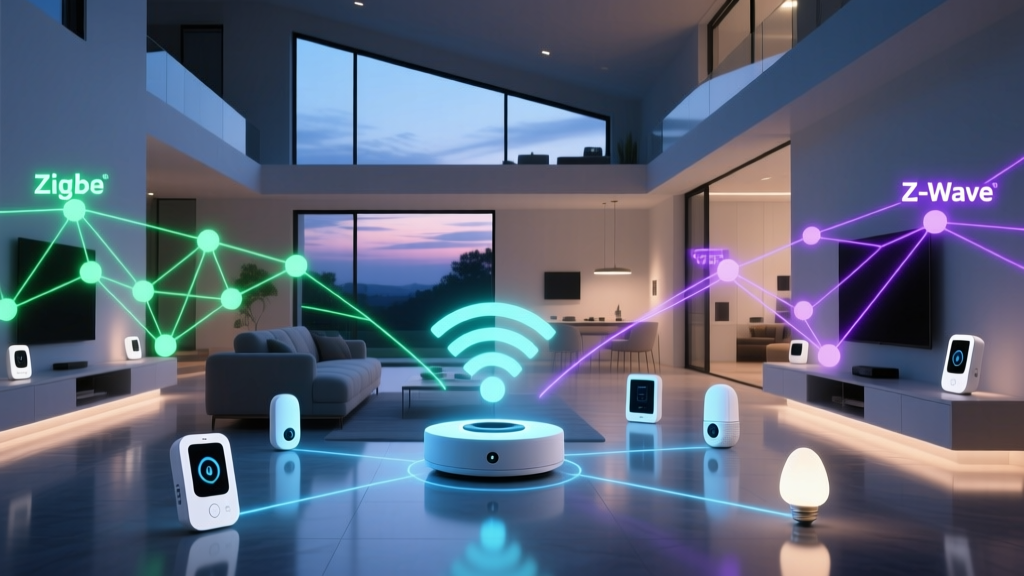
As the limitations of powerline communication became apparent in the late 1990s and early 2000s, the industry pivoted to dedicated radio frequencies. This era birthed the two titans of low-power mesh networking: Z-Wave and Zigbee.
Z-Wave: The Sub-GHz Specialist
Developed by Danish company Zensys (later acquired by Silicon Labs), Z-Wave operates in the sub-1 GHz band (908.42 MHz in North America, 868.42 MHz in Europe). This lower frequency provides excellent wall penetration and avoids interference with 2.4 GHz Wi-Fi networks. Z-Wave's strict certification process ensured that a Z-Wave switch from one manufacturer would seamlessly talk to a Z-Wave hub from another.
Today, the standard is Z-Wave Plus V2 (utilizing the 800-series chips), which boasts vastly improved battery life, S2 security encryption, and SmartStart for easy QR-code pairing. Devices like the Aeotec MultiSensor 7 (approx. $55) represent the pinnacle of this protocol, offering 6-in-1 environmental monitoring that can run for months on a single CR123A battery.
Zigbee: The 2.4 GHz Workhorse
Zigbee operates on the crowded 2.4 GHz spectrum, sharing airspace with Wi-Fi and Bluetooth. While this makes it more susceptible to interference, it allows for higher data throughput and global hardware compatibility (no regional frequency restrictions). Zigbee's mesh topology means every mains-powered device (like a smart bulb or smart plug) acts as a repeater, extending the network's range.
The transition to Zigbee 3.0 unified various fragmented application profiles into a single standard. The Philips Hue ecosystem remains the most famous implementation of Zigbee, though brands like Aqara and Sonoff offer highly affordable Zigbee 3.0 sensors ranging from $15 to $30. To run a robust Zigbee network, a dedicated coordinator like the Home Assistant SkyConnect ($30) or a Sonoff Zigbee 3.0 USB Dongle Plus is highly recommended over relying on a hub's internal, often weak, antenna.
The Broadband Explosion: Wi-Fi and Bluetooth LE
As smartphones became ubiquitous, manufacturers sought to eliminate the need for dedicated smart home hubs by connecting devices directly to the home's existing Wi-Fi router.
Wi-Fi: High Bandwidth, High Power
Wi-Fi is phenomenal for high-bandwidth devices like security cameras (e.g., Ring, Nest) and smart displays. However, it is a poor choice for battery-operated sensors. Maintaining a connection to a standard WPA2/WPA3 router requires significant power, meaning a Wi-Fi door sensor might drain its battery in weeks rather than years. Furthermore, consumer routers often choke when tasked with managing 50+ low-bandwidth IoT multicast requests, leading to network-wide slowdowns.
Bluetooth LE and the Proximity Problem
Bluetooth Low Energy (BLE) solved the battery issue but introduced a range problem. Early smart locks and sensors relied on direct Bluetooth connections to a user's phone. If you weren't within 30 feet of your front door, you couldn't unlock it. While Bluetooth Mesh was introduced to solve this, it saw limited adoption in the smart home space compared to Zigbee and Z-Wave, largely due to complex provisioning and latency issues.
The Unification: Thread and Matter
The fragmentation of the 2010s—where consumers had to juggle five different apps and hubs to control their lights, locks, and thermostats—created massive consumer fatigue. The industry's response was a two-pronged approach: a new transport layer (Thread) and a new application layer (Matter).
Thread: The IP-Based Mesh Network
Thread is a low-power, IPv6-native mesh networking protocol built on the IEEE 802.15.4 radio standard (the same physical radio used by Zigbee). Unlike Zigbee, Thread does not rely on a central coordinator. Instead, it uses 'Border Routers' (found in devices like the Apple TV 4K, Nest Hub Max, and certain Eero routers) to bridge the Thread mesh directly to your home's IP network. According to the Thread Group, this architecture eliminates single points of failure and allows devices to communicate peer-to-peer with incredibly low latency.
Matter: The Universal Language
Sitting on top of Thread, Wi-Fi, and Ethernet is Matter. Matter is not a radio protocol; it is an application-layer standard that defines how devices talk. A Matter-certified smart plug from TP-Link will instantly work with Apple HomeKit, Amazon Alexa, Google Home, and Samsung SmartThings without requiring proprietary cloud bridges. The Connectivity Standards Alliance (CSA) mandates strict Device Attestation Certificates (DAC) for Matter, ensuring that hardware is cryptographically verified and secure from the factory floor to your living room.
Protocol Comparison: Then vs. Now
To visualize how far smart home technology has come, consider the trade-offs between legacy and modern protocols regarding indoor range and battery efficiency for typical sensors.
| Protocol | Frequency | Topology | Hub Required? | Best Use Case |
|---|---|---|---|---|
| X10 | 120 kHz (Powerline) | Star / Broadcast | Yes (Controller) | Legacy / Retired |
| Z-Wave Plus V2 | Sub-1 GHz | Mesh | Yes (Hub) | Security, Locks, Sensors |
| Zigbee 3.0 | 2.4 GHz | Mesh | Yes (Coordinator) | Lighting, High Node Count |
| Wi-Fi 6 | 2.4 / 5 / 6 GHz | Star | No (Uses Router) | Cameras, Displays, Plugs |
| Thread / Matter | 2.4 GHz (802.15.4) | IPv6 Mesh | Border Router | Future-proofing, Multi-Admin |
Actionable Migration Guide: Upgrading Your Legacy System
If you are managing a fragmented smart home or inheriting legacy tech, a phased migration strategy is the most cost-effective approach. Here is how to transition to modern standards without throwing away functional hardware.
Step 1: Isolate and Bridge Legacy Networks
Do not immediately trash functional Z-Wave or Zigbee devices. Instead, consolidate them under a universal local hub. The Hubitat Elevation (approx. $150) or the Home Assistant Green (approx. $99) can natively communicate with older Z-Wave and Zigbee devices while simultaneously exposing them to modern ecosystems via Matter bridging. This allows your legacy motion sensor to trigger a brand-new Matter-over-Thread smart bulb.
Step 2: Upgrade Your Infrastructure
Before buying dozens of Thread devices, ensure you have adequate Border Router coverage. If you are in the Apple ecosystem, an Apple TV 4K (Ethernet model) acts as a robust Thread Border Router. For Google users, the Nest Hub (2nd Gen) or Nest Wifi Pro routers fulfill this role. Aim for at least one Border Router per floor of your home to ensure the IPv6 mesh remains unbroken.
Step 3: Prioritize Matter for New Purchases
When replacing dead sensors or expanding your system, look for the Matter logo. While early Matter releases were limited to basic lighting and plugs, the Z-Wave Alliance and CSA are actively working on bridging standards, and Matter 1.2+ now supports robot vacuums, EV chargers, and advanced appliances. Expect to pay a slight premium ($10-$20 more) for Matter-certified devices compared to generic Tuya Wi-Fi alternatives, but the payoff in local reliability and multi-admin support is well worth the investment.
The Future of Smart Home Standards
The journey from the noisy, unreliable powerlines of X10 to the cryptographically secure, IP-native mesh of Thread and Matter represents a massive leap forward for consumer technology. The days of buying a smart lock only to realize it requires a proprietary Wi-Fi bridge and a monthly cloud subscription are fading. As Matter matures and Thread border routers become standard in everyday consumer electronics, the smart home will finally realize its original promise: a seamless, invisible, and universally compatible automation experience that simply works.