What is the Thread Protocol?
If you have ever set up a smart home, you are likely familiar with the frustration of Wi-Fi congestion. As you add more smart bulbs, plugs, and sensors, your traditional Wi-Fi router begins to buckle under the weight of dozens of connected devices. Enter Thread, a wireless networking protocol designed specifically to solve the unique challenges of the modern smart home.
Developed by industry giants including Nest (Google), Samsung, ARM, and Qualcomm, Thread is an IP-based, low-power, mesh networking protocol. Unlike Wi-Fi, which relies on a single central router to communicate with every device, Thread creates a decentralized web of connections. According to the Thread Group, the protocol is built on the open IEEE 802.15.4 radio standard, operating on the 2.4 GHz spectrum, but it distinguishes itself by natively supporting IPv6.
Why does IPv6 matter? In traditional smart home setups using Zigbee or Z-Wave, devices do not have their own IP addresses. They must send their data to a central hub, which translates the signal and bridges it to your Wi-Fi network. With Thread, every single device gets its own unique IP address. This means your phone can communicate directly with a Thread-enabled smart lock or light bulb locally, without needing to bounce signals through a cloud server or a proprietary hub. The result is lightning-fast local control, enhanced reliability, and a network that stays online even if your internet connection goes down.
How Thread Works: The Magic of Mesh Networking
To understand Thread, you must understand mesh networking. Imagine a traditional Wi-Fi network as a classroom where every student (device) must raise their hand and shout directly at the teacher (the router). If the room is large, the students in the back won't be heard. If the teacher leaves the room, all communication stops.
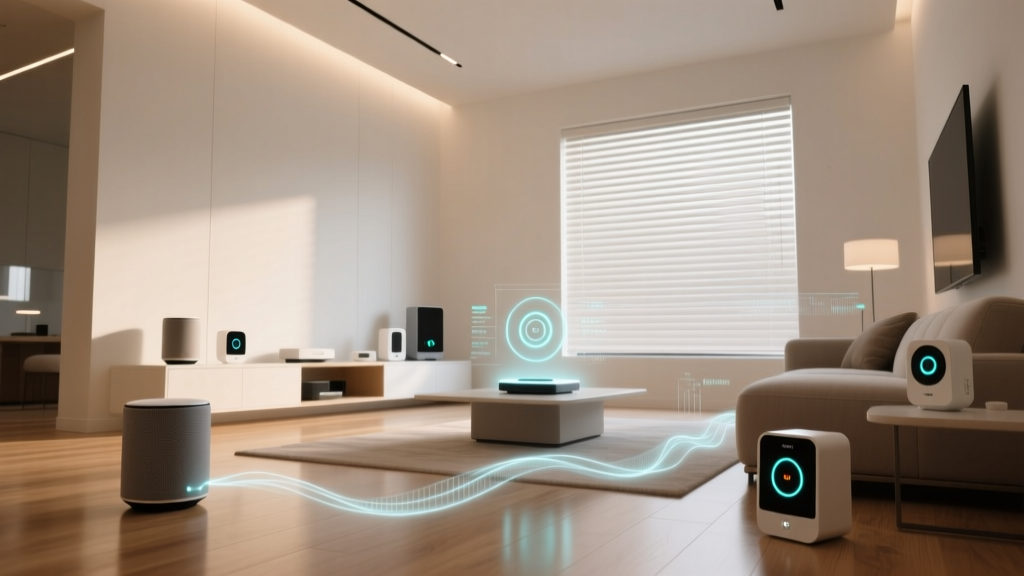
A Thread mesh network operates more like a bucket brigade. In a Thread network, any device that is connected to a continuous power source (like a smart plug or a hardwired light switch) automatically becomes a Thread Router. These routers pass messages from one to another, extending the network's range organically. Battery-powered devices (like door sensors or motion detectors) act as Thread End Devices; they sleep to conserve power and simply hand their data to the nearest Router.
Self-Healing Reliability
One of the most powerful features of Thread is its self-healing capability. If a smart plug acting as a router is unplugged or loses power, the Thread network instantly recalculates the most efficient path for data to travel. There is no single point of failure. As long as there is a path between devices, the network survives, making it vastly superior to traditional star-topology networks for critical smart home functions like security and lighting.
Thread vs. Zigbee vs. Wi-Fi: A Beginner's Comparison
How does Thread stack up against the protocols you might already be using? Here is a side-by-side comparison to help you understand where Thread fits into the ecosystem.
| Feature | Thread | Zigbee | Wi-Fi | Bluetooth LE |
|---|---|---|---|---|
| Topology | Mesh (Self-Healing) | Mesh | Star (Centralized) | Star / Point-to-Point |
| IP Addressable | Yes (IPv6 Native) | No (Requires Hub) | Yes (IPv4/IPv6) | No |
| Power Consumption | Ultra-Low | Low | High | Ultra-Low |
| Internet Dependency | None (Local Control) | None (Local Control) | High (Often Cloud-Reliant) | None (Proximity based) |
| Range (Indoor) | 30-50 ft per node | 30-50 ft per node | 100+ ft (Single router) | 10-30 ft |
SmartHomeDeck Takeaway: Thread combines the low power consumption and mesh reliability of Zigbee with the native IP-addressability and cloud-independence of Wi-Fi. It is widely considered the future of smart home infrastructure.
The Crucial Role of Thread Border Routers
The most common point of confusion for beginners is the concept of the Thread Border Router. Because Thread devices use IPv6 and operate on the 802.15.4 radio frequency, your smartphone and your cloud servers cannot talk to them directly. A Border Router acts as a bridge, translating Thread traffic to your home's Wi-Fi or Ethernet network.
The beauty of the Thread standard is that you likely already own a Border Router without realizing it. Tech companies have been quietly embedding Thread radios into their smart speakers and Wi-Fi access points for years. Common Thread Border Routers include:
- Apple HomePod (2nd Gen) & HomePod Mini: Excellent for Apple HomeKit and Matter ecosystems. (Cost: $99 - $299)
- Google Nest Wifi Pro & Nest Hub (2nd Gen): Ideal for Google Home users. (Cost: $99 - $199)
- Amazon Echo (4th Gen) & Eero 6+ Routers: Great for Alexa and Amazon Wi-Fi mesh users. (Cost: $99 - $250)
- Dedicated Hubs: Devices like the Aqara Hub M2 or Nanoleaf Smart Hub. (Cost: $50 - $100)
Note: A Thread network only requires one Border Router to function, but having two or three from different brands can provide redundant bridging, ensuring your smart home never drops offline if one speaker is rebooted.
Thread and Matter: The Ultimate Smart Home Duo
You cannot discuss Thread without mentioning Matter, the new universal smart home standard championed by the Connectivity Standards Alliance (CSA). A common misconception is that Thread and Matter are competitors. In reality, they are partners.
Think of it like the postal system. Thread is the fleet of delivery trucks and the road network (the transport layer). Matter is the standardized language written on the packages and the uniform rules for how mail is sorted and delivered (the application layer). Matter can run over Wi-Fi for high-bandwidth devices like security cameras, but for low-power devices like sensors, locks, and switches, Matter uses Thread as its preferred transport protocol.
When you buy a 'Matter-over-Thread' device, you are guaranteed that it will work locally, securely, and seamlessly across Apple, Google, Amazon, and Samsung platforms without needing a proprietary hub.
Visualizing Thread's Efficiency
One of the primary reasons Thread is favored for smart home sensors is its impact on battery life. Because Thread uses the 802.15.4 radio standard and allows devices to sleep deeply between transmissions, battery-powered devices can last for years rather than months. The chart below illustrates the typical battery life you can expect from a standard smart door/window sensor across different protocols.
Best Thread-Compatible Devices to Start Your Journey
If you are ready to build a Thread network, you need to start with the right hardware. Here are some of the best beginner-friendly Thread devices currently on the market, complete with cost ranges and use cases.
1. Eve Energy Smart Plug (Matter over Thread)
Cost: $40 - $50
Best For: Expanding your mesh backbone.
Eve Energy plugs are the gold standard for Thread networking. Because they are mains-powered, they act as Thread Routers, instantly strengthening your mesh network while giving you real-time energy monitoring for whatever appliance you plug into them.
2. Nanoleaf Shapes Smart Lights
Cost: $200 - $300 (Starter Kits)
Best For: Ambient lighting and network density.
Nanoleaf was an early adopter of Thread. Their modular light panels not only look stunning but serve as excellent, high-powered Thread routers that can blanket a room in reliable mesh coverage.
3. Schlage Encode Plus Smart Deadbolt
Cost: $280 - $330
Best For: High-security, low-latency entry.
Smart locks require instantaneous response times and high reliability. The Encode Plus uses Thread to communicate with your Apple HomePod or Nest Hub, ensuring the lock responds in milliseconds when you tap your phone to unlock it, even if the Wi-Fi is down.
4. Aqara Door and Window Sensor P2
Cost: $40
Best For: Battery-powered automation triggers.
This Matter-over-Thread sensor is incredibly compact and boasts a battery life of up to two years. It relies on your mains-powered Thread routers to pass its signal, making it a perfect example of a Thread End Device.
Practical Advice: How to Build Your First Thread Network
Building a Thread network requires a slightly different strategy than setting up Wi-Fi. Follow these actionable steps to ensure a rock-solid smart home foundation.
- Establish Your Border Routers First: Before buying sensors, ensure you have at least one (preferably two) Thread Border Routers plugged in. An Apple HomePod Mini in the living room and a Nest Wifi Pro in the bedroom provide excellent cross-ecosystem redundancy.
- Build the Backbone with Mains Power: Do not buy 20 battery-powered sensors right away. Start by replacing wall switches with Thread-enabled switches (like Inovelli or Aqara) and plugging in Eve Energy smart plugs. These powered devices form the 'highways' of your mesh network.
- Place Border Routers Centrally: While Thread is a mesh, the Border Router still needs a strong Wi-Fi or Ethernet connection to bridge the network. Keep your Border Routers in open, central locations, not hidden inside metal media cabinets.
- Add Battery Devices Last: Once your powered backbone is established, add your door sensors, motion detectors, and leak sensors. They will automatically latch onto the nearest powered Thread router and operate flawlessly.
Troubleshooting Common Thread Hiccups
While Thread is designed to be self-healing, beginners may occasionally experience latency during the initial setup phase. Here is how to troubleshoot:
- The 'Commissioning' Delay: When you first add a new Thread device to your home, it may take up to 60 seconds to respond to commands. This is normal. The device is mapping the network topology and figuring out the most efficient route to the Border Router. After this initial mapping, latency drops to near-zero.
- 2.4 GHz Interference: Thread shares the 2.4 GHz spectrum with Wi-Fi, Bluetooth, and microwaves. If you experience dropped signals, ensure your primary Wi-Fi router is set to use channels 1, 6, or 11, leaving space for Thread to operate on IEEE 802.15.4 channels (which primarily use channel 11, 15, 20, and 25).
- Reboot the Border Router: If a specific room's Thread devices become unresponsive, a simple reboot of the smart speaker acting as the Border Router in that zone will force the mesh to recalculate and heal itself.
The Future of the Connected Home
The Thread protocol represents a fundamental shift in how our homes operate. By moving away from cloud-dependent, hub-reliant architectures and embracing decentralized, IP-native mesh networks, Thread provides the speed, security, and reliability that smart home enthusiasts have demanded for years. As highlighted by Apple's integration of Thread into HomeKit, the industry's biggest players are fully committed to this standard.
Whether you are upgrading your current setup or starting from scratch, investing in Thread-compatible hardware today ensures your smart home will be faster, more resilient, and ready for the next decade of innovation.