What is Zigbee Home Automation? The Complete Technical Guide
When building a robust, reliable, and expansive smart home, the underlying communication protocol is just as important as the devices themselves. Among the myriad of wireless standards available to consumers and professionals alike, Zigbee stands out as one of the most established, widely adopted, and technically capable protocols in the industry. But what exactly is Zigbee home automation, and why does it remain a cornerstone of modern smart home ecosystems?
Zigbee is a low-power, low-data-rate wireless communication protocol based on the IEEE 802.15.4 standard. Originally developed to create a standardized, interoperable mesh network for home and industrial automation, it is now maintained by the Connectivity Standards Alliance (CSA). Unlike Wi-Fi, which is designed to move massive amounts of data quickly but consumes significant power, Zigbee is engineered to send small packets of data—like a sensor reading or a light switch command—using minimal energy. This fundamental difference makes it the perfect backbone for battery-operated smart sensors, smart locks, and automated lighting systems.
In this comprehensive technical guide, we will explore the inner workings of the Zigbee protocol, examine its network topology, evaluate its security architecture, and discuss how it integrates with modern ecosystems and the emerging Matter standard. Whether you are a smart home enthusiast looking to expand your setup or a technical user planning a whole-home automation deployment, understanding Zigbee is essential for creating a seamless, responsive, and future-proof smart environment.
How Zigbee Works: The Power of Mesh Networking
To truly understand Zigbee home automation, you must first understand its network topology. Traditional home networks, like your standard Wi-Fi setup, rely on a "star" topology. In a star network, every device must communicate directly with a central router. If a device is too far from the router, or if a wall blocks the signal, the connection drops. Furthermore, every device on a Wi-Fi network competes for bandwidth and IP addresses, which can quickly overwhelm your router if you add dozens of smart bulbs and sensors.
Zigbee, on the other hand, utilizes a mesh network topology. In a mesh network, devices do not just communicate with the central hub; they also communicate with each other, passing signals along like a digital relay race. This creates multiple pathways for data to travel, making the network incredibly resilient and self-healing. If one pathway is blocked or a device loses power, the network automatically reroutes the data through an alternative path.
The Three Types of Zigbee Devices
A Zigbee network is composed of three distinct types of nodes, each playing a specific role in maintaining the mesh:
- Zigbee Coordinator (ZC): There is exactly one Coordinator in any Zigbee network. This is your smart home hub (such as a SmartThings Station, Hubitat Elevation, or a dedicated Zigbee USB dongle connected to Home Assistant). The Coordinator is responsible for forming the network, assigning network addresses, managing security keys, and routing traffic. It acts as the brain and the gateway to your broader internet connection.
- Zigbee Router (ZR): Routers are the backbone of the mesh. These are typically mains-powered devices, such as smart plugs, in-wall switches, and permanently wired smart bulbs (like Philips Hue). Routers receive signals from other devices and repeat them, extending the range of the network. They also allow End Devices to connect to the network through them, reducing the distance a battery-powered sensor needs to transmit.
- Zigbee End Device (ZED): These are the leaf nodes of the network. End Devices are almost always battery-powered, such as motion sensors, door/window contact sensors, temperature monitors, and wireless smart buttons. To conserve battery life, End Devices do not route traffic for other devices. Instead, they "sleep" most of the time and only wake up to send a signal or check in with their parent Router or Coordinator.
This hierarchical structure ensures that battery-powered devices can last for months or even years on a single coin-cell battery, while mains-powered devices handle the heavy lifting of network routing and signal repetition. For a deeper dive into how mesh networks compare to other topologies, explore our guide on Z-Wave vs Zigbee.
Zigbee Compatibility: Hubs, Ecosystems, and the Matter Standard
One of the most significant advantages of Zigbee is its broad compatibility, though navigating the ecosystem requires a basic understanding of how different hubs and standards interact. Historically, the Zigbee landscape was fragmented into different application profiles, such as Zigbee Home Automation (ZHA) and Zigbee Light Link (ZLL). This meant a sensor from one brand might not communicate properly with a hub designed for another.
The Unification of Zigbee 3.0
To solve this fragmentation, the CSA introduced Zigbee 3.0. This unified standard merged all previous application profiles into a single, comprehensive protocol. Today, when you purchase a modern Zigbee device, it is almost certainly Zigbee 3.0 compliant, meaning it is designed to work seamlessly across different brands and hubs. Zigbee 3.0 also introduced improved security measures, standardized commissioning processes, and better interoperability.
Choosing the Right Zigbee Hub
Because Zigbee operates on its own dedicated radio frequency (2.4 GHz), your smartphone or standard Wi-Fi router cannot communicate with Zigbee devices directly. You need a dedicated hub or gateway equipped with a Zigbee radio. Some of the most popular and powerful smart home hubs that support Zigbee include:
- Samsung SmartThings: A highly accessible, consumer-friendly hub that supports both Zigbee and Z-Wave out of the box, integrating seamlessly with Samsung's broader ecosystem and voice assistants.
- Hubitat Elevation: A favorite among advanced users and privacy advocates. Hubitat processes automations locally, ensuring your smart home continues to function even if your internet connection goes down.
- Home Assistant (with Zigbee Dongle): The ultimate open-source platform. By pairing a Home Assistant server with a Zigbee USB coordinator (like the Sonoff Zigbee 3.0 USB Dongle Plus) and using software like Zigbee2MQTT or ZHA, users can integrate virtually any Zigbee device in existence without brand restrictions.
- Amazon Echo (Select Models): Certain generations of the Amazon Echo smart speakers feature built-in Zigbee hubs, allowing for direct connection of compatible devices without a separate bridge.
Zigbee and the Matter Protocol
With the rise of the Matter protocol, many consumers wonder if Zigbee is becoming obsolete. The short answer is no. Matter is an application layer that runs over existing transport protocols, specifically Wi-Fi, Thread, and Ethernet. While Thread is a newer mesh protocol that shares the same IEEE 802.15.4 radio standard as Zigbee, Zigbee itself is not natively supported as a Matter transport layer. However, modern multi-protocol hubs act as bridges. They can connect to your legacy Zigbee devices and expose them to your Matter ecosystem, ensuring your existing hardware investments remain relevant and fully integrated into the future of smart home interoperability.
Performance: Range, Speed, and Power Consumption
When evaluating a smart home protocol, performance is generally measured by range, latency, bandwidth, and power efficiency. Zigbee's performance characteristics are uniquely tailored to the specific demands of home automation.
Frequency and Bandwidth
Zigbee operates globally in the 2.4 GHz ISM band, the same frequency used by Wi-Fi, Bluetooth, and microwave ovens. It supports a maximum data rate of 250 kbps. While this sounds incredibly slow compared to Wi-Fi, it is more than sufficient for smart home commands. Turning on a light or reporting a temperature change requires only a few bytes of data. This low bandwidth requirement means Zigbee devices can transmit data quickly and efficiently without congesting your primary Wi-Fi network.
Range and Mesh Expansion
The theoretical line-of-sight range of a single Zigbee node is roughly 100 meters (328 feet). However, in a real-world home environment filled with drywall, concrete, and metal appliances, the effective range between two nodes is typically between 10 to 20 meters. This is where the mesh network shines. By strategically placing Zigbee Routers (like smart plugs) throughout your home, you can extend the network's range indefinitely, covering large properties and even outdoor areas without signal degradation.
Managing 2.4 GHz Interference
Because Zigbee shares the 2.4 GHz spectrum with Wi-Fi, interference can be a concern. The 2.4 GHz band is divided into channels. Wi-Fi typically uses channels 1, 6, and 11. Zigbee has 16 channels (numbered 11 through 26). To optimize performance and eliminate latency, smart home experts recommend setting your Zigbee network to Channel 15, 20, or 25. These specific channels fall perfectly into the "gaps" between standard Wi-Fi channels, ensuring that your Zigbee mesh and your Wi-Fi network can coexist without talking over one another.
Power Consumption
Zigbee's power efficiency is legendary in the IoT space. Because End Devices spend the vast majority of their time in a deep sleep state—drawing microamps of current—a standard CR2032 coin battery can power a Zigbee door sensor for up to two years, and a motion sensor for up to three years. This "set it and forget it" battery life is a massive advantage over Wi-Fi sensors, which often require frequent recharging or larger battery packs.
Security: Is Zigbee Safe for Your Smart Home?
Security is a paramount concern when inviting connected devices into your home. A compromised smart lock or a hijacked security camera is a serious vulnerability. Fortunately, Zigbee 3.0 features enterprise-grade security architecture designed specifically to protect low-power IoT devices.
AES-128 Symmetric Encryption
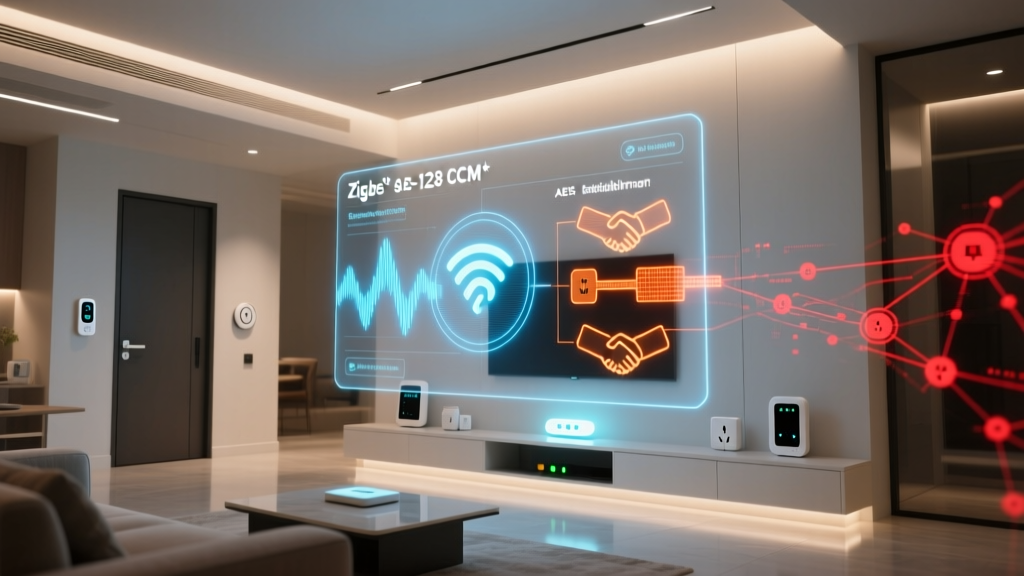
All data transmitted across a Zigbee network is secured using 128-bit Advanced Encryption Standard (AES-128) symmetric encryption. This is the same level of encryption used by banks and government institutions to secure sensitive data. When a command is sent from your hub to a smart lock, the payload is encrypted, making it virtually impossible for a bad actor to intercept and decode the signal using a packet sniffer.
The Trust Center and Network Keys
The Zigbee Coordinator acts as the "Trust Center" for the network. When a new device is added (commissioned) to the network, the Trust Center generates and distributes a unique Network Key. This key is required for any device to participate in the mesh. Furthermore, Zigbee supports Link Keys, which provide an additional layer of end-to-end encryption between two specific devices, ensuring that even if one node is compromised, the rest of the network remains secure.
Install Codes and Secure Commissioning
In the early days of Zigbee, the pairing process (known as Touchlink) had vulnerabilities that theoretically allowed a hacker in close physical proximity to intercept the network key. Zigbee 3.0 solved this by introducing Install Codes. Modern Zigbee devices feature a unique, randomized install code printed on a sticker on the device or its packaging. During the pairing process, you must enter this code into your hub. The hub uses this code to securely derive the initial link key, ensuring that the handshake process is completely encrypted and immune to eavesdropping.
Best Zigbee Devices to Build Your Ecosystem
Because Zigbee is an open standard supported by hundreds of manufacturers, the market is flooded with options. When building your mesh, it is best to invest in high-quality devices that act as reliable routers and responsive end nodes. Here are some of the best categories and brands to consider for your smart lighting and automation setups.
Smart Lighting and Switches
Philips Hue remains the gold standard for Zigbee smart lighting. While Hue uses a proprietary implementation of Zigbee Light Link (ZLL), their bulbs are incredibly reliable, offer superior color accuracy, and act as excellent mesh routers. For a more budget-friendly and open-standard alternative, IKEA's TRÅDFRI and DIRIGERA lines offer fantastic Zigbee 3.0 bulbs, blinds, and switches that integrate beautifully with Home Assistant and SmartThings.
Sensors and Buttons
For environmental and security monitoring, Aqara and Thirdreality are top-tier choices. Aqara's Zigbee sensors (temperature, humidity, water leak, and motion) are renowned for their compact design, rapid response times, and multi-year battery life. Thirdreality offers excellent, budget-friendly Zigbee 3.0 sensors that are natively compatible with SmartThings and Hubitat without requiring custom drivers. Don't forget to add a few Innr or SmartThings smart plugs around your home; they are inexpensive, highly effective Zigbee routers, and provide the added benefit of controlling "dumb" appliances.
Frequently Asked Questions
Do I need a hub for Zigbee devices?
Yes. Unlike Wi-Fi or Bluetooth devices that can connect directly to your smartphone or router, Zigbee requires a dedicated Coordinator (hub) to form the network, manage security keys, and translate Zigbee radio signals into IP data that your home network and internet can understand. Without a hub, Zigbee devices cannot be controlled via apps or voice assistants.
Can Zigbee and Z-Wave work together?
Zigbee and Z-Wave operate on entirely different radio frequencies and use different communication languages, so they cannot talk to each other directly. However, they can work together seamlessly within the same smart home if you use a multi-protocol hub. Hubs like Samsung SmartThings, Hubitat Elevation, and Home Assistant (with appropriate USB dongles) can manage both a Zigbee mesh and a Z-Wave mesh simultaneously, allowing you to create automations that trigger across both protocols.
Is Zigbee better than Wi-Fi for smart homes?
For most smart home devices, yes. Wi-Fi is excellent for high-bandwidth applications like security cameras and smart displays. However, connecting 50 Wi-Fi smart bulbs and sensors to a standard consumer router will quickly exhaust the router's DHCP table and processing power, leading to network crashes and dropped connections. Zigbee operates on a separate, dedicated mesh network, keeping your Wi-Fi bandwidth free for streaming and browsing while providing superior battery life and local reliability for your automation devices.
Will Matter replace Zigbee?
Matter is not replacing Zigbee; rather, it is changing how devices communicate at the application layer. Matter runs over Wi-Fi, Thread, and Ethernet. While Thread is a direct competitor to Zigbee at the network layer (both use the 802.15.4 radio), Zigbee's massive installed base and proven reliability ensure it will remain relevant for years. Modern hubs act as Matter bridges, allowing your existing Zigbee devices to be exposed to Matter-compatible ecosystems like Apple Home, Google Home, and Amazon Alexa.
How many devices can a Zigbee network support?
The theoretical limit of a single Zigbee network is over 65,000 nodes. In practical, real-world applications, a single Zigbee Coordinator can comfortably manage anywhere from 100 to 250 devices, depending on the processing power of the hub and the density of the mesh. For most residential smart homes, which typically feature between 30 and 80 devices, network capacity will never be an issue.
Conclusion
Zigbee home automation remains one of the most powerful, reliable, and efficient ways to build a comprehensive smart home. Its mesh networking capabilities ensure that your devices stay connected, its low power consumption guarantees that your sensors run for years without maintenance, and its robust AES-128 security keeps your home safe. While new protocols like Thread and Matter are shaping the future of the industry, Zigbee's massive ecosystem of affordable, high-quality devices ensures it will remain a vital pillar of home automation for the foreseeable future. By understanding how to optimize your mesh, manage your channels, and select the right hub, you can build a smart home that is truly intelligent, responsive, and entirely your own.