The Matter Hype vs. Zigbee Reality
When the Connectivity Standards Alliance (CSA) launched the Matter standard, the smart home industry was flooded with headlines proclaiming the end of fragmented ecosystems. Amidst the marketing fanfare, a quiet misconception took root among consumers and tech enthusiasts alike: the idea that Matter would immediately render older wireless protocols like Zigbee obsolete. However, as the dust settles on the initial Matter rollout, a different reality has emerged. Zigbee is not fading into obscurity; it is evolving, adapting, and maintaining its position as the backbone of the most reliable smart home networks available today.
Matter is an application layer, not a radio protocol. It relies on underlying transport layers like Wi-Fi, Ethernet, and Thread to move data. Zigbee, on the other hand, is a mature, battle-tested mesh networking protocol built on the IEEE 802.15.4 standard. While Matter aims to unify the application layer, Zigbee continues to dominate the physical hardware layer due to its low power consumption, immense device ecosystem, and silicon economics. In this comprehensive guide, we will explore why Zigbee remains highly relevant in the Matter era, how the two standards coexist, and how to build a future-proof smart home using the best Zigbee hubs and devices on the market.
Technical Foundations: Why Zigbee Refuses to Fade
To understand Zigbee's staying power, we must look at its technical architecture. Operating on the 2.4 GHz frequency band, Zigbee utilizes a mesh topology consisting of three types of devices: coordinators, routers, and end devices. The coordinator (your hub) manages the network and assigns addresses. Routers (typically mains-powered devices like smart plugs and light bulbs) repeat the signal, extending the network's range and creating redundant data paths. End devices (battery-powered sensors) communicate only with routers or the coordinator, allowing them to sleep for months or even years on a single coin-cell battery.
According to the Connectivity Standards Alliance (CSA), Zigbee 3.0 introduced enhanced security features, including install codes and network key randomization, addressing earlier vulnerabilities. Furthermore, Zigbee's latency is exceptionally low. When a Zigbee motion sensor detects movement, the signal hops through the mesh and triggers a local automation in milliseconds. This local processing capability is a primary reason advanced users still prefer Zigbee over cloud-dependent Wi-Fi devices.
The Economics of Silicon
One of the most significant barriers to Matter's immediate ubiquity is hardware cost. Matter over Thread requires IPv6 addressing, which demands more RAM, flash memory, and processing power on the device's microcontroller (MCU). For a simple door sensor or temperature monitor, upgrading to a more powerful MCU increases the Bill of Materials (BOM) and the retail price. Zigbee SoCs (System on Chips), such as the Silicon Labs EFR32MG21 or Texas Instruments CC2652, are incredibly mature, mass-produced, and cheap. This economic reality ensures that budget-friendly, high-volume smart home devices will continue to ship with Zigbee radios for the foreseeable future.
How Matter and Zigbee Coexist: The Bridge Strategy
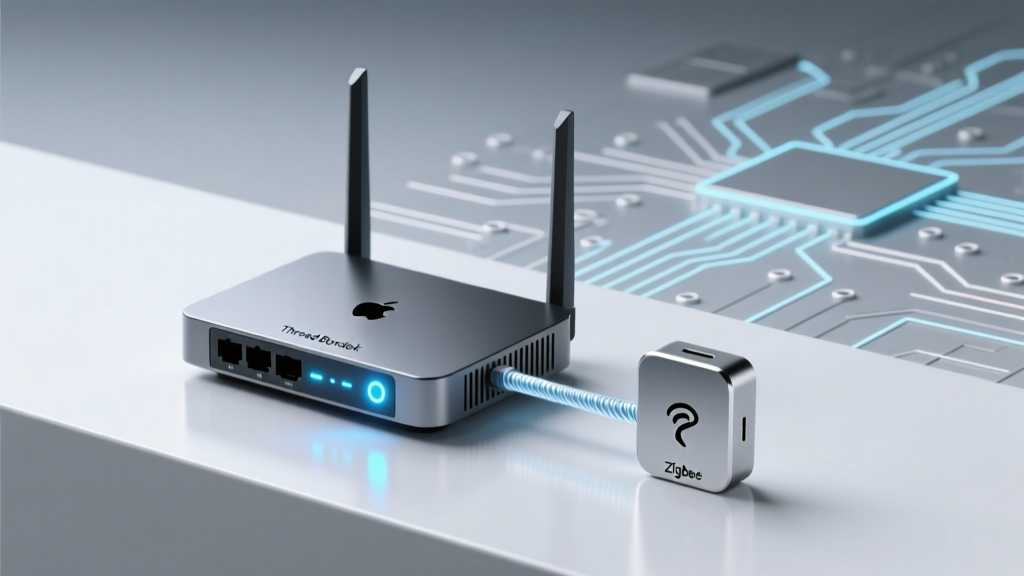
Rather than killing Zigbee, the Matter standard has embraced it through the concept of 'Bridges.' A Matter Bridge is a device that translates non-Matter protocols into the Matter ecosystem. If you own a Philips Hue Bridge or an Aqara Smart Hub M2, these devices act as translators. They manage the local Zigbee mesh network and expose the connected Zigbee bulbs and sensors to Matter controllers like Apple Home, Google Home, or Samsung SmartThings.
This Multi-Admin capability means you do not need to rip and replace your existing Zigbee gear to participate in a Matter ecosystem. Your Zigbee devices are bridged into Matter, allowing them to be controlled alongside native Matter devices. This backward compatibility guarantees the longevity of the millions of Zigbee devices already installed in homes worldwide.
Zigbee vs. Matter vs. Wi-Fi: By the Numbers
When designing a smart home, choosing the right protocol for the right device is crucial. Below is a technical comparison of Zigbee 3.0, Matter over Thread, and Wi-Fi 6 across key performance metrics.
| Feature | Zigbee 3.0 | Matter over Thread | Wi-Fi 6 |
|---|---|---|---|
| Topology | Mesh (Dedicated) | Mesh (IPv6 Native) | Star / Hub-and-Spoke |
| Power Consumption | Extremely Low | Very Low | High |
| Typical Battery Life (Sensors) | 12 - 36 Months | 12 - 48 Months | 2 - 6 Months |
| Local Latency | ~40ms | ~50ms | ~100ms+ |
| Setup Complexity | Moderate (Requires Hub) | Moderate (Border Router Needed) | Low (Direct to Router) |
| Bandwidth | Low (Commands Only) | Low (Commands Only) | High (Video/Audio) |
Protocol Performance: Battery Life vs Local Latency
The following chart visualizes the trade-offs between battery longevity and local network latency for standard smart home sensors across the three dominant protocols.
Top Zigbee Hubs and Devices to Buy Today
If you are building or expanding a Zigbee network, investing in the right coordinator and end devices is paramount. Here are our top recommendations based on reliability, local processing, and community support.
1. The Best Zigbee Coordinators (Hubs)
- Hubitat Elevation C-8 (Approx. $100): The gold standard for local processing. The C-8 features a custom-designed dual-antenna layout that drastically improves Zigbee reception and range. It supports local dashboards, Rule Machine automations, and acts as a Matter Bridge. According to the Hubitat Elevation product documentation, the C-8 is engineered specifically to handle large meshes with over 100 devices without latency degradation.
- Home Assistant Connect ZBT-1 (Approx. $30): Formerly known as SkyConnect, this USB dongle is the official Zigbee and Thread coordinator for Home Assistant. When paired with the Home Assistant ZHA Integration, it provides a highly customizable, open-source Zigbee network that keeps all data strictly local.
- Sonoff Zigbee 3.0 USB Dongle Plus (P-Version) (Approx. $25): Powered by the CC2652P chipset, this dongle features an external antenna and a built-in RF amplifier. It is a favorite among DIY enthusiasts running Zigbee2MQTT in Docker containers or on Raspberry Pis.
2. Essential Zigbee End Devices
- Aqara Smart Plug (US/EU) ($15 - $20): Mains-powered smart plugs are critical for Zigbee networks because they act as routers, extending the mesh. The Aqara plug is compact, reliable, and includes power monitoring features.
- Third Reality Zigbee Contact Sensor ($15 - $20 per pack): These battery-powered door and window sensors are incredibly affordable and feature a 2-year battery life. They are a staple for securing entryways and triggering lighting automations.
- Sonoff SNZB-02D Temperature & Humidity Sensor ($12): Unlike older models, the SNZB-02D features a crisp LCD screen, allowing you to read environmental data at a glance while simultaneously reporting to your hub.
- Inovelli Blue Series 2-1 Switch ($45 - $55): For advanced lighting control, these Zigbee switches support dimming, on/off, and scene control via multi-tap paddles. They also act as powerful mesh routers and feature customizable RGB LED notification bars.
Future-Proofing Your Zigbee Network: Optimization Guide
Building a Zigbee network is only half the battle; optimizing it ensures long-term stability. Many users blame the protocol for dropped connections when the real culprit is environmental interference. Follow these actionable tips to create a bulletproof mesh.
The Golden Rule: Use a USB Extension Cable
If you are using a USB Zigbee dongle (like the Sonoff or Home Assistant Connect ZBT-1), you must use a USB 2.0 extension cable (at least 3 to 6 feet long). Plugging the dongle directly into a Raspberry Pi, Intel NUC, or server motherboard exposes it to severe USB 3.0 port noise and chassis interference, which operates on the exact same 2.4 GHz frequency. Moving the dongle away from the chassis and elevating it into open space can increase your Link Quality Indicator (LQI) scores by over 50%.
Channel Separation: Avoiding Wi-Fi Congestion
Zigbee and Wi-Fi both operate in the 2.4 GHz spectrum, but they use different channel widths. Wi-Fi channels are 20 MHz or 40 MHz wide, while Zigbee channels are only 2 MHz wide. If your Wi-Fi router is set to Channel 1, it will completely overlap and drown out Zigbee channels 11 through 14. To achieve peaceful coexistence, configure your Wi-Fi router to use only Channels 1, 6, and 11. Then, set your Zigbee coordinator to Channel 15, 20, or 25. This creates physical gaps in the frequency spectrum, eliminating cross-talk and ensuring your Zigbee commands are delivered instantly.
Building a Strong Mesh Backbone
Do not rely solely on battery-powered sensors to build your network. Battery devices are 'end devices' and cannot route traffic. For every 5 to 10 battery-powered sensors, you should have at least one mains-powered 'router' device, such as a smart plug, a hardwired light switch, or a dedicated Zigbee repeater. Place these routers in central locations, hallways, and stairwells to create a robust web of redundant paths. If one router fails or loses power, the mesh will automatically self-heal and route traffic through an alternative path.
Conclusion: The Enduring Legacy of Zigbee
The narrative that Matter will replace Zigbee is a fundamental misunderstanding of how smart home architectures operate. Matter is the language devices use to talk to ecosystems; Zigbee is the highway that transports the data locally. With its unbeatable silicon economics, ultra-low power consumption, and massive library of affordable, reliable sensors, Zigbee is not going anywhere. By utilizing Matter Bridges and following best practices for network optimization, you can leverage the best of both worlds: the local reliability of a Zigbee mesh and the universal compatibility of the Matter application layer. For the foreseeable future, Zigbee remains an indispensable tool in the smart home enthusiast's arsenal.