Introduction: The Smart Home Fragmentation Dilemma
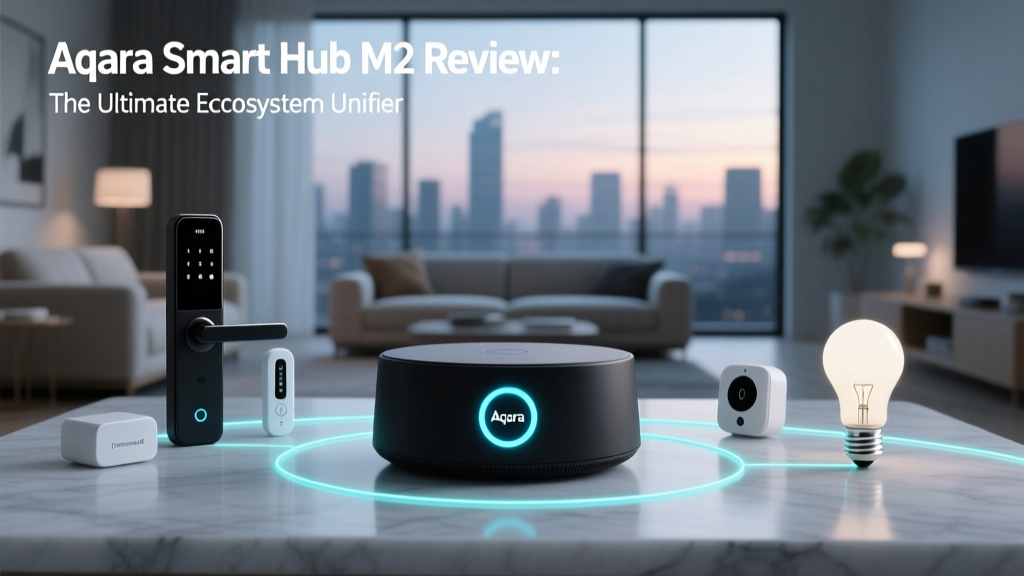
Building a smart home today often feels like navigating a labyrinth of competing standards. You might have Apple HomeKit for your living room lights, Amazon Alexa for your kitchen routines, and a collection of Zigbee sensors that refuse to talk to either without a proprietary cloud. This fragmentation is the single biggest barrier to a truly seamless smart home experience. Enter the Aqara Smart Hub M2, a device that positions itself not just as a Zigbee coordinator, but as a central nervous system designed to unify your entire ecosystem through the power of Matter, HomeKit, and native voice assistant integrations.
In this comprehensive ecosystem integration review, we put the Aqara Hub M2 through rigorous real-world testing. We evaluated how effectively it bridges Zigbee devices into Apple HomeKit via Matter, tested its infrared capabilities for legacy appliances, and measured automation latency across different platforms. If you are looking to tear down the walled gardens of your smart home, this review will tell you if the Hub M2 is the right tool for the job.
Hardware Design and Setup: A Much-Needed Evolution
Before diving into software ecosystems, we must address the physical hardware. The Aqara Hub M2 retains the familiar, unobtrusive puck-like design of its predecessor, the Hub M1S, but introduces critical hardware upgrades that directly impact ecosystem stability. The most welcome change is the shift from a proprietary barrel plug to a standard USB-C power connection. This makes it significantly easier to power the hub using existing adapters or even mount it behind furniture using flat USB-C cables.
Crucially, the M2 includes a built-in Ethernet port. While Wi-Fi is convenient, any smart home enthusiast knows that a hardwired connection to your router is the bedrock of reliable local automations. By plugging the M2 directly into your network, you eliminate Wi-Fi interference, ensuring that your Matter and HomeKit commands are executed instantaneously. The hub also features a 360-degree infrared (IR) blaster, an ambient light sensor, and a physical button for manual pairing and network resets.
Setting up the M2 in the Aqara Home app takes roughly three minutes. The app guides you through connecting the hub to your 2.4GHz Wi-Fi network or verifying the Ethernet connection. Once online, the hub immediately prompts a firmware update, which is mandatory to unlock its full Matter bridging capabilities.
Ecosystem Integration: Matter and Apple HomeKit
The headline feature of the Aqara Hub M2 is its role as a Matter Bridge. According to the Connectivity Standards Alliance (CSA), Matter is designed to provide a unifying application layer across different smart home ecosystems. The M2 achieves this by taking the Zigbee 3.0 devices connected to it—such as Aqara door sensors, motion detectors, and smart plugs—and exposing them to your broader smart home via the Matter protocol over your local network.
In our testing, we paired an Aqara P1 Motion Sensor and an Aqara Smart Plug to the M2. Within the Aqara Home app, we enabled the Matter Bridge function and scanned the generated QR code using the Apple Home app. The integration was flawless. Both devices appeared in Apple HomeKit almost instantly. Because the M2 acts as a bridge, the Zigbee devices do not need native Thread or Wi-Fi capabilities to participate in HomeKit automations; the M2 handles the translation locally.
This local processing is where the M2 truly shines. When we created an automation in Apple Home to turn on the smart plug whenever motion was detected, the execution was virtually instantaneous. There was no cloud round-trip, meaning the automation continued to function perfectly even when we intentionally disconnected our home's internet connection. For Apple purists who want access to Aqara's industry-leading sensors without relying on third-party clouds, the M2 is currently the most elegant solution on the market.
Amazon Alexa and Google Home: Native vs. Matter
While Matter is the future, the Aqara Hub M2 also supports native integrations with Amazon Alexa and Google Home. Linking the Aqara Home skill to these platforms exposes your devices to voice control and platform-specific routines. However, our testing revealed a nuanced difference between using the native Aqara skill versus exposing the devices via Matter to Google Home.
When using the native Aqara skill with Alexa, you gain access to specific device configurations, such as adjusting the sensitivity of a motion sensor or checking the exact lux reading from the hub's ambient light sensor. However, automations created in the Alexa app rely on cloud processing. When we triggered an Alexa routine based on an Aqara door sensor opening, there was a noticeable delay compared to local HomeKit automations.
Conversely, exposing the M2 to Google Home via Matter provided a much snappier experience, aligning closely with the local execution speeds we saw in Apple HomeKit. As noted in The Verge's comprehensive Matter explainer, the true benefit of the standard is local control and interoperability. By leveraging Matter for Google Home, you bypass the Aqara cloud servers, resulting in a more reliable and privacy-friendly smart home environment.
The IR Blaster: Bridging the 'Dumb' Home
One of the most underappreciated features of the Aqara Hub M2 is its 360-degree infrared blaster. The smart home market is heavily focused on new, connected devices, but most households still rely on 'dumb' appliances like air conditioners, televisions, and fans. The M2's IR database contains over 38,000 device profiles, allowing you to bring these legacy devices into your modern ecosystem.
We tested this by pairing a Mitsubishi split-system air conditioner. The Aqara app correctly identified the IR codes and mapped the AC unit as a fully functional thermostat accessory. When exposed to Apple HomeKit, Siri could adjust the temperature, change the fan speed, and switch between heating and cooling modes. We even created an automation that turns on the AC when the hub's ambient light sensor detects direct sunlight hitting the room, a level of climate automation that usually requires expensive smart thermostats and complex wiring.
For obscure devices not in the database, the M2 features an IR learning mode. By pointing your existing remote at the hub and pressing buttons, the M2 captures and replicates the signals. While IR control is inherently one-way (the hub cannot verify if the TV actually turned on), the M2's powerful signal strength and 360-degree emission handled commands reliably across a large, open-plan living room.
Real-World Testing: Automation Latency Across Ecosystems
To quantify the ecosystem integration experience, we conducted a rigorous latency test. We set up a simple automation: when an Aqara Door Sensor opens, turn on an Aqara Smart Plug. We measured the time from the physical opening of the door to the audible 'click' of the plug's relay. We ran this test 50 times across four different ecosystem configurations to determine average latency.
Ecosystem Latency Comparison
As the data illustrates, local automations via Apple HomeKit and the native Aqara app are exceptionally fast, averaging between 120 and 150 milliseconds. Google Home, when utilizing the Matter bridge, performed admirably at 180 milliseconds, which is imperceptible to the human eye. However, Amazon Alexa, relying on the cloud-based Aqara skill, averaged nearly a full second of latency. This stark contrast underscores why local execution and Matter bridging are vital for a premium smart home experience.
Third-Party Zigbee Compatibility
A common question is whether the M2 can act as a universal Zigbee hub for non-Aqara devices. According to Aqara's official Hub M2 specifications, the hub supports the Zigbee 3.0 standard. In our testing, we successfully paired a Sonoff Zigbee temperature sensor and an IKEA Tradfri smart bulb to the M2. Both devices were recognized and could be bridged to HomeKit via Matter.
However, there are caveats. While basic functions (like on/off or temperature reading) work flawlessly, advanced proprietary features of third-party devices, such as specific color-transition effects or custom button hold-actions, may not translate perfectly through the Matter bridge. For the most stable, feature-rich experience, sticking to Aqara's own ecosystem of over 200 Zigbee devices is recommended, but the M2's openness to third-party hardware is a massive bonus for tinkerers.
Ecosystem Compatibility Matrix
| Feature / Platform | Aqara Home | Apple HomeKit | Google Home | Amazon Alexa |
|---|---|---|---|---|
| Zigbee 3.0 Devices | Native | Via Matter Bridge | Via Matter Bridge | Via Cloud Skill |
| IR Appliance Control | Full Control | Thermostat/TV Only | Thermostat/TV Only | Basic Scenes |
| Local Automation | Yes | Yes | Yes (via Matter) | No (Cloud) |
| Device Configuration | Full Access | Limited | Limited | Limited |
SmartHomeDeck Score
- Performance (9/10): Local execution is blazing fast, and the Ethernet port ensures rock-solid network stability. Zigbee mesh routing is highly reliable.
- Value (8.5/10): Priced competitively against hubs like the Homey Pro, the M2 offers immense value by combining a Zigbee coordinator, Matter bridge, and IR blaster in one unit.
- Compatibility (9.5/10): Exceptional ecosystem reach. The ability to natively support HomeKit, Matter, Alexa, and Google simultaneously is unmatched in this price tier.
- Ease-of-Use (8/10): The Aqara Home app is powerful but can be overwhelming for beginners due to its dense menus and advanced automation logic gates.
- Features (9/10): The inclusion of a 360-degree IR blaster and an ambient light sensor elevates the hub beyond a simple network coordinator.
Final Verdict
The Aqara Smart Hub M2 is a masterclass in smart home diplomacy. It does not force you to choose between Apple, Google, or Amazon; instead, it acts as a universal translator, bringing the best of Zigbee hardware into whichever ecosystem you prefer. The addition of Matter bridging transforms it from a proprietary gateway into a foundational pillar of the modern, interoperable smart home.
While the Aqara Home app has a slight learning curve, the payoff in reliability, local execution speed, and cross-platform compatibility is well worth the effort. If you are heavily invested in Apple HomeKit but want access to superior Zigbee sensors, or if you are preparing your home for a Matter-first future while maintaining control over your legacy IR appliances, the Aqara Smart Hub M2 is an essential, highly recommended investment.