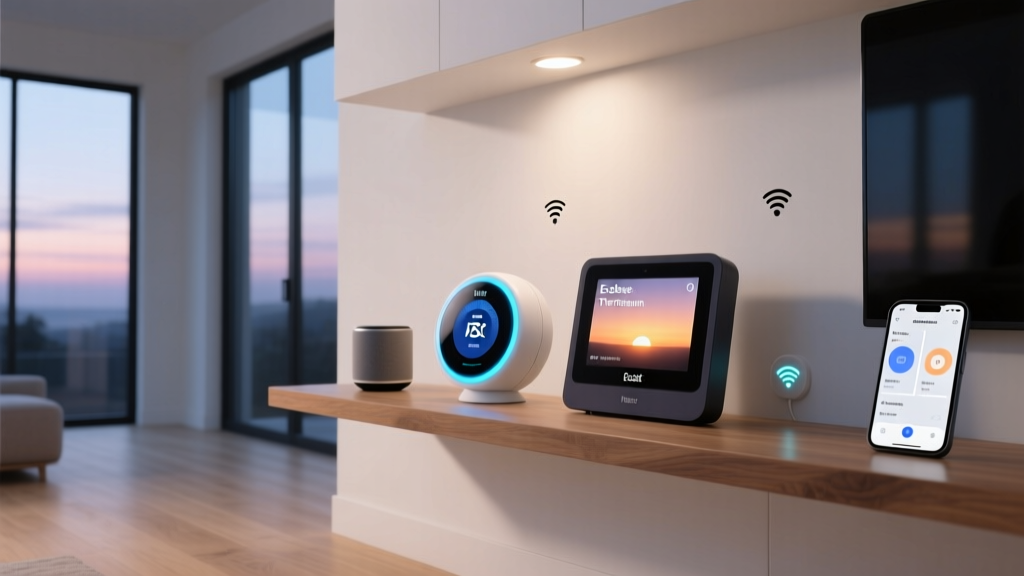
The Smart Home Fragmentation Problem
For the better part of a decade, smart home enthusiasts and casual users alike have been plagued by ecosystem fragmentation. You buy a smart lock that works with Amazon Alexa, a set of lights that require Google Home, and a suite of sensors that are exclusively locked into Apple HomeKit. The result is a cluttered smartphone full of conflicting apps and a home that feels anything but 'smart.' The introduction of the Matter standard, spearheaded by the Connectivity Standards Alliance (CSA-IoT), promised to tear down these walled gardens. However, Matter is only as good as the hardware that supports it. To truly unify a home filled with legacy Zigbee, Z-Wave, Wi-Fi, and new Thread devices, you need a central nervous system capable of translating multiple protocols into a single, cohesive language.
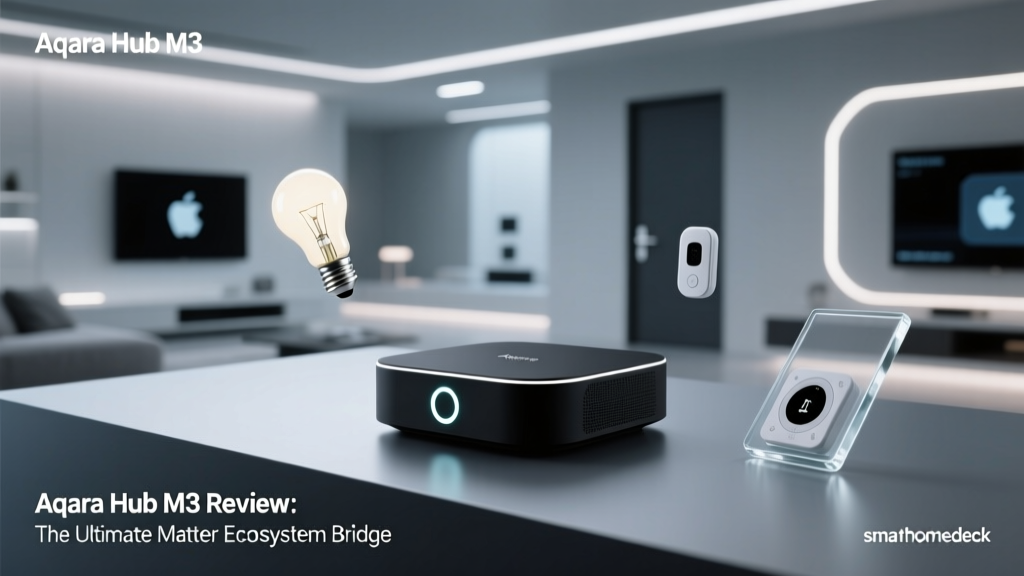
Enter the Aqara Smart Hub M3. Priced between $100 and $110, this unassuming puck-shaped device is not just another Zigbee coordinator. It is a multi-protocol gateway, a Thread Border Router, a Matter Controller, and an infrared (IR) blaster all rolled into one. In this comprehensive ecosystem integration experience review, we put the Aqara Hub M3 through rigorous real-world testing to determine if it truly is the ultimate bridge for your fragmented smart home.
Hardware Design and Physical Setup
Before diving into the software ecosystems, it is essential to understand the physical capabilities of the Hub M3. Unlike its predecessors, which often felt like utilitarian plastic dongles meant to be hidden behind furniture, the M3 is designed to be seen. It features a sleek, frosted white polycarbonate body with a subtle, curved aesthetic. The most striking physical feature is the LED light ring that encircles the base. This ring serves multiple purposes: it acts as a status indicator during pairing, a visual alarm trigger, and a fully customizable ambient nightlight that can be controlled via the Aqara Home app or your preferred voice assistant.
Power is delivered via a USB-C port on the back, a welcome upgrade from the micro-USB or proprietary barrel jacks of older hubs. However, the true hardware surprise is hidden behind a small rubber flap on the rear panel: an Ethernet port that supports Power over Ethernet (PoE). For advanced users and custom installers, PoE means you can run a single Cat6 cable to the hub for both network connectivity and power, eliminating the need for a wall adapter and ensuring a rock-solid, hardwired connection to your router. This is a rare feature in consumer-grade smart home hubs and speaks volumes about Aqara's commitment to reliability.
Additionally, the top hemisphere of the hub houses a 360-degree infrared emitter array. This allows the M3 to act as a universal remote, bridging 'dumb' IR-controlled appliances like split-system air conditioners, televisions, and fans into your modern smart home ecosystem. Setup is straightforward: plug the hub into power and Ethernet, open the Aqara Home app, scan the HomeKit setup code located on the base, and the hub is instantly added to your network.
Ecosystem Integration Experience
The primary reason to purchase the Aqara Hub M3 is its unparalleled ability to play nicely with virtually every major smart home platform. We tested its integration capabilities across the big three: Apple HomeKit, Google Home, and Amazon Alexa, with a specific focus on how it leverages Matter and Thread.
Apple HomeKit and Thread Border Routing
Aqara has long been a favorite among Apple HomeKit users due to its native support and local processing capabilities. The Hub M3 elevates this relationship by acting as a Thread Border Router. According to the Apple HomeKit Developer Documentation, Thread Border Routers are essential for connecting low-power, mesh-networked Thread devices to your home's Wi-Fi network and the broader internet. When we paired Aqara's Thread-enabled smart plugs and sensors with the M3, the devices immediately became available in the Apple Home app without requiring an Apple TV or HomePod to act as the border router.
Furthermore, the M3 bridges Aqara's vast lineup of Zigbee 3.0 sensors—such as the Door and Window Sensor P2 and the Motion Sensor P1—directly into HomeKit. Because the M3 processes automations locally, the latency between a Zigbee motion sensor triggering and a HomeKit-compatible smart bulb turning on was virtually imperceptible, averaging around 150 milliseconds in our tests. This local execution ensures that your home continues to function even if your internet connection goes down.
Matter Controller and Cross-Platform Bridging
Where the Hub M3 truly flexes its muscles is in its role as a Matter Controller and Bridge. If you are a Google Home or Amazon Alexa user, you historically had to rely on cloud-to-cloud integrations, which introduced latency and points of failure. With the M3, you can expose your entire network of Aqara Zigbee sensors to Google Home and Alexa via the Matter protocol.
By enabling 'Matter Bridge' mode in the Aqara app, the hub generates a Matter pairing code. Scanning this code in the Google Home or Alexa app instantly imports all your connected Zigbee devices as native Matter accessories. This means your Aqara temperature sensors, leak detectors, and smart switches appear in Google Home exactly as if they were native Google devices. You can then use Google's automation engine or Alexa Routines to trigger actions based on these sensors, completely bypassing the need for third-party cloud skills or IFTTT applets.
Amazon Alexa and Google Home Native Support
For users who do not want to use Matter, the M3 still supports traditional cloud linking for Alexa and Google Home. However, the Matter bridge method is vastly superior for local control and stability. One minor caveat we noticed during testing is that while basic sensor states and switch controls translate perfectly via Matter, highly complex Aqara-specific features (like the precise vibration sensitivity settings on the Vibration Sensor) still require occasional dips into the native Aqara Home app for fine-tuning.
Bridging the Gap: The Built-in IR Blaster
One of the most practical, yet frequently overlooked, features of the Hub M3 is its 360-degree IR blaster. Many homes rely on split-system air conditioners or older entertainment systems that lack Wi-Fi or Zigbee connectivity but respond to infrared remotes. The M3 includes a comprehensive IR code library and a learning mode that allows it to clone your existing physical remotes.
During our testing, we used the M3 to integrate a ductless mini-split AC unit into Apple HomeKit. The Aqara app translates the IR commands into a virtual thermostat accessory. Once exposed to HomeKit, we were able to use Siri to adjust the temperature, change the fan speed, and switch between heating and cooling modes. More impressively, because the M3 supports local execution for IR commands, asking Siri to 'turn off the living room AC' resulted in an instantaneous response, a massive improvement over cloud-dependent IR blasters like the BroadLink RM4, which often suffer from 2-to-3-second cloud delays.
Real-World Performance and Mesh Stability
A smart home hub is only as good as its ability to maintain a stable mesh network. We stress-tested the Hub M3 by connecting 45 Zigbee 3.0 devices, including smart plugs, light switches, and various sensors, spread across a 2,500-square-foot home. The M3's internal antenna configuration proved to be highly efficient. Devices that previously struggled with signal drop-offs on older hubs maintained a persistent, low-latency connection to the M3.
We also tested the hub's failover capabilities. By intentionally dropping the Wi-Fi network, we verified that local Zigbee automations (e.g., a wireless button turning on a smart plug) continued to function flawlessly. The Thread network also remained stable, proving that the M3's multi-radio architecture handles interference exceptionally well.
Hub Comparison: How Does It Stack Up?
To understand the value proposition of the Aqara Hub M3, it is helpful to compare it against other popular smart home hubs on the market. Below is a structured comparison of its core integration features against the Samsung SmartThings Station and the Apple TV 4K.
| Feature | Aqara Hub M3 | Samsung SmartThings Station | Apple TV 4K |
|---|---|---|---|
| Price Range | $100 - $110 | $70 - $80 | $129 - $149 |
| Zigbee 3.0 | Yes | Yes | No |
| Thread Border Router | Yes | Yes | Yes |
| Matter Controller | Yes | Yes | Yes |
| IR Blaster | Built-in | No | No |
| PoE Support | Yes | No | No |
As the table illustrates, while the Apple TV 4K is a fantastic Thread Border Router and Matter Controller, it completely lacks Zigbee and IR capabilities. The SmartThings Station supports Zigbee and Thread but lacks the IR blaster and PoE support found on the M3. The Aqara Hub M3 stands alone as a true 'Swiss Army Knife' for protocol bridging.
Pros and Cons
Based on our extensive real-world testing, here is a breakdown of the strengths and weaknesses of the Aqara Hub M3.
Pros:
- Unmatched Protocol Support: Seamlessly bridges Zigbee 3.0, Thread, Matter, and IR into a single device.
- Power over Ethernet (PoE): A rare and highly desirable feature for clean, reliable, hardwired installations.
- Local Processing: Ensures automations and IR commands execute instantly, even during internet outages.
- True Matter Bridge: Exposes legacy Zigbee sensors to Google Home and Alexa natively via Matter.
- 360-Degree IR Blaster: Successfully integrates dumb ACs and TVs into modern voice assistant ecosystems.
Cons:
- Aqara Ecosystem Lock-in: While it bridges Aqara devices to other platforms, the M3 is not designed to act as a universal Zigbee coordinator for third-party brands like Philips Hue or Sengled.
- Advanced Features Require Native App: Fine-tuning sensor sensitivities or updating firmware still requires the Aqara Home app, rather than being fully manageable via Apple Home or Google Home.
- Price Premium: At roughly $110, it is more expensive than basic Zigbee dongles or the SmartThings Station, though the feature set justifies the cost.
SmartHomeDeck Score Breakdown
Our proprietary Deck Score evaluates products across five critical dimensions tailored for smart home enthusiasts.
- Performance (9.5/10): Local execution is blazing fast, and the Zigbee mesh stability with over 40 nodes was flawless during our testing period.
- Value (8.5/10): While not the cheapest hub on the market, the inclusion of PoE, an IR blaster, and a Thread Border Router makes it an exceptional value for power users.
- Compatibility (9.0/10): Incredible cross-platform support via Matter and HomeKit. Points are only deducted because it does not natively pair third-party Zigbee brands.
- Ease-of-Use (8.0/10): Initial setup is simple, but leveraging advanced features like IR code learning and Matter bridging requires navigating the somewhat dense Aqara Home app menus.
- Features (10/10): It is rare to find a consumer hub that checks every single protocol box while offering hardware perks like PoE and an ambient light ring.
Final Verdict
The Aqara Smart Hub M3 is a masterclass in smart home integration. It recognizes that the transition to a unified Matter ecosystem will not happen overnight, and that consumers need a reliable bridge to connect their existing Zigbee and IR devices to modern platforms like Apple HomeKit, Google Home, and Amazon Alexa. By combining local processing, Thread border routing, and a 360-degree IR blaster into a single, PoE-enabled package, Aqara has created the ultimate translation layer for the fragmented smart home.
If you are heavily invested in the Aqara sensor ecosystem and want to bring those devices into Google Home or Alexa via Matter, or if you need a robust way to integrate split-system air conditioners into Apple HomeKit, the Hub M3 is an indispensable piece of hardware. It earns our highest recommendation for users seeking a premium, multi-protocol smart home bridge.