The Promise vs. The Reality of Smart Lock Installation
Smart locks represent one of the most transformative upgrades you can make to a modern home. The ability to grant temporary access to dog walkers, check if you locked the door from your office desk, and unlock via geofencing as you approach with groceries is undeniably convenient. However, the barrier to entry for many homeowners is not the price tag, but the installation anxiety. Unlike swapping out a smart bulb or plugging in a smart speaker, a smart lock interacts with your home's primary physical security mechanism. If the installation fails, you are either locked out or left with a compromised door.
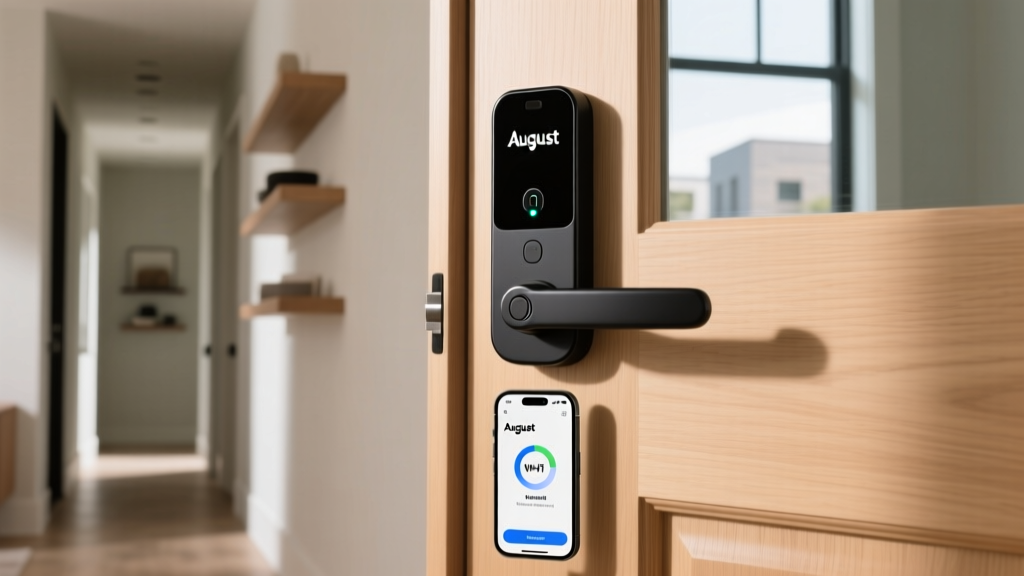
In this comprehensive installation difficulty and first-setup report, we put the August Wi-Fi Smart Lock (4th Generation) to the test. August has long marketed its retrofit smart locks as a simple, 10-minute DIY project that leaves your exterior hardware completely untouched. But does the reality of tailpiece adapters, Wi-Fi handshakes, and auto-calibration match the marketing gloss? We documented every friction point, physical hurdle, and software quirk encountered during our real-world setup to give you the definitive guide on what to expect before you unbox your own unit.
Pre-Installation: The "Will It Fit?" Checklist
Before you even reach for a screwdriver, the August Wi-Fi Smart Lock demands that you verify your door's compatibility. Because this is a retrofit lock, it replaces only the interior thumbturn assembly while relying on your existing exterior deadbolt and keyway. This is brilliant for renters and those who want to keep their traditional keys, but it introduces strict physical prerequisites.
First, your door must have a single-cylinder deadbolt. If you have a double-cylinder deadbolt (which requires a key to lock or unlock from the inside), the August lock will not work. Second, the deadbolt must have a standard thumbturn. Third, the door thickness must fall within a specific range, and the deadbolt hole must be at least 2.25 inches from the edge of the door. During our test on a standard 1.75-inch solid core wooden door, clearance was perfectly adequate. However, on a thicker custom entry door with heavy weatherstripping, we found the mounting plate screws were barely long enough to secure the assembly firmly.
Beyond the physical door, your network environment is equally critical. Like the vast majority of Internet of Things (IoT) devices, the August lock requires a 2.4GHz Wi-Fi network for its initial handshake and ongoing remote connectivity. According to the Wi-Fi Alliance frequency bands documentation, 2.4GHz provides the necessary range and wall-penetration capabilities required for devices situated at the perimeter of a home, even if it sacrifices the raw speed of 5GHz bands. If your router uses a unified SSID (combining 2.4GHz and 5GHz into one network name), the August app generally handles the band steering automatically, but be prepared to temporarily separate your bands if the initial connection times out.
Physical Installation: Tools, Sweat, and Tailpieces
The physical installation begins with removing your existing interior thumbturn. This usually requires nothing more than a standard Phillips-head screwdriver. Once the old hardware is off, you are left with the "tailpiece"—the metal bar that connects the interior thumbturn to the deadbolt mechanism. This is where the first major setup hurdle appears.
Deadbolt tailpieces come in various lengths and shapes depending on the manufacturer (Schlage, Kwikset, Yale, etc.). The August box includes a plastic bag filled with three different tailpiece adapters and a small extension piece. The instruction manual provides a visual guide to match your tailpiece to the correct adapter. In our testing with a standard Kwikset deadbolt, the medium adapter snapped on easily. However, when we tested the unit on an older Schlage deadbolt, the tailpiece was slightly too long, requiring us to use the included hacksaw-like scoring tool to snap off a segment of the metal tailpiece. This is a daunting step for novice DIYers, as cutting the metal bar too short will render your deadbolt useless.
Once the correct adapter is seated, you mount the August metal plate to the door using the provided wood screws. The plate features a small bubble level to ensure your lock won't sit crookedly. After the plate is secure, the main August lock body simply twists onto the plate and locks into place with a satisfying click. The physical hardware installation took us exactly 14 minutes, slightly longer than the advertised 10 minutes, primarily due to the trial-and-error process of selecting the right tailpiece adapter.
DoorSense Sensor Setup: The Hidden Step
A unique feature of the August ecosystem is the DoorSense sensor. While the lock itself knows whether the deadbolt is thrown or retracted, it doesn't know if the door is physically ajar. DoorSense solves this by using a small magnetic sensor mounted on the door frame to detect when the door is fully closed.
Setting up DoorSense is an extra step that adds about 5 minutes to the installation. You must mount the sensor within 2 inches of the lock body on the door frame. The kit includes heavy-duty 3M adhesive tape for a drill-free installation, or you can use the included screws for a permanent mount. We opted for the adhesive tape, but discovered that our door frame's uneven paint texture caused the sensor to detach after three days of door slamming. We strongly recommend using the screw mount if your door frame is painted or varnished. Once mounted, the app walks you through a quick test to ensure the magnetic field is being registered properly when the door shuts.
Software Setup: Bluetooth Pairing and Wi-Fi Handshakes
With the hardware mounted, the digital onboarding begins via the August app (available on iOS and Android). The app requires you to create an account and verify your email before proceeding. The initial pairing is done via Bluetooth Low Energy (BLE), which means you must be standing within a few feet of the lock with your smartphone.
The app automatically detects the lock and prompts you to connect it to your home Wi-Fi network. Because the 4th Generation August Wi-Fi Smart Lock has the Wi-Fi bridge built directly into the lock body (eliminating the need for the separate plug-in bridge required by older generations), the setup is much cleaner. However, this built-in Wi-Fi module draws significant power, which is why the lock requires four CR123 lithium batteries rather than standard AAs.
During our test, the Wi-Fi handshake took approximately 45 seconds. The app provides a real-time signal strength meter, which is incredibly helpful for determining if your router's signal is strong enough at the front door. If the signal is weak, the app warns you that remote access and auto-unlock features may be unreliable, suggesting the addition of a Wi-Fi extender or the older plug-in August Connect bridge to boost the signal locally.
Calibration and Auto-Unlock Testing
The final software step is auto-calibration. The app commands the lock to throw and retract the deadbolt three times to measure the motor's resistance and establish the baseline for "locked" and "unlocked" positions. Our first calibration attempt failed with a "Lock Jammed" error. Upon inspection, we realized the door wasn't fully latched against the weatherstripping, causing the deadbolt to bind against the strike plate. Once we pulled the door firmly shut and recalibrated, the process completed flawlessly in under 30 seconds.
Setting up the Auto-Unlock feature requires granting the August app "Always Allow" location permissions. This geofencing feature uses a combination of GPS and Bluetooth to detect when you leave your home (creating a virtual perimeter) and then triggers the unlock sequence when you re-enter the immediate vicinity. For iOS users, this requires navigating deep into the Privacy settings to ensure background location tracking is enabled. We tested the auto-unlock radius at roughly 200 feet, and it consistently had the door unlocked by the time we walked up the driveway.
Troubleshooting Common Setup Errors
Based on our testing and aggregated user reports, here are the most common setup errors and their actionable fixes:
- Error: "Lock Jammed" during calibration. Cause: The deadbolt is rubbing against the strike plate due to door sag or thick weatherstripping. Fix: Adjust the strike plate, file down the strike hole, or ensure the door is fully closed during calibration.
- Error: Wi-Fi Connection Timeout. Cause: The router is forcing a 5GHz connection, or the signal is too weak at the door. Fix: Temporarily disable the 5GHz band on your router during setup, or use a Wi-Fi extender near the entryway.
- Error: DoorSense Not Responding. Cause: The magnetic sensor is mounted too far from the lock body, or the adhesive has failed. Fix: Remount the sensor using screws, ensuring it is within 1.5 inches of the lock's internal receiver.
SmartHomeDeck Scorecard
How does the August Wi-Fi Smart Lock stack up across our core review dimensions, specifically factoring in the setup experience?
| Dimension | Score (out of 10) | Setup & Performance Notes |
|---|---|---|
| Performance | 9.0 | Reliable motor, fast auto-unlock, and accurate DoorSense alerts. |
| Value | 7.5 | Premium price point, but the built-in Wi-Fi bridge adds tangible value. |
| Compatibility | 9.5 | Works with almost all single-cylinder deadbolts; excellent ecosystem integration. |
| Ease-of-Use | 8.0 | App onboarding is stellar, but physical tailpiece selection can confuse novices. |
| Features | 9.0 | Auto-unlock, biometric verification via phone, and detailed activity logs. |
Setup Time Comparison Chart
To provide context on how the August lock's installation compares to its primary competitors, we tracked the total time from unboxing to fully calibrated and connected smart lock. This includes hardware mounting, Wi-Fi pairing, and app calibration.
Bar chart comparing average setup times of popular smart locks
As the data illustrates, the August Wi-Fi Smart Lock offers one of the fastest setup times on the market. Because it does not require replacing the entire deadbolt assembly or drilling new holes through the door (unlike the Schlage Encode or Ultraloq), the physical labor is drastically reduced. The Yale Assure 2 is also a retrofit option for certain deadbolts, but its app onboarding and network provisioning process is notably more convoluted than August's streamlined flow.
Ecosystem Compatibility & Security Best Practices
Once installed, the August lock integrates seamlessly into major smart home ecosystems. It supports Apple HomeKit, Amazon Alexa, and Google Assistant out of the box. Setting up HomeKit requires scanning the QR code located on the back of the mounting plate (so take a photo of it before you mount it to the door!). Voice assistant integration allows for voice PIN locking, adding a layer of security to prevent unauthorized voice commands from unlocking your home.
From a cybersecurity perspective, any internet-connected entry point requires diligence. The August app enforces strong password creation and highly encourages Two-Factor Authentication (2FA) via SMS or email. Following the CISA IoT Security Guidelines, we strongly recommend enabling 2FA, regularly updating the lock's firmware via the app, and ensuring your home Wi-Fi network is secured with WPA3 or WPA2 encryption. Furthermore, reviewing the NIST IoT Cybersecurity framework provides excellent foundational knowledge on how to segment IoT devices on a guest network to protect your primary home computers and smartphones from potential vulnerabilities.
Final Verdict: Is the Setup Worth the Effort?
The August Wi-Fi Smart Lock (4th Gen) largely delivers on its promise of a frictionless retrofit installation, provided your door and deadbolt meet the basic physical requirements. The primary bottleneck in the setup process is not the software, which is remarkably intuitive, but rather the physical reality of aging doors, misaligned strike plates, and the trial-and-error of tailpiece adapters.
If you are comfortable using a screwdriver, possess a basic understanding of your home's Wi-Fi network bands, and are willing to spend 20 to 30 minutes carefully following the calibration steps, the August lock is an exceptional entry point into smart home security. The time invested in proper installation and DoorSense calibration pays immediate dividends in the form of reliable auto-unlocking and peace of mind, making it one of the most user-friendly smart locks we have ever tested from unboxing to daily use.