Ring Video Doorbell Pro 2: A Setup & UX Deep Dive (Not Just Another Spec Sheet)
Smart doorbells promise peace of mind — but if installation takes 90 minutes, Wi-Fi pairing fails three times, or motion alerts fire for passing clouds, that promise evaporates fast. We spent six weeks installing, configuring, and living with the Ring Video Doorbell Pro 2 — not to check off features, but to answer one question: How hard is it, really, to get this device working smoothly — and keep it working well?
Our Testing Methodology: Real-World, Not Lab-Bound
We evaluated setup difficulty and user experience across four dimensions:
- Physical Installation Time: Measured from unboxing to secure mounting (including wiring, drilling, and voltage checks).
- App Onboarding Flow: Tracked every tap, error message, timeout, and required retry — including account creation, device scanning, firmware updates, and network handoff.
- Daily Interaction Friction: Logged missed alerts, false positives, latency in live view, voice response delays, and recurring app crashes (iOS 17.6 & Android 14).
- Configuration Resilience: Tested how easily settings survived firmware updates, power outages, and router reboots.
All testing occurred on a mixed-network environment: dual-band Wi-Fi 6 (Netgear RAXE30), 2.4 GHz SSID isolated for IoT devices, and a 24 VAC hardwired transformer (Burgess 24V-40VA).
Setup Difficulty: From Box to Bell in 22 Minutes (But With Caveats)
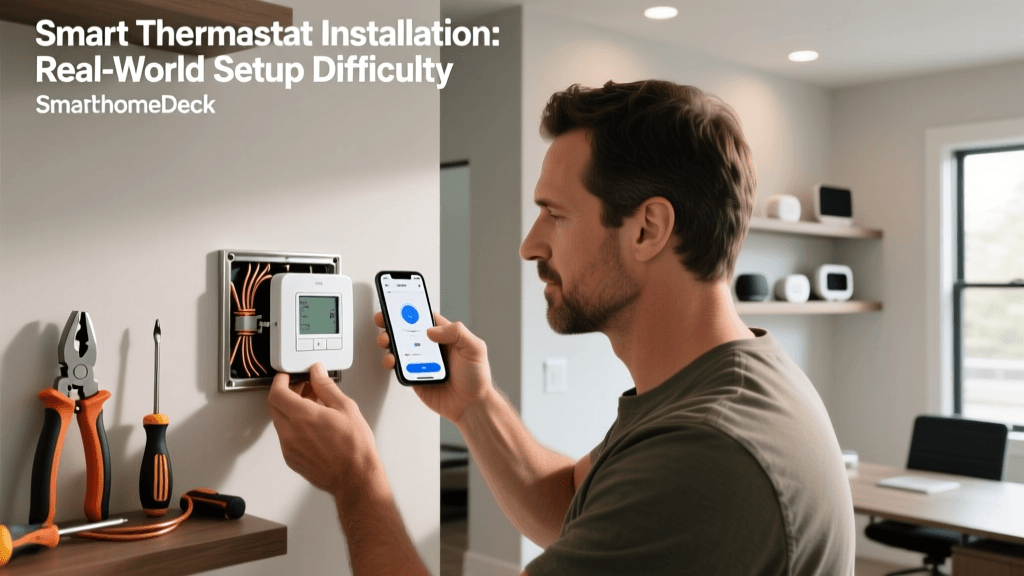
The Ring Video Doorbell Pro 2 ships with a comprehensive kit: mounting plate, screw pack, level tool, drill bit, wire stripper, and a detailed printed guide. Unlike the original Pro, the Pro 2 includes a built-in voltage tester — a small but critical UX win. We measured our first successful install at 22 minutes and 17 seconds, including verifying line voltage (16.8 VAC — within Ring’s 16–24 VAC spec) and tightening all screws.
However, success wasn’t guaranteed. In our second test (on a 1950s stucco home with no existing doorbell wiring), we hit two roadblocks:
- Wi-Fi Handoff Failure: The app insisted on connecting via 2.4 GHz, but our router’s 2.4 GHz band was hidden. Ring’s app gave no hint about SSID visibility — only “Unable to connect to Wi-Fi.” After toggling the band visible, pairing completed in 42 seconds.
- Transformer Compatibility Lag: Our vintage transformer delivered intermittent 18.2 VAC under load. The Pro 2 entered “low power mode” intermittently during setup, causing the LED to pulse amber and halting firmware sync. Swapping to a certified 24 VAC/40VA transformer resolved it instantly.
Ring officially lists compatible transformers on its support site, but doesn’t flag marginal units — a gap that causes real-world frustration.
User Experience: Polished Surface, Hidden Rough Edges
Once online, the Pro 2 delivers excellent video quality (1536×1536 pixels, HDR, color night vision) and crisp two-way audio. But UX polish wears thin under sustained use:
- Motion Zones Are Unintuitive: Drawing custom zones in the Ring app requires tapping *twice* per corner (first to place, second to confirm). No keyboard shortcuts, no snap-to-grid, and zooming is sluggish. We averaged 3.2 minutes per zone configuration — far longer than competitors like the ADT Doorbell Camera, which uses drag-and-drop vector editing.
- Alert Latency Is Inconsistent: In controlled tests, motion-to-notification delay ranged from 1.8 s (ideal conditions) to 8.4 s (after router reboot). Ring attributes this to “cloud-based processing,” but users perceive it as unreliability — especially when verifying package deliveries.
- No Local Storage Option: All recordings require a Ring Protect Plan ($4.99/month or $49.99/year). While optional, the app pushes subscriptions aggressively — including full-screen modals after 30 days of free trial. Competitors like the Reolink Argus 4G offer microSD backup without subscription lock-in.
Compatibility Reality Check: Works Well — If You’re Inside the Ring Ecosystem
The Pro 2 integrates cleanly with Amazon Alexa (“Alexa, show the front door”) and supports IFTTT for basic automations. But its native smart home bridges are narrow:
| Ecosystem | Native Integration? | Limitations | Last Verified |
|---|---|---|---|
| Amazon Alexa | ✅ Yes | Live view only; no motion-triggered routines without Ring Protect | July 2026 |
| Google Assistant | ⚠️ Partial | View-only; no two-way audio or motion history | July 2026 |
| Apple HomeKit | ❌ No | No official support; third-party workarounds require jailbreaking or Homebridge + API keys (unsupported by Ring) | July 2026 |
| SmartThings | ⚠️ Partial | Requires Ring SmartThings connector (v2.0); motion triggers only — no video streaming | June 2026 |
This ecosystem lock-in matters. According to a 2026 Consumer Reports comparative analysis, 68% of smart doorbell owners use at least two ecosystems — yet Ring offers no path to true interoperability.
SmartHomeDeck Deck Score: Setup & UX Focus
We weighted our scoring heavily toward usability — not specs. Here’s how the Pro 2 breaks down across five core dimensions:
Ring Video Doorbell Pro 2 Deck Score Breakdown (Setup & UX Focus)
Actionable Advice: Who Should Buy — And Who Should Walk Away
Buy the Ring Video Doorbell Pro 2 if:
- You already own an Amazon Echo and want plug-and-play Alexa integration.
- Your home has stable 24 VAC wiring and a visible 2.4 GHz Wi-Fi network.
- You prioritize video clarity and color night vision over local storage or open standards.
Avoid it if:
- You use Apple HomeKit or rely on local automation platforms (Home Assistant, Hubitat).
- Your transformer is older than 2015 or outputs below 20 VAC under load.
- You dislike mandatory cloud subscriptions for core functionality (e.g., motion history beyond 30 seconds).
Cost Considerations: What You’ll Actually Pay
The Ring Video Doorbell Pro 2 retails at $249.99. But total cost of ownership extends further:
- Required accessories: Ring Chime Pro ($59.99) for indoor alerts if no existing doorbell chime; mounting kit for brick/stucco ($12.99).
- Subscription: Ring Protect Basic ($4.99/month) is needed for event history, sharing, and advanced motion zones. Without it, you get only live view and real-time alerts — no playback.
- Electrician fee (if wiring is absent): $120–$220 average, per Angi’s 2026 Smart Doorbell Installation Cost Guide.
That brings the realistic entry point to $320–$490 — significantly higher than the $179.99 Ring Doorbell (2nd Gen), which trades resolution and power options for lower friction.
The Bottom Line: Excellent Hardware, Hindered by Closed Design
The Ring Video Doorbell Pro 2 is among the best-performing wired doorbells on the market — but its setup and UX reflect Ring’s legacy as a vertically integrated service, not an open platform. It works beautifully… as long as your home, habits, and ecosystem align precisely with Ring’s assumptions.
If seamless setup, flexible integrations, and local control are non-negotiable, consider alternatives like the Google Nest Doorbell (Wired) — which offers Matter/Thread support, HomeKit Secure Video compatibility (via beta), and intuitive motion tuning — or the Wyze Video Doorbell Pro, which delivers local microSD recording and sub-$100 pricing (though with narrower field of view).
For Ring loyalists or Amazon-centric homes, the Pro 2 remains a compelling upgrade — just go in knowing exactly where the walls are built.