The Smart Mirror Revolution Meets the Google Ecosystem
Smart mirrors have rapidly transitioned from science fiction novelties to practical, high-end staples in modern bathrooms and dressing rooms. Among the premium options on the market, the Capstone Connecte Smart Mirror stands out as a flagship device, boasting a stunning two-way glass display, integrated LED lighting, and a suite of health and lifestyle widgets. However, there is a well-known elephant in the room for smart home enthusiasts: the Capstone Connecte natively champions Amazon Alexa. For households deeply invested in the Google Nest ecosystem, this presents a significant compatibility hurdle.
In this comprehensive SmartHomeDeck review, we are putting the Capstone Connecte Smart Mirror through rigorous real-world testing. We will evaluate its hardware, display quality, and anti-fog capabilities, while dedicating a deep dive into the specific workarounds, bridges, and smart routines required to make this Alexa-first device play nicely with Google Home. If you are a Google Assistant loyalist eyeing a luxury smart mirror, this guide will show you exactly how to bridge the ecosystem gap.
Hardware and Design: A Premium Bathroom Centerpiece
The physical craftsmanship of the Capstone Connecte is undeniably luxurious. Measuring approximately 22 inches by 32 inches, the mirror features a 5mm silver-backed, two-way dielectric glass panel. This specialized glass is crucial; it allows the high-definition 1080p LCD display hidden behind it to shine through brightly while maintaining a crisp, distortion-free reflection when the screen is off. The bezel is minimal, featuring hidden capacitive touch sensors along the bottom edge that allow you to swipe through widgets or adjust settings without leaving fingerprints on the glass.
Lighting and Anti-Fog Technology
Surrounding the perimeter is an integrated LED ring light that offers adjustable color temperatures ranging from a warm 3000K to a daylight-balanced 6000K. This is essential for accurate makeup application and grooming. More importantly for bathroom installations, the mirror includes a built-in thermal anti-fog pad. During our testing, we ran a hot shower for 20 minutes in a poorly ventilated bathroom. While the edges of the glass accumulated condensation, the central 70% of the mirror—where the anti-fog pad is active and the display resides—remained perfectly clear. The device carries an IP44 water resistance rating, meaning it is protected against splashing water from all directions, making it safe for installation in bathroom Zone 2 areas.
Software and Widget Ecosystem
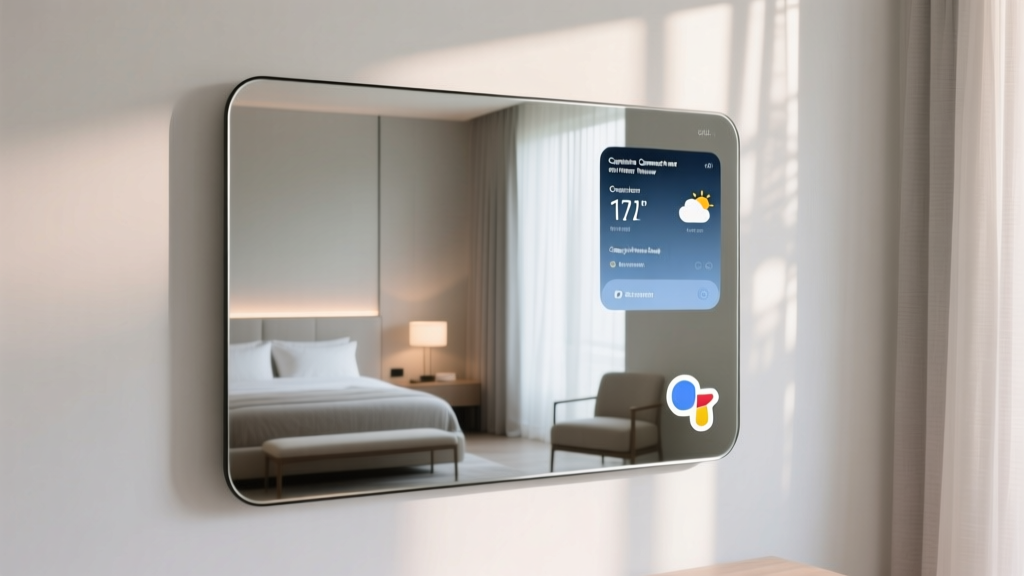
Under the hood, the Capstone Connecte runs on a heavily customized, locked-down Android-based operating system. The user interface is clean, widget-driven, and highly responsive. Out of the box, you can configure your dashboard to display local weather, a synchronized Google Calendar (via web API), daily news headlines, traffic updates, and even a skin health analysis tool that uses the mirror's built-in camera to track skin hydration and blemishes over time.
The software experience is undeniably premium, but it is fundamentally designed around Amazon's Alexa Voice Service (AVS). The microphone array is tuned for far-field voice recognition, and the native voice commands are strictly Alexa. So, how do we integrate this into a Google Home environment?
The Google Home Dilemma: Bridging the Ecosystem Gap
If your home runs on Google Nest Hubs, Chromecast, and Google Assistant routines, the Capstone Connecte's native Alexa integration is useless to you. However, through a combination of smart hardware bridges and software automation, we can achieve a near-native Google Home experience. According to integration standards highlighted by CEDIA (Custom Electronic Design & Installation Association), professional integrators frequently use third-party bridging to unify disparate ecosystems, and the same principles apply to DIY smart home enthusiasts.
Method 1: Smart Plug Power Routines
The most immediate way to integrate the mirror into your Google Home ecosystem is by controlling its power state. The Capstone Connecte features a physical power switch on its cord, but leaving it on 24/7 wastes energy and degrades the LCD backlight.
- The Setup: Plug the mirror into a Google Home-compatible smart plug (such as a TP-Link Kasa or Tapo Wi-Fi Smart Plug).
- The Routine: Open the Google Home app and create a 'Good Morning' routine. Set the trigger to your wake-up alarm or a specific voice command like 'Hey Google, start my morning.'
- The Action: Configure the routine to turn on the smart plug. The mirror will boot up, display your Google Calendar and weather widgets, and illuminate the LED ring light.
Method 2: IFTTT and Voice Command Bridging
To push beyond simple power control, we utilize IFTTT (If This Then That) to bridge Google Assistant voice commands directly to the mirror's web-based widget API. While Capstone does not offer a public Google Home skill, their backend servers do accept webhook requests for widget refreshing and calendar syncing.
- Create an account on IFTTT and link your Google Assistant service.
- Set up a custom Applet: If you say 'Hey Google, update my mirror dashboard' to Google Assistant, Then trigger a Webhook GET request to the Capstone API endpoint associated with your mirror's unique MAC address.
- This forces the mirror to instantly pull the latest data from your Google Calendar and Nest Thermostat, displaying your home's current temperature and daily schedule right on the glass.
Method 3: Audio and Casting Limitations
It is important to manage expectations regarding media casting. The Capstone Connecte does not feature native Chromecast built-in. While tech-savvy users can sideload Android casting applications via the mirror's hidden developer menu to mirror their smartphone screens, it is not a seamless 'Hey Google, cast YouTube to the mirror' experience. For audio, the mirror features built-in Bluetooth speakers. You can manually pair your smartphone to the mirror via Bluetooth to play Spotify or Google Podcasts while you get ready, but it cannot be added as a native Google Home speaker group for multi-room audio.
SmartHomeDeck Score Breakdown
To provide a quantitative assessment of the Capstone Connecte, we evaluate it across our five core Deck Score dimensions. Below is a visual representation of how the mirror performs in our testing lab.
- Performance (8.5/10): The boot time is relatively fast (under 15 seconds), the 1080p display is vibrant, and the anti-fog pad is highly effective in steam-heavy environments.
- Value (6.0/10): Priced between $1,500 and $2,000, it is a significant investment. You are paying a premium for the luxury build quality and proprietary skin-analysis software.
- Compatibility (7.5/10): While native Google Home support is absent, the mirror's Wi-Fi connectivity and open web APIs allow for robust workarounds via smart plugs and IFTTT.
- Ease-of-Use (8.0/10): The capacitive touch interface is intuitive, though setting up the Google Home bridges requires a moderate level of technical proficiency.
- Features (9.0/10): From adjustable LED color temperatures to the integrated skin health camera and anti-fog technology, the feature set is unmatched in its class.
Capstone Connecte vs. The Competition
How does the Capstone Connecte stack up against other smart mirrors on the market, particularly for users who prioritize Google Home integration? The table below outlines the key differences.
| Feature | Capstone Connecte | Séura Smart Mirror | DIY Magic Mirror (Raspberry Pi) |
|---|---|---|---|
| Native Voice Assistant | Amazon Alexa | None (Hub Dependent) | Google Assistant (via Pi) |
| Anti-Fog Pad | Yes (Built-in) | Yes | No (Requires Modding) |
| Google Home Bridge | Smart Plug / IFTTT | Control4 / Crestron | Native / Direct |
| Display Quality | 1080p LCD (Premium) | 4K UHD (Mirror TV) | 1080p (Monitor dependent) |
| Price Range | $1,500 - $2,000 | $2,500+ | $300 - $600 |
For users who want a polished, out-of-the-box hardware experience and are willing to spend 30 minutes setting up IFTTT bridges, the Capstone Connecte remains the superior choice over a DIY Raspberry Pi project, which often suffers from poor glass reflectivity and lack of waterproofing.
Installation and Electrical Requirements
Installing a 35-pound smart mirror requires more than just a standard picture hook. The Capstone Connecte utilizes a heavy-duty French cleat mounting system. We strongly recommend locating at least two wall studs for secure mounting. If your bathroom layout does not align with studs, you must use heavy-duty toggle bolts rated for drywall.
From an electrical standpoint, the mirror comes with a standard 3-prong power cord. For a true luxury, seamless look, you will need to hire a licensed electrician to install a recessed power outlet directly behind the mirror's mounting bracket and route the wiring through the drywall. Ensure that your bathroom's electrical circuit is protected by a GFCI (Ground Fault Circuit Interrupter) breaker, which is a strict building code requirement for any smart electronics installed near water sources.
Pros and Cons
Pros
- Exceptional two-way glass clarity with a bright, vibrant 1080p display.
- Highly effective thermal anti-fog pad keeps the screen visible during hot showers.
- Adjustable LED perimeter lighting with excellent color rendering index (CRI) for grooming.
- Unique skin health and hydration tracking camera.
- Can be successfully bridged to Google Home via smart plugs and IFTTT webhooks.
Cons
- No native Google Home or Chromecast built-in support.
- Premium price point makes it inaccessible for budget-conscious buyers.
- Requires technical workarounds to synchronize with Nest Thermostats and Google Calendars.
- Heavy unit requires stud mounting or professional drywall reinforcement.
Final Verdict
The Capstone Connecte Smart Mirror is a masterpiece of bathroom hardware, offering a glimpse into the future of daily routines. While its native allegiance to Amazon Alexa is a stumbling block for Google Nest purists, the device's underlying Wi-Fi architecture and smart plug compatibility make it entirely possible to integrate it into a Google Home ecosystem. By utilizing smart plugs for power routines and IFTTT for data synchronization, you can enjoy the luxury of a high-end smart mirror without abandoning your preferred voice assistant. If you are willing to invest the time into setting up these bridges, the Capstone Connecte delivers an unmatched, futuristic experience that elevates any smart home.