The Evolution of the Smart Bathroom
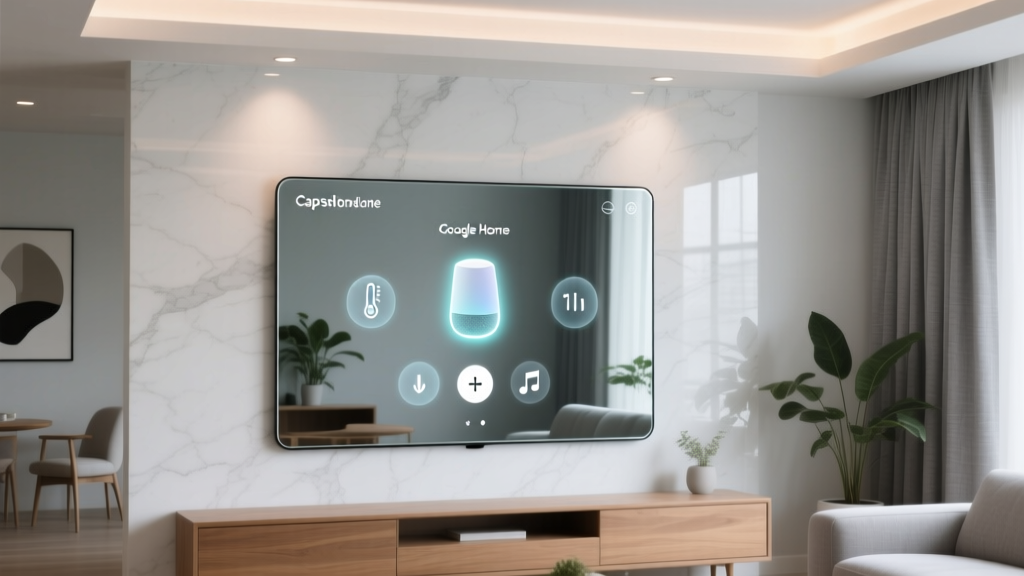
The modern bathroom is no longer just a utilitarian space for getting ready; it has evolved into a personal wellness hub. At the center of this transformation is the smart mirror. Today, we are taking an in-depth look at the Capstone Connecte Smart Mirror, specifically focusing on how it integrates with the Google Home ecosystem. If you are heavily invested in Google Nest devices, finding bathroom fixtures that seamlessly communicate with your existing smart home setup can be a challenge. Many high-end mirrors operate in closed ecosystems or require proprietary hubs, leaving Google Assistant users out in the cold.
In this comprehensive review, we will unpack the design, installation process, lighting performance, and most importantly, the real-world Google Home compatibility of the Capstone Connecte. Whether you are looking to automate your morning routine, sync your vanity lighting with your smart home scenes, or simply enjoy a fog-free shave after a hot shower, this review will tell you everything you need to know before making a premium investment.
Design, Build Quality, and Physical Specifications
The Capstone Connecte Smart Mirror immediately strikes a balance between minimalist elegance and robust industrial design. Measuring 24 inches by 32 inches, it is sized perfectly for a standard double vanity or a spacious single-sink setup. The mirror features a 5mm copper-free silver glass construction, which not only provides a crystal-clear, distortion-free reflection but also resists the corrosive effects of high-humidity bathroom environments.
The frame is crafted from anodized aluminum alloy, providing a sleek, rust-proof border that houses the integrated LED strips and touch-sensitive controls. Weighing in at approximately 28 pounds, it feels substantial and premium. Crucially, the unit carries an IP44 ingress protection rating. While it is not designed to be placed directly inside a shower enclosure, the IP44 rating ensures that it is fully protected against splashing water from any direction, making it perfectly safe for installation above a sink or bathtub.
Physical Specifications at a Glance
- Dimensions: 24" x 32" x 1.8"
- Weight: 28 lbs
- Glass Type: 5mm Copper-Free Silver Mirror
- Frame: Anodized Aluminum Alloy
- IP Rating: IP44 (Splash-proof)
- Control Interface: Capacitive Touch Buttons on Glass
Installation: Hardwired vs. Plug-In
One of the most common questions we receive about smart mirrors is how they are powered. The Capstone Connecte offers dual installation flexibility. It comes with a standard 3-prong plug for easy, non-permanent installation, which is ideal for renters or those who want to test the mirror before committing to a remodel. However, for a truly seamless, high-end look, the mirror is designed to be hardwired directly into your bathroom's electrical junction box.
If you choose the hardwired route, we strongly recommend hiring a licensed electrician, especially when dealing with GFCI (Ground Fault Circuit Interrupter) requirements in wet areas. Once hardwired, the physical power button on the mirror can be set to 'always on' mode, allowing the mirror to draw power continuously and remain connected to your Wi-Fi network for uninterrupted Google Home integration.
Google Home Integration: The Core Experience
This is where the Capstone Connecte truly separates itself from the pack. Out of the box, the mirror does not feature a native 'Works with Google Home' badge. Instead, it operates on the highly versatile Tuya Smart ecosystem (often accessed via the Smart Life app). Tuya is one of the largest IoT platforms in the world, and its bridge to Google Home is incredibly stable and feature-rich.
Bridging Tuya Smart Life to Google Home
To get the mirror talking to your Google Nest speakers or displays, you first need to connect the mirror to your 2.4GHz Wi-Fi network using the Smart Life app. The pairing process is straightforward: put the mirror into pairing mode by toggling the physical power button three times, then add the device in the app. Once the mirror is visible in Smart Life, you open the Google Home app, navigate to 'Add' > 'Set up device' > 'Works with Google', and search for Smart Life. After linking your accounts, the mirror appears in Google Home as a controllable light and switch device.
Google Home recognizes the mirror's LED ring as a dimmable light source, and the anti-fog heating pad as a separate smart switch. This separation is brilliant because it allows you to control the lighting and the defogger independently using your voice.
Building the Ultimate Morning Routine
The true magic of Google Home compatibility lies in Routines. According to the Google Nest Routines documentation, you can chain multiple smart home actions together using a single voice command. We set up a 'Good Morning' routine that triggers when we say, 'Hey Google, start my morning.'
Our Custom Morning Routine Setup:
- Turn on Capstone Connecte Mirror Light to 70% brightness.
- Set Mirror Color Temperature to 4000K (Neutral White).
- Activate Mirror Anti-Fog Defogger (Switch).
- Start the smart coffee maker in the kitchen.
- Play 'NPR Morning Edition' on the bathroom Nest Mini.
The latency between the voice command and the mirror's physical response is roughly 1.5 seconds. By the time you walk into the bathroom, the mirror is brightly lit, and the heating pad is already working to prevent condensation from your upcoming hot shower.
Real-World Performance Testing
Lighting Quality and CRI
A smart mirror is only as good as its reflection, and lighting is the most critical factor. The Capstone Connecte features edge-lit LEDs that boast a Color Rendering Index (CRI) of 92. A high CRI is essential for tasks like applying makeup, shaving, or skincare, as it ensures colors appear true to life rather than washed out or overly yellow. The mirror offers three adjustable color temperatures: Warm White (3000K), Neutral White (4000K), and Daylight (6000K).
The energy efficiency of these LEDs is also noteworthy. Following the Energy Star LED guidelines, modern LED fixtures consume significantly less power and generate far less heat than traditional incandescent vanity bulbs, which is crucial in a confined bathroom space. During our testing, the mirror drew a maximum of 35 watts at full brightness, making it exceptionally efficient.
Anti-Fog Defogger Test
The anti-fog feature utilizes a 120-watt silicone heating pad mounted directly behind the central viewing area of the glass. In our steam test, we ran a hot shower for 15 minutes with the bathroom door closed. The mirror with the defogger activated remained completely clear in the center 18x24 inch zone, while the unheated outer edges accumulated condensation. It takes approximately three minutes for the heating pad to reach optimal temperature, which is why integrating it into a Google Home routine that triggers before you enter the bathroom is highly recommended.
SmartHomeDeck Scoring Breakdown
Below is our proprietary Deck Score breakdown for the Capstone Connecte, evaluating its performance across five key dimensions.
SmartHomeDeck Scoring Breakdown
Competitor Comparison Table
How does the Capstone Connecte stack up against other premium smart mirrors on the market? We compared it with the Séura Smart Vanity and the Himirror Plus to help you make an informed decision.
| Feature | Capstone Connecte | Séura Smart Vanity | Himirror Plus |
|---|---|---|---|
| Price Range | $350 - $450 | $1,500 - $2,500 | $250 - $300 |
| Google Home Integration | Excellent (via Tuya) | Requires Smart Switch | Good (via IFTTT/Native) |
| Built-in Display | No (Hidden LEDs) | No (Hidden LEDs) | Yes (LCD Screen) |
| CRI Rating | 92 | 95 | 85 |
| Anti-Fog | Yes (120W) | Yes (150W) | No |
Privacy and Security in the Bathroom
When discussing smart home devices in private spaces like bathrooms, privacy is a paramount concern. It is important to note that the Capstone Connecte Smart Mirror does not have a built-in camera or microphone. It does not listen for wake words locally. All voice processing happens on your Google Nest Hub or smart speaker, not the mirror itself. The mirror simply receives Wi-Fi signals to toggle relays for the lights and defogger. This makes it a highly secure, privacy-friendly addition to your smart home ecosystem compared to smart mirrors that feature built-in displays and cameras for fitness tracking or video calls.
Pros and Cons
Pros
- Seamless Google Home Integration: The Tuya bridge allows for granular control of both lighting and the defogger via voice commands and routines.
- High CRI Lighting: A CRI of 92 provides excellent color accuracy for grooming tasks.
- Flexible Installation: Supports both hardwired and plug-in setups.
- Privacy-Friendly: No cameras or microphones built into the mirror hardware.
- Effective Anti-Fog: The 120W heating pad keeps the primary viewing area perfectly clear during hot showers.
Cons
- Third-Party App Required: Initial setup requires the Smart Life/Tuya app before linking to Google Home.
- Touch Button Sensitivity: The capacitive touch buttons on the glass can sometimes be overly sensitive or hard to find in the dark without the backlight indicator.
- 2.4GHz Wi-Fi Only: Like most smart home IoT devices, it does not support 5GHz networks, which can be tricky on dual-band mesh routers that combine SSIDs.
Final Verdict
The Capstone Connecte Smart Mirror is a triumph of practical smart home integration. While it may not feature the flashy, built-in LCD screens of fitness-focused mirrors, it excels at what a bathroom mirror should do: provide brilliant, accurate lighting, eliminate fog, and look incredibly elegant while doing so. Its ability to piggyback on the Tuya ecosystem makes it one of the most versatile and responsive Google Home-compatible mirrors on the market today.
For users who want to elevate their morning routine without compromising on privacy or breaking the bank on ultra-luxury custom glass, the Capstone Connecte hits the sweet spot. By leveraging Google Home routines, you transform a simple reflective surface into an automated, welcoming start to your day. It earns a highly recommended status from our team at SmartHomeDeck.