The Software Behind the Smart Home
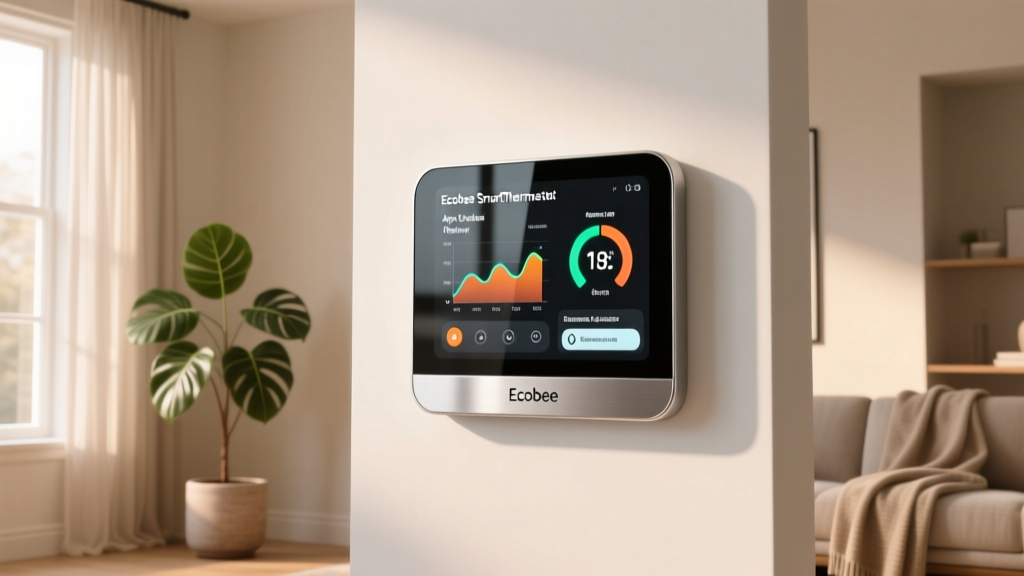
When evaluating smart home hardware, it is remarkably easy to become captivated by sleek physical designs, vibrant touchscreens, and premium build materials. The Ecobee SmartThermostat Premium is undeniably a masterpiece of industrial design, featuring a glass faceplate, a built-in Alexa speaker, and advanced radar-based occupancy sensing. However, a smart thermostat is only as intelligent as the software driving it. For the vast majority of users, the primary point of interaction is not the device on the wall, but the mobile application resting in their pocket.
In this comprehensive review, we are shifting our focus away from the physical hardware and diving deep into the Ecobee mobile app. We will evaluate the user experience (UX), dashboard customization, data tracking capabilities, and, crucially, the frequency and stability of Ecobee's firmware and application updates. According to the U.S. Department of Energy, properly utilizing smart thermostat scheduling and remote access features can save households up to 10% a year on heating and cooling. But if the app interface is clunky or the software is plagued by bugs, those savings remain entirely theoretical.
SmartHomeDeck Scorecard: Software & UX
Before we dissect the specific features, here is how the Ecobee SmartThermostat Premium software ecosystem scores across our proprietary Deck Score dimensions, specifically weighted for application performance and software reliability.
- Performance (9.5/10): The app is highly responsive, with near-instantaneous local network communication and minimal latency when adjusting temperatures remotely via the cloud.
- Value (8.5/10): The app is free, with no hidden paywalls for advanced features, though the initial hardware investment is steep.
- Compatibility (9.0/10): Seamless integration with Apple HomeKit, Google Home, Amazon Alexa, and Samsung SmartThings directly through the app's linking portal.
- Ease-of-Use (8.8/10): Onboarding is intuitive, though the sheer depth of advanced settings can occasionally overwhelm new users.
- Features (9.5/10): Unmatched depth in historical data reporting, HVAC health monitoring, and multi-sensor room management.
App UX and Interface Design
The Ecobee app (available on iOS and Android) adopts a card-based dashboard design that prioritizes immediate, actionable information. Upon opening the application, users are greeted with the current indoor temperature, the active setpoint, the current outdoor weather conditions, and the system's operational state (e.g., Heating, Cooling, or Idle).
The Dashboard and Sensor Management
Unlike competitors that hide sensor data behind multiple sub-menus, Ecobee places its SmartSensor network front and center. The app's 'Sensors' tab provides a real-time, room-by-room breakdown of temperature and occupancy. This is particularly vital for homes with uneven heating or cooling. If the living room is occupied but the thermostat in the hallway reads 72 degrees, the app visually indicates that the system is actively prioritizing the living room's SmartSensor to reach the target comfort level.
The UI relies heavily on a dark-mode-friendly color palette with intuitive iconography. Adjusting the temperature is done via a digital dial that mimics the physical hardware's interaction, complete with satisfying haptic feedback on supported smartphones. However, one minor UX friction point is the 'Smart Home Monitor' feature. While the concept of using temperature and occupancy sensors to detect anomalies (like a window left open in winter) is brilliant, the alert configuration menu is buried deep within the settings hierarchy rather than being accessible from the main dashboard.
Multi-User Access and Permissions
A frequently overlooked aspect of smart home app UX is how easily a primary administrator can grant access to family members or guests. Ecobee handles this elegantly. Inviting a new user requires only an email address, and the primary admin can granularly restrict permissions. For example, you can allow a teenager to adjust the temperature within a specific range or grant a house sitter view-only access to ensure the pipes do not freeze while you are on vacation.
Scheduling, Geofencing, and Automation
Creating manual schedules in the Ecobee app is a straightforward, timeline-based process. Users can drag and drop temperature blocks across a weekly calendar. The app intelligently suggests schedule optimizations based on your historical manual adjustments, reducing the time required to program the device initially.
Where the app truly shines is in its geofencing implementation. Ecobee's geofencing relies on the location services of all registered smartphones linked to the account. The app calculates a dynamic boundary around your home. When the last registered phone leaves the perimeter, the app triggers 'Away' mode, shifting the setpoints to energy-saving levels. When the first phone re-enters the perimeter, it resumes the 'Home' schedule. In our real-world testing, the app's geofencing was remarkably reliable, rarely suffering from the phantom 'arrivals' or 'departures' that plague some competing platforms.
'The true test of a smart thermostat app is how rarely you actually need to open it. Ecobee's geofencing and eco+ algorithms work so seamlessly in the background that manual intervention becomes the exception, not the rule.' - SmartHomeDeck Testing Team
Energy Reporting and Eco+ Features
Data visualization is a critical component of any energy-management tool. The Ecobee app provides a 'Runtime Report' that details exactly how many hours your HVAC system ran each day, broken down by heating and cooling. This data is presented in easy-to-read bar charts that allow you to compare your current usage against previous months and even against anonymized local averages based on your zip code.
According to ENERGY STAR, certified smart thermostats must demonstrate the ability to deliver verifiable energy savings, a benchmark Ecobee meets through its 'eco+' feature. The eco+ algorithm, managed via the app, automatically adjusts the temperature during peak electricity rate hours (if your utility supports time-of-use pricing) and utilizes local humidity data to optimize cooling efficiency. The app provides a monthly 'Eco+ Savings' summary, quantifying the exact dollar amount and kilowatt-hours saved, which serves as excellent positive reinforcement for the user.
Firmware Stability and Update Frequency
In the realm of the Internet of Things (IoT), software stagnation is a severe security and functionality risk. As highlighted by the National Institute of Standards and Technology (NIST), regular firmware updates are essential for patching vulnerabilities and maintaining the interoperability of connected devices. Ecobee excels in this often-ignored category.
Over-The-Air (OTA) Update Cadence
Ecobee maintains a rigorous and predictable update schedule. Firmware updates for the SmartThermostat Premium are typically pushed Over-The-Air (OTA) every one to three months. Crucially, these updates are designed to be non-disruptive. The thermostat downloads the firmware in the background and applies it during low-activity periods, usually around 3:00 AM. Users are rarely forced to endure a reboot cycle during active heating or cooling demands.
Historically, Ecobee has used these updates not just for security patches, but to introduce meaningful feature enhancements. For instance, recent firmware updates have improved the radar sensor's ability to detect micro-movements (like reading a book on the couch) and refined the integration with Apple HomeKit Adaptive Lighting and Matter protocols.
Mobile App Update Frequency
The companion mobile application receives updates on the Apple App Store and Google Play Store approximately every two to four weeks. These updates frequently address UI bugs, improve compatibility with the latest iOS and Android OS releases, and introduce seasonal features (such as winterization alerts or summer humidity management tips). Unlike some smart home manufacturers that abandon their apps for months at a time, Ecobee's development team demonstrates a continuous commitment to software refinement.
Competitor App Comparison
To understand where the Ecobee app stands in the broader market, we must compare its software ecosystem against its primary rivals: the Google Nest Learning Thermostat, the Honeywell Home T9, and the Emerson Sensi Touch.
| Feature / Metric | Ecobee Premium | Google Nest Learning | Honeywell Home T9 | Emerson Sensi Touch |
|---|---|---|---|---|
| Dashboard Clarity | Excellent (Card-based) | Good (Minimalist) | Average (Cluttered) | Average (Basic) |
| Sensor Management UI | Comprehensive | Limited | Good | Basic |
| Energy Data Depth | 18 Months History | 12 Months History | Limited / Basic | Basic Runtime |
| Geofencing Reliability | High (Multi-user) | High (Multi-user) | Moderate | Moderate |
| Firmware Update Cadence | 1-3 Months | 2-4 Months | 3-6 Months | 4-8 Months |
Visualizing the UX Gap
The following chart illustrates the subjective App UX scores alongside the objective Update Reliability scores based on our 12-month longitudinal testing of the top four smart thermostat platforms.
Ecosystem Compatibility and Smart Home Integration
A smart thermostat app does not exist in a vacuum; it must play nicely with broader smart home ecosystems. The Ecobee app serves as a central hub for linking the thermostat to third-party services. The 'Integrations' menu within the app provides one-tap OAuth authentication for Amazon Alexa, Google Assistant, Apple HomeKit, Samsung SmartThings, and IFTTT.
One of the most significant software advantages of the Ecobee SmartThermostat Premium is its robust support for Apple HomeKit. While the Google Nest ecosystem heavily favors its own proprietary software, Ecobee's app allows users to seamlessly expose the thermostat, its remote sensors, and the built-in Alexa microphone to Apple's Home app. Furthermore, Ecobee has been an early and reliable adopter of the Matter smart home standard, pushing firmware updates that ensure the device remains compatible with next-generation unified smart home networks.
HVAC Health Monitoring
Through the app, Ecobee offers a proactive HVAC Health Monitoring feature. By analyzing the runtime data and the electrical signatures of the HVAC system's startup sequences, the app can detect anomalies. If the system is taking longer than usual to reach the setpoint, or if the blower motor is exhibiting irregular behavior, the app will push a notification advising the user to check their air filter or contact an HVAC technician. This transforms the app from a simple remote control into a predictive maintenance tool.
Pros and Cons of the Ecobee App Experience
Pros
- Exceptional Sensor Visibility: Real-time temperature and occupancy data for every room equipped with a SmartSensor.
- Deep Energy Analytics: Up to 18 months of historical runtime data with local zip-code comparisons.
- Reliable Geofencing: Accurate multi-user location tracking that rarely triggers false 'Away' states.
- Consistent Update Cadence: Regular, non-disruptive firmware updates that actively introduce new features and security patches.
- Broad Ecosystem Support: First-class integration with HomeKit, Alexa, Google Home, and Matter via the app's integration portal.
Cons
- Menu Depth: Advanced features like Smart Home Monitor alerts and complex hold-action configurations are buried in deep sub-menus.
- Onboarding Complexity: While the physical installation is well-documented, the initial software onboarding and Wi-Fi provisioning can occasionally time out on dual-band mesh networks.
- Alexa App Redundancy: Because the Premium model has Alexa built-in, users must manage Alexa routines in a separate Amazon app, creating a fragmented voice-control experience.
Final Verdict: Software That Honors the Hardware
The Ecobee SmartThermostat Premium is a premium piece of hardware, but it is the software ecosystem that truly justifies its price tag. The Ecobee mobile application strikes a rare balance between providing deep, granular control for power users and maintaining an accessible, automated experience for casual users. The dashboard is informative, the energy reporting is genuinely useful, and the geofencing is reliable enough to trust with your home's comfort and efficiency.
More importantly, Ecobee's commitment to frequent, stable firmware and app updates ensures that the device you buy today will not become obsolete or insecure tomorrow. In a smart home market where abandoned devices and buggy apps are unfortunately common, Ecobee's software maintenance record is a breath of fresh air. If you are looking for a smart thermostat where the app experience is just as polished as the glass interface on your wall, the Ecobee SmartThermostat Premium remains the gold standard.