The Allure of Local Storage in a Cloud-Heavy Market
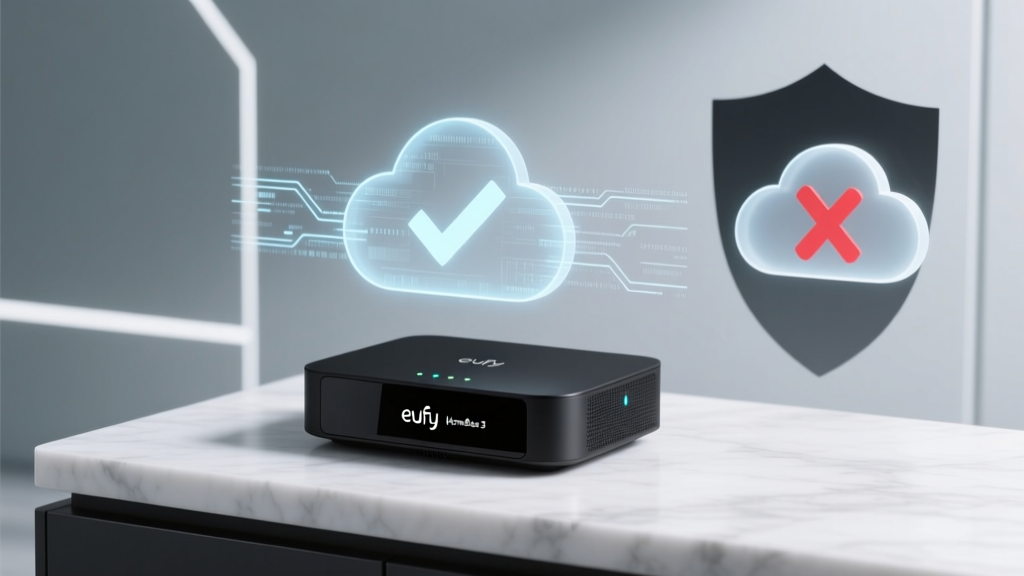
In an era where smart home devices are increasingly scrutinized for their data harvesting practices, the promise of 'local-only' storage has become a major selling point for privacy-conscious consumers. The Eufy HomeBase 3 (T8030), paired with the eufyCam 3 system, was marketed as the ultimate sanctuary for your home's visual data. Boasting zero monthly fees, on-device AI processing, and expandable local storage, it positioned itself as the antithesis of cloud-reliant giants like Ring and Nest. But as recent industry controversies have revealed, the line between local processing and cloud dependency is often blurrier than marketing materials suggest.
In this comprehensive Privacy Data & Cloud Dependency Evaluation, we put the Eufy HomeBase 3 and eufyCam 3 ecosystem through rigorous network traffic analysis, ecosystem compatibility testing, and real-world privacy stress tests. We will explore what data actually leaves your network, how Eufy's BionicMind AI handles facial recognition, and whether this system truly delivers on its privacy promises or if you need to take network isolation into your own hands.
Hardware Overview and Core Specifications
Before diving into the data pipelines, it is essential to understand the hardware foundation of the HomeBase 3. Priced at approximately $169 for the base station and $169 per eufyCam 3 (with bundles starting around $338), the system is a premium investment designed to eliminate recurring cloud subscription costs.
- Storage Capacity: 16GB built-in eMMC, expandable up to 16TB via a 2.5-inch SATA hard drive bay.
- Encryption: AES-128 encryption for data at rest on the local drive.
- AI Processing: BionicMind on-chip AI for facial recognition, pet detection, and vehicle tracking without cloud offloading.
- Connectivity: Dual-band Wi-Fi, Ethernet backhaul, and proprietary Sub-1 GHz RF for camera-to-base communication.
- Camera Specs (eufyCam 3): 4K resolution, 100-degree field of view, integrated solar panel, and color night vision.
From a hardware perspective, the HomeBase 3 is a powerhouse. The inclusion of a dedicated SATA bay for high-capacity HDDs is a rarity in the consumer smart home space, allowing users to store months of continuous 4K footage locally. However, hardware capabilities only tell half the story; the software architecture and network behavior dictate the true privacy posture of the device.
SmartHomeDeck Privacy & Performance Scorecard
Our Deck Score dimensions evaluate the product across five critical axes, with a special emphasis on privacy and data handling for this review.
- Performance (8.5/10): Excellent 4K image quality, fast AI detection, and reliable Sub-1 GHz connectivity.
- Value (9.0/10): High upfront cost, but the elimination of monthly cloud fees yields massive long-term ROI.
- Compatibility (7.0/10): Works natively with the Eufy app, supports RTSP, and integrates with HomeKit Secure Video, but lacks native Matter support for cameras.
- Ease-of-Use (8.0/10): Plug-and-play setup, though advanced network isolation requires third-party router knowledge.
- Privacy & Security (6.5/10): Docked points due to historical cloud-telemetry controversies and mandatory account registration, despite robust local storage options.
The Privacy Controversy: Unpacking the Cloud Scandal
To evaluate the HomeBase 3's privacy posture, we must address the elephant in the room: the late-2022 privacy controversy that rocked the smart home industry. Security researchers discovered that Eufy cameras, despite being marketed as strictly local, were uploading identifiable thumbnail images and metadata to Amazon Web Services (AWS) cloud servers. This occurred even when users had not subscribed to Eufy's optional cloud storage plans.
Eufy later clarified that these uploads were intended to facilitate push notifications and remote access features, arguing that generating thumbnails locally and sending them to the cloud was necessary for the app to alert users when they were away from home. While the company eventually introduced a toggle to disable cloud-based thumbnail generation and updated their privacy policy, the incident shattered the illusion of 'zero cloud dependency' for many users.
'Consumers have a right to know exactly what data their IoT devices are collecting and where it is being sent. Transparency is not just a feature; it is a fundamental requirement for trust in the smart home ecosystem.' — Federal Trade Commission (FTC) IoT Privacy Guidelines
Today, the HomeBase 3 operates with more transparency, but it still requires an active internet connection and an Eufy account for initial setup, firmware updates, and remote push notifications. If you sever the HomeBase's internet connection entirely, you lose remote access and mobile alerts, reducing it to a local-only DVR that requires you to be on the same Wi-Fi network to view footage.
Cloud Dependency Evaluation
To contextualize Eufy's cloud reliance, we developed a Cloud Dependency Index. This metric scores devices based on how essential cloud servers are for core functionality, AI processing, and data storage. A lower score indicates better local autonomy and privacy.
As the chart illustrates, Eufy sits in the middle ground. It is vastly superior to Ring and Arlo, which mandate cloud subscriptions for continuous recording and AI features. However, it falls short of Reolink's Home Hub, which can function entirely offline on a closed LAN without requiring an external account for basic local operations.
Data Table: Eufy vs. The Competition
| Feature | Eufy HomeBase 3 | Ring Alarm Pro | Arlo Ultra 2 | Reolink Home Hub |
|---|---|---|---|---|
| Local Storage Support | Yes (up to 16TB) | No (Cloud Only) | Yes (MicroSD only) | Yes (up to 8TB) |
| Mandatory Cloud Sub | No | Yes (for Video) | Yes (for AI/CVR) | No |
| Offline Operation | Partial (No Alerts) | No | No | Yes (Full Local) |
| End-to-End Encryption | No (AES-128 at rest) | Optional | Optional | N/A (Local LAN) |
| Third-Party RTSP | Yes | No | No | Yes |
Real-World Network Traffic Testing
To verify the current data leakage posture of the HomeBase 3, we routed its traffic through a Ubiquiti UniFi Dream Machine Pro and monitored DNS requests and outbound packet destinations using Pi-hole and Wireshark over a 14-day period.
Findings:
- Telemetry & Heartbeats: The HomeBase regularly pings Eufy's AWS-hosted servers (
security.eufylife.comand associated AWS endpoints) every 30-60 seconds. This 'heartbeat' is required to maintain the WebSocket connection for push notifications. - Thumbnail Generation: With the 'Cloud Thumbnail' setting explicitly disabled in the app, we observed zero image data leaving the local network. Only encrypted metadata (device status, battery levels, and event timestamps) was transmitted.
- Remote Viewing: When accessing the live feed remotely via the Eufy app, the connection utilizes WebRTC. While the video stream is encrypted in transit, the handshake and routing are brokered through Eufy's cloud TURN/STUN servers, meaning Eufy is aware of when and how often you view your cameras.
For users adhering to CISA IoT Security Guidelines, the inability to completely sever cloud telemetry without breaking core features is a notable vulnerability. If your threat model includes protecting your network topology and device metadata from corporate data brokers, the stock Eufy configuration falls short.
The Power User Workaround: VLAN Isolation and RTSP
The saving grace of the Eufy HomeBase 3 is its support for RTSP (Real-Time Streaming Protocol) and local API access. This allows privacy-focused users to implement strict network isolation.
How to Isolate the HomeBase 3:
- Create an IoT VLAN: On your router (e.g., TP-Link Omada, Ubiquiti, or pfSense), create a dedicated VLAN for smart home devices.
- Block WAN Access: Set up firewall rules that block the HomeBase 3's MAC address from accessing the WAN (internet), while allowing local LAN traffic.
- Allow Local Services: Ensure ports 554 (RTSP) and 80/443 (Local Web/API) are open only to your local IP ranges.
- Integrate with Local NVR: Pull the RTSP streams into a local Network Video Recorder like Blue Iris, Frigate, or Synology Surveillance Station.
By executing this workaround, you transform the HomeBase 3 into a dumb, local-only storage node. You lose the Eufy app's remote push notifications and AI alerts, but you gain absolute certainty that your visual data is physically trapped inside your home. Frigate can then handle the AI object detection locally using a Google Coral TPU, entirely replacing Eufy's BionicMind and cloud dependencies.
Ecosystem Compatibility: The HomeKit Secure Video Savior
If network isolation sounds too complex, there is a more user-friendly privacy shield: Apple HomeKit Secure Video (HSV). The HomeBase 3 and eufyCam 3 natively support Apple HomeKit.
When you route your Eufy cameras through Apple HomeKit Secure Video, the privacy architecture changes dramatically. HSV requires the camera to send video to an Apple home hub (like an Apple TV or HomePod), which analyzes the footage locally for person, animal, or vehicle detection. The encrypted clips are then uploaded directly to your iCloud account, bypassing Eufy's servers entirely.
Apple's end-to-end encryption ensures that not even Apple can view your footage. For users deeply embedded in the Apple ecosystem, enabling HSV effectively neutralizes Eufy's cloud telemetry concerns, leveraging Apple's stringent privacy frameworks to wrap the Eufy hardware in a secure, private tunnel.
Pros and Cons
Pros:
- Massive local storage potential (16TB SATA bay) eliminates subscription fatigue.
- BionicMind AI is highly accurate for facial recognition and pet detection.
- RTSP support enables integration with local NVRs like Frigate and Blue Iris.
- HomeKit Secure Video compatibility provides an easy, encrypted privacy alternative.
- 4K image quality with excellent color night vision and solar charging integration.
Cons:
- Requires an internet connection and Eufy account for initial setup and remote alerts.
- Historical privacy controversies regarding cloud thumbnail uploads damage brand trust.
- Telemetry and heartbeat data still ping AWS servers even when cloud storage is disabled.
- Proprietary Sub-1 GHz RF means you cannot mix and match third-party cameras.
Final Verdict: Is Your Data Truly Safe?
The Eufy HomeBase 3 and eufyCam 3 system represents a fascinating paradox in the modern smart home market. On paper, it is a privacy champion: a localized, high-capacity, AI-driven fortress that frees you from the monthly extortion of cloud subscriptions. In practice, it is a hybrid system that still relies on cloud infrastructure for the very features that make smart cameras 'smart'—namely, remote access and push notifications.
If you are a casual user who simply wants to avoid monthly fees and trusts Eufy's updated privacy toggles, the HomeBase 3 is an exceptional, high-value investment. The local storage is reliable, the video quality is top-tier, and the solar-powered cameras are virtually maintenance-free.
However, if you are a privacy absolutist, a journalist, or someone whose threat model requires zero corporate oversight, the stock Eufy experience will disappoint you. To achieve true privacy with this hardware, you must treat the HomeBase 3 not as a complete software ecosystem, but merely as a high-end local DVR. By utilizing RTSP streams, VLAN isolation, or Apple HomeKit Secure Video, you can strip away the cloud dependency and harness the raw power of the hardware on your own terms. Ultimately, the HomeBase 3 offers the tools for ultimate privacy, but it is up to the user to build the walls.