The Privacy Paradox of Modern Smart Cameras
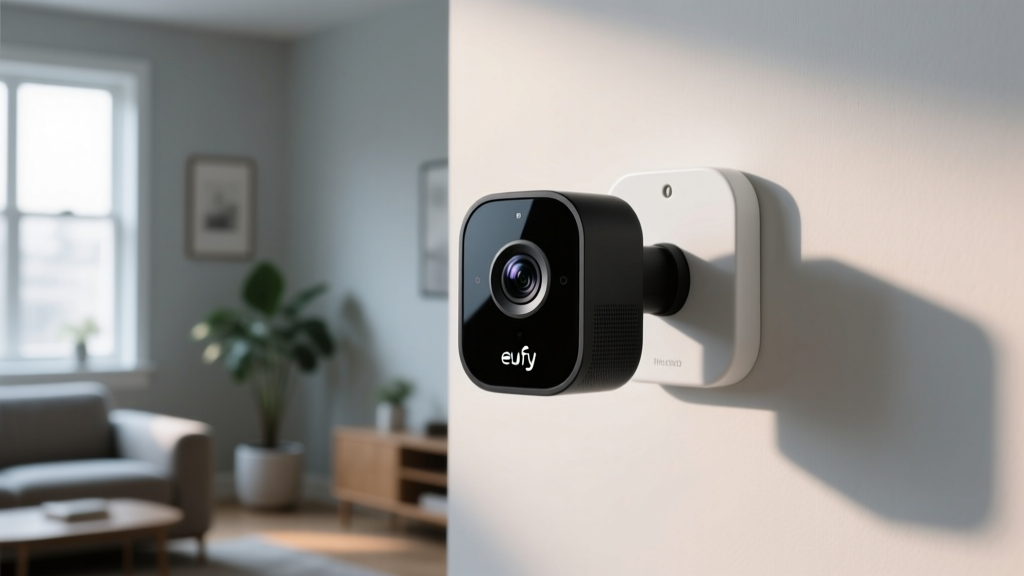
In the rapidly evolving smart home ecosystem, the convenience of remote monitoring often comes at a steep cost to personal privacy. Cloud-dependent cameras continuously stream footage to external servers, raising valid concerns about data breaches, unauthorized access, and long-term data retention. Enter the Eufy Indoor Cam S350, a flagship dual-lens indoor security camera that promises to keep your data local while delivering advanced AI tracking. But in an era where smart home manufacturers have faced intense scrutiny over their data handling practices, does the Eufy Indoor Cam S350 truly deliver on its privacy promises, or is it just another cloud-reliant device masquerading as a local-first solution?
In this comprehensive review, we evaluate the Eufy Indoor Cam S350 strictly through the lens of Privacy Data and Cloud Dependency. We will dissect its local processing capabilities, analyze its network behavior, explore its integration with privacy-focused ecosystems like Apple HomeKit Secure Video, and provide actionable network isolation strategies to ensure your indoor surveillance remains strictly under your control.
Hardware Design and Physical Privacy Controls
Before diving into software and network architecture, physical privacy controls remain the first line of defense in any indoor camera. The Eufy Indoor Cam S350 features a unique dual-lens setup: a 4K wide-angle lens for room coverage and a 2K telephoto lens with 3x optical zoom for tracking details. While this hardware is impressive for security, a camera that can pan, tilt, and zoom inherently poses a privacy risk by mapping the interior of your home.
To mitigate this, Eufy has included a physical privacy shutter. When you arm your system in 'Home' mode, the camera physically tilts its lenses down into the base, blocking the view entirely. This hardware-level guarantee is vastly superior to software-based privacy modes, which can be vulnerable to hacking or software glitches. For privacy-conscious users, a physical barrier provides absolute certainty that the camera is not recording when you are home, establishing a strong baseline of trust before we even examine the network traffic.
Local AI Processing: The BionicMind Architecture
The core of Eufy's privacy pitch revolves around its 'BionicMind' AI, which is designed to process data locally rather than relying on cloud servers. Unlike competitors that send video snippets to the cloud for object recognition (a process that requires uploading your private moments to external servers), the Eufy Indoor Cam S350 offloads heavy computational tasks to the HomeBase 3.
The HomeBase 3 acts as a local server, utilizing its built-in neural processing unit to identify familiar faces, distinguish between humans and pets, and track movement across the dual lenses. Because this processing happens on your local network, the latency is significantly reduced, and more importantly, your biometric data (facial recognition templates) never leaves your physical premises. This local-first approach drastically reduces the attack surface for cloud-based data breaches, ensuring that sensitive metadata regarding who is in your home and when remains entirely offline.
The Cloud Controversy: Addressing the Thumbnail Issue
No evaluation of Eufy's privacy architecture would be complete without addressing the late-2022 controversy, where security researchers discovered that Eufy devices were uploading encrypted thumbnail images to cloud servers, even when users had explicitly opted for 'local-only' storage. This revelation shook the privacy community and highlighted the often murky line between local storage and cloud-assisted features.
In response, Eufy overhauled its software architecture and transparency. Today, the Eufy Security app provides granular controls over cloud usage. Users can explicitly disable cloud thumbnail generation and ensure that all metadata remains on the HomeBase 3. However, it is crucial to understand that certain features, such as remote push notifications and peer-to-peer (P2P) remote viewing, still require a cloud handshake to establish a connection through NAT (Network Address Translation) firewalls. While the video stream itself is encrypted end-to-end and does not rest on Eufy's servers, the reliance on Eufy's relay servers for remote access means the device is not 100% cloud-independent if you wish to view your cameras while away from home.
HomeKit Secure Video: The Gold Standard for Privacy
For users deeply invested in the Apple ecosystem, the Eufy Indoor Cam S350's support for HomeKit Secure Video (HKSV) is a game-changer. According to Apple's official HomeKit Secure Video documentation, HKSV fundamentally alters how video data is handled. When enabled, the camera analyzes video locally, but instead of storing it on the HomeBase or a third-party cloud, it encrypts the footage locally before sending it directly to your iCloud account.
The encryption keys are stored on your Apple devices, meaning not even Apple can view your footage. This bypasses Eufy's servers entirely for storage and remote viewing, leveraging Apple's robust, zero-knowledge encryption infrastructure. If privacy is your absolute highest priority, utilizing the S350 exclusively through HKSV is the most secure configuration available, effectively neutralizing any concerns regarding Eufy's proprietary cloud infrastructure.
Network Isolation and IoT Security Best Practices
Even with local storage and HKSV support, any device connected to your network represents a potential vulnerability. The Cybersecurity and Infrastructure Security Agency (CISA) strongly recommends isolating IoT devices from your primary network to prevent lateral movement in the event a device is compromised. The Eufy Indoor Cam S350 communicates primarily with the HomeBase 3 via a proprietary 2.4GHz wireless protocol, which is a step above standard Wi-Fi cameras that broadcast data over your main router.
However, the HomeBase 3 itself must be connected to your router via Ethernet. To maximize privacy, we recommend placing the HomeBase 3 on a dedicated IoT VLAN (Virtual Local Area Network) with strict firewall rules. You should block the HomeBase's access to local devices like your PCs and NAS drives, while allowing outbound traffic only to Eufy's necessary NTP and P2P relay servers. Furthermore, disabling UPnP (Universal Plug and Play) on your router ensures the camera cannot automatically open ports to the outside internet, forcing all remote connections through encrypted, authenticated P2P tunnels.
Cloud Dependency Evaluation: Eufy vs. The Competition
To understand where the Eufy Indoor Cam S350 stands in the broader market, we must compare its cloud dependency against major competitors like Ring and Google Nest. The chart below illustrates the Cloud Dependency Index, where a score of 10 indicates a device that is entirely non-functional without an active cloud connection and mandatory subscription, while a lower score indicates robust local processing and offline capabilities.
Cloud Dependency Index Comparison
As the data visualizes, the Eufy S350 operating via its native HomeBase 3 scores a very low 3, requiring the cloud only for initial setup, firmware updates, and optional remote P2P handshakes. When configured with Apple HomeKit Secure Video, its dependency on Eufy's cloud drops to near zero (a score of 1), relying entirely on Apple's local and iCloud infrastructure. In stark contrast, Ring and Nest devices score 9 and 10 respectively, as they fundamentally require cloud servers for AI processing, video storage, and basic historical timeline functionality, rendering them largely useless during internet outages.
SmartHomeDeck Score Breakdown
Our proprietary Deck Score evaluates smart home products across five critical dimensions, with a special weighting for privacy and data handling in this specific review.
| Dimension | Score (out of 10) | Analysis |
|---|---|---|
| Performance | 9.0 | Dual-lens 4K tracking is exceptionally fast and accurate, driven by local AI processing with minimal latency. |
| Value | 7.5 | High upfront cost, but the lack of mandatory monthly cloud subscriptions makes it highly cost-effective over time. |
| Compatibility | 8.5 | Excellent support for Apple HomeKit Secure Video, Amazon Alexa, and Google Assistant. RTSP support is limited. |
| Ease-of-Use | 8.0 | The Eufy Security app is intuitive, though the sheer volume of privacy toggles can overwhelm novice users. |
| Privacy & Data | 9.5 | Industry-leading local storage, physical privacy shutters, and zero-knowledge HKSV integration set a new standard. |
Pros and Cons: The Privacy Perspective
Pros
- True Local Storage: HomeBase 3 stores up to 16TB of footage locally with AES-128 encryption, eliminating mandatory cloud fees and external data exposure.
- Physical Privacy Shutter: Hardware-level lens blocking provides absolute certainty that the camera is not recording when you are home.
- HomeKit Secure Video: Full support for Apple's zero-knowledge encryption ecosystem, bypassing Eufy's servers entirely for remote viewing and storage.
- Local AI Processing: Facial recognition and pet detection occur on-device, keeping biometric metadata off the internet.
- Offline Resilience: Continues to record and track motion locally even if your home's internet connection goes down.
Cons
- Cloud Handshake Requirement: Remote viewing outside the home still relies on Eufy's P2P relay servers to bypass NAT firewalls, meaning it is not 100% cloud-independent.
- Proprietary Wireless Protocol: The camera connects to the HomeBase via a closed 2.4GHz protocol, making it difficult to integrate into advanced local smart home hubs like Home Assistant without workarounds.
- Historical Trust Issues: The 2022 thumbnail controversy requires users to actively verify and disable specific cloud-assist features in the app settings to ensure total local isolation.
Ecosystem Compatibility and Third-Party Data Sharing
When evaluating privacy, we must also consider how a device interacts with third-party ecosystems. The Eufy Indoor Cam S350 integrates with Amazon Alexa and Google Assistant. However, enabling these integrations inherently compromises the local-first privacy model. To display a live feed on an Echo Show or Nest Hub, the video stream must be routed through Eufy's cloud servers, and subsequently through Amazon or Google's cloud infrastructure.
For users whose primary threat model includes protecting their data from big-tech data harvesting and targeted advertising, we strongly advise against linking the Eufy Security account to Alexa or Google Home. Instead, confine the camera's ecosystem integration strictly to Apple HomeKit, or utilize the native Eufy Security app on your mobile devices. Organizations like the Mozilla Foundation's Privacy Not Included project consistently highlight how voice assistant integrations multiply the number of entities that have access to your device's metadata and usage patterns. By keeping the ecosystem closed, you maintain a much tighter perimeter around your household data.
Final Verdict: A Local-First Champion with Caveats
The Eufy Indoor Cam S350 represents a significant step forward for consumers who demand high-end security features without sacrificing their digital privacy. Its dual-lens hardware, combined with the HomeBase 3's local BionicMind AI, delivers a premium surveillance experience that does not require a monthly subscription or constant cloud uploading. The inclusion of a physical privacy shutter and robust HomeKit Secure Video support makes it one of the most privacy-respecting indoor cameras currently on the market.
However, buyers must be educated consumers. The device is not entirely divorced from the cloud; remote access and firmware management still require internet connectivity and Eufy's relay servers. Furthermore, users must actively navigate the app's settings to disable legacy cloud-assist features and implement proper network segmentation via VLANs to truly harden their setup. If you are willing to invest the time in proper configuration and network isolation, the Eufy Indoor Cam S350 is an outstanding choice that proves you do not need to surrender your privacy to secure your home.