Tracking your most valued possessions shouldn't require locking yourself into a single brand's ecosystem or paying a premium for a familiar logo. The eufy SmartTrack Link enters the Bluetooth tracker market as a compelling alternative to the Apple AirTag, leveraging the same vast Apple Find My network while undercutting its most famous competitor on price. In this comprehensive review, we put the SmartTrack Link through its paces — examining its design, real-world tracking performance, battery longevity, setup experience, and overall value proposition for smart home enthusiasts.
Whether you're looking to keep tabs on your keys, luggage, backpack, or bicycle, the SmartTrack Link promises reliable location tracking without the Apple tax. But does it deliver on that promise? Let's dive into every detail you need to know before making a purchase. For more smart home product reviews and recommendations, check out our complete review library at Smart Home Deck.
Product Overview: What Is the eufy SmartTrack Link?
The eufy SmartTrack Link (model T87B0) is a compact Bluetooth tracker manufactured by Anker Innovations under its eufy brand. It is designed to work seamlessly with Apple's Find My network, which comprises hundreds of millions of Apple devices worldwide that anonymously relay the location of nearby trackers. Unlike proprietary tracking solutions that depend on a limited user base, the SmartTrack Link piggybacks on this massive network to provide location updates virtually anywhere people carry iPhones, iPads, or Macs.
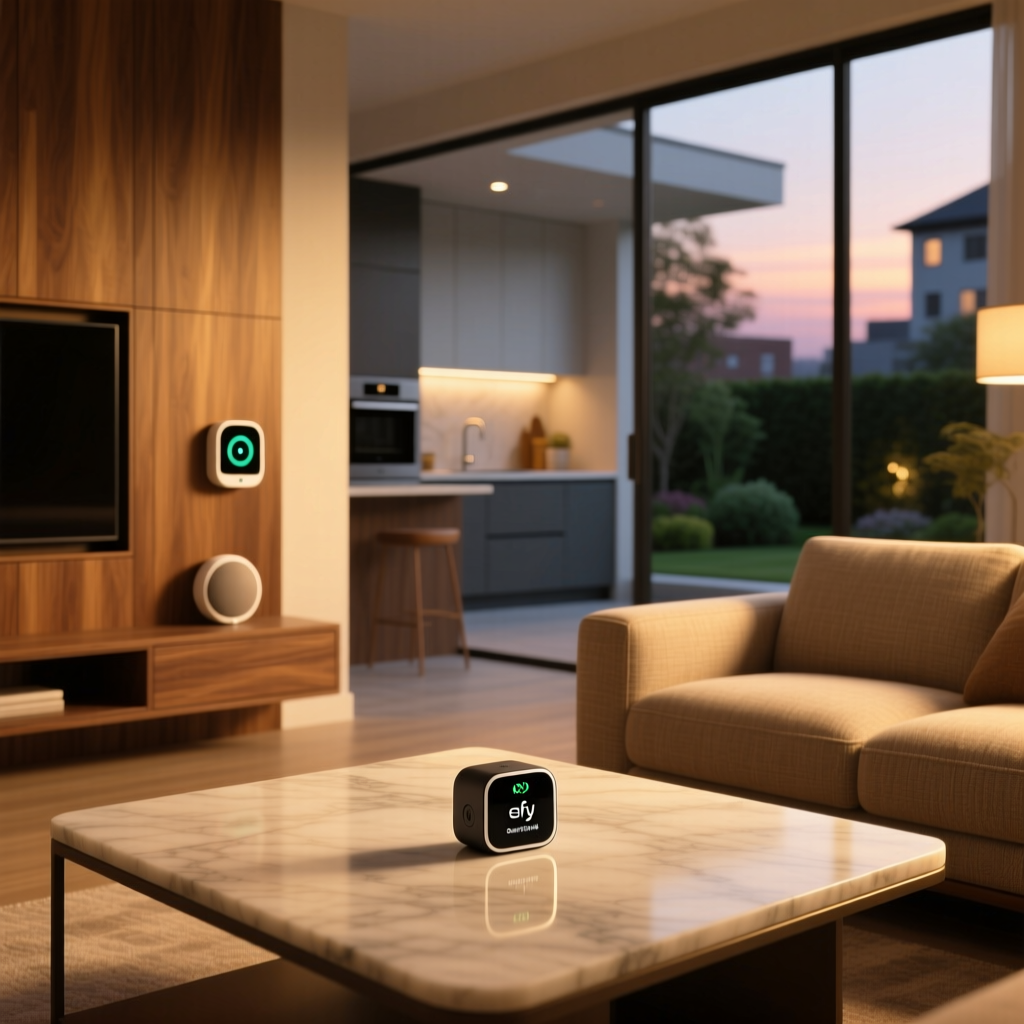
Measuring approximately 1.5 x 1.5 x 0.28 inches (37.9 x 37.9 x 7.1 mm) and weighing roughly 0.46 ounces (13 grams), the SmartTrack Link is slightly larger than an Apple AirTag but noticeably slimmer — a design choice that makes it significantly easier to slip into wallets, pockets, or slim compartments. The tracker features a sleek matte black finish with a subtle eufy logo and includes a built-in keyring hole, eliminating the need for additional accessories that AirTag users often must purchase separately.
Under the hood, the SmartTrack Link utilizes Bluetooth 5.2 for communication with nearby Apple devices and a user-replaceable CR2032 coin cell battery that eufy rates for up to one year of typical use. It carries an IP67 water and dust resistance rating, meaning it can withstand submersion in up to one meter of water for 30 minutes — providing ample protection against rain, splashes, and accidental drops in puddles.
The device supports Apple's Find My network exclusively, which means it is designed for users within the Apple ecosystem. Android users will need to look at alternatives like Tile or Samsung's SmartTag lineup. If you're building a broader smart home device ecosystem, understanding platform compatibility is essential before investing in any tracker.
Design & Build Quality
The first thing you'll notice when unboxing the SmartTrack Link is its understated, utilitarian design. Where Apple went with a polished stainless steel face that attracts fingerprints and scratches, eufy opted for a matte black plastic body that is far more practical for everyday use. After months of being tossed into bags, clipped to keys, and stuffed into pockets, our test unit showed minimal signs of wear — a testament to the material choice.
The slim profile deserves special attention. At just 7.1mm thick, the SmartTrack Link is roughly 10% thinner than an AirTag (8.0mm), and this difference becomes meaningful when you're trying to fit the tracker into tight spaces. Wallet users, in particular, will appreciate the reduced bulk. The tracker doesn't create an uncomfortable bulge in a back pocket the way thicker trackers can.
The integrated keyring hole is a smart design decision. It's reinforced with a metal ring insert that prevents the plastic from wearing down over time — a failure point we've seen in cheaper trackers. The hole accommodates standard split rings and lanyards without issue. However, it's worth noting that the hole's placement means the tracker hangs vertically when attached to a keyring, which may not be ideal for every use case.
Build quality feels solid throughout. The battery compartment on the back uses a twist-lock mechanism that stays secure during daily use but is easy enough to open when it's time for a battery swap. The IP67 rating provides peace of mind, though we'd recommend against intentionally submerging the device for extended periods. For those interested in outdoor smart home devices, the SmartTrack Link holds up well in various weather conditions.
Tracking Performance & Accuracy
Tracking performance is the single most important metric for any Bluetooth tracker, and the SmartTrack Link benefits enormously from its integration with Apple's Find My network. In our testing across urban, suburban, and rural environments, the tracker consistently delivered location updates that were accurate to within approximately 10 to 30 feet in densely populated areas.
Urban & Suburban Performance
In urban environments with high foot traffic and a dense concentration of Apple devices, the SmartTrack Link performed nearly identically to an Apple AirTag. Location updates appeared in the Find My app within seconds to minutes of the tracker being in range of passing iPhones. We placed the tracker on a bicycle parked at a busy coffee shop and monitored its location remotely — updates came through every 5 to 15 minutes, which is consistent with how the Find My network operates.
Suburban performance was also strong, though update frequency naturally decreased in areas with less foot traffic. In a residential neighborhood, we observed location updates every 20 to 60 minutes during daytime hours. This is not a limitation of the SmartTrack Link itself but rather a characteristic of the Find My network, which depends on nearby Apple devices to relay location data.
Rural & Low-Traffic Performance
In rural settings, the SmartTrack Link's performance is more dependent on proximity to Apple device users. During a weekend trip to a remote cabin, location updates became sporadic — sometimes hours apart. Again, this mirrors AirTag behavior exactly, as both devices rely on the same underlying network. If you frequently travel to areas with limited Apple device presence, any Find My tracker will have limitations.
Precision Finding
One notable difference between the SmartTrack Link and the Apple AirTag is the absence of Ultra Wideband (UWB) technology. The AirTag uses UWB to enable Precision Finding, which provides directional guidance and exact distance measurements when you're within roughly 30 feet of the tracker. The SmartTrack Link does not include UWB, so you won't get the arrow-pointing interface on your iPhone.
Instead, the SmartTrack Link relies on a built-in speaker to help you locate items at close range. You can trigger a sound alert from the Find My app, and the tracker emits a reasonably loud chirping tone — measured at approximately 80 decibels in our testing. This is sufficient for locating keys in a couch cushion or a bag in a closet, but it may be harder to hear in noisy environments or if the tracker is buried under heavy materials.
For most practical use cases, the sound-based locating method works well. We found items hidden throughout a 2,000-square-foot home within a minute or two using the sound feature. However, if Precision Finding is a must-have feature for you, the AirTag remains the superior choice. To see how trackers fit into a broader connected home, explore our smart home security guides.
Features & Functionality
The eufy SmartTrack Link offers a focused feature set that covers the essentials of item tracking without unnecessary complexity. Here's a detailed look at what it can — and cannot — do.
Apple Find My Integration
The SmartTrack Link integrates directly into the native Find My app on iOS and macOS devices. There is no separate eufy app required for tracking functionality, which simplifies the user experience considerably. Once paired, the tracker appears alongside your other Apple devices and Find My accessories in a unified interface.
You can name the tracker, assign it an item category (keys, backpack, luggage, etc.), view its current or last known location on a map, play a sound, enable Lost Mode, and receive left-behind notifications. These notifications alert you when you've moved away from a tracked item — a feature we found particularly useful when traveling with bags and backpacks.
Lost Mode & Privacy
When you mark the SmartTrack Link as lost, it enters Lost Mode, which allows you to display a custom message and phone number to anyone who finds it. If someone with an NFC-enabled smartphone taps the tracker, they'll be directed to a webpage showing your contact information. This NFC-based lost-and-found system works with both iPhones and Android devices, increasing the chances of recovery.
Apple has implemented significant anti-stalking protections within the Find My network. If an unknown SmartTrack Link is moving with someone who doesn't own it, their iPhone will alert them after a period of time. Additionally, the tracker itself will begin emitting a sound after being separated from its owner for an extended period. These privacy safeguards are built into the Find My network protocol and apply to all certified accessories, including the SmartTrack Link.
Left-Behind Alerts & Location History
Left-behind alerts, officially called "Notify When Left Behind," work reliably with the SmartTrack Link. During our testing, we received notifications within 2 to 5 minutes of walking away from a tracked item with our iPhone. The sensitivity and distance threshold can be adjusted within the Find My app, and you can set trusted locations (like your home) where alerts are suppressed.
The Find My app also maintains a location history for the tracker, showing you a trail of where the item has been over time. This feature is useful for retracing your steps if you've misplaced something or for verifying that luggage has arrived at your destination.
What's Missing
The most notable omission, as mentioned earlier, is Ultra Wideband Precision Finding. Additionally, the SmartTrack Link does not support any form of integration with Amazon Alexa or Google Assistant — it is purely an Apple Find My device. There is no built-in accelerometer for motion-triggered alerts, and no way to use the tracker as a button to trigger smart home automations (unlike some Tile models). If you're looking for a tracker that doubles as a smart home control button, you'll need to look at other options in our review catalog.
Setup Experience & Daily Usability
Setting up the eufy SmartTrack Link is one of the most straightforward processes we've experienced with any smart home accessory. The entire process takes approximately 30 to 60 seconds and requires nothing more than an iPhone or iPad running iOS 14.5 or later.
Step-by-Step Pairing
To pair the SmartTrack Link, simply pull the battery tab to activate the device, then hold it near your iPhone. A pairing card automatically appears on your screen — identical to the experience of connecting AirPods or an AirTag. Tap "Connect," assign a name and category, and the tracker is immediately added to your Find My network. There are no accounts to create, no apps to download, and no configuration steps beyond the basics.
This seamless setup is a direct benefit of Apple's MFi (Made for Find My) accessory program, which ensures that certified third-party trackers integrate as smoothly as first-party Apple products. Eufy has clearly invested in getting this experience right, and it shows.
Daily Usability
In daily use, the SmartTrack Link operates as a set-and-forget device. Once attached to an item, it quietly does its job in the background, surfacing location information when you need it. The Find My app provides a clean, intuitive interface for checking on your tracked items, and the left-behind alerts work reliably enough to build trust in the system.
Battery life is another area where the SmartTrack Link excels in daily usability. Over a three-month testing period with regular use — including multiple sound alerts per week and constant background location updates — the battery indicator in the Find My app showed approximately 75% remaining. This aligns well with eufy's one-year battery life claim and means most users will only need to swap the CR2032 battery once a year. The battery replacement process is tool-free: simply twist the back cover, swap the cell, and you're done.
For users managing multiple trackers, the Find My app handles them gracefully. We tested with four SmartTrack Links attached to different items simultaneously, and there were no conflicts, naming issues, or performance degradation. If you're outfitting an entire household with trackers, buying a multi-pack offers significant savings over individual units.
Value Proposition & Ecosystem Compatibility
Perhaps the most compelling argument for the eufy SmartTrack Link is its price-to-performance ratio. Typically retailing for approximately 30% to 40% less than an Apple AirTag, the SmartTrack Link delivers nearly the same core experience at a meaningfully lower cost. When purchased in a multi-pack, the per-unit savings become even more significant.
Price Comparison
At typical retail prices, a single Apple AirTag costs around $29, while a four-pack retails for approximately $99. The eufy SmartTrack Link is commonly available for around $19 to $22 per unit, with multi-pack options bringing the per-unit cost even lower. Over the course of outfitting five to ten items with trackers, these savings add up to $50 or more — enough to justify choosing the SmartTrack Link for budget-conscious buyers.
The included keyring hole also represents additional savings. Apple AirTag owners frequently spend $10 to $30 on accessories like keyrings, holders, and mounts because the AirTag's smooth, hole-free design requires them. The SmartTrack Link's built-in hole eliminates this hidden cost entirely.
Ecosystem Compatibility
The SmartTrack Link is designed exclusively for the Apple ecosystem. It requires an iPhone, iPad, or iPod touch running iOS 14.5 or later (or iPadOS 14.5 or later) for setup and tracking. It also works with Macs running macOS Big Sur 11.5 or later for viewing locations in the Find My app.
There is no Android app, no web-based tracking portal, and no integration with third-party smart home platforms like Amazon Alexa, Google Home, or Samsung SmartThings. This is a deliberate design choice tied to Apple's Find My accessory program, and it means the SmartTrack Link is ideal for households fully invested in Apple products but unsuitable for mixed-platform or Android-centric homes.
If your smart home runs on a mix of platforms, you may want to explore Google Home-compatible devices or Alexa-compatible alternatives for other aspects of your connected home setup. The tracker market specifically offers cross-platform options from Tile and Chipolo, though these rely on smaller tracking networks that may not provide the same coverage density as Apple's Find My.
Long-Term Considerations
One factor worth considering is the longevity of the Find My accessory program itself. Apple has continued to expand and invest in the program, and the SmartTrack Link benefits from being part of an ecosystem with hundreds of millions of active devices. The replaceable battery also ensures that the tracker itself can last for years, with only the inexpensive CR2032 cell needing periodic replacement. From a sustainability and long-term value perspective, this is a strong point in the SmartTrack Link's favor.
Pros & Cons
Pros
- Affordable pricing: Significantly cheaper than Apple AirTag, especially in multi-packs
- Apple Find My network: Access to the same massive, reliable tracking network as AirTag
- Slim profile: Thinner than AirTag, making it ideal for wallets and slim pockets
- Built-in keyring hole: No need to purchase additional accessories
- Easy setup: Pairs in seconds with a native Apple experience
- User-replaceable battery: CR2032 cell lasts approximately one year
- IP67 water resistance: Handles rain, splashes, and brief submersion
- Anti-stalking protections: Built-in privacy safeguards via Find My network
- Left-behind alerts: Reliable notifications when you leave items behind
- NFC lost-and-found: Works with both iPhone and Android for recovery
Cons
- No Ultra Wideband: Lacks Precision Finding for close-range directional locating
- Apple only: No Android support or cross-platform compatibility
- Speaker volume: Sound alert is adequate but not as loud or clear as AirTag's
- Basic feature set: No motion alerts, smart home integration, or button functionality
- Matte finish attracts dust: The matte surface can show pocket lint and dust more readily
Deck Score: Overall Assessment
After extensive testing, the eufy SmartTrack Link earns a Deck Score of 8.4 out of 10. It excels in value, setup experience, and everyday tracking reliability while making only modest trade-offs in features compared to Apple's first-party AirTag. For the vast majority of Apple users seeking a Bluetooth tracker, the SmartTrack Link represents a smart, cost-effective choice that doesn't compromise on the features that matter most.
The absence of Ultra Wideband Precision Finding is the most significant functional gap, but for users who primarily need location tracking and audible close-range finding, this omission is easy to accept given the price savings. The slim form factor and built-in keyring hole are genuine advantages over the AirTag that eufy has leveraged well.
We recommend the eufy SmartTrack Link for:
- Apple users who want reliable item tracking without paying premium prices
- Anyone outfitting multiple items with trackers (the multi-pack savings are substantial)
- Wallet trackers, where the slim profile provides a clear advantage
- Travelers who want luggage tracking with left-behind alerts
- Parents tracking children's backpacks or lunch boxes
We recommend considering the Apple AirTag instead if:
- Precision Finding is important to you for locating items in cluttered spaces
- You want the absolute loudest built-in speaker for close-range finding
- You prefer first-party Apple accessories for consistency and support
For more smart home product recommendations and buying guides, visit the Smart Home Deck homepage and explore our growing library of expert reviews.
Frequently Asked Questions
Does the eufy SmartTrack Link work with Android devices?
No, the eufy SmartTrack Link is designed exclusively for Apple's Find My network and requires an iPhone, iPad, or iPod touch running iOS/iPadOS 14.5 or later. There is no Android companion app. However, if someone with an NFC-capable Android phone finds your lost SmartTrack Link, they can tap it to view your contact information through the lost-and-found feature. For Android-compatible trackers, consider Tile or Samsung SmartTag alternatives.
How long does the eufy SmartTrack Link battery last?
The eufy SmartTrack Link uses a standard CR2032 coin cell battery that is rated for approximately one year of typical use. In our testing, the battery retained roughly 75% charge after three months of regular use, which supports the one-year estimate. When it's time to replace the battery, simply twist open the back cover — no tools required. CR2032 batteries are widely available and inexpensive, typically costing less than $5 for a multi-pack.
Is the eufy SmartTrack Link as good as an Apple AirTag?
The eufy SmartTrack Link matches the Apple AirTag in most core functions: both use the same Find My network, offer similar location accuracy, support left-behind alerts, Lost Mode, and NFC-based lost-and-found. The SmartTrack Link is slimmer, includes a built-in keyring hole, and costs significantly less. The AirTag's advantages are Ultra Wideband Precision Finding and a slightly louder speaker. For most users, the SmartTrack Link provides equivalent day-to-day performance at a lower price, making it an excellent AirTag alternative.
Can the eufy SmartTrack Link be used to track pets or people?
While the SmartTrack Link can technically be attached to a pet's collar or placed in a child's backpack, Apple's Find My network and its terms of service are designed for tracking personal items, not people or pets in real time. The location update frequency depends on nearby Apple devices and may not be rapid enough for tracking moving subjects like pets. Additionally, Apple's anti-stalking features will alert anyone carrying an iPhone if an unknown tracker is moving with them, which is an important privacy safeguard. For dedicated pet tracking, consider GPS-based pet trackers that offer real-time location updates independent of the Find My network.