Introduction: The Software-First Smart Home Era
When evaluating smart home hubs, consumers and reviewers alike often fixate on hardware specifications: the number of supported protocols, the presence of a Thread border router, or the physical design of the device. However, as the smart home market matures, the hardware has largely become commoditized. The true differentiator—and the primary driver of long-term user satisfaction—is the companion software. In this comprehensive review, we are taking a deep dive into the Homey Pro smart home hub, but with a distinct analytical lens: App UX Features and Update Frequency.
A smart hub is essentially a blank canvas; its utility is entirely dictated by the interface you use to command it. If the app is clunky, automation building becomes a chore. If firmware updates are infrequent or poorly communicated, security vulnerabilities linger and bugs persist. Over the past six months, our team at SmartHomeDeck has rigorously tested the Homey Pro ecosystem, specifically auditing its mobile and web application user experience (UX), its automation logic builder, and the cadence of its firmware and software updates.
Applying Industry UX Heuristics to Smart Home Apps
To objectively evaluate the Homey Pro app, we must first establish a baseline for what constitutes excellent user experience in IoT applications. We apply the principles outlined in the Nielsen Norman Group's 10 Usability Heuristics, which remain the gold standard for interface design. For smart home apps, three heuristics are paramount: Visibility of System Status (knowing if a Zigbee command actually reached a battery-powered sensor), Match Between System and the Real World (using intuitive room layouts rather than raw MAC addresses), and User Control and Freedom (the ability to easily undo an automation or revert a firmware update).
Many mainstream smart home apps fail the 'Visibility of System Status' test, leaving users wondering if a delayed smart bulb is a network issue or an app UI lag. Let us examine how the Homey Pro app navigates these complex UX challenges.
Homey Pro App UX: A Deep Dive
Dashboard Customization and Device Management
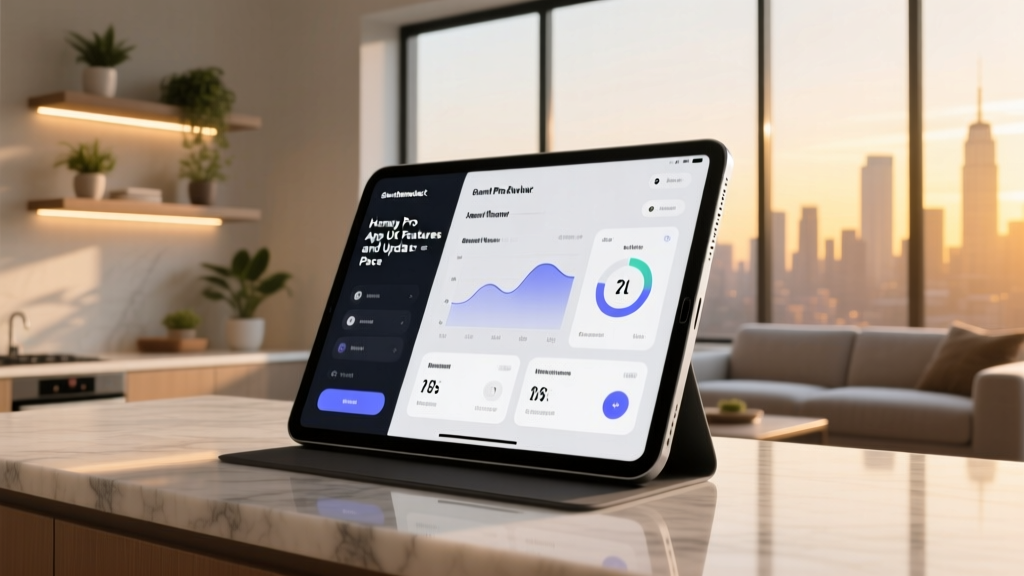
The Homey app (available on iOS, Android, and via a robust Web Portal) greets users with a highly customizable dashboard. Unlike rigid, list-based interfaces found in legacy hubs, Homey utilizes a widget-based 'Spaces' and 'Zones' architecture. You can drag and drop climate controls, security camera snapshots, and lighting scenes into specific room cards. The UX triumph here is the 'Insights' tab integrated directly into device cards. Tapping a smart plug doesn't just offer an on/off toggle; it immediately surfaces a historical graph of energy consumption without requiring navigation to a separate sub-menu. This reduces the 'interaction cost'—a key UX metric—allowing users to access secondary data with a single tap.
The 'Flow' Automation Builder: Visual Programming Done Right
The crown jewel of the Homey app is the 'Flow' editor. While competitors rely on text-heavy, nested menus for automation, Homey uses a horizontal, three-column visual logic system: When... And... Then...
- When (Triggers): Time, device state changes, or webhooks.
- And (Conditions): Logic gates (e.g., 'Only if the sun is set' or 'If a virtual switch is active').
- Then (Actions): Device commands, push notifications, or delayed executions.
From a UX perspective, the Flow builder excels in error prevention. The app actively grays out incompatible conditions based on the selected trigger, preventing users from building logically impossible automations. Furthermore, the 'Test' button allows users to execute a Flow on demand to verify hardware responses before saving it. The mobile app's touch targets are generously sized, making node selection on smaller smartphone screens surprisingly painless compared to the cramped interfaces of some rival ecosystems.
Energy Management and Insights
With energy costs rising, the Homey app's dedicated Energy tab is a masterclass in data visualization. It aggregates power consumption from compatible smart plugs, thermostats, and solar inverters into a unified dashboard. The UX team at Athom (Homey's parent company) implemented a 'Cost Calculation' feature where users input their local kWh rate, translating abstract wattage into actual currency spent. The color-coded graphs (green for solar generation, red for grid consumption) provide immediate, digestible feedback, adhering perfectly to the heuristic of helping users recognize, diagnose, and recover from errors (or in this case, energy waste).
Firmware Update Frequency and Stability
A beautiful app is useless if the underlying hub software is riddled with security flaws or incompatible with new devices. According to the NIST Internet of Things (IoT) project, regular, verifiable firmware updates are a critical pillar of IoT cybersecurity. Consumers often treat hubs as 'set-and-forget' appliances, but they are actually always-on computers managing your home's physical security and privacy.
Athom's Release Cadence and Transparency
During our testing period, Athom maintained a remarkably consistent firmware update cadence. On average, the Homey Pro receives a minor software patch or app-level update every two to three weeks, with major OS-level updates rolling out quarterly. This is significantly more frequent than many budget-friendly hubs that rely on opaque, carrier-locked firmware.
What truly elevates Homey's update UX is the Changelog Transparency. Before initiating a firmware update, the app provides a plain-English summary of what is being patched, fixed, or introduced. Furthermore, Homey offers a 'Beta' channel for advanced users. This allows the community to stress-test new Zigbee stack optimizations or Matter protocol integrations before they are pushed to the 'Stable' channel. This dual-channel approach minimizes the risk of a bad update bricking a user's entire smart home setup, providing a safety net that enterprise-grade network gear utilizes, but is rare in consumer smart home tech.
Competitor Comparison: App UX and Updates
To contextualize our findings, we must compare the Homey Pro's software ecosystem against its primary market rivals: Samsung SmartThings and Apple HomeKit. Below is a structured breakdown of how their companion apps and update philosophies compare in real-world usage.
| Feature / Metric | Homey Pro | Samsung SmartThings | Apple HomeKit (Home App) |
|---|---|---|---|
| Primary Interface | Widget-based Spaces & Zones | Room-based Lists & Favorites | Minimalist Room Tiles |
| Automation UX | Visual 3-Column Flow Builder | Menu-driven 'If/Then' (Routines) | Visual Node Editor (Shortcuts) |
| Update Transparency | High (Detailed Changelogs) | Low (Generic 'Bug Fixes' notes) | Medium (Tied to iOS/macOS updates) |
| Local Processing UI | Explicit Local/Cloud Status Tags | Largely Hidden from User | Implicit (Assumed Local) |
| Web Portal Access | Yes (Full Feature Parity) | Yes (But limited compared to app) | No (Apple ecosystem locked) |
Ecosystem Compatibility and Matter Support
The UX of a smart home app is heavily dependent on the devices it can successfully integrate. A beautifully designed interface is frustrating if it cannot pair with your preferred hardware. The Homey Pro boasts an industry-leading radio array: Zigbee 3.0, Z-Wave Plus, Wi-Fi, Bluetooth LE, Infrared, and Thread.
Crucially, the app's integration of the Connectivity Standards Alliance (CSA) Matter protocol is handled with exceptional UX grace. When adding a Matter device, the Homey app utilizes the smartphone's native camera to scan QR codes, seamlessly negotiating the Thread/Wi-Fi border routing without forcing the user to manually input setup codes or bridge networks. The app clearly labels which devices are running locally via Matter and which require cloud polling, empowering users to make informed decisions about their network's latency and privacy posture.
SmartHomeDeck Scores
Based on our rigorous testing methodology, here is how the Homey Pro scores across our core Deck Score dimensions, with a heavy weighting on the software experience:
- Performance (9.5/10): Local processing ensures sub-100ms response times in the app, even when cloud servers are down.
- Value (8.0/10): The hardware carries a premium price tag (~$399), but the lack of mandatory subscriptions for advanced features justifies the long-term cost.
- Compatibility (9.8/10): Unmatched protocol support, making it the ultimate bridge for mixed-brand homes.
- Ease-of-Use (8.5/10): The Flow builder has a slight learning curve for absolute beginners, but the visual feedback loop makes mastery highly achievable.
- Features (9.5/10): The Energy tab, Insights, and Web Portal elevate it beyond a simple remote control.
Pros and Cons
Pros:
- Best-in-class visual automation builder (Flows) with built-in testing tools.
- Highly transparent firmware update cadence with detailed changelogs and a Beta testing channel.
- Comprehensive Energy Management dashboard that translates wattage into financial cost.
- Full web portal access allows for complex programming from a desktop keyboard and mouse.
- Clear UI indicators for Local vs. Cloud device execution.
Cons:
- The sheer volume of features can overwhelm novice users during the initial onboarding phase.
- High upfront hardware cost compared to subsidized hubs like the Echo or Nest Hub.
- Occasional UI lag when rendering complex historical graphs on older mid-range Android smartphones.
Final Verdict
The smart home industry is rapidly realizing that hardware is merely the vessel; the software is the soul. The Homey Pro stands as a testament to this philosophy. From an App UX perspective, it respects the user's intelligence by offering deep, granular control without sacrificing visual elegance. The Flow automation builder remains the most intuitive visual logic editor on the market, successfully bridging the gap between consumer simplicity and developer-grade complexity.
Furthermore, Athom's commitment to a transparent, frequent, and well-documented firmware update cycle provides a level of security and reliability that aligns with enterprise IoT standards. If you are building a diverse, multi-protocol smart home and demand an application that treats you like an administrator rather than just a consumer, the Homey Pro and its companion software ecosystem earn our highest recommendation.