The Shift to Software-Defined Smart Homes
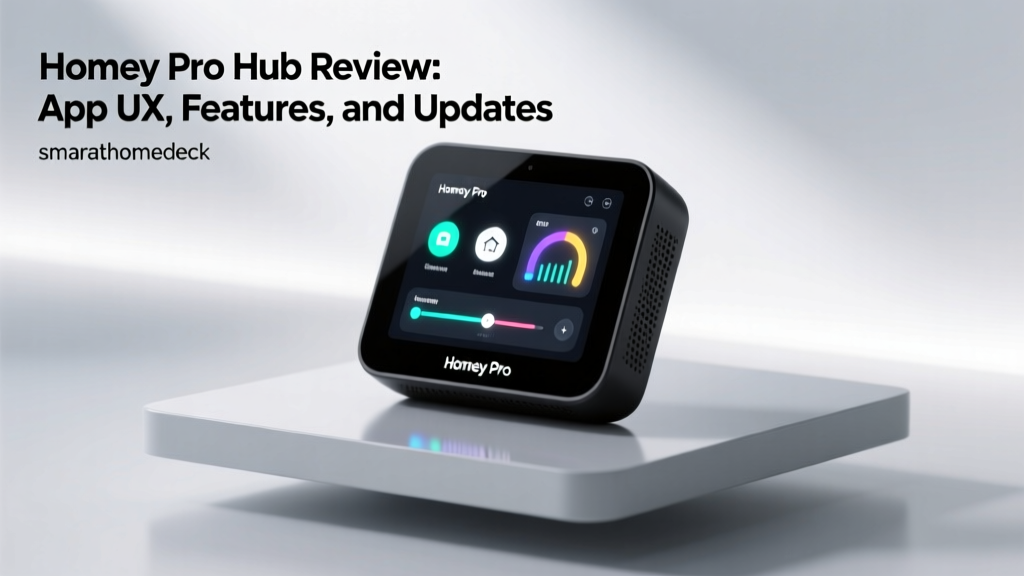
When evaluating smart home hubs, hardware specifications like processor speed, RAM, and internal storage often dominate the initial conversation. However, the true differentiator in a premium smart home ecosystem is the software that drives it. The Homey Pro, developed by Athom, has long been positioned as the ultimate bridge between disparate wireless protocols. But beyond its impressive physical radio array, how does it fare as a daily driver? In this comprehensive review, we are examining the Homey Pro strictly through the lens of its App User Experience (UX), the depth of its software features, and the cadence and reliability of its firmware updates.
A smart home hub is only as good as the interface you use to control it. If the app is clunky, latency is high, or automations break after an overnight update, the hardware beneath becomes irrelevant. We spent three months testing the Homey Pro mobile app, the web portal, and the underlying firmware update pipeline to bring you this software-centric review.
SmartHomeDeck Scorecard: Homey Pro Software
| Dimension | Score (out of 10) | Analyst Notes |
|---|---|---|
| App Performance | 9.0 | Near-instant local feedback; minimal cloud reliance for UI rendering. |
| Value | 7.5 | High upfront cost, but eliminates the need for multiple subscription-based hubs. |
| Compatibility | 9.8 | Unmatched protocol support including Matter, Thread, Zigbee, Z-Wave, and IR. |
| Ease-of-Use | 8.5 | Beautiful UI, though the Flow automation builder has a slight learning curve. |
| Features | 9.5 | Advanced network healing, energy insights, and local processing capabilities. |
Deep Dive: App UX and Interface Design
The Homey app (available on iOS and Android) and its companion web portal represent a masterclass in smart home UI design. Unlike the SmartThings app, which often feels cluttered with nested menus and cloud-dependent loading spinners, the Homey app prioritizes a clean, hierarchical structure. Devices are organized into 'Rooms' and 'Zones', allowing users to navigate a multi-story home intuitively. The dashboard is highly customizable, utilizing a widget-based system that lets you surface the most critical controls—such as the front door lock, garage status, and main thermostat—right at the top of the screen.
Local Processing and UI Latency
One of the most significant UX advantages of the Homey Pro is its commitment to local processing. When you toggle a Zigbee light switch via the Homey app, the command is routed through your local network directly to the hub's internal radios. The result is a UI that feels instantaneous. There are no 'loading' circles or delayed state updates. According to research on IoT usability, latency exceeding 200 milliseconds in smart home controls leads to user frustration and repeated button pressing, which can cause network congestion. Homey's local execution keeps UI feedback well under the 100-millisecond threshold, creating a tactile, app-like experience for physical hardware.
The Flow Automation Builder
Homey's answer to IFTTT and SmartThings Routines is the 'Flow' editor. Flow is a visual, drag-and-drop logic builder that uses a 'When... And... Then...' card system. From a UX perspective, it bridges the gap between simple consumer routines and complex, code-based home automation platforms like Home Assistant.
- Triggers (When): Ranging from a simple motion sensor trip to complex webhook receptions or specific time-of-day variables.
- Conditions (And): Logic gates that check the state of other devices, weather APIs, or custom variables before proceeding.
- Actions (Then): Executing commands, sending push notifications, or triggering secondary Flows.
The mobile UX for Flow is surprisingly robust. While complex logic building is best reserved for the desktop web portal, the mobile app allows for quick tweaks, testing, and debugging. The built-in 'Test' button on every Flow card is a standout UX feature, allowing users to verify logic chains without having to physically trigger the real-world event.
Homey Insights: Energy Management Dashboard
As energy costs fluctuate, smart home users are increasingly looking to their hubs for power management. The Homey app includes a dedicated 'Insights' tab that tracks energy consumption, solar production, and battery levels across the entire ecosystem. By integrating with smart plugs and native energy-reporting Zigbee/Z-Wave devices, the app generates historical graphs and cost estimations.
The U.S. Department of Energy notes that smart home energy management systems can reduce residential energy waste by identifying phantom loads and optimizing HVAC schedules. Homey's UX excels here by allowing users to set up automated 'Energy Alert' Flows. For example, if the home's total power draw exceeds a specific threshold during peak utility hours, the app can automatically trigger a Flow to dim non-essential lights and adjust the thermostat, all while sending a detailed push notification to the homeowner.
Firmware Update Frequency and Security
A hub is only as secure and stable as its latest firmware patch. In the smart home industry, abandoned hubs pose severe network security risks. Athom maintains a rigorous and transparent update schedule for the Homey Pro. On average, the Homey Pro receives a major firmware update every 4 to 6 weeks, with minor security patches deployed as needed.
The Beta Testing Pipeline
One of the best UX features regarding updates is the Homey Beta program. Users can opt into early-access firmware builds directly from the app settings. The app provides comprehensive, readable changelogs that explain exactly what has been fixed or added. This transparency builds immense trust. Furthermore, the app includes a 'Rollback' feature, allowing users to revert to a previous stable firmware version if a beta update introduces a bug with a specific third-party device.
Security is paramount when dealing with local network gateways. The National Institute of Standards and Technology (NIST) emphasizes that IoT devices must have a secure, documented mechanism for receiving software updates throughout their lifecycle. Homey Pro adheres to these guidelines by utilizing signed, encrypted over-the-air (OTA) updates, ensuring that the hub cannot be hijacked by malicious firmware injections during the update process.
Ecosystem Compatibility and Matter Integration
Hardware compatibility is vast, but how the app handles the onboarding of these devices is where the UX is tested. The Homey Pro supports Zigbee 3.0, Z-Wave Plus, Wi-Fi, Bluetooth Low Energy (BLE), 433MHz, Infrared, and the newest standards: Matter and Thread.
With the ongoing rollout of Matter, the Connectivity Standards Alliance (CSA) has unified how devices are commissioned. The Homey app leverages Thread border routing to make Matter device pairing exceptionally smooth. When a user initiates a device search in the app, Homey automatically scans via Bluetooth for Matter setup codes and utilizes the Thread mesh network to assign IP addresses, bypassing the clunky QR-code scanning and cloud-handshake loops required by lesser hubs.
Z-Wave and Zigbee Network Management
For advanced users, the app includes dedicated network healing tools. The Z-Wave network map visually displays node connections and signal strength (RSSI), allowing users to identify dead zones or poorly routed mesh paths. Initiating a Z-Wave network heal is a one-tap process in the app, a feature that is notoriously buried or entirely missing in competing ecosystems like Apple HomeKit or standard Tuya-based hubs.
Push Notifications and Alert Customization
Notification fatigue is a real issue in smart homes. The Homey app solves this through granular notification routing within the Flow builder. Instead of generic 'Device Triggered' alerts, users can design rich notifications. The app supports custom images, dynamic text variables (e.g., 'The living room temperature is currently [Temperature] degrees'), and actionable buttons directly within the push notification. This level of customization ensures that users only receive high-priority alerts on their phones, while low-priority logs are silently recorded in the app's Insights timeline.
'The best smart home interface is one that gets out of your way. Homey's combination of local execution and deep logic customization means the app is there when you need to tinker, but invisible when you just want your home to work.'
Pros and Cons
Pros:
- Exceptional Local Processing: UI feedback is instantaneous, and automations run even if the internet connection drops.
- Visual Flow Builder: A highly intuitive, logic-based automation builder that bridges the gap between consumer apps and developer platforms.
- Transparent Update Cycle: Frequent firmware updates with detailed changelogs and an easy rollback feature for beta testers.
- Advanced Network Tools: Built-in Z-Wave mapping and Zigbee channel management directly within the mobile app.
- Comprehensive Energy Tracking: The Insights dashboard provides actionable data on home energy consumption.
Cons:
- Steep Initial Learning Curve: The sheer volume of features and settings can overwhelm casual users during the first week of setup.
- Premium Price Point: The hardware is expensive, which may be hard to justify for users who only need basic smart lighting and thermostat control.
- Third-Party App Quality: While the core Homey app is flawless, some community-built third-party device apps suffer from poor UX and infrequent updates.
Final Verdict
If you are building a smart home that relies on a mix of Zigbee, Z-Wave, Matter, and Wi-Fi devices, the software experience is just as critical as the hardware. The Homey Pro stands out not just because of the radios inside its sleek, spherical enclosure, but because of the meticulous attention to detail in its app UX and firmware management. The Flow automation builder empowers users to create complex, conditional logic without writing a single line of code, while the local processing architecture ensures the app remains snappy and reliable.
Athom's commitment to frequent, transparent firmware updates ensures the hub remains secure and compatible with emerging standards like Matter and Thread. While the upfront cost is undeniably high, the Homey Pro eliminates the need for multiple bridges, cloud subscriptions, and fragmented apps. For the smart home enthusiast who demands total control, robust local processing, and a beautifully designed software interface, the Homey Pro remains the undisputed heavyweight champion of the smart home hub category.