Introduction: The Gold Standard of Smart Switches
When building or upgrading a smart home, the debate between smart bulbs and smart switches is one of the first hurdles you will face. While smart bulbs offer millions of colors and easy installation, they fall short in practical everyday use: if someone flips the physical wall switch, the smart bulb loses power and becomes completely unresponsive. This is where the Lutron Caseta Wireless Smart Lighting Starter Kit steps in to solve the problem permanently.
Lutron has been a titan in the lighting control industry for decades, and their Caseta line represents the perfect bridge between professional-grade reliability and consumer-friendly DIY installation. In this comprehensive review, we put the Lutron Caseta Pro Smart Lighting Starter Kit (featuring the Smart Bridge Pro, PD-6WCL Dimmer, and Pico Remote) through rigorous real-world testing to see if it truly deserves its reputation as the most reliable smart lighting ecosystem on the market.
Hardware and Design: What is in the Box?
The standard starter kit we reviewed includes three core components that form the foundation of the Caseta ecosystem:
- Lutron Smart Bridge Pro (L-BDGPRO2-WH): The brain of the operation. This small, unassuming puck connects to your router via Ethernet and translates your Wi-Fi commands into Lutron's proprietary Clear Connect RF signals.
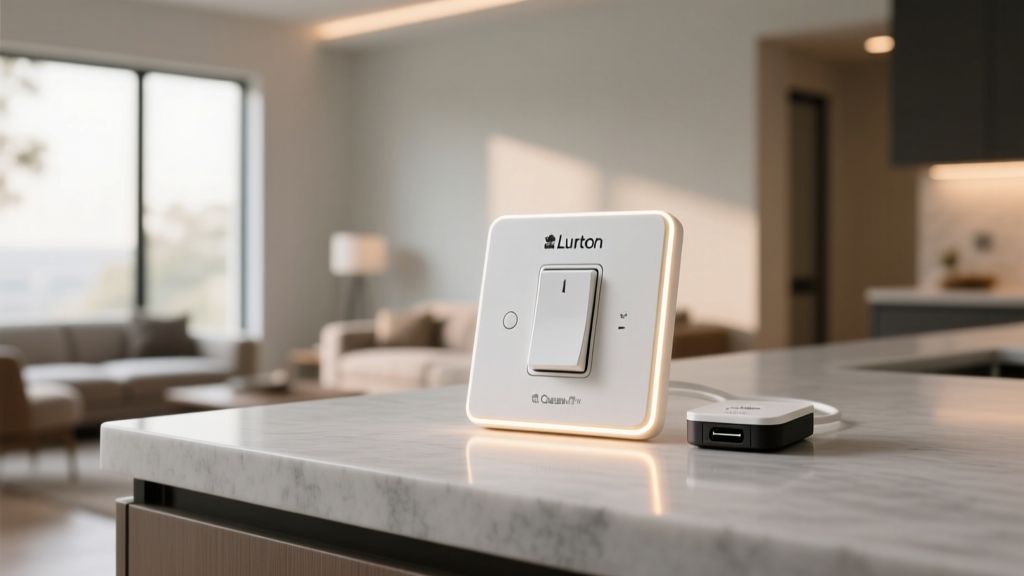
- Caseta Wireless Dimmer (PD-6WCL): A sleek, rocker-style wall switch with a sliding dimmer on the right side. It is designed to handle up to 150W of LED bulbs or 600W of incandescent/halogen bulbs.
- Pico Wireless Remote (PJ2-3BRL): A compact, battery-operated remote with a 10-year battery life that can be mounted on a wall, placed on a nightstand, or even clipped to your car visor.
- Claro Wall Plate: A premium, screwless wall plate that gives the installation a clean, modern, and professional finish.
The build quality is exceptional. Unlike cheaper smart switches that feel hollow or use flimsy plastics, the Caseta dimmer has a satisfying tactile click and a smooth, resistant slide mechanism. The Pico remote, despite being made of lightweight plastic, feels durable and features a subtle concave design that makes it easy to identify the center "favorite" button by touch alone in the dark.
Installation: The "No Neutral Wire" Advantage
Perhaps the single biggest selling point of the Lutron Caseta PD-6WCL dimmer is its lack of a neutral wire requirement. In many homes built before the 1980s, the electrical boxes behind wall switches do not contain a neutral wire. Most competing smart switches (like those from Leviton or GE Enbrighten) require a neutral wire to power their internal Wi-Fi or Zigbee radios, rendering them useless in older homes unless you pay an electrician to rewire your walls.
Lutron bypasses this issue by sipping a tiny amount of power through the load wire and the connected light bulbs. During our installation test, the process took exactly 14 minutes:
- Turn off the circuit breaker and verify power is dead with a voltage tester.
- Remove the old switch and identify the Line (power from panel), Load (power to light), and Ground wires.
- Connect the Caseta dimmer's wires using the included wire nuts (Line to Line, Load to Load, Ground to Ground).
- Tuck the wires neatly into the gang box and attach the switch and Claro wallplate.
- Restore power and pair the switch to the Smart Bridge via the Lutron app.
Pro Tip: If you are installing the Caseta dimmer in a 3-way switch configuration (where two switches control one light), you do not need to run new traveler wires. Simply cap off the old secondary switch, install the Caseta dimmer on the primary box, and mount the Pico Remote over the secondary box using the included Pico Wallbox Adapter.
The App Experience and Automations
The Lutron App (available on iOS and Android) prioritizes function over flashy graphics. While it may not look as gamified as some competitor apps, it is incredibly responsive and stable. Device pairing is seamless, usually taking less than 10 seconds per switch.
Solar Calendar and Smart Scheduling
One of our favorite features is the built-in Solar Calendar. Instead of setting your porch lights to turn on at a static 6:00 PM (which means they turn on too early in the summer and too late in the winter), the Lutron app calculates the exact sunrise and sunset times for your specific GPS coordinates. You can set your exterior lights to turn on exactly 15 minutes before sunset, and the schedule will automatically adjust every single day of the year.
Geofencing and Smart Away
The app's geofencing capabilities allow lights to turn on automatically when you pull into your driveway. Furthermore, the "Smart Away" feature is a brilliant security tool. When enabled, the system will randomly turn lights on and off in different rooms during the evening hours to simulate occupancy while you are on vacation, deterring potential intruders without following a predictable, robotic pattern.
Ecosystem Compatibility and Clear Connect RF
Lutron does not use Wi-Fi, Bluetooth, or Zigbee to communicate between the Bridge and the switches. Instead, they use a proprietary, low-frequency radio protocol called Clear Connect RF (operating in the 434 MHz range). This is a massive advantage for two reasons:
- Zero Network Congestion: It does not clog up your home's Wi-Fi network or compete with your microwave and baby monitors on the 2.4GHz band.
- Unmatched Range and Reliability: Low-frequency radio waves penetrate walls, floors, and concrete far better than high-frequency signals. In our testing, the Smart Bridge placed in the basement successfully controlled switches on the second floor without a single dropped command or latency issue.
On the smart home ecosystem front, the Smart Bridge Pro is a powerhouse. It natively integrates with Apple HomeKit, Amazon Alexa, Google Home, Sonos, and Honeywell thermostats. For Apple users, Caseta is widely considered the best HomeKit lighting solution available due to its instantaneous response times via Siri.
As the smart home market evolves toward unified standards, the Connectivity Standards Alliance (CSA) has pushed the Matter protocol to ensure cross-brand interoperability. While Caseta switches themselves do not speak Matter natively, the Lutron Smart Bridge acts as a Matter controller and bridge, allowing your Caseta devices to be exposed seamlessly to any Matter-compatible hub or ecosystem, future-proofing your investment.
Energy Efficiency and Long-Term Value
Smart lighting is not just about convenience; it is a proven method for reducing household energy consumption. By utilizing dimmers, automated schedules, and geofencing, you ensure lights are never left on accidentally. According to the U.S. Department of Energy, utilizing advanced lighting controls like dimmers and occupancy sensors can significantly reduce residential lighting energy usage, extending the lifespan of your LED bulbs and lowering your monthly utility bills.
Furthermore, because Lutron devices are built to professional electrical standards, they do not suffer from the premature hardware failures common in cheap, direct-to-consumer smart bulbs. A Caseta switch is installed once and expected to last for decades, aligning with the sustainability goals promoted by the ENERGY STAR program regarding long-lasting, energy-efficient home infrastructure.
Deck Score Breakdown
We evaluate every smart home product across five core dimensions to provide a holistic view of its performance and value.
| Dimension | Score (out of 10) | Notes |
|---|---|---|
| Performance | 9.8 | Clear Connect RF ensures zero latency and 100% reliability. |
| Ecosystem | 9.5 | Native support for HomeKit, Alexa, Google, Sonos, and Matter bridging. |
| Ease of Use | 9.0 | App is intuitive; physical switch operation is familiar to guests. |
| Features | 8.5 | Solar calendar and Smart Away are excellent, but lacks color control. |
| Value | 7.5 | Premium price point; expanding to whole-home can get expensive. |
Competitor Comparison Chart
How does the Lutron Caseta stack up against other major smart lighting systems like Philips Hue (smart bulbs) and Leviton Decora (Wi-Fi switches)? The chart below visualizes our comparative testing scores.
Smart Lighting System Comparison
Pros and Cons
Pros:
- No Neutral Wire Required: Perfect for older homes with outdated wiring.
- Unmatched Reliability: Clear Connect RF never drops commands or lags.
- Pico Remote Versatility: Solves 3-way switch wiring issues effortlessly.
- Broad Ecosystem Support: Works flawlessly with Apple HomeKit, Alexa, and Google.
- Solar Calendar: Automates exterior lighting based on local sunset times.
Cons:
- Premium Pricing: The starter kit is an investment, and individual add-on switches cost around $60 each.
- 50-Device Limit: The standard Smart Bridge Pro caps out at 50 Caseta devices (requires a secondary bridge or Pro installer hub for larger mansions).
- Proprietary Hub Required: You cannot connect the switches directly to your router; the Bridge is mandatory.
Final Verdict
The Lutron Caseta Pro Smart Lighting Starter Kit is, without a doubt, the best smart switch system for the vast majority of homeowners. While the initial cost of entry is higher than buying a multipack of cheap Wi-Fi smart bulbs, the long-term reliability, guest-friendly physical controls, and seamless integration with major voice assistants make it a superior choice for permanent home infrastructure.
If you live in an older home lacking neutral wires, or if you are simply tired of your Wi-Fi smart switches dropping offline every time your router restarts, the Caseta system is the cure. It operates quietly in the background, exactly as premium home automation should. We highly recommend starting with this kit for your most-used rooms (like the kitchen, living room, and porch) and expanding the ecosystem over time.