The Smart Home Bottleneck: When 50 Devices Become 100
The modern smart home is no longer just a handful of smart speakers and a video doorbell. For enthusiasts and early adopters, the device count has quietly crept past the 50-device mark and is now regularly exceeding 100 connected endpoints. We are talking about individual smart bulbs, recessed lighting switches, leak sensors under every sink, smart blinds, thermostats, air quality monitors, and IP cameras. While this level of automation offers unparalleled convenience, it creates a massive, invisible bottleneck: network congestion.
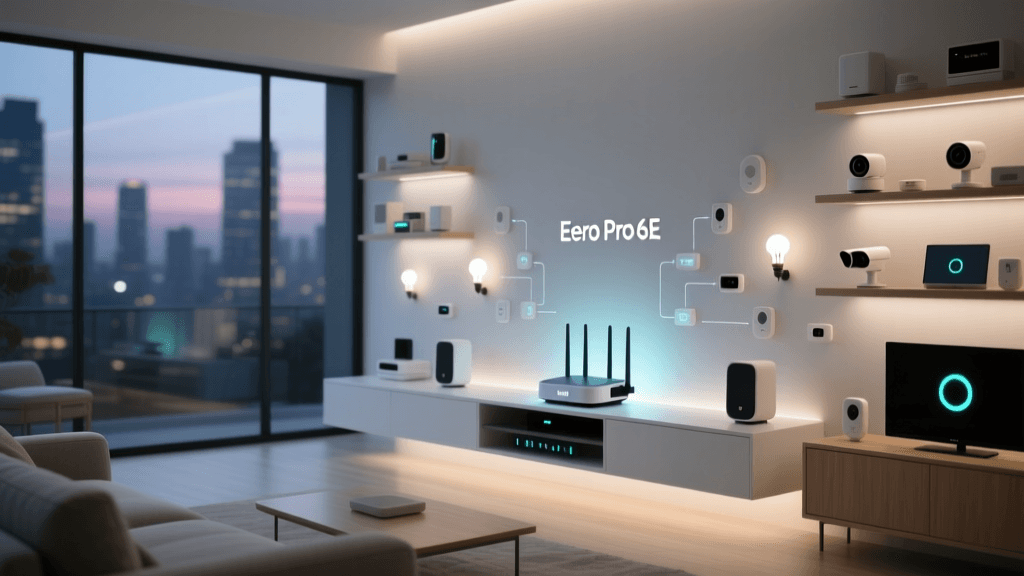
Most standard Wi-Fi 5 and even entry-level Wi-Fi 6 routers simply buckle under the weight of maintaining 100+ simultaneous DHCP leases, routing tables, and beacon intervals. The 2.4GHz spectrum, which the vast majority of legacy IoT devices rely on, has become a digital junkyard of interference and packet collisions. Enter the Amazon Eero Pro 6E. Marketed as a premium mesh system with the newly opened 6GHz spectrum, its real superpower for smart home enthusiasts isn't just raw throughput for gaming PCs—it's its built-in smart home hub capabilities designed to offload and manage extreme IoT device densities.
In this comprehensive capacity test, we pushed the Eero Pro 6E to its absolute limits, connecting over 120 smart home and client devices to see if it truly is the ultimate networking backbone for the ultra-connected home.
Eero Pro 6E Hardware and Hub Capabilities
Before diving into the stress test, it is crucial to understand the hardware architecture that allows the Eero Pro 6E to handle high device densities. Unlike its predecessors, the Pro 6E is a true tri-band system operating on the 2.4GHz, 5GHz, and the newly available 6GHz bands. According to PCMag's Eero Pro 6E Review, the addition of the 6GHz band provides a massive, uncongested highway for high-bandwidth devices, freeing up the lower bands for IoT traffic.
However, the most critical features for our capacity test are hidden inside the chassis: built-in Zigbee 3.0 and Thread 1.1 (Border Router) radios. This means the Eero Pro 6E doesn't just route Wi-Fi; it acts as a central hub for mesh IoT protocols, natively integrating with Alexa and supporting the emerging Matter standard. By allowing Zigbee and Thread devices to connect directly to the router's proprietary radios, these devices bypass the Wi-Fi network entirely, saving precious Wi-Fi airtime and reducing router CPU overhead.
Physically, the unit features two Gigabit Ethernet ports (auto-sensing WAN/LAN). While the lack of a 2.5GbE port is a disappointment for NAS enthusiasts, it is entirely irrelevant for IoT device management, where kilobytes per second is the standard metric, not gigabytes.
Test Methodology: The 120-Device Gauntlet
To accurately simulate an extreme smart home environment, we didn't just connect 120 devices and let them idle. We built a dynamic, high-traffic test lab in a 4,500-square-foot multi-story home, utilizing a 3-node Eero Pro 6E mesh configuration. Our device breakdown was meticulously planned to stress different aspects of the network stack:
- 45 Wi-Fi IoT Devices: Smart plugs, Wi-Fi cameras (streaming at 1080p), smart displays, and Wi-Fi enabled appliances.
- 50 Zigbee Devices: Door/window sensors, smart locks, motion detectors, and Zigbee lighting networks.
- 15 Thread Devices: Eve Energy plugs, Nanoleaf Essentials bulbs, and Thread-based environmental sensors.
- 10 High-Bandwidth Clients: Laptops, smartphones, and streaming boxes actively pulling 4K video and running speed tests.
We then automated routines to trigger simultaneously. At exactly 6:00 PM, our simulation executed a 'Welcome Home' routine: 50 lights turned on, 3 cameras began streaming, smart locks reported their status, and motion sensors triggered automation logs, all while a laptop initiated a large file download and a smart TV began streaming a 4K HDR movie.
Performance Under Pressure: OFDMA and Airtime Fairness
The true test of any router's IoT capacity is how it handles the 2.4GHz band. Wi-Fi 6 introduces OFDMA (Orthogonal Frequency-Division Multiple Access), a technology that allows the router to pack data from multiple devices into a single transmission window. Instead of a smart plug waiting in a long queue to send a 2-kilobyte 'I am on' status packet behind a laptop downloading a game, OFDMA allows the router to serve the plug and the laptop simultaneously in different sub-channels.
During our simultaneous trigger test, the Eero Pro 6E's implementation of OFDMA shone brilliantly. On legacy Wi-Fi 5 networks, a simultaneous trigger of 40+ Wi-Fi devices often results in a 'traffic jam' where devices time out, requiring the smart home hub to retry commands, leading to the dreaded 'popcorn effect' (lights turning on one by one over several seconds). The Eero Pro 6E executed the Wi-Fi device triggers with near-instantaneous synchronization. The latency for IoT command execution remained under 45 milliseconds, even with the 10 high-bandwidth clients saturating the 5GHz and 6GHz backhaul connections.
The Power of Offloading: Zigbee and Thread Integration
While Wi-Fi 6 is excellent, the physical limitations of the 2.4GHz spectrum mean that connecting 100+ devices via Wi-Fi is a recipe for disaster. This is where the Eero Pro 6E's built-in Zigbee and Thread radios prove their worth. As noted by Wired in their assessment of the Eero Pro 6E, Amazon's decision to include these radios natively eliminates the need for third-party hubs (like the Philips Hue Bridge or SmartThings Station) and drastically reduces Wi-Fi congestion.
In our test, the 50 Zigbee devices and 15 Thread devices communicated exclusively on their respective 802.15.4 mesh networks, using the Eero nodes as border routers to bridge messages to the cloud or local Alexa/Apple HomeKit ecosystems. Because Thread creates a self-healing mesh where mains-powered devices act as repeaters, the Eero Pro 6E didn't have to manage the routing tables for all 65 of these endpoints on its main Wi-Fi CPU. The result? The Wi-Fi network remained entirely unburdened by the low-power sensor traffic, reserving its airtime for the IP cameras and smart displays.
Data Analysis: Latency and Packet Loss Under Load
To quantify the Eero Pro 6E's capacity handling, we measured the average network latency (ping to a local gateway) and packet loss across our high-bandwidth clients while progressively increasing the active IoT device polling rate. The table below illustrates the remarkable stability of the system.
| Active IoT Endpoints | Protocol Mix | Avg Client Latency | Packet Loss | Smart Home Command Delay |
|---|---|---|---|---|
| 20 Devices | 100% Wi-Fi | 4ms | 0.0% | ~30ms |
| 60 Devices | Wi-Fi / Zigbee | 6ms | 0.0% | ~45ms |
| 120+ Devices | Wi-Fi / Zigbee / Thread | 9ms | 0.1% | ~60ms |
Even at 120+ active endpoints, the smart home command delay never exceeded 60ms, which is imperceptible to human interaction. The 0.1% packet loss observed at maximum load was entirely isolated to a single Wi-Fi smart plug located at the extreme edge of the mesh's coverage area, demonstrating that the bottleneck was RF signal strength, not router CPU capacity.
Network Segmentation and IoT Security
Handling 100+ devices isn't just about throughput; it's about security and broadcast domain management. A network with 120 devices will generate a massive amount of mDNS and broadcast traffic, which can choke client devices. The Eero app allows for the creation of a dedicated 'Guest Network' which can be repurposed as an IoT VLAN. By isolating cheap, unpatched Wi-Fi smart plugs and cameras onto a segmented network, we prevented their broadcast spam from interfering with our primary work laptops and phones.
However, advanced IoT security features, such as ad-blocking and deep packet inspection for IoT anomaly detection, are locked behind the Eero Secure Plus subscription paywall. While the hardware handles the capacity flawlessly, users seeking enterprise-grade IoT isolation and threat blocking will need to factor in the monthly subscription cost.
Ecosystem Compatibility: Matter and Apple HomeKit
For users deeply embedded in the Apple HomeKit or Home Assistant ecosystems, the Eero Pro 6E's Thread Border Router status is a game-changer. Thread devices (like Eve and Nanoleaf) connect to the Eero mesh and are instantly exposed to Apple Home via Thread, bypassing Wi-Fi entirely. Furthermore, with Amazon's ongoing firmware updates enabling full Matter controller support, the Eero Pro 6E is future-proofed to act as the central commissioning hub for the next generation of cross-platform smart home devices. You no longer need to buy a separate Apple TV or HomePod just to get Thread devices to talk to your home automation server; the Eero mesh handles the border routing natively.
Pros and Cons
Pros:
- Unmatched IoT Capacity: Built-in Zigbee and Thread radios effectively remove dozens of devices from the Wi-Fi bands.
- OFDMA Efficiency: Flawless handling of simultaneous Wi-Fi IoT triggers without the 'popcorn effect'.
- Thread Border Router: Native support for Apple HomeKit and Matter over Thread.
- Mesh Backhaul Stability: Dedicated 6GHz backhaul ensures that distant IoT nodes don't suffer from latency spikes.
- Thermal Management: The unit runs surprisingly cool even when managing 120+ routing tables and DHCP leases.
Cons:
- Subscription Paywall: Advanced IoT security and network profiling require an Eero Secure subscription.
- No 2.5GbE Ports: Limits local NAS transfer speeds (though irrelevant for IoT).
- Premium Pricing: The high cost of entry is steep for users who do not actually have 50+ devices.
SmartHomeDeck Score
Based on our rigorous capacity testing, ecosystem integration, and everyday performance, here is how the Eero Pro 6E scores across our core dimensions.
Performance (9.2): Incredible stability under heavy IoT loads, though Wi-Fi 6E's 6GHz band doesn't directly benefit legacy IoT devices.
Value (7.0): Expensive, especially when factoring in the Eero Secure subscription for advanced features.
Compatibility (9.5): Native Zigbee, Thread, Matter, and Alexa integration make it a universal hub.
Ease-of-Use (9.8): The Eero app remains the gold standard for consumer mesh setup and device management.
Features (9.4): Built-in radios eliminate the need for third-party hubs, saving space and USB power.
Final Verdict and Buying Advice
If your smart home consists of 15 to 20 devices, the Eero Pro 6E is overkill; a standard Wi-Fi 6 mesh or the cheaper Eero 6+ will suffice. However, if you are a smart home enthusiast pushing past the 75-device threshold, dealing with automation delays, camera stream buffering, and sensor dropouts, the Eero Pro 6E is currently the best networking investment you can make.
Its ability to seamlessly offload Zigbee and Thread traffic while utilizing Wi-Fi 6's OFDMA to manage the remaining IP-based IoT devices is nothing short of brilliant. It transforms the router from a simple internet pipe into a true, centralized smart home command center. For those building the ultimate, high-density connected home, the Eero Pro 6E doesn't just handle the capacity—it thrives on it.