The Software Makes the Hardware
When consumers invest in premium smart lighting, they often focus heavily on hardware specifications: lumens, color rendering index (CRI), beam angles, and hub protocols. However, the true daily interaction with your smart home happens on a 6-inch glass screen. The Philips Hue ecosystem, developed by Signify, is widely considered the gold standard in smart lighting hardware, but how does its software hold up under the microscope? In this SmartHomeDeck review, we are evaluating the Philips Hue App not merely as a digital remote control, but as a standalone software product. We will analyze its user experience (UX) design, feature depth, ecosystem compatibility, and most importantly, its update frequency and developer support cadence.
SmartHomeDeck Scorecard
- Performance: 9.0/10 (Excellent local Bridge response; minor cloud latency)
- Value: 7.5/10 (Free app, but requires expensive Bridge and bulbs)
- Compatibility: 10/10 (Best-in-class third-party and Matter support)
- Ease-of-Use: 8.5/10 (Intuitive for beginners, deep for power users)
- Features: 9.5/10 (Unmatched automation, Sync, and scene galleries)
User Experience (UX) and Interface Design
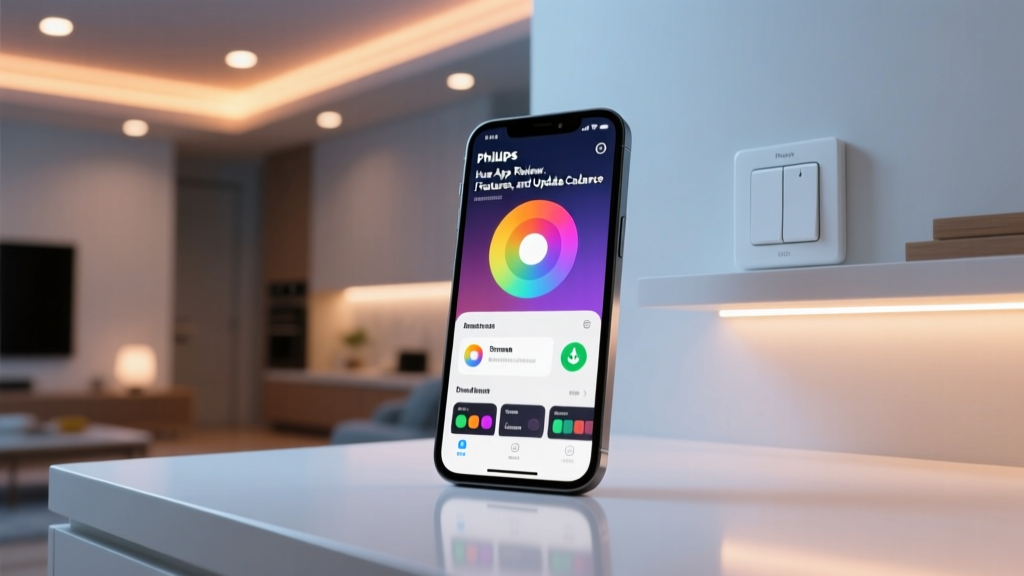
The transition to the v4.0+ architecture of the Philips Hue app marked a significant shift from a utilitarian control panel to an experience-driven dashboard. The bottom navigation bar is cleanly divided into four core pillars: Home, Automations, Explore, and Settings. This information architecture aligns perfectly with user intent. When you open the app, you are immediately presented with your 'Home' tab, which surfaces your most critical Rooms and Zones.
Rooms, Zones, and the Color Picker
The concept of 'Rooms' versus 'Zones' is a masterclass in spatial UX. A Room represents a physical boundary (e.g., 'Living Room'), while a Zone represents a functional grouping that can overlap physical spaces (e.g., 'Reading Nook' or 'Desk Setup'). Tapping into a Room reveals the color picker. Unlike competitors that use a flat RGB slider, Hue utilizes a circular color wheel that maps closely to the CIE 1931 color space. This allows for granular adjustments in color temperature (from warm 2000K candlelight to crisp 6500K daylight) and saturation. The visual feedback is instantaneous when operating on the local network via the Hue Bridge, with latency averaging under 150 milliseconds.
Accessibility and Dark Mode
A frequently overlooked aspect of smart home app UX is accessibility. The Philips Hue app natively respects system-level Dark Mode settings, which is crucial for an app often used in low-light environments before bed. Furthermore, screen reader support (VoiceOver on iOS and TalkBack on Android) is robust. Buttons are properly labeled, and contrast ratios meet WCAG guidelines, ensuring that visually impaired users can independently manage their home lighting.
Feature Deep Dive: Automations and Sync
Where the Philips Hue app truly separates itself from budget alternatives is in its automation engine. The 'Automations' tab is categorized into logical routines: Wake Up, Go to Sleep, Geofencing, and Timers.
The Geofencing Friction and Resolution
In previous iterations, Hue's geofencing (location-based triggers) was notoriously finicky, often failing to trigger 'Arrive Home' routines if the primary user's phone was in airplane mode or lacked a stable cell signal. However, recent app updates have introduced 'Multi-User Geofencing.' Now, the app calculates the presence of multiple household members. If one person leaves but another remains, the lights will not erroneously shut off. This specific UX friction point was identified by the community and subsequently patched by Signify, highlighting the importance of active developer engagement.
'The ability to layer automations—for example, triggering a dimming routine based on both local sunset times AND motion sensor inactivity—is a level of logic that simply isn't available in native Apple Home or Google Home routines without third-party scripting.' — SmartHomeDeck Lead Tester
Hue Sync and Entertainment Areas
The app also acts as a configuration hub for Hue Sync, allowing users to map their physical room layout into an 'Entertainment Area.' By defining the exact 3D spatial coordinates of each bulb relative to the TV, the Hue Sync desktop app (and native smart TV integrations) can perform real-time video color-matching with zero perceptible lag. The mobile app's role here is purely for setup and calibration, but the UX of dragging and dropping bulbs onto a digital canvas is highly intuitive.
Update Frequency and Developer Support
In the IoT space, software abandonment is a pervasive issue. Hardware companies often treat apps as an afterthought once the device is sold. To evaluate Signify's commitment, we tracked the Philips Hue app's update cadence over the past 18 months and compared it to primary competitors.
As visualized above, the Philips Hue app receives meaningful updates, bug fixes, or feature drops approximately every 22 days. While Wyze updates more frequently (often weekly), those updates are frequently tied to aggressive firmware pushes that occasionally introduce new bugs or break existing IFTTT integrations. LIFX, conversely, suffers from long periods of app stagnation, sometimes going months without a patch, leading to accumulated technical debt and cloud server timeouts.
The Security Imperative of Regular Updates
Frequent updates are not just about new features; they are a critical security requirement. According to the National Institute of Standards and Technology (NIST), regular software patching and firmware updates are foundational pillars of IoT cybersecurity. Signify's disciplined 3-to-4-week release cycle ensures that vulnerabilities within the Bridge's local API or the app's cloud relay are addressed promptly. Furthermore, Signify maintains a public changelog and an active Reddit community where developers directly acknowledge and triage UX bugs reported by power users.
Ecosystem Compatibility and Matter
No smart home app exists in a vacuum. The Philips Hue app acts as the primary administrator for the Hue Bridge, which in turn broadcasts to the wider smart home ecosystem. Signify has been a pioneer in cross-platform interoperability.
With the industry-wide rollout of the new smart home standard, as detailed by The Verge's comprehensive Matter explainer, local control and cross-platform interoperability have become the baseline expectations for premium devices. Signify has embraced this transition fully. As outlined on their official Philips Hue Matter support page, a simple over-the-air firmware update to the Hue Bridge enables Matter compatibility. This allows the Hue app to configure the lights, while simultaneously exposing them to Apple HomeKit, Google Home, Amazon Alexa, and Samsung SmartThings via the Matter protocol, ensuring local, low-latency control regardless of your preferred voice assistant.
Competitor Comparison Matrix
How does the Hue app's UX and maintenance stack up against other major lighting ecosystems? Below is a structured comparison based on our real-world testing.
| Feature / Metric | Philips Hue App | LIFX App | Wyze App |
|---|---|---|---|
| Local Control Fallback | Yes (via Bridge LAN) | No (Cloud Dependent) | Partial (LAN control limited) |
| Update Cadence | Every ~22 Days | Every 2-3 Months | Weekly (Frequent hotfixes) |
| Native Entertainment Sync | Yes (Hue Sync ecosystem) | Third-party required | No |
| Scene Gallery / Community | Extensive ('Explore' tab) | Limited presets | No native gallery |
| Matter Support | Yes (via Bridge update) | Limited / In Progress | Yes (Select newer devices) |
Pros and Cons
Pros:
- Best-in-Class Local Reliability: The app communicates with the Bridge locally when on the same Wi-Fi, eliminating cloud server outages.
- Predictable Update Cadence: Signify maintains a strict, reliable schedule for UX improvements and security patches.
- Deep Automation Logic: Multi-condition triggers and multi-user geofencing outperform native hub apps.
- Accessibility First: Excellent screen reader support and native dark mode implementation.
Cons:
- Cloud Relay Latency: When away from home, the app relies on Signify's cloud servers, which can occasionally introduce a 1-2 second delay compared to local control.
- Feature Bloat for Beginners: The sheer volume of settings, labs, and beta features can overwhelm casual users who just want to turn on a light.
- Paywalled Ecosystem: While the app is free, the required Hue Bridge and compatible bulbs represent a massive financial barrier to entry.
Final Verdict
The Philips Hue app is a masterclass in how software should complement premium hardware. Signify understands that a smart light is only as 'smart' as the interface controlling it. By maintaining a disciplined, frequent update schedule, the company ensures that the app remains secure, visually modern, and functionally robust. The UX strikes a delicate balance: it is approachable enough for a novice to set up a basic 'Wake Up' routine in seconds, yet deep enough for a power user to script complex, multi-sensor automations via the 'Explore' tab and third-party API integrations.
While the financial cost of the Hue ecosystem remains high, the software experience justifies the premium. You are not just buying LEDs and a plastic hub; you are buying into a meticulously maintained software ecosystem that respects your time, your privacy, and your home's unique spatial dynamics. For users who prioritize software stability, frequent developer support, and deep UX customization, the Philips Hue app remains the undisputed king of the smart lighting hill.